Flint2 seems to do some weird filtering of certain file names on USB disk shared with Samba. It looks like filenames starting with ._ do not work (cannot be created nor accessed). I checked it with Windows client and linux cifs mount, with the same result. I use GL-MT6000 with 4.8.4 firmware.
When I log into Flint2 via ssh and create the file manually on the disk, everything works fine:
root@GL-MT6000:/tmp/mountd/disk1_part1/test# touch ._foo.txt other.txt
root@GL-MT6000:/tmp/mountd/disk1_part1/test# ll
drwxrwxrwx    2 root     root          4096 Jun  4 13:13 ./
drwxr-xr-x   14 root     root          4096 Jun  4 11:27 ../
-rw-r--r--    1 root     root             0 Jun  4 13:13 ._foo.txt
-rw-r--r--    1 root     root             0 Jun  4 13:13 other.txt
However, the file is not visible on linux client cifs mount (nor on Windows PC):
root@client:/tmp# ll /mnt/flint2/test
total 0
drwxr-xr-x 2 root root 0 Jun  4 13:13 .
drwxr-xr-x 2 root root 0 Jun  4 11:27 ..
-rwxr-xr-x 1 root root 0 Jun  4 13:13 other.txt
I have encountered this problem when trying to rsync files into Flint2 samba share, and one of the filenames happened be prefixed with _. Since I use --partial flag for rsync (mainly for atomic rename of copied file), this happens:
root@client:/tmp# ll test
total 16K
drwxr-xr-x  2 root  root   60 Jun  4 11:31 .
drwxrwxrwt 12 root  root  260 Jun  4 13:17 ..
-rw-r--r--  1 root  root    5 Jun  4 11:28 _test.txt
root@client:/tmp# rsync --recursive --update --chmod=ugo=rwX --partial /tmp/test/ /mnt/flint2/test
rsync: [receiver] mkstemp "/mnt/flint2/test/._test.txt.uUfMJS" failed: No such file or directory (2)
rsync error: some files/attrs were not transferred (see previous errors) (code 23) at main.c(1347) [sender=3.2.7]
Apparently, in the process rsync chooses . as prefix for tmp file, and together with _ in the name the file fails to be created. This makes all files with names starting with _ impossible to copy to Flint2 samba share with rsync --partial - which looks to me a lot like a bug.
Could someone help to explain which part of Flint2 software causes this, and how can I change that or work it around somehow?
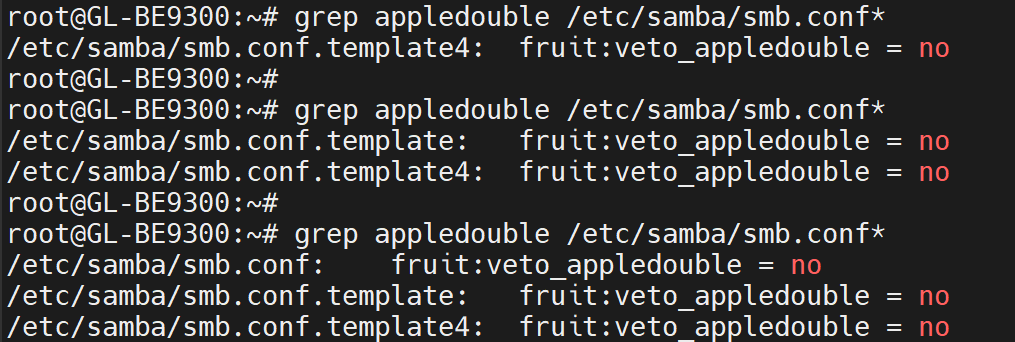
PS The Almighty AI explains it might be connected with some "MacOS resource fork" file handling. Well, maybe, but how can I turn this off? (or work the problem around somehow, permanently). Sadly, rsync does not provide a way to customize temp file pattern to avoid ._ collision.
PPS I have also tried to play with Flint's samba veto options, but with no success (there is a ._.DS_Store pattern on the list, but it is not just "any file starting with ._").