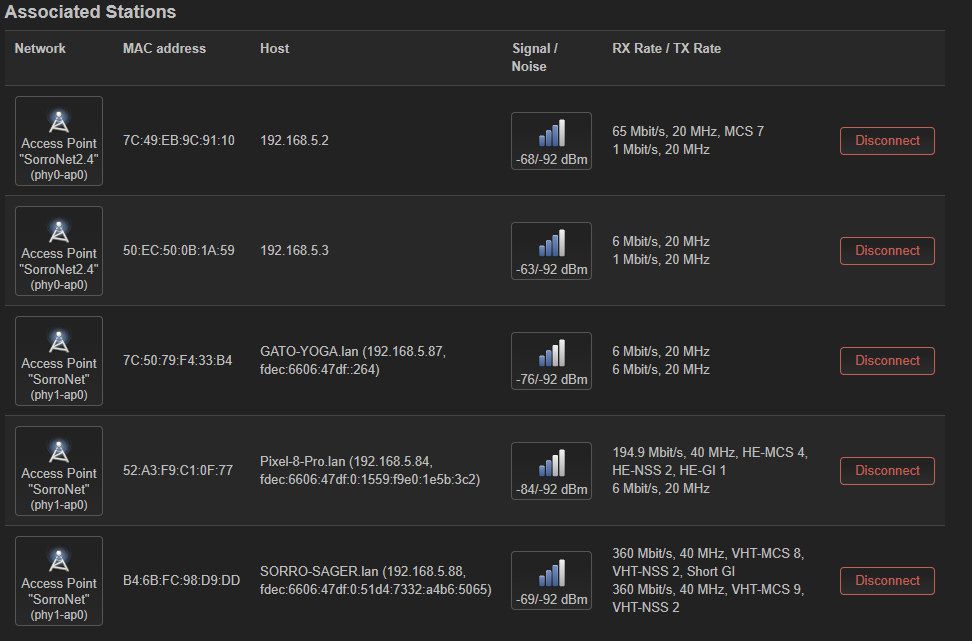
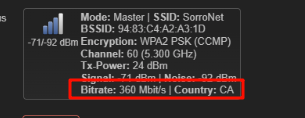
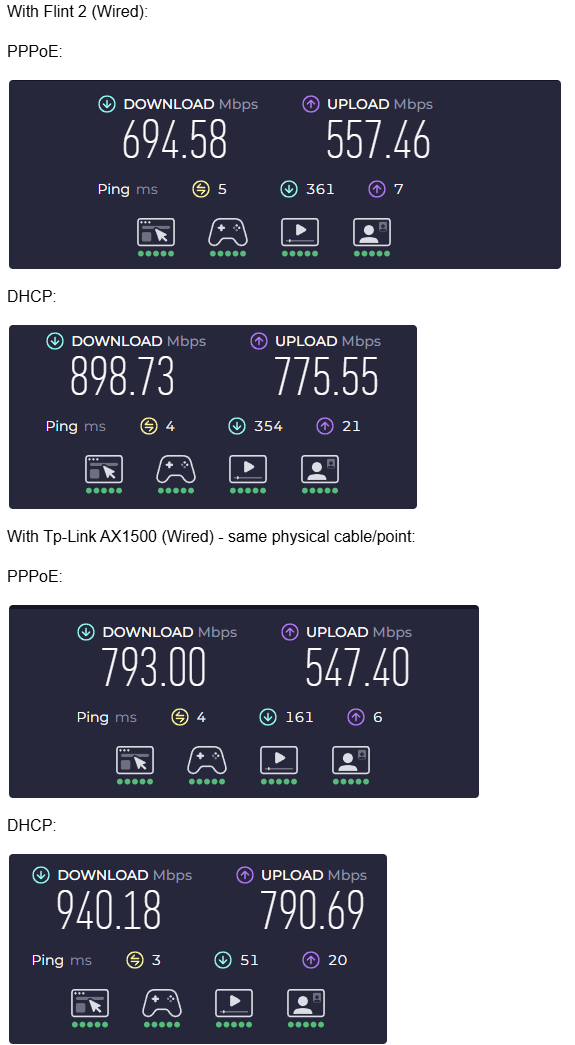
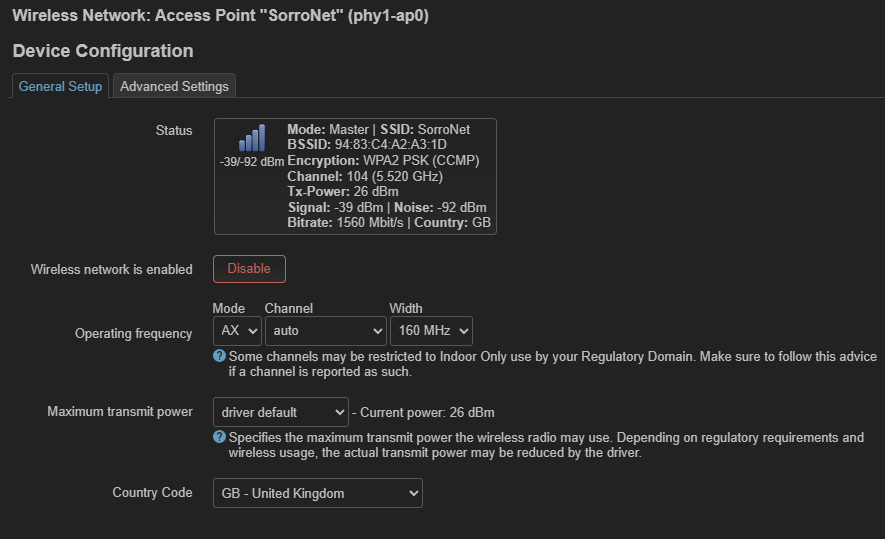
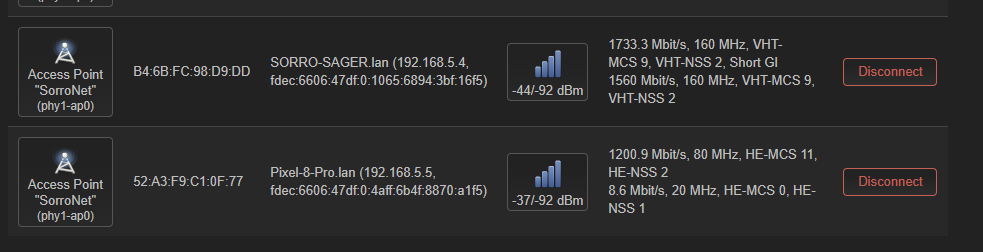
I know this is a common issue with this router, I’ve never was able to make it work as I expected when I bought it, and in every other topic I see no solution. The thing is that wifi speeds are super slow, and the coverage is kind of weak when I get a bit away from the router. I think the problem is that all my devices connect in the 40mhz band, which restricts me to an average of 300mbp/s in the best case.
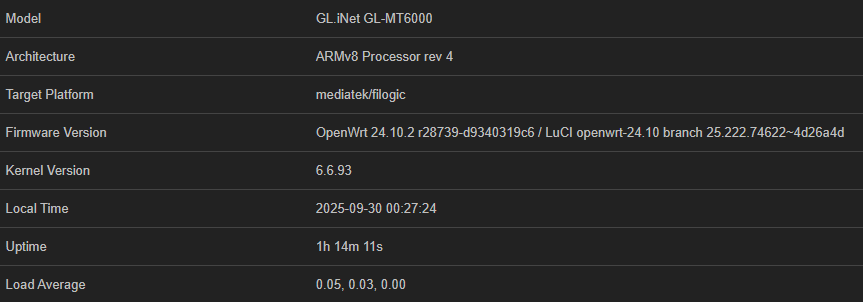
I installed a clean recent firmware from openwrt, since it wasn’t working well when I purchased it with the stock firmware (I have 2 identicalr routers, and both have the same problem. one in OpenWRT 23 and the other in 24):
I have other hardware also running in OpenWRT, and when I connect to those routers, I’m usually connected in the 80mhz band, and I can achieve better speeds (same client devices).
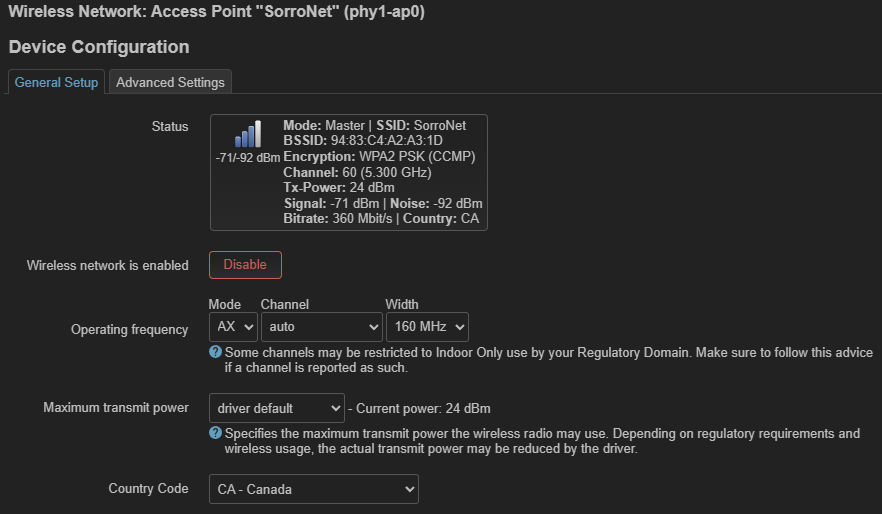
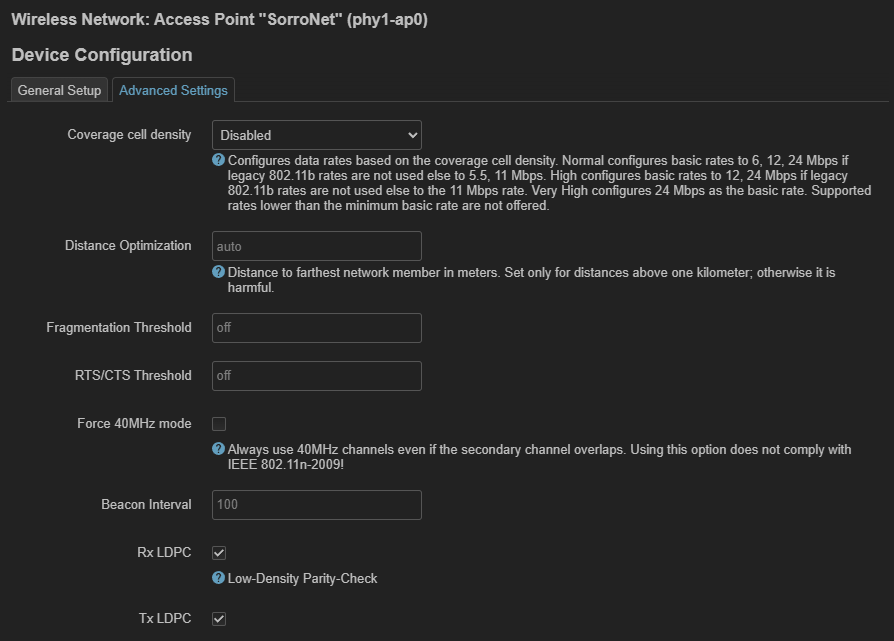
How can I fix it please? I’ll leave the config here:
Please try these steps to optimize the performance:
Change the Wi-Fi channel setting to a non-DFS channel.
Reduce the channel bandwidth to 80MHz or 40MHz .
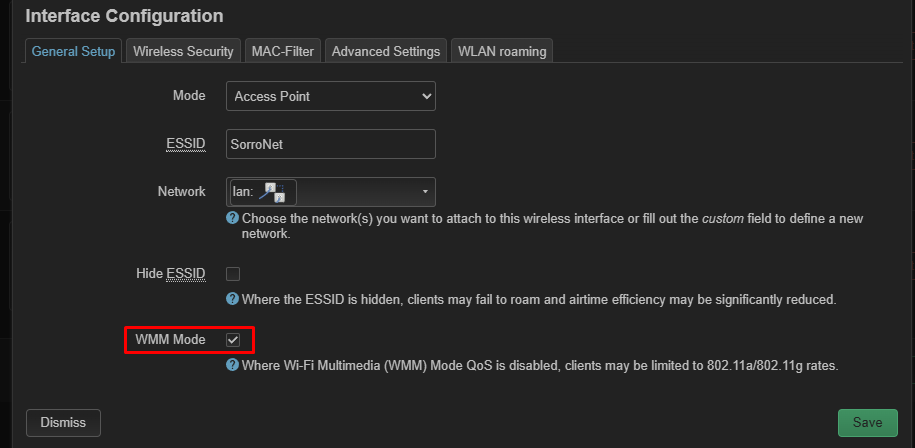
Make sure that WMM Mode has been enabled.
If the issue persists, since you are using a vanilla OpenWRT build, which is outside our standard scope of support, we recommend you seek further assistance from the active OpenWRT community.
I would recommend using android app: wifi analyzer and check the best channel.
If it then still happens which was already suggested above, do you use any usb on your flint 2?, try without it.
If there is still issues, but you haven't checked on other devices (not on luci, but directly on the devices itself) try a reboot of the client device, I know that my mobile phone (Poco X6 pro), has this rare issue where the speed get extremely degraded to even 10mb/s, and the reason how this bug unleashed was that I let my phone reconnect alot of times to wifi (due to configuration failure/testing).
Other than that, by skimming to your configuration you already seem to have set country, and tx power is well 24, that is more than enough.
It is possible the antenna direction is wrong, or you may have a house which is very thick isolated where penetrating to walls with 5ghz fails, then your only solution is having multiple routers in each room or per house elevation this depends also how much isolated the walls are, in my own house I use one dumb ap with fast roaming, since I did not saw a reason for mesh.
I could see that your dbm is counting mid/far signal
I’ve tried on multiple channels, but same result. In the end I left it in automatic.
No usb’s on the device.
I’ve tried with multiple clients (3 laptops, 2 android phones) same result. If I connect a different router to the same point, the same clients get wifi 6 speeds.
About the distance, i’m testing right beside the router, 30-40 cm from it, so that’s not the problem. (It’s true when i took the screenshots I was a bit far from it, but was just for documenting the issue)
Likely not, because if you tried also a other router it must be some issue upstream or a misconfiguration to that aspect.
Is your router setup as isp router?, then my guesses still are on the mtu, if you are exceeding the max mtu a provider wants, your traffic will be noticable slower, and if you use wifi it will be extra slower.
i understand that, but the router on WiFi, should be easily capable on giving me 600mbps, as it does with the cable. But the thing is i’m always connected on the 40mhz band no matter what I do, I think it’s a bug (and my concern here, the wireless connection, not the wired one)