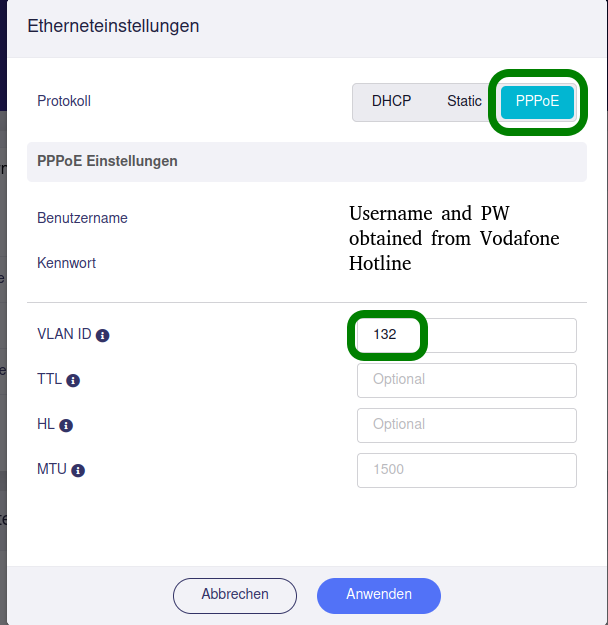
GL-MT6000 with Vodafone Germany FTTH + SIP solved

For all users, who face similar problems:

  1. Setup is FTTH (Internet via fibre in the house) from Vodafone Germany plus a Linksys SP3102 attached to the LAN port, in order to use the SIP-Service of Vodafone Germany, i.e. the old landline number.

  2. Settings for GL-MT6000:

  1. Configure the SIP-Modem according to data, obtained by the provider in the welcoming e-mail/ letter, etc.

  2. Open the ports for the SIP-Device, using the DMZ (demilitarized zone) option of the Flint 2. You find it under: Networt => Port forwarding => DMZ. Activate the DMZ, and select the relevant device from the dropdown. Then confirm.
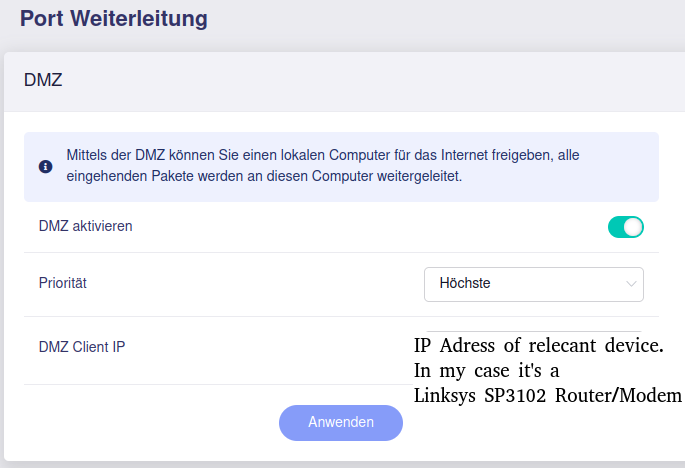
Now Internet via FTTH Vodafone Germany is working, as well as the old landline phone via the SIP service of Vodafone Germany.
Please keep in mind that the DMZ will fully expose your device to the internet. That is something you should avoid mostly because it could cause very high security risks. It depends on the device itself.

It would be better to just forward the necessary ports for SIP instead.

2 Likes

Thanks for the info. What would be the configuration I need?

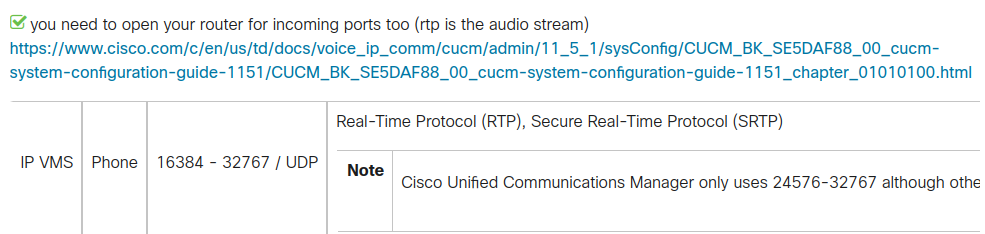
I got the following info from the Cisco Community:

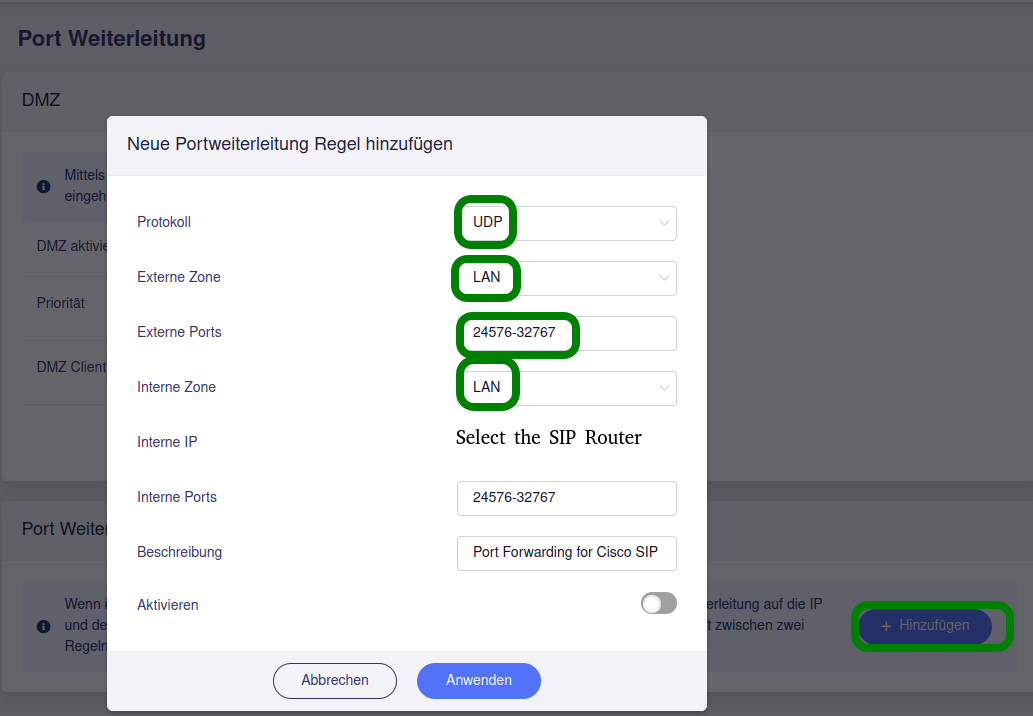
Instead of DMZ, I could open the ports via forwarding option, right?

I can only add one picture, so that would be the configuration, correct?

Many thanks in advance!

Auf Deutsch, ist einfacher für mich :smile:

Wenn der GL-Router direkt hinter dem Modem hängt, dann wäre die externe Zone "WAN". Also sofern der GL die externe IP von Vodafone bekommt - wovon ich ausgehe, wenn Du VLAN setzen musstest.

Bin mir gerade nicht sicher, ob die GL UI mit Portangaben als Bereich klarkommt, aber ja, notfalls in luci eintragen. Aus meiner Sicht wäre die Einstellung für SIP dann:

WAN UDP 24576-32767 an LAN [IP SIP Router] auf Ports 24576-32767

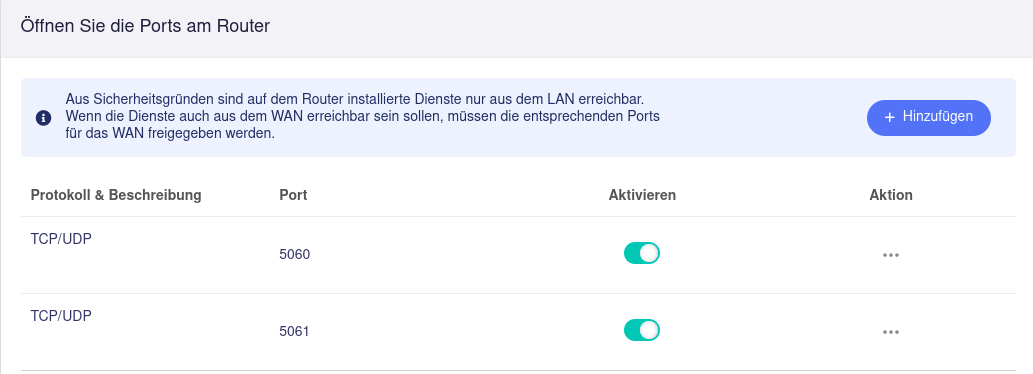
Da fehlen aber noch die eigentlichen SIP Ports: TCP+UDP 5060 und TCP+UDP 5061

Die Cisco-Anleitung wird Dir u.U. nicht helfen, es wäre besser, direkt bei Vodafone nachzufragen.


Automated English translation:

If the GL router is connected directly behind the modem, then the external zone would be “WAN.” So, provided that the GL receives the external IP from Vodafone—which I assume is the case if you had to set up VLAN.

I'm not sure if the GL UI can handle port specifications as a range, but yes, enter them in luci if necessary. From my point of view, the setting for SIP would then be:

WAN UDP 24576-32767 to LAN [IP SIP router] on ports 24576-32767

But the actual SIP ports are still missing: TCP+UDP 5060 and TCP+UDP 5061

The Cisco instructions may not help you; it would be better to ask Vodafone directly.

Thank’s a lot mate! I opened Ports 5060+5061 before already. Prior to opening those two ports, nothing was working at all at the VoIP-Gateway in combination with the SIP Service of the provider. But I couldn’t find the option of opening a whole range of ports. Will try with port forwarding, as you suggested. As for the moment, the old telephone is working on the landline number and that’s all that matters to my parents in law :slight_smile: