Hello,
I have just purchased the new GL-RM10. It works perfectly when accessed from a web browser, but the microphone does not work when using the Android mobile application.
Could you please let me know if there is a known solution for this issue?
Also, do you have any feedback or experience from other users who faced the same problem?
Thank you in advance for your help.
Hi, do you mean using the Android web browser to connect to the device?
Could you please let me know if there is any workaround or solution for this issue?
Alternatively, is there another way to access and use all the features of the controlled machine from my phone, including the microphone, without losing any functionality?
Hello,
No I am using the Android mobile application to connect to the controlled machine.
From the mobile app, I tested a Microsoft Teams meeting, but the microphone did not work. The person I was in the meeting with could not hear me at all.
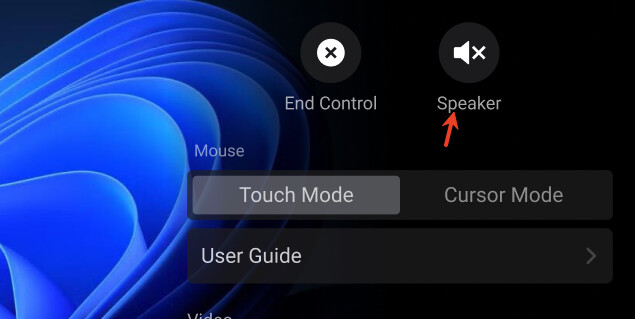
Currently, the app only supports audio speaker and doesn’t support microphone. So I’m a bit confused why you can see any microphone feature.
Hello,
I may not have explained my request clearly.
I would like to know whether you plan to add microphone support to the Android mobile application for the GL-RM10. If yes, do you already have an estimated release date?
If this feature is not planned, could you please let me know if you offer any other product that allows me to control my PC remotely from my phone with all features available, including microphone support?
Thank you in advance for your help.
Best regards,
Right now, microphone support is still in development and may be released in late July.
1 Like