
system_logs_20261008_181829.zip (1.2 MB)
GL-RM10 Screen issue V1.10.1 release2(RM10)
It shows only logo GL-iNet, and when I try to chenge it, I have an error :
Failed to get custom screen status: Command '['ubus', 'call', 'gui', 'custom_screen_get_status', '{}']' returned non-zero exit status 4.
Hi, thanks for the feedback. Could you send us the /etc/glinet/kvm-gui.conf file?
You can find it by going to Toolbox -> Terminal -> Access and opening the terminal.
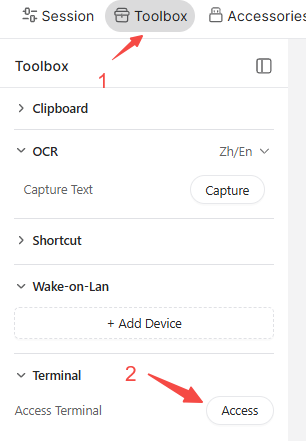
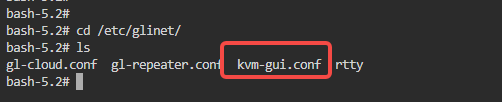
Yes, I can see that file by ls command, but what's next? how to download it? (sorry for newbie's question)
If you are using Windows, you can open the Command Prompt on your local PC and run this command:
scp root@192.168.8.118:/etc/glinet/kvm-gui.conf %userprofile%\Desktop
Note: Please replace 192.168.8.118 with the actual IP address of your RM10.
The file will be saved directly to your desktop.
kvm-gui.conf (793 Bytes)
This may be due to an incomplete firmware upgrade. Please try resetting the KVM and check if it works normally.
After reseting, screen works fine.
But there was a problem with binding by bind ID - I several times input correct code generated on devices screen - but the gl service says that it is incorrect. After several attempts, I just used glkvm.local access activation.
Now it seems working fine.