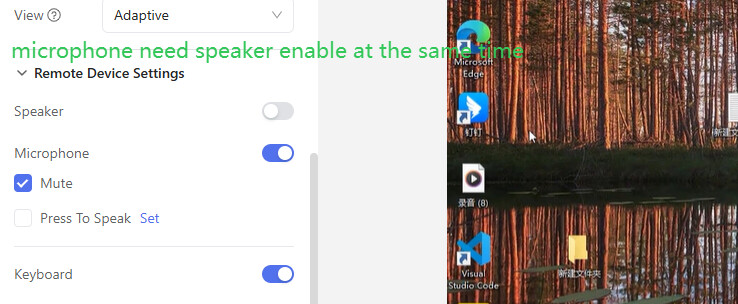
I am currently running 3 GL-RM1PE devices to connect to three separate PCs. The mic routing doesn’t work more than it does. Sometime it will work and is great when it does, but 95% of the time i can get the mic audio routed into the KVM
Im on the latest GL version, latest version of chrome, all audio software is up to date. And i have tried adjusting EDID settings, multiple microphones, using audio software to route different ways.
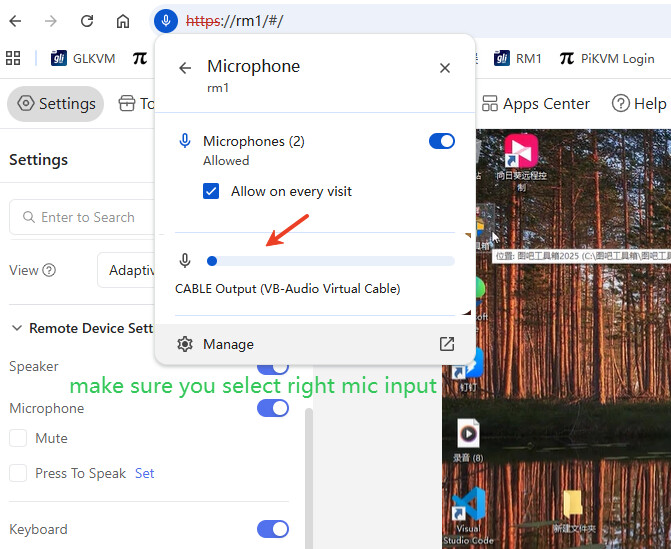
Chrome shows it is getting the input from my microphone, but it is not reach the KVMs.
I am currently running three GL-RM1PE devices to connect three separate PCs, but I’m experiencing ongoing issues with microphone routing. When it works, the audio quality is great, but about 95% of the time the microphone audio does not route into the KVM. I am on the latest GL firmware version, using the latest version of Chrome, and all audio drivers and related software are fully updated. I have also tried adjusting EDID settings, testing multiple microphones, and using different audio routing methods through various software solutions. Chrome indicates that it is detecting input from the microphone, but the audio signal never reaches the KVM devices. I’m looking for any suggestions or potential fixes that could resolve this issue.
how do you know the audio doesn’t reach the kvm? the kvm only routes the audio from your client A to the controlled device B. The kvm itself doesn’t have a speaker to play your audio.
In your controlled device B (the device attached to your kvm) open an audio recording app and try to record an audio then play it back. Note that in B you need to select the “virtual microphone” of the KVM as input which might not be the default