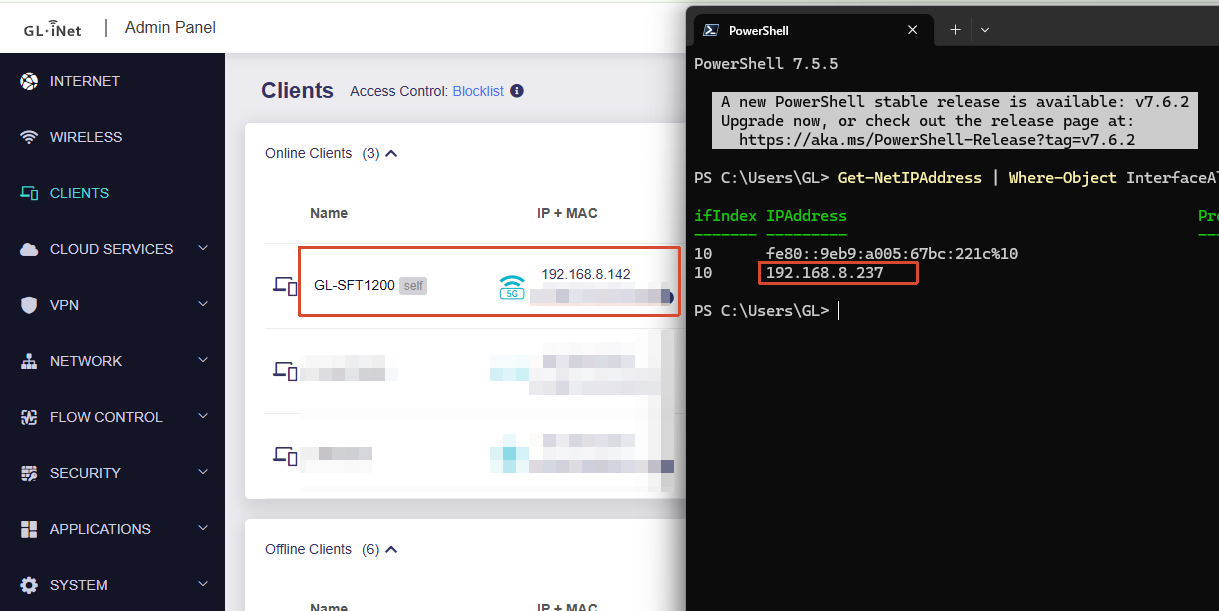
I have a GL-SFT1200 (Opal) configured in Extender mode, connected via WiFi to my GL-AXT1800 (Slate AX).
I would like to connect a wired device to the LAN Ethernet port of the Opal, and have it appear on the same network as the Slate AX — same IP range, same subnet.
The WiFi connection works fine, but any device I plug into the Ethernet port gets an IP address in a different subnet and cannot communicate with the rest of the network. (normally it is fixed IPs but I try DHCP just for test).
Could you please provide the steps to make the Ethernet LAN port fully transparent in Extender mode, so that wired devices are on the same subnet as the upstream router?
We tested locally using the SFT1200 with firmware v4.8.3 beta6.
In Extender mode, wired LAN clients were able to correctly obtain the same IP address range/subnet mask as the upstream network and remain within the same subnet:
Thank you for your response and for testing with firmware 4.8.3 beta.
I have flashed the beta firmware as suggested, but the Ethernet LAN port still does not work in Extender mode. Claude.ai helps me because I don't understand anything to what I'm doing.
The wired device I am trying to connect is a PTZ camera (Canon CR-N100) with a static IP address. It is not using DHCP. The goal is to create a wireless WiFi bridge between the two sides of the Ethernet cables — the Opal connects via WiFi to the upstream GL-AXT1800 (Slate AX), and the camera is plugged into the Opal's LAN port.
Interestingly, during all the tests we have made, it worked once or twice briefly, but then stopped working and we don't know why. It does not seem to be stable or persistent across reboots.
The camera appears in the ARP table on the Opal (on br-lan with a valid MAC address), which means the Opal detects it physically. However, the camera does not respond to pings from the Opal itself, and is not reachable from any device on the upstream network.
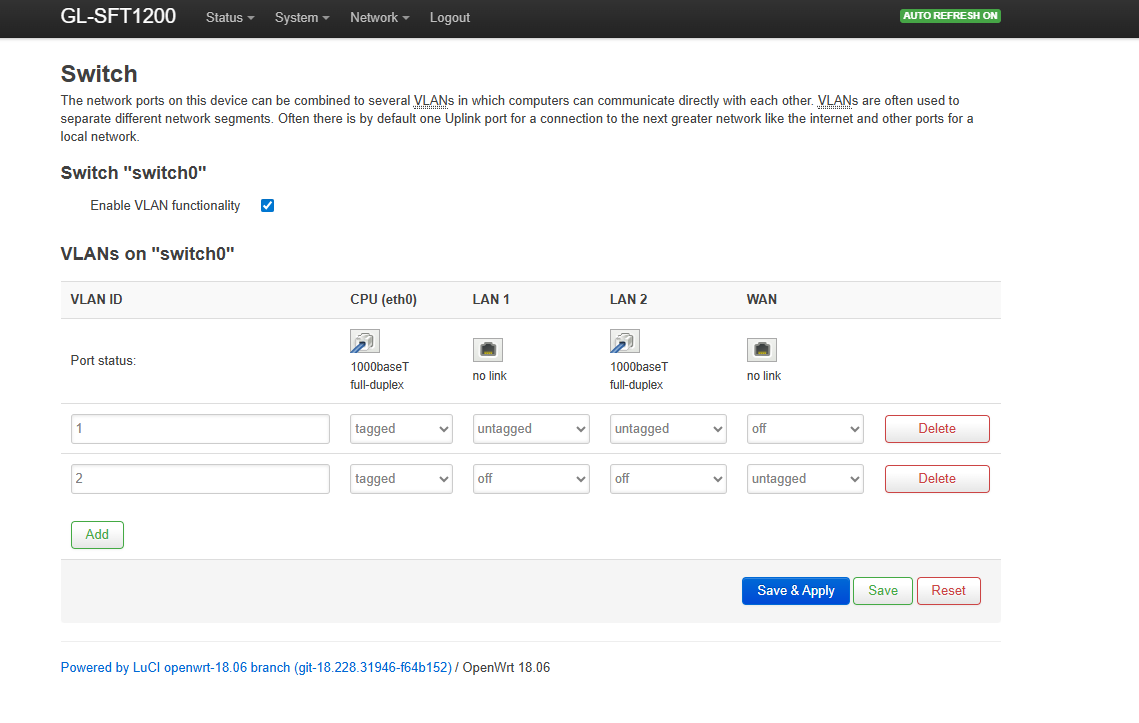
We identified that VLAN 1 is not defined in the hardware switch (swconfig). Port 1 (LAN physical, link:up) and the CPU port appear to be in different VLANs, so frames are not forwarded between them, which seems to be the issue.
Could you please provide the exact configuration steps to make the Ethernet LAN port fully transparent every time in Extender mode with firmware 4.8.3 beta on the GL-SFT1200, even via SSH if needed?
Our previous testing also indicates that it is functioning correctly.
If you connect a PC with firewall disabled to the SFT1200's LAN port instead, can other devices connected to the AXT1800 successfully ping the PC?
In addition, we recommend resetting the device to factory settings according to the guide below before performing further tests, to avoid any potential impact from leftover configurations.
Note: This report was written by Claude AI (Anthropic) based on tests and diagnostics conducted together with me. I knew what I wanted to achieve and had enough knowledge to run the tests, but would not have been able to produce this level of network analysis on my own.
Following up on my original issue. I'm now on firmware 4.8.3 beta7 and the subnet problem is partially resolved, but I have a critical remaining issue.
Setup:
GL-AXT1800 (Slate) as main router — 192.168.8.1
GL-SFT1200 (Opal) in Extender mode — 192.168.8.221, connected via WiFi 2.4GHz to Slate (goal max ~30-40m)
Canon CR-N100 PTZ camera connected via ethernet to Opal LAN port — 192.168.8.103 (static IP)
Mac connected via ethernet to the Slate (via a Netgear switch — transparent L2, not believed to be involved) — 192.168.8.189
Use case: The Opal is deployed near the camera (~30-40m from the Slate) to avoid running a long ethernet cable. The camera is controlled via PTZ software (Bitfocus Companion) running on the Mac. This requires the Mac to reach the camera at its static IP (192.168.8.103) reliably — this IP is hardcoded in all my automation scripts and cannot be changed.
The workaround of connecting the Mac directly to the Opal's WiFi is not acceptable for two reasons:
It creates a dual-interface conflict on the Mac (WiFi to Opal + ethernet to Slate on the same subnet 192.168.8.x), causing broadcast loops visible in the logs below
Companion and all PTZ automation run on the Mac which must remain connected to the main network (Slate) — it cannot be moved to the Opal's WiFi exclusively
Problem 1 — Opal admin interface unreachable from upstream: The Opal admin interface (192.168.8.221) is not reachable from the Mac when connected via ethernet to the Slate. I can only access it by connecting the Mac directly to the Opal's WiFi. This seems abnormal for a device in Extender mode on the same subnet.
Problem 2 — LAN ethernet client unreachable from upstream: The camera (192.168.8.103) connected to the Opal LAN port is completely unreachable from the Mac when connected via the Slate. It is only reachable when the Mac joins the Opal's own WiFi directly.
ping 192.168.8.103 from Mac (ethernet/Slate) → Destination Host Unreachable (reply from 192.168.8.221)
curl http://192.168.8.103 from Mac (ethernet/Slate) → Connection refused
PTZ control software (Companion) on Mac → cannot reach camera at all
Camera web interface → only accessible when Mac connects to Opal WiFi directly
Confirmed working:
Camera detected by Canon Camera Search Tool (UDP broadcast) from any device
Camera web interface works when Mac joins Opal WiFi
Camera works perfectly when connected directly to Slate/switch (bypassing Opal)
Same ICMP packet (same ID, same SEQ) arrives 4 times in 54ms on br-lan — indicating a broadcast loop on the bridge. Also: LAN port cycles up/down every ~19 seconds (updown 0/1) when upstream traffic is active.
Key observation: The Extender bridge correctly handles traffic between its own WiFi/LAN clients, but does not forward traffic coming from the upstream network (Slate) to the LAN ethernet client. This makes the device unusable for my use case.
Question: I am still within my return period. If this is a known limitation of the SFT1200 that can't be fixed, could you recommend another GL.iNet model that correctly handles this use case (Extender mode with a wired LAN client reachable from the upstream network)?
Following your question, I tested with a Mac Mini (firewall disabled) connected to the SFT1200 LAN port instead of the camera.
Note: between the two posts, the Mac's IP was changed from 192.168.8.189 to a static 192.168.8.104. Both refer to the same machine. The Netgear switch remains apparently transparent and uninvolved.
Test 1 — Mac Mini on LAN port: Ping from upstream (192.168.8.104 → 192.168.8.105): stable, no packet loss, no interruption over several minutes. No updown events in logread.
Test 2 — Canon CR-N100 (192.168.8.103, static IP) on LAN port: Ping from upstream cycles every ~19 seconds:
~8 seconds: ping responds normally (3-4ms)
~19 seconds: Destination Host Unreachable (reply from 192.168.8.221)
Conclusion: The issue is specific to the Canon CR-N100. The Mac Mini works perfectly on the same LAN port. The camera generates network traffic that triggers the updown cycle on the LAN port. We do not know what specifically causes this — we leave it to your analysis.
Is this a known compatibility issue with certain devices? Is there a workaround via SSH/OpenWrt to stabilize the LAN port regardless of client traffic?
Following my previous posts, the issue is now resolved. Here is a summary for anyone who might encounter the same problem.
Root cause: The Canon CR-N100 camera was sending 802.1Q VLAN-tagged frames on the Opal LAN port, which appeared to destabilize the MT7621 hardware switch and caused the cyclic updown 0/1 every ~19 seconds. This was confirmed via tcpdump -i eth0 -e on the Opal.
The camera may have been sending tagged frames due to incorrect or missing network configuration. The following settings were changed:
IPv4 Default Gateway was empty — possibly the main cause
IPv6 was enabled — possibly generating unwanted multicast traffic
AutoIP was enabled — possibly generating unwanted broadcast traffic
DNS was set to automatic — unnecessary for a static IP device
Fix applied on the Canon CR-N100:
Set IPv4 Default Gateway to 192.168.8.1
Disabled IPv6
Disabled AutoIP
Set DNS server manually to 192.168.8.1
Disabled automatic DNS
mDNS was initially disabled during testing, then re-enabled for NDI discovery — this did not cause any instability
After applying these settings and rebooting the camera, the LAN port became stable and the camera is now fully reachable from upstream devices (Mac via Slate) without any interruption.