Hello everyone,
when I start the service from the graphical menu it is shown [notice] {CONTROL} Bootstrapped 75% (enough_dirinfo): Loaded enough directory info to build circuits…
Help me pls.
Regards
Hello everyone,
when I start the service from the graphical menu it is shown [notice] {CONTROL} Bootstrapped 75% (enough_dirinfo): Loaded enough directory info to build circuits…
Help me pls.
Regards
can it work if change Exit Node?
unfortunately not even changing country too  … tks for rapid answer
Could someone give me a hand?
Many thanks
I confirm you, that even changing tor exit node tor doesn’t work:
Tor version 0.4.6.8.
Tor is running on Linux with Libevent 2.1.8-stable, OpenSSL 1.1.1i, Zlib 1.2.11, Liblzma N/A, Libzstd N/A and Unknown N/A as libc.
Tor compiled with GCC version 7.4.0
Did you solve the problem? I have a similar problem on another GL device.
Question to support: is Tor supposed to work on the Opal router ? Anyone running Tor consistently on the Opal router ?
Thanks
Hi
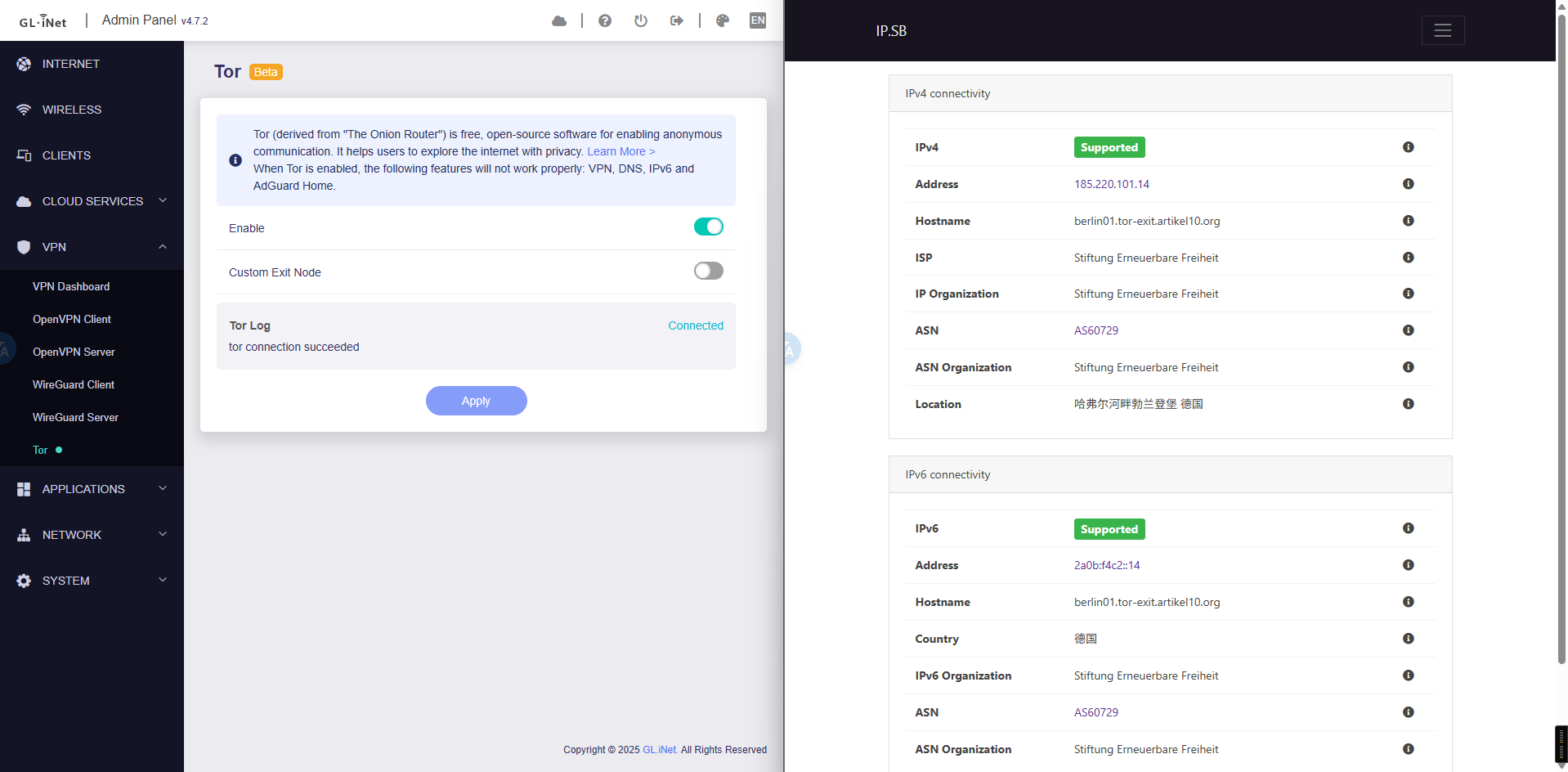
We tested the Tor function on Opal with firmware v4.3.25 and v4.7.2, and it worked fine.
Could you please let us know if you encounter any problems and provide us with more details so that we can help you further?
It will stay at 0% forever; Tor LogConnecting…
Sep 03 13:00:31.000 [notice] {CONTROL} Bootstrapped 0% (starting): Starting
the router begins to be unresponsive and I have to turn it off. On my home network I have 0 problems connecting to tor with my pc, laptop, etc…
Having rechecked the issue, it appears that Tor may be consuming excessive memory while fetching nodes.
This could potentially cause problems such as failed startup, the GL UI freezing or the device rebooting.
We will escalate this to our development team for further investigation and to determine whether a fix is possible.
However, please note that the Opel device has limited memory resources, and if the issue is indeed caused by the growing number of Tor nodes, it may not be fully resolvable on this hardware.
Honestly I thought Tor was one of the selling point of the router. The Opal datasheet ( https://static.gl-inet.com/www/images/products/datasheet/sft1200_datasheet_20240301.pdf ) in page 2 says that “Opal is pre-installed with Tor (The Onion Router). It protects sensitive personal information and browsing data by concealing online identity, defends against surveillance, and blocks third-party trackers.”
The screenshot does not even show a “Beta” label as I am seeing on the control panel.
When Opal was first released, Tor ran without issue.
However, as the Tor network has continued to grow, the increasing number of nodes may cause it now to require more memory than Opal can provide.
Our team is still investigating possible solutions.
If it turns out that this limitation cannot be resolved, we will make sure to update the related documentation so that it does not cause any misunderstanding.
From another recent thread the conclusion is tor can't work reliably on some devices, like the Opal.
That’s frustrating, Tor used to work, this is why I bought this router.
It’s not possible to fix this?
We apologize for any inconvenience caused.
As mentioned above, this issue was due to the ever-increasing volume of network node information within the Tor network.
You may configure SWAP on external storage (e.g., an SD card or USB drive) as a temporary workaround to alleviate memory pressure.
However, kindly note that the performance will be lower than physical memory, and continuous SWAP usage can accelerate wear on the storage device.
For reference, please follow the guidance in the link below:
I was hoping that selecting a node location would reduce the size of the Tor network thus allowing it tow work, but it still hangs.
Thanks for the idea of using an SD card, that we degrade the SD card, not the router, correct? or is it taxing on the router hardware as well?
Yes, using SWAP on an SD card will primarily increase wear on the SD card itself. It does not cause additional hardware degradation to the router.