Hello, I am having a problem with the router, where I normally get around 700 Mbs in download through the wan port connected to an external 5g antenna. If I turn on VPN only to a specific device policy or to a specific network such as the guest network the speed drops to approximately 50/60Mbs. I have tried with stable firmware and with .8 beta2 and .9 beta1 but I am getting the same problem. I have always reconfigured the firmware each time. I own a new E5800, same settings and no problem, always getting the max speed on wan. Any Idea of what could cause the problem? Thanks.
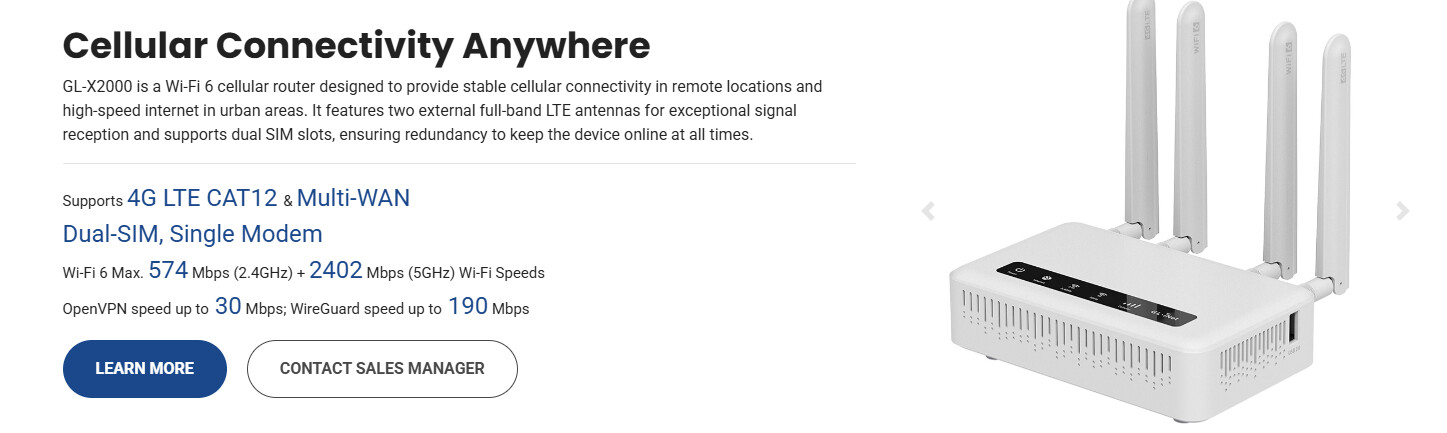
Hi, I tried with both. I get a little higher speed with wireguard approx 100Mb compared to the 60/70 with OpenVPN. That problem is that I get this speed with a connection that doesn’t go through the VPN tunnel. VPN is only active with guest network.
Hi,
We tested this on a GL-X2000 running firmware 4.9.0 beta 1, but were unable to reproduce the same issue locally.
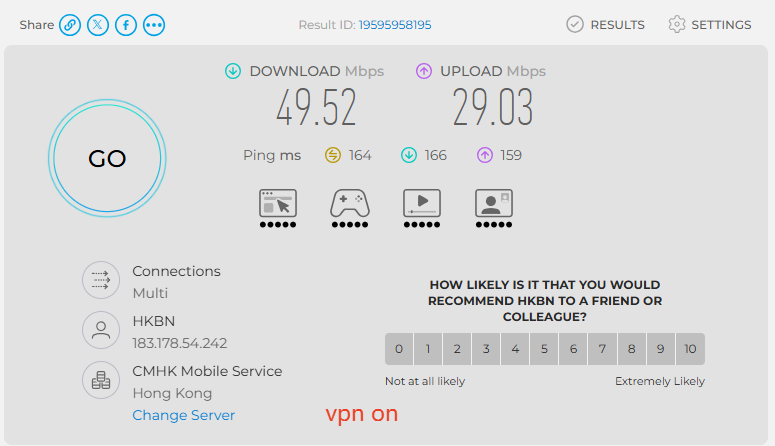
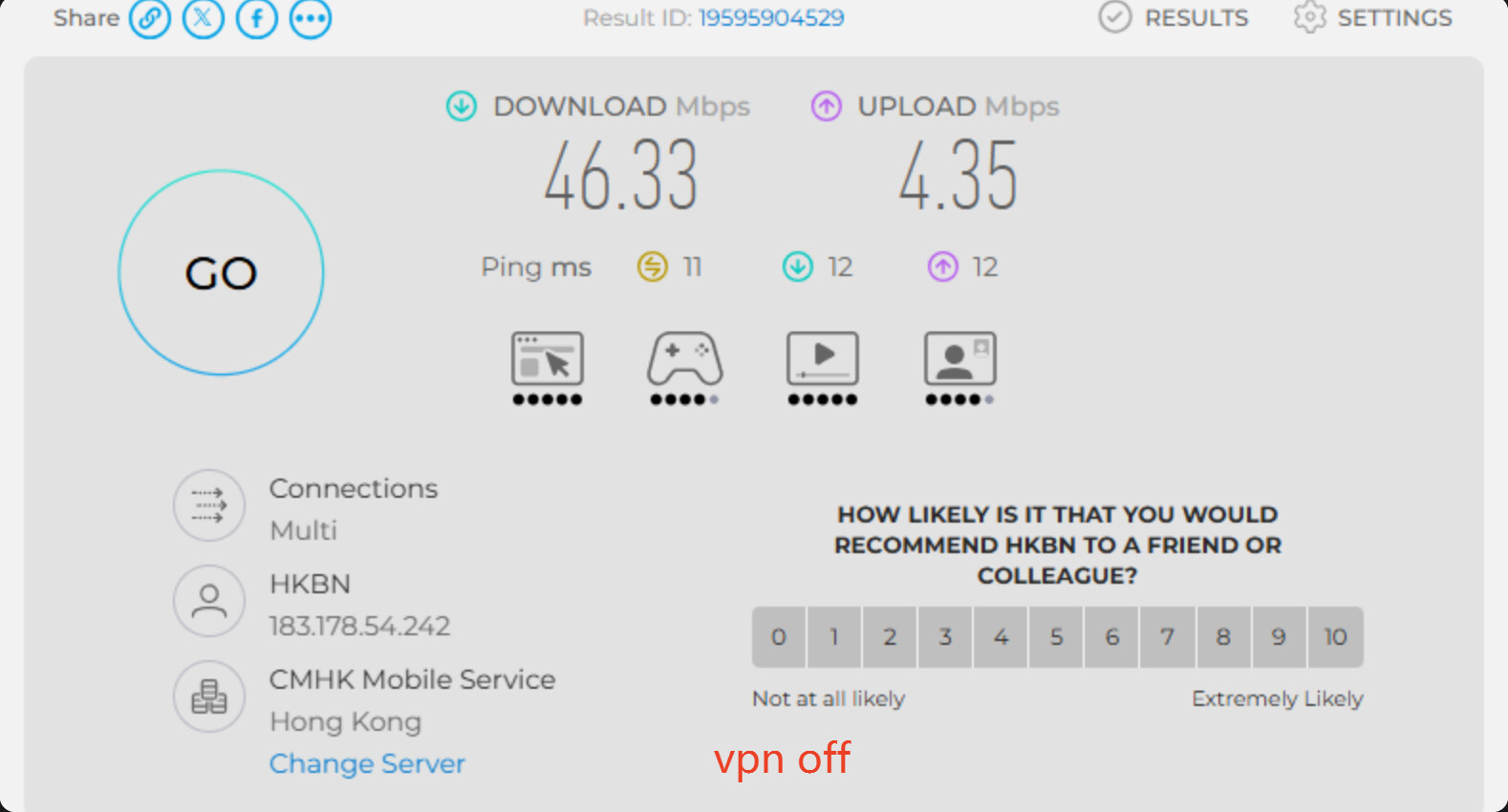

To help us narrow down the cause, could you please confirm the following information?
- Does the WAN throughput drop significantly whenever the VPN is enabled, even devices whose traffic is not routed through the VPN? Is the issue consistently reproducible?
- How is the router connected to the internet: Ethernet, Repeater, or Cellular? If Ethernet is used, is the connection type DHCP or PPPoE?
- Could you please change the VPN coverage from the Guest network to the IoT network, and then repeat the same test.
Please run Speedtest from the non-VPN device and let us know whether the WAN throughput still drops. During testing, please use a node that is as close to you as possible and do not change nodes.
https://www.speedtest.net/
This are the results with VPN active (Lower result) and without VPN active (Higher result).
with VPN active 110/80 Mb down/up
without VPN active 320/100 don/up
I cannot post images here, I will send them via email.
The connection is through WIFI 5Ghz which is excluded from the VPN tunnel.
I cannot test the Iot since I do not have it on my firmware version. I have tried with stable and with with .9 beta 1 as well but same result; on .9 beta 1 I was not able to connect to wifi with Guest or Iot once activated bith with my PC nor with my Phone.
To aswer your questions:
1: Yes
2: Ethernet connected to an external 5g antenna, DHCP
3: Answer above.
Thanks.
Have you confirmed that the data is not going through the VPN tunnel by doing an IP lookup?
Hello,
It is not, It is connected to the provider IP (Vodafone).
If connect to the guest wifi it goes trought the VPN tunnel; as a matter of fact it connects to Cloudriver IP which is located in New York.
The same exact configuration on the E5800 router does not have the same problem.
Thanks.
Another bit of information. The speed drops also with VPN NOT active and network acceleration disabled. It seems that once VPN is active the network acceleration does not work.
Today very early in the morning I was able to get 500+Mb in download with Network acc enabled and VPN disabled. As soon as I disable Network acc. or I enable VPN it drops to 110Mb.
Charles2, I think your test is not reliable since the speeds are too low. I have tried to limit the speed to my 5G external antenna to 50mb and with or without VPN active I get the same results. You need to test it with at least 200+ Mb speeds.
Hi,
Thank you for pointing this out. Our previous test bandwidth of approximately 50 Mbps may indeed have been too low to reveal the speed reduction you reported.
We will set up a higher-speed Ethernet DHCP environment with a baseline speed above 200 Mbps and repeat the test under the same VPN policy conditions.
We will update this topic the new test results are available.
Hi,
We set up a higher-speed local environment and repeated the test.
The test device was connected to the X2000 main 5 GHz Wi-Fi, while the VPN was configured to cover only the Guest network.
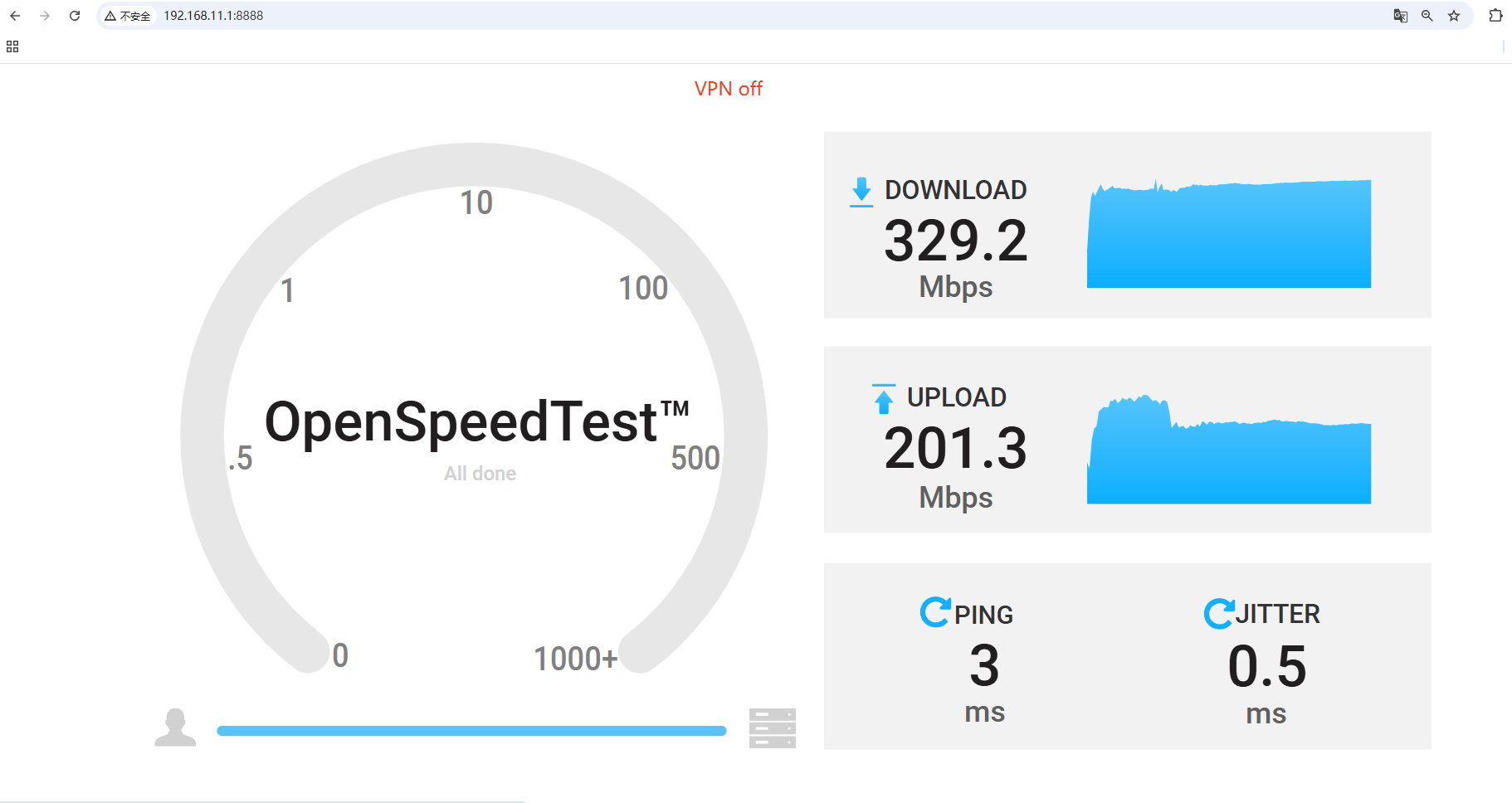
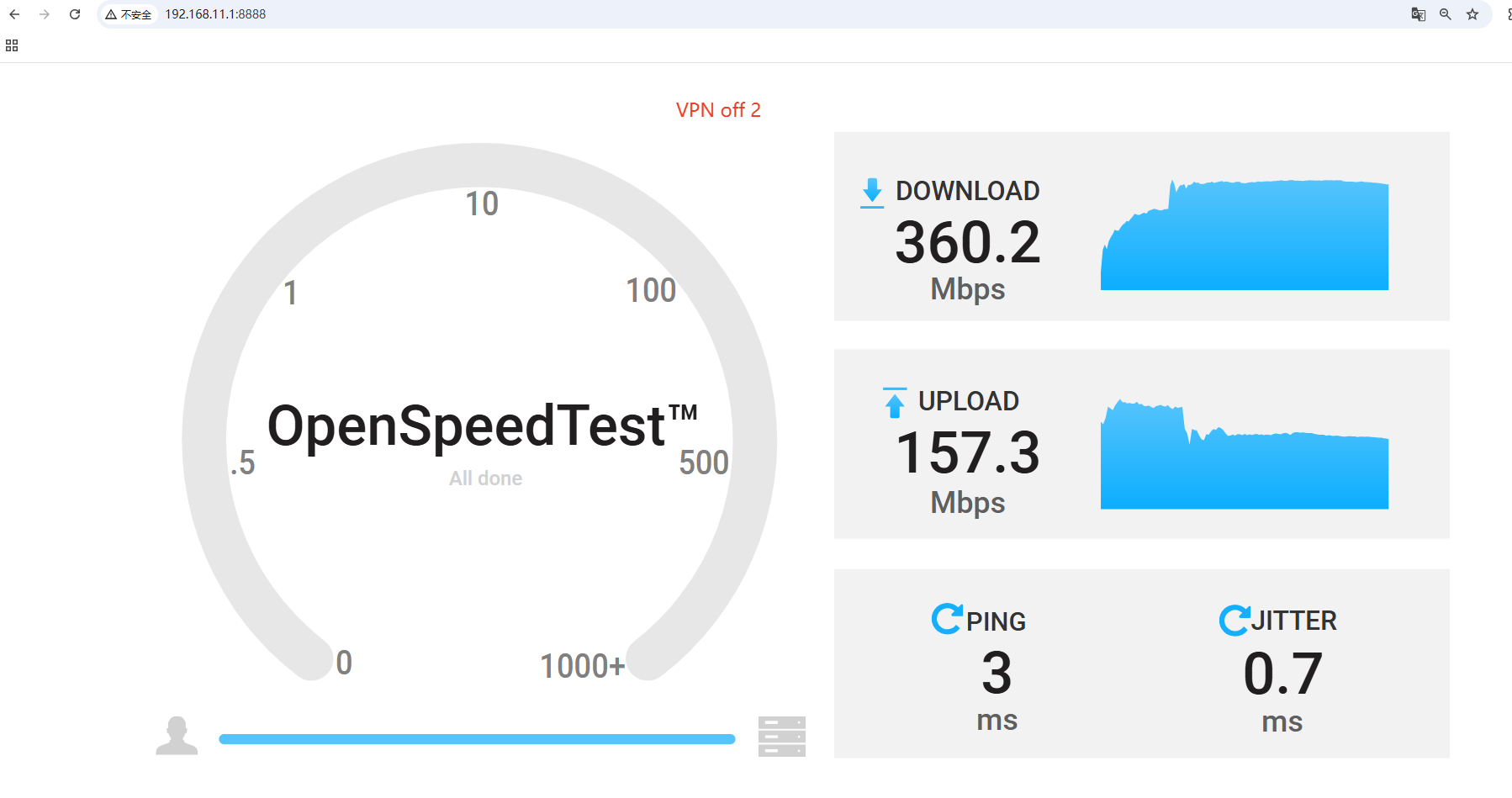
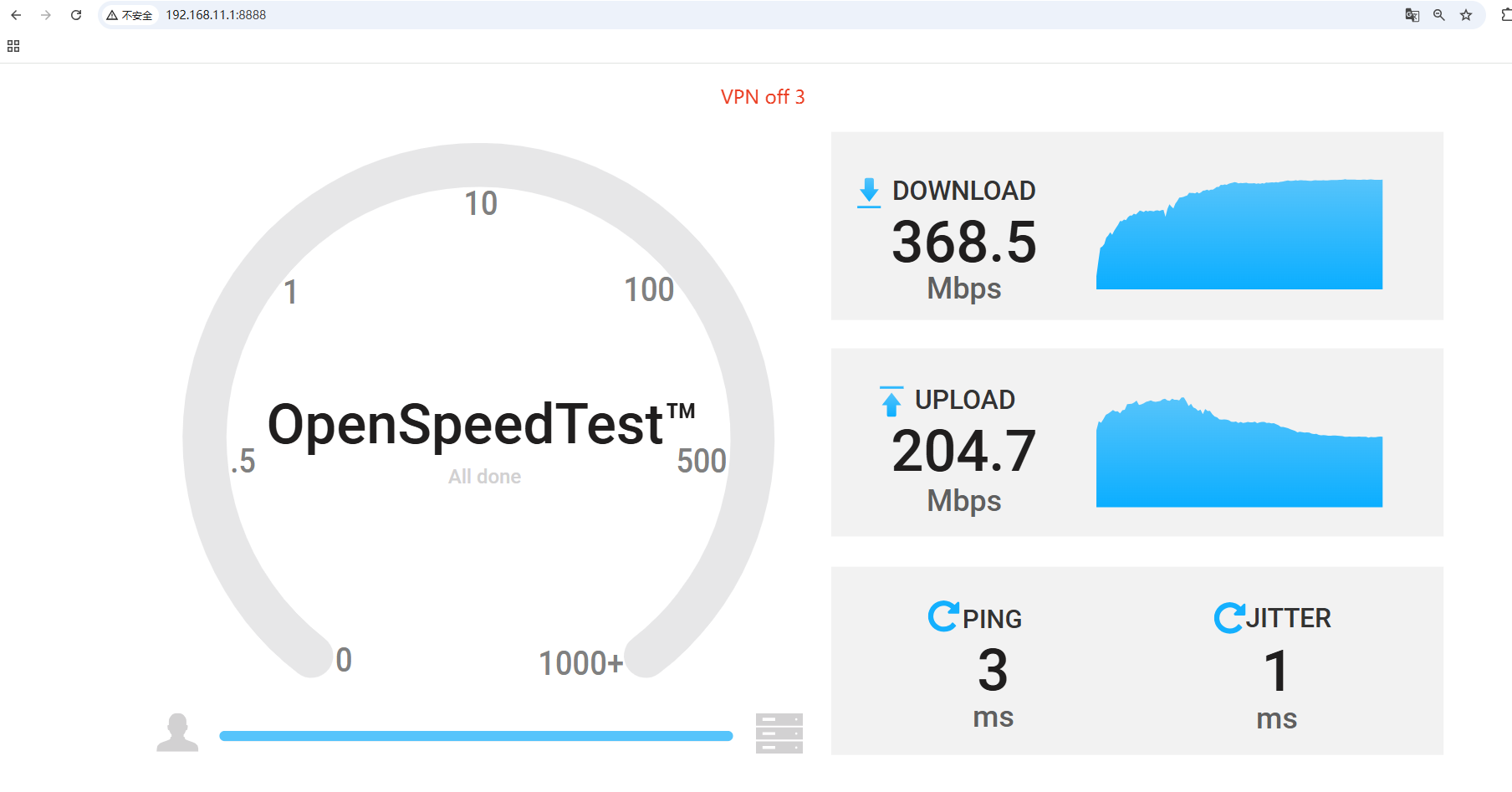
With the VPN enabled for the Guest network only, the median result was approximately 312 Mbps download and 198 Mbps upload.
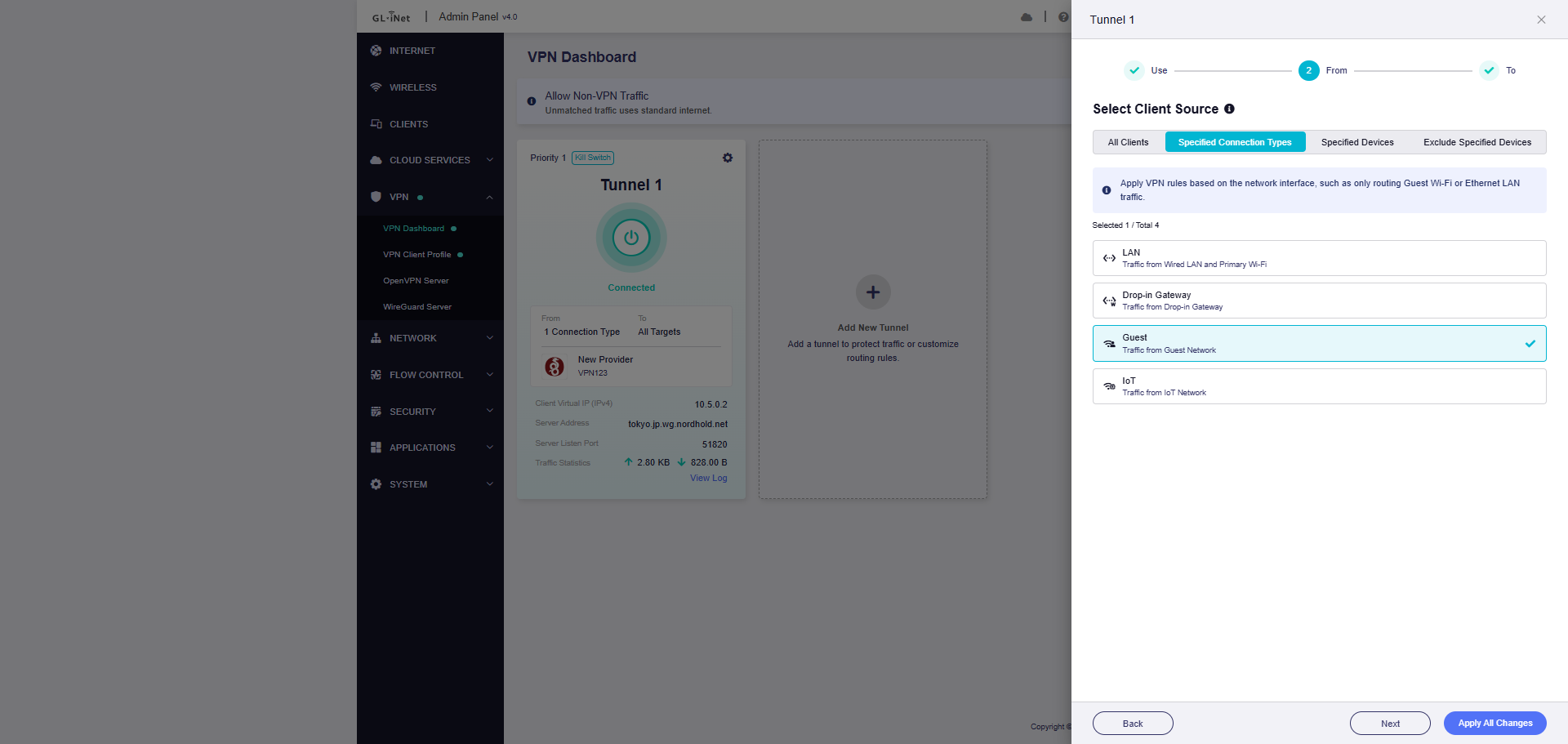
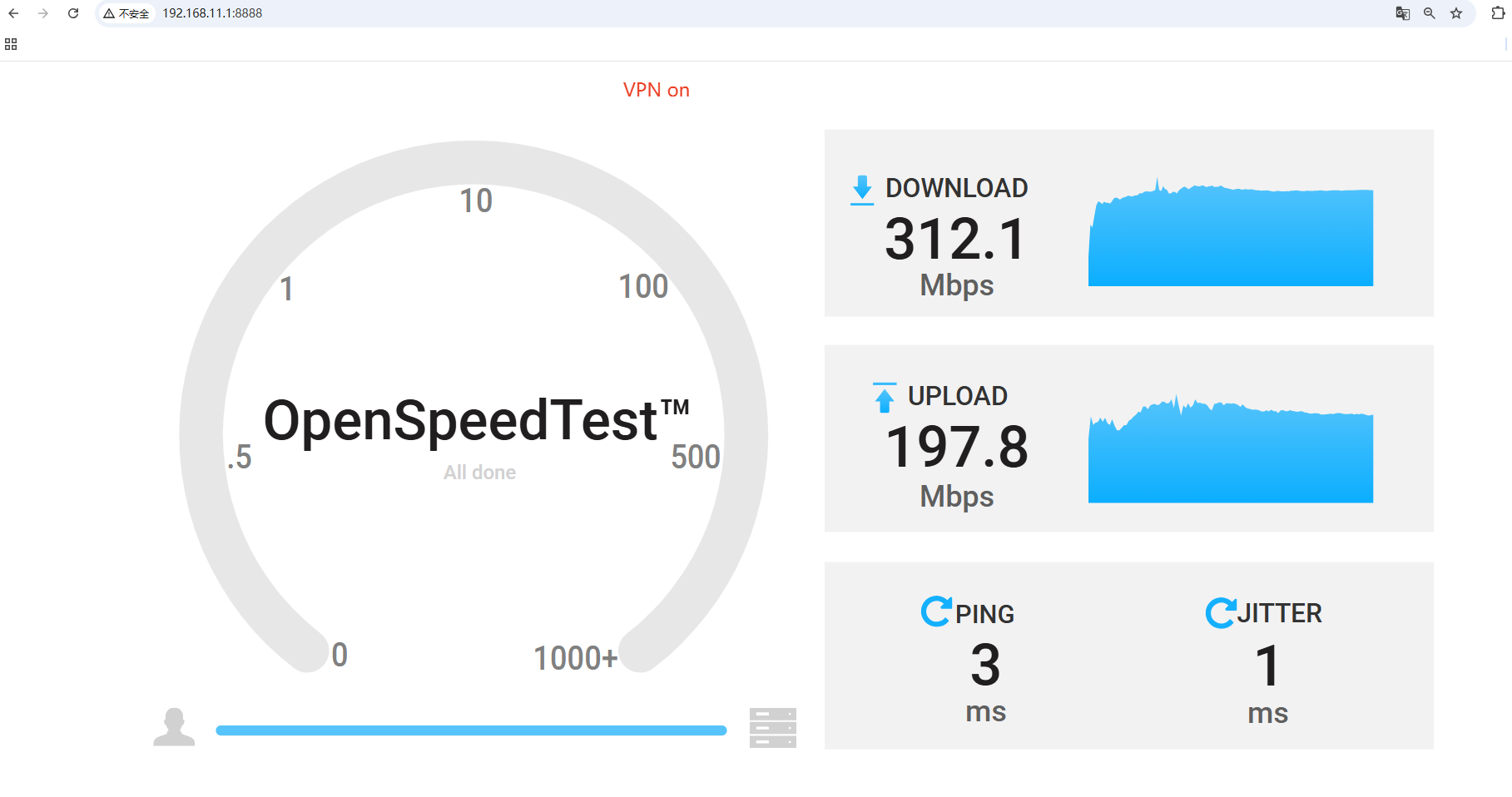

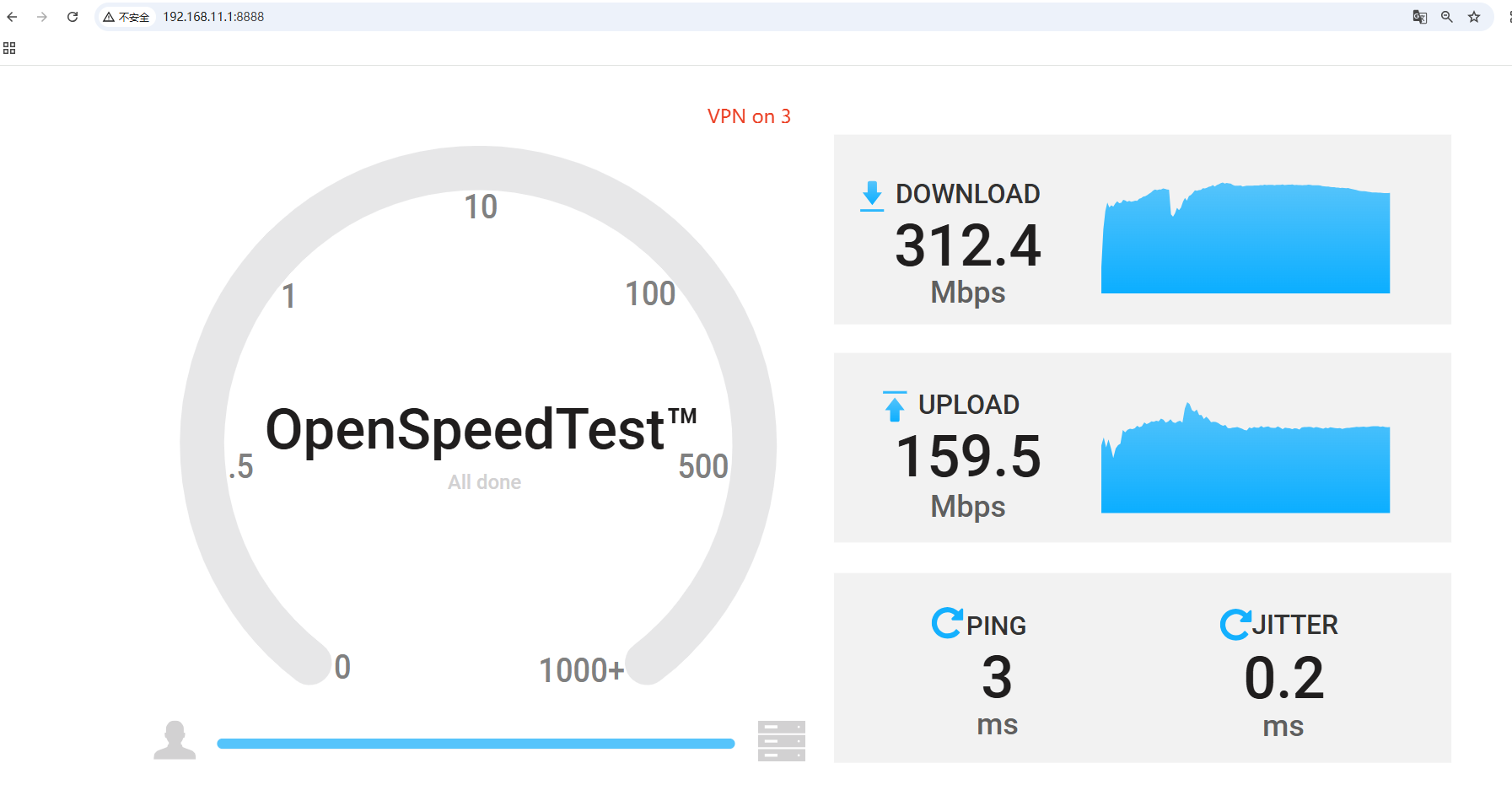
Although there was some variation between individual tests, we were unable to reproduce the significant and consistent reduction from approximately 320 Mbps to 110 Mbps that you reported.
To investigate this further under your actual network environment, could you please share the X2000 with our technical support team through GoodCloud?
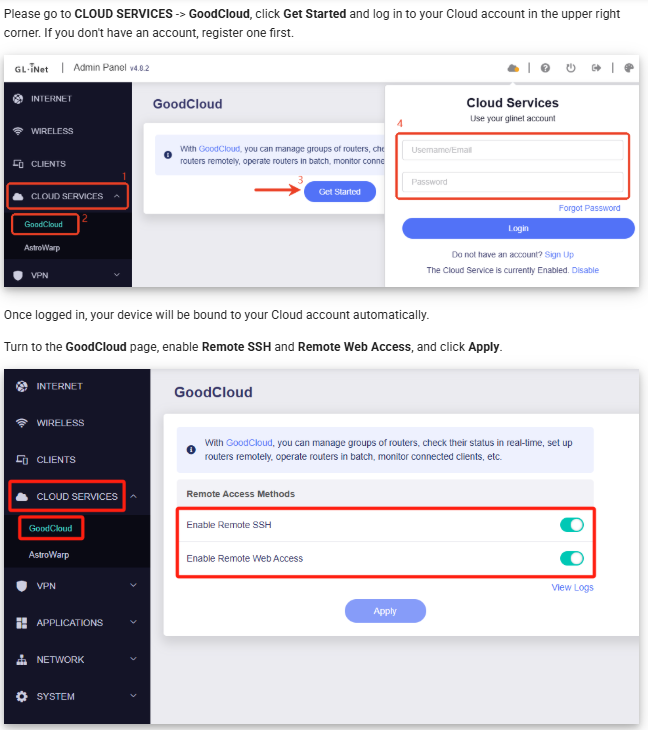
Once the device has been shared, please send us the device MAC address and a temporary router web admin password via forum private message.

Please follow the GoodCloud sharing steps linked above so the support team can inspect the X2000 in your actual network environment. Send the device MAC address and temporary router admin password only by private message to the technical support member, not in this public topic. You can revoke GoodCloud sharing and change the temporary password after troubleshooting is complete.
This reply was generated by AI. Please verify its accuracy.
GL.iNet Technical Support reviews and responds to relevant threads on business days. Please allow time for a staff response.
The higher-speed test did not reproduce the reported consistent drop, so testing the affected X2000 in its actual environment is the appropriate next step.
After sharing the router through GoodCloud, please send the MAC address and temporary admin password only by private message to the technical support member—do not post them publicly. The temporary password should be changed after troubleshooting is complete.
This reply was generated by AI. Please verify its accuracy.
GL.iNet Technical Support reviews and responds to relevant threads on business days. Please allow time for a staff response.
Hello,
I'm following up on my ticket. The problem is not a log error: it is a behaviour that you can reproduce directly on the device.
Setup
- GL-X2000 (IPQ5018), firmware 4.8.2, WAN on eth0 (5G FWA in IP passthrough, about 340 Mbps down).
- WireGuard client wgclient1 with a VPN policy that applies only to the guest interface (br-guest). The main LAN (br-lan) must not use the VPN, and the routing rules confirm it doesn't.
What happens
When the VPN client starts, the firmware writes 1 to /sys/kernel/debug/ecm/gl_front_end_ipv4_stop. That stops ECM/NSS hardware acceleration for all connections, including main-LAN traffic that goes out directly through eth0. All routing then falls back to the CPU, and throughput on the main LAN drops sharply even though it doesn't use the VPN.
Evidence (same device, a few minutes apart)
┌────────────────────────────────┬──────────┬─────────────────────────────┐
│ │ VPN off │ VPN on (policy: guest only) │
├────────────────────────────────┼──────────┼─────────────────────────────┤
│ gl_front_end_ipv4_stop │ 0 │ 1 │
├────────────────────────────────┼──────────┼─────────────────────────────┤
│ ecm_db/connection_count_simple │ total 80 │ total 0 │
├────────────────────────────────┼──────────┼─────────────────────────────┤
│ ecm_nss_ipv4/accelerated_count │ 56 │ 0 │
└────────────────────────────────┴──────────┴─────────────────────────────┘
How to reproduce
cat /sys/kernel/debug/ecm/gl_front_end_ipv4_stop
cat /sys/kernel/debug/ecm/ecm_nss_ipv4/accelerated_count
enable a VPN client with a policy applied only to the guest network, then repeat:
cat /sys/kernel/debug/ecm/gl_front_end_ipv4_stop # -> 1
cat /sys/kernel/debug/ecm/ecm_nss_ipv4/accelerated_count # -> 0
Request
When the VPN policy covers only some interfaces or devices, please keep hardware acceleration active for traffic that doesn't use the VPN. At the very least, please confirm whether this behaviour is intended and whether there is a supported way to keep acceleration on the non-VPN interfaces.
Thank you.
Hello,
Following up on my previous message: I found the firmware component that causes the throughput drop on my GL-X2000 (firmware 4.8.2).
The service /etc/init.d/openvpn_irq runs /usr/bin/openvpn_irq permanently. Every 3 seconds the script does this:
if [ -e /sys/kernel/debug/ecm/gl_front_end_ipv4_stop ];then
flag=cat /sys/kernel/debug/ecm/gl_front_end_ipv4_stop
if [ -e /sys/class/net/ovpn* -o -e /sys/class/net/wg* ];then
[ "$flag" == "0" ] && echo 1 > /sys/kernel/debug/ecm/gl_front_end_ipv4_stop
else
[ "$flag" == "1" ] && echo 0 > /sys/kernel/debug/ecm/gl_front_end_ipv4_stop
fi
fi
So whenever any ovpn* or wg* interface exists, ECM/NSS hardware acceleration is disabled for the whole router. The script does not check the VPN policy at all. In my setup the WireGuard client (wgclient1) only applies to the guest network (br-guest), yet main-LAN traffic going directly out through eth0 loses acceleration too. I verified it on the device:
Writing 0 back manually doesn't help, because the script sets it to 1 again within 3 seconds.
The same script also does two more things when a VPN is active:
- It sets bridge-nf-call-iptables to 0 whenever an ovpn* or wg* interface exists.
- On 2-core devices, while OpenVPN runs, it pins every process and every IRQ to CPU0 and leaves CPU1 only to openvpn. This further reduces t-VPN traffic.
I understand the reason for this: accelerated flows bypass netfilter, and that could break policy routing. But the current logic penalizes all traffic, even when the VPN covers a single interface.
Could you please:
- Confirm that this behaviour is intended.
- Tell me whether there is a supported way to keep hardware acceleration for traffic that does not use the VPN when a policy-based VPN is a
- Consider improving the logic in a future firmware, for example by excluding from acceleration only the connections marked for the VPN (fwf stopping the ECM front end globally.
Thank you.
Hi,
Sorry for the delayed response, and thank you for your detailed investigation.
We have confirmed that, in the current firmware for the GL-X2000, ECM hardware acceleration is disabled globally when an OpenVPN or WireGuard interface is active.
Unfortunately, there is currently no reliable workaround available. Keeping hardware acceleration enabled for non-VPN traffic would require the firmware to distinguish VPN flows from non-VPN flows and selectively exclude VPN connections from acceleration.
We have recorded your suggestion and will submit it to the relevant team for further evaluation and discussion.
Thank you again for your detailed feedback and troubleshooting efforts.