port forwarding not working.. only access router page with wan ip.
When you type wan ip (IPV4 or IPV6) on the browser it should access to the access router page. It's a normal behaviour. Port forwarding and typing wan ip in the browser are different concepts. Te way of managing port forwarding is equal in IPV6 to the IPV4 way. I think that your problem is answered on this thread: GL-AX1800 webserver and Port Forwarding with IPv6. Try to change to Native mode of IPV6 for getting port forwarding.
ipv6 not working in native mode.
1 Like
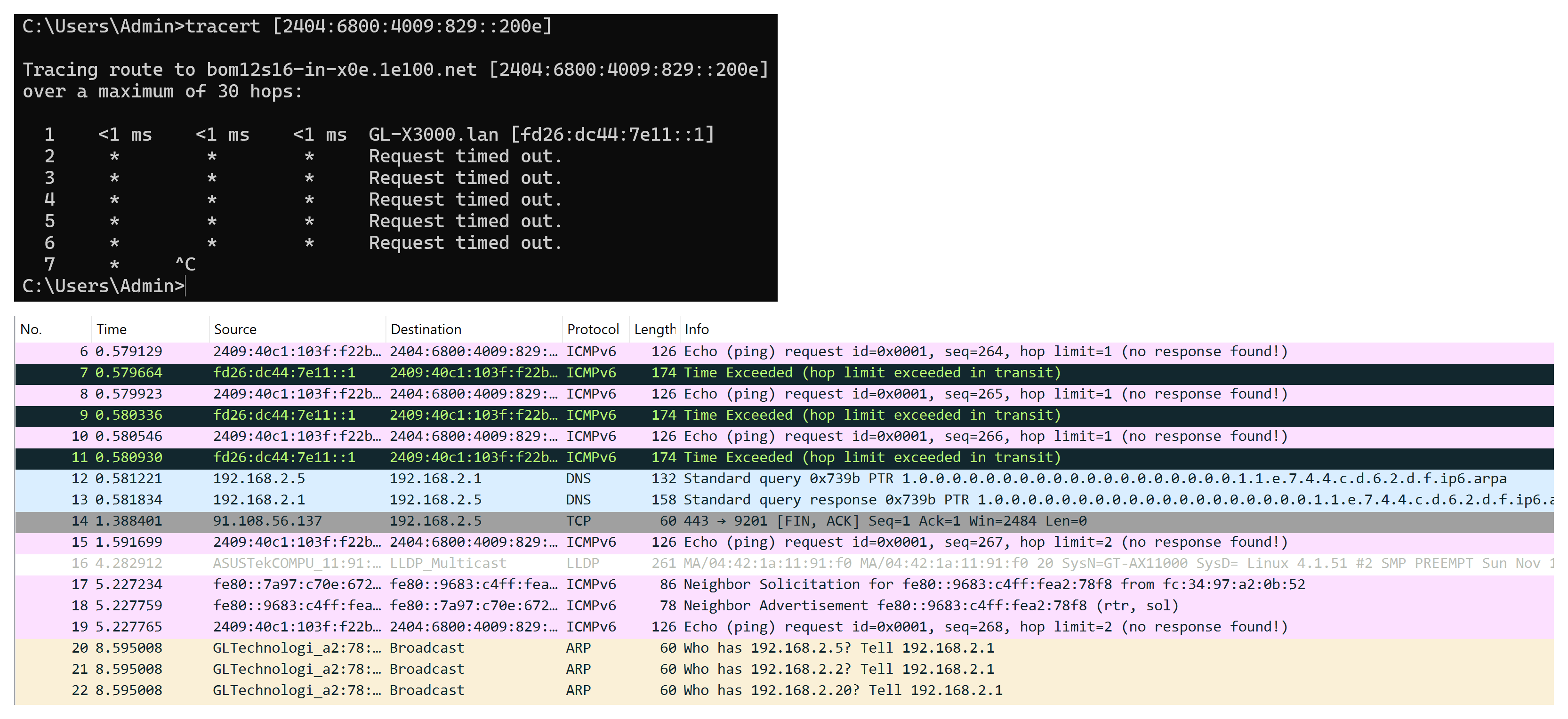
When run tracert [2404:6800:4009:829::200e] (google .com’s ipv6) on window command prompt get bellow wireshark log.
1 Like
I see in your screenshots that IPV6 is not supported properly by your carrier. This is because connection to Internet does not work in that mode.
same sim work fine with mobile on ipv6 and ipv4. also working with ZTE MC801A on ipv6.
1 Like
Here you really leave me even more confused, honestly. If the IPV6 connection works fine on your other router, everything indicates to me that your router's modem has some bug in this regard. I would send logs to the Administrator for analysis and subsequent correction in future versions of the firmware.
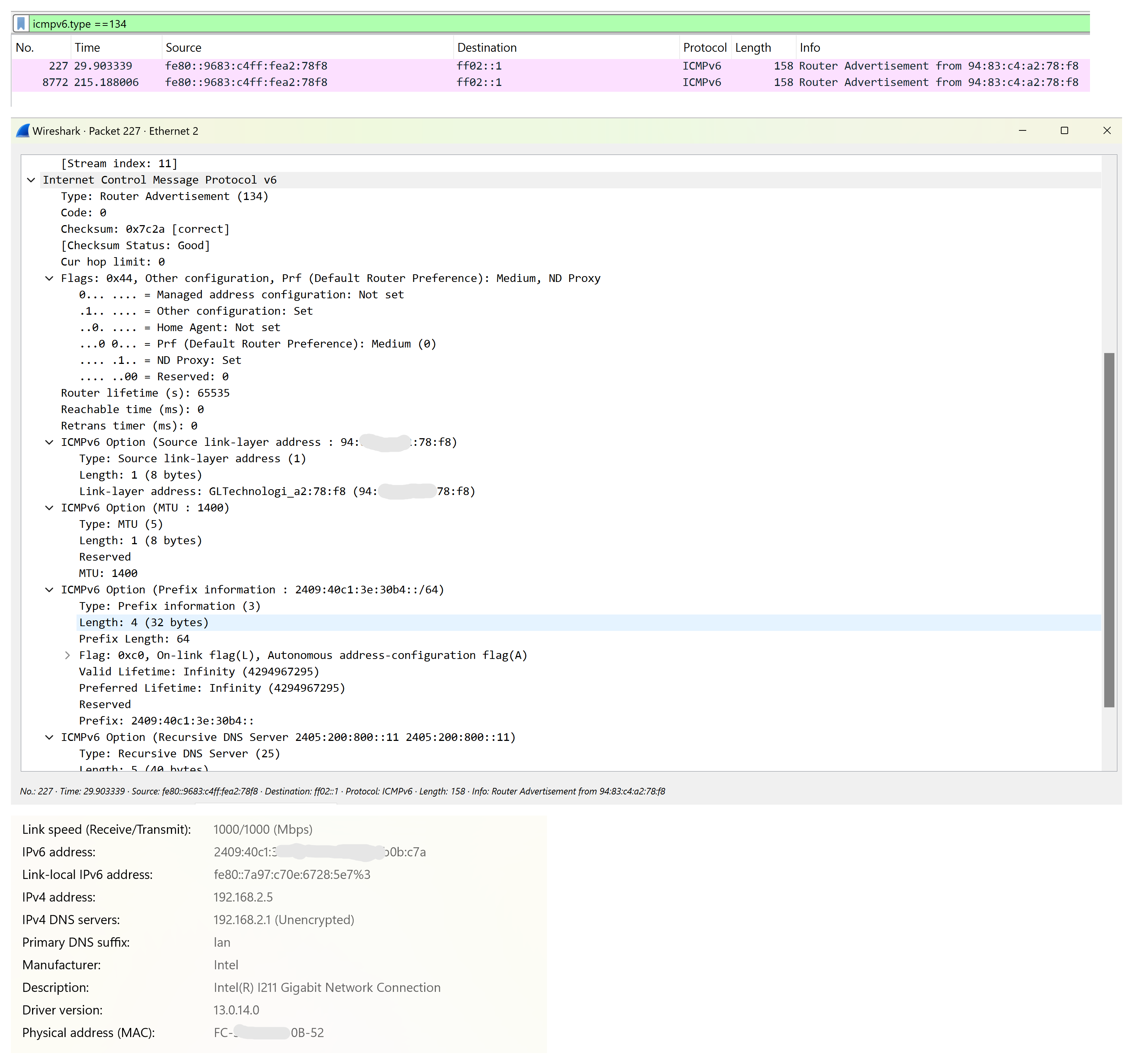
Perfect. Quectel engineers should know about that to solve the modem's bug.
i had restore openwrt from tar.gz backup files that i had create after add static ips for clients. may be something is problem after restore from backup..
so, i reset router settings and now problem is solved. all devices got ipv6 and also working too.
 Thank you very much @impreza233 and @bruce for your efforts and giving your valuable time to me.
3 Likes
Thanks to you for raise the issues here 
2 Likes
This topic was automatically closed 180 days after the last reply. New replies are no longer allowed.