I've been using the GL-X3000. When it's able to connect to 5G, it works well, but connectivity to 5G is patchy. It consistently drops the 5G connection even though I haven't moved the router. When it is connected to 5G, the signal strength is 4 bars, so the the signal strength doesn't seem to be the issue.
Details:
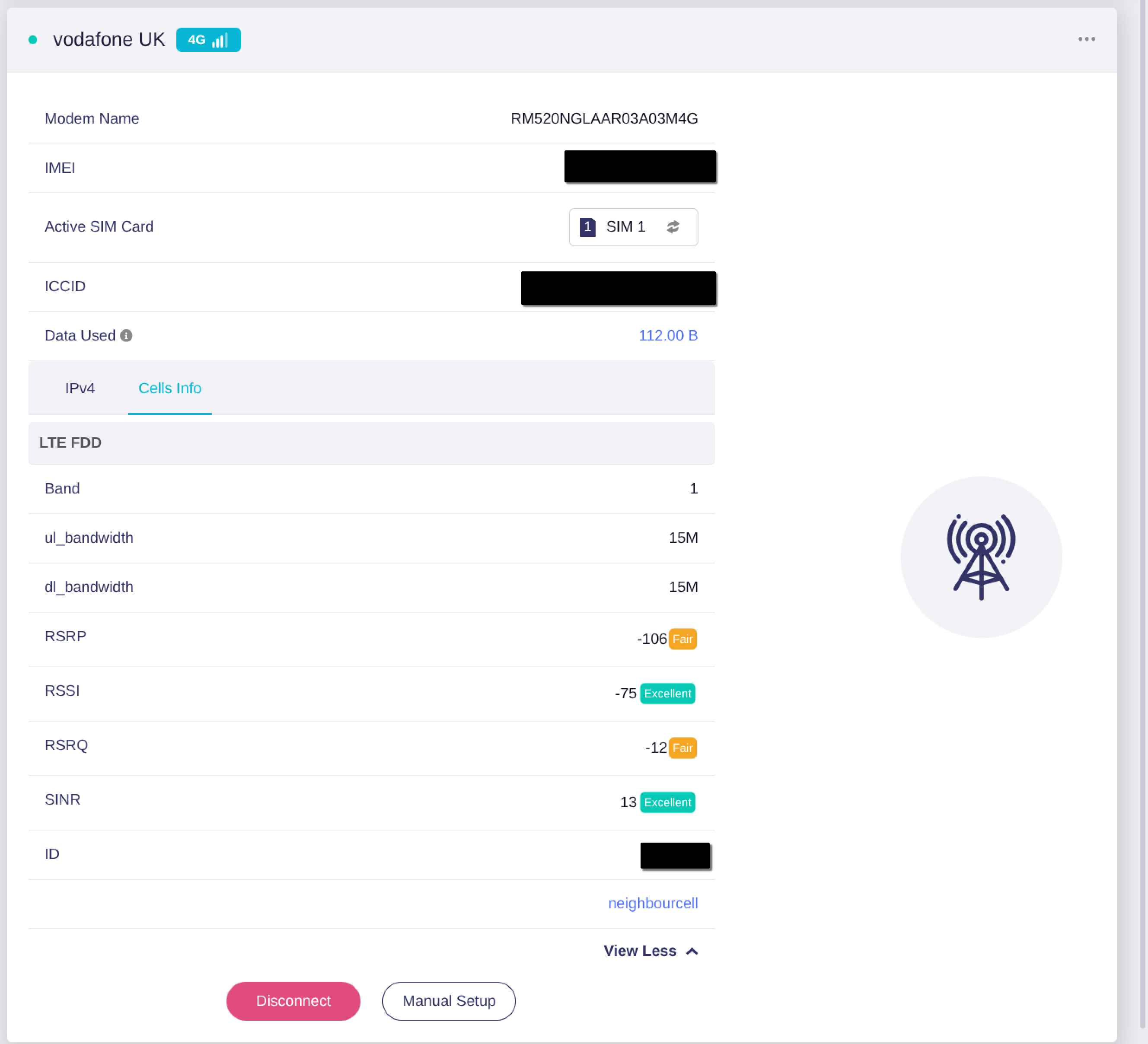
the device model is the GL-X3000
the firmware version is v4.7 (firmware type 0704release5)
my module version is RM520NGLAAR03A03M4G
my mobile service provider is Vodafone UK
This is what I see in the "Internet" section of the Admin Panel. It's using 4G.
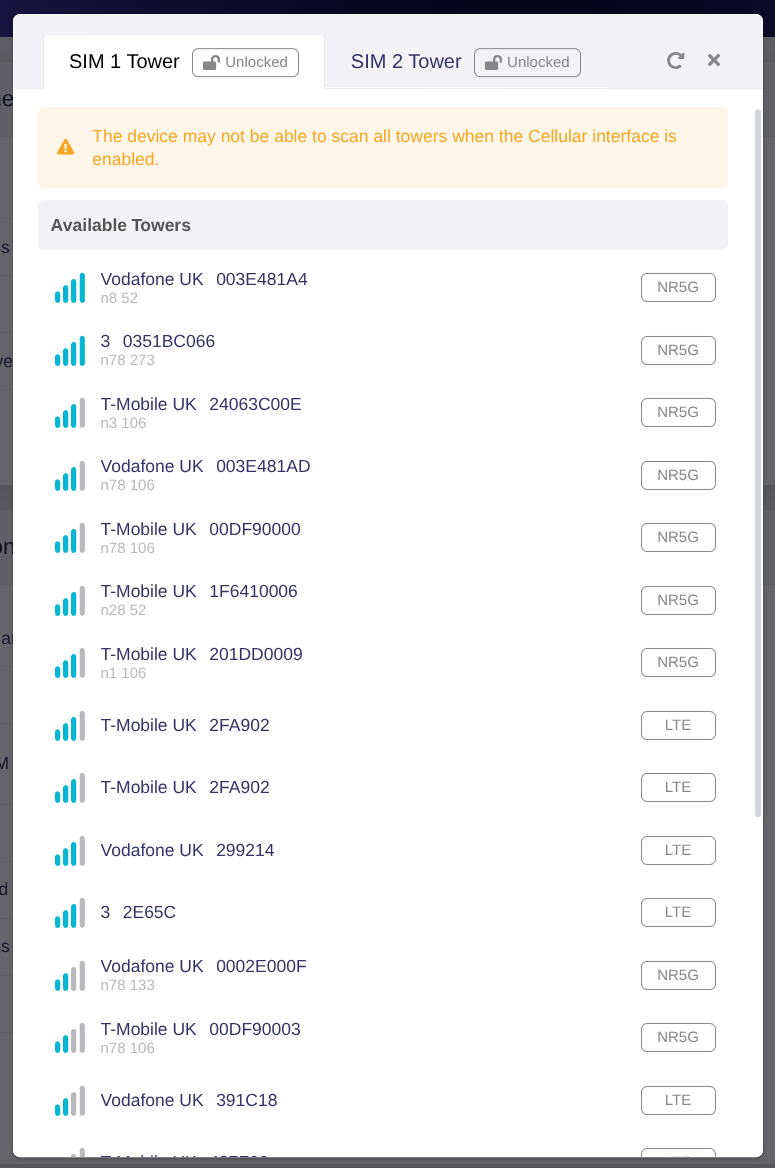
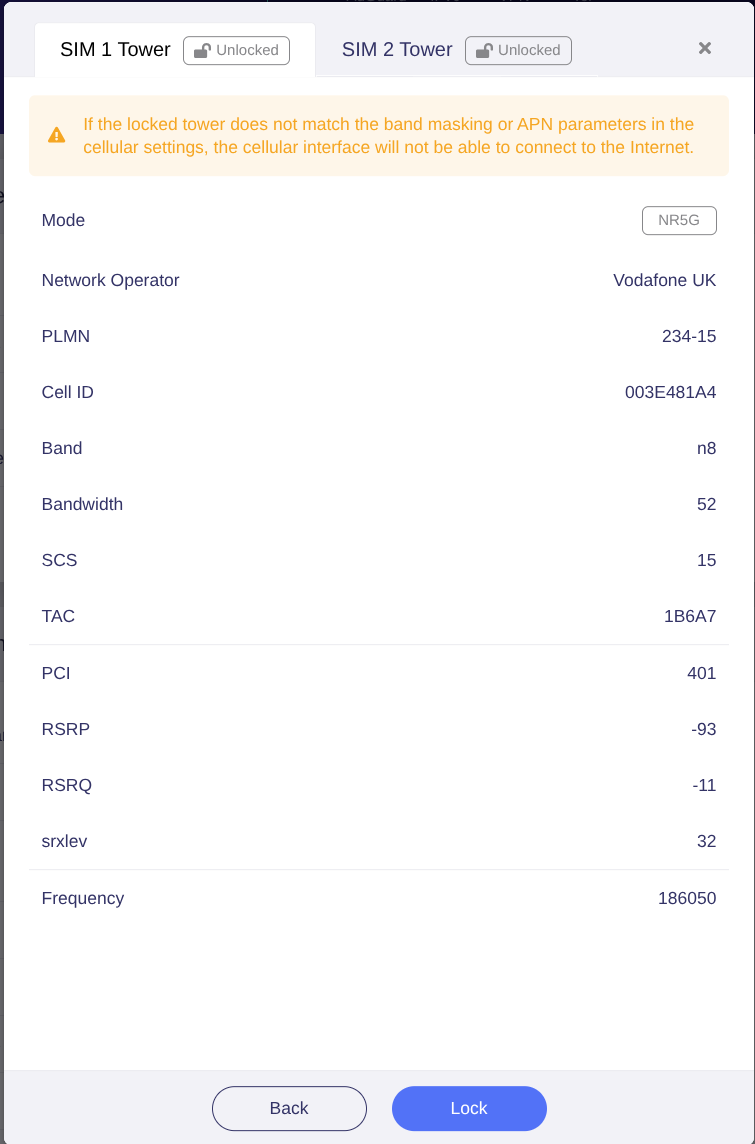
A scan of cell towers (done by opening the "Lock Tower" dialog in the Admin Panel) shows that there is a Vodafone UK 5G n8 tower with 4 bars of signal strength that I should be able to connect to.
Hello,
When the router connects to the network, does it connect to the 5G SA or the 5G NSA?
You can lock to Vodafone UK 5G tower to see if it will work. Or try moving the router to a different location to check if the network becomes more stable.
Execute AT command AT+QNWPREFCFG="mode_pref",NR5G to check whether it can get a 5G connection.
If not working, you will need to execute AT+QNWPREFCFG="mode_pref",AUTO to revert the modem to the default setting.
When you router connects to 5G, note the ID info under the Cell Info section. Then, attempt to lock your SIM card to a tower that uses the same ID.