GL-X3000: Multi-WAN cannot establish connection to Ethernet

Hi everyone!

I’d like to ask about two problems of multi-wan in GL-X3000 composed of Ethernet + Cellular (in failover mode).

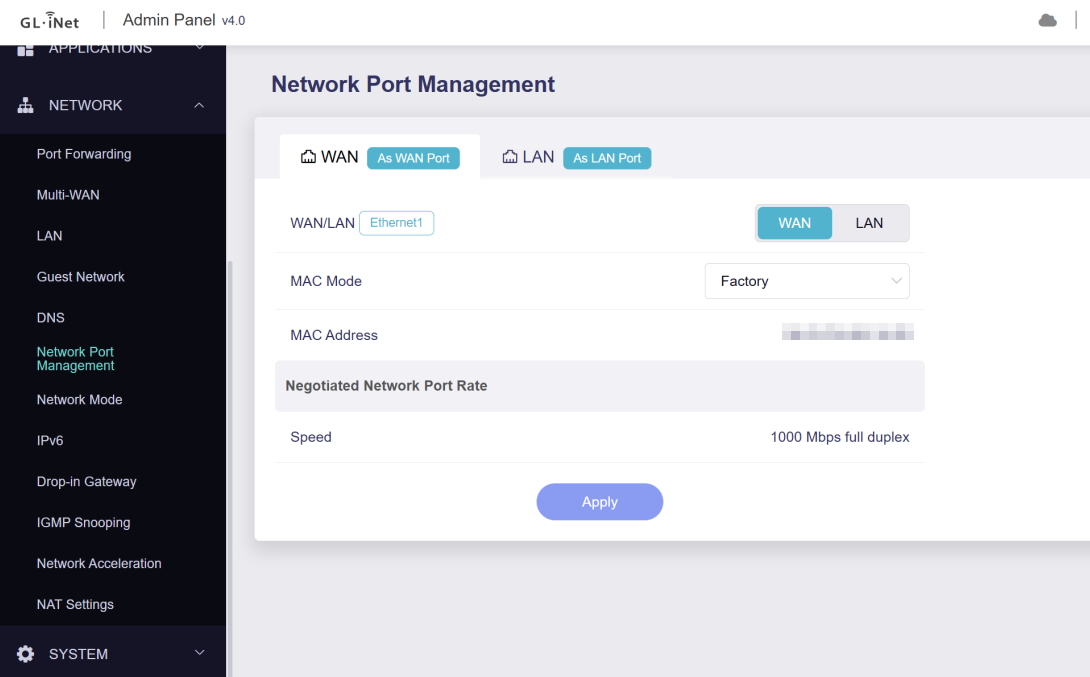
Problem #1 - It seems that port Ethernet1 (2.5Gb WAN) has fixed/enforced speed of 2.5Gbps and cannot negotiate to 1Gbps with devices without 2.5Gbps ports (like my ONT).

I’d like to know if it is intentional or just a bug?

Problem #2 - After switching port Ethernet1 to be a LAN and port Ethernet2 to be a WAN, adjust interface priority and attach cables to correct ports, my router is unable to establish connection with my broadband ISP.

When port is configured with DHCP, GUI keeps showing “Connecting…” and it is not getting IP from ISP’s DHCP (logs attached).

secondwan-dhcp-up.zip (1.7 KB)

When port is configured with static IP, the same as i’ve got when connected laptop directly to ONT, GUI keeps showing “The interface is connected, but the Internet can't be accessed.” (logs attached).

secondwan-static-up.zip (3.4 KB)

I also tried with cloned MAC address to make sure that ONT is not limiting access to first attached device, but effect was the same.

I don’t know if that may matter, but logs say something about SIGTERM and disabling interface secondwan…

Thu Sep 25 09:15:31 2025 daemon.notice netifd: secondwan (7206): udhcpc: sending discover
Thu Sep 25 09:15:31 2025 daemon.notice netifd: Network device 'eth1' link is down
Thu Sep 25 09:15:31 2025 daemon.notice netifd: Interface 'secondwan' has link connectivity loss
Thu Sep 25 09:15:31 2025 kern.info kernel: [51968.374484] mtk_soc_eth 15100000.ethernet eth1: Link is Down
Thu Sep 25 09:15:31 2025 daemon.notice netifd: secondwan (7206): udhcpc: received SIGTERM
Thu Sep 25 09:15:31 2025 daemon.notice netifd: secondwan (7206): udhcpc: entering released state
Thu Sep 25 09:15:31 2025 daemon.notice netifd: secondwan (7206): Command failed: Permission denied
Thu Sep 25 09:15:32 2025 user.notice kmwan: config json str={ "op": 6, "data": { } }
Thu Sep 25 09:15:32 2025 daemon.notice netifd: Interface 'secondwan' is now down
Thu Sep 25 09:15:32 2025 daemon.notice netifd: Interface 'secondwan' is disabled

I wonder if anybody faced similar problem or if it is known case?
Maybe someone got some ideas how to solve it?

I’d like to mention that in general, multi-wan seems to work as for months i had configured 2 cellulars and it switched between them correctly. The problem is now, when i added Ethernet connection.

Of course i’m using the latest firmware which is available for now.

Hi

Based on the logs, this appears to be an Ethernet port compatibility/cable-related issue.
The corresponding interface repeatedly goes up/down for unknown reasons.

Please try the following:

  1. Connect the LAN port (configured as WAN) and the ONT using the Ethernet cable included with the X3000 and other verified working cables to see if this resolves the issue.
  2. Try inserting a dumb switch between the X3000 and the ONT.

Ok, tested various variants of cables and finally it seems that X3000 “started working” after add dump switch between X3000 and ONT (WR1043ND on OpenWRT also).

An additional switch had no problems to establish connection with ONT and successfully provided connection to X3000!

After that, i’ve connected X3000 directly to ONT, like earlier (with the same cable) and now it also established connection without any problems (immediately).

I tried also a reboot to make sure that it will not loose configuration or something and it is working until now…

That’s really weird, but it seems like connect X3000 to other device unlocked port/connection/something.

But there’s still problem #1 to be answered :slight_smile:

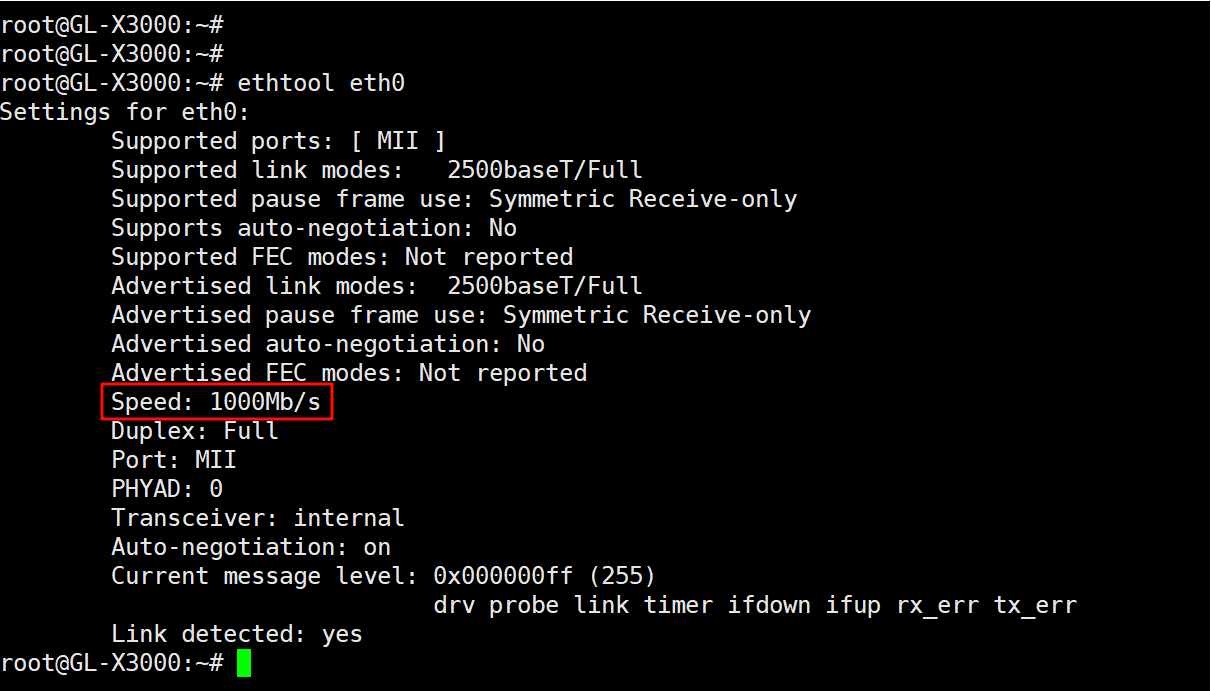
The X3000's eth0 2.5Gbps port is also compatible with 1Gbps devices.
This might be a similar issue—have you tried adding a dumb switch?

No, i have not tried with additional switch connected to eth0, but i saw this in logs:

root@GL-X3000:~# dmesg | grep eth0
[ 1.133191] mtk_soc_eth 15100000.ethernet eth0: mediatek frame engine at 0xffffffc011c80000, irq 76
[ 3.994608] mediatek_soc_hnat 15100000.hnat: wan = eth0
[ 4.515231] mtk_soc_eth 15100000.ethernet eth0: configuring for fixed/2500base-x link mode
[ 5.546365] mtk_soc_eth 15100000.ethernet eth0: Link is Up - 2.5Gbps/Full - flow control rx/tx
[ 5.555000] IPv6: ADDRCONF(NETDEV_CHANGE): eth0: link becomes ready
[ 24.358825] mtk_soc_eth 15100000.ethernet eth0: Link is Down
[ 24.378744] mtk_soc_eth 15100000.ethernet eth0: configuring for fixed/2500base-x link mode
[ 24.387233] mtk_soc_eth 15100000.ethernet eth0: Link is Up - 2.5Gbps/Full - flow control rx/tx
[ 24.391840] br-lan: port 1(eth0) entered blocking state
[ 24.401148] br-lan: port 1(eth0) entered disabled state

And following the log i checked for configuration:

root@GL-X3000:~# find /proc/device-tree/ethernet@15100000/ -name "*fixed*"
/proc/device-tree/ethernet@15100000/mac@0/fixed-link

root@GL-X3000:~# grep -l -r fixed /proc/device-tree/ethernet@15100000/
/proc/device-tree/ethernet@15100000/mac@0/fixed-link/name

root@GL-X3000:~# cat /proc/device-tree/ethernet@15100000/mac@0/fixed-link/name
fixed-link

Does that not mean that 2500 speed is fixed?

We understand this can be a bit confusing.
But it is actually capable of operating at 1000Mbps.