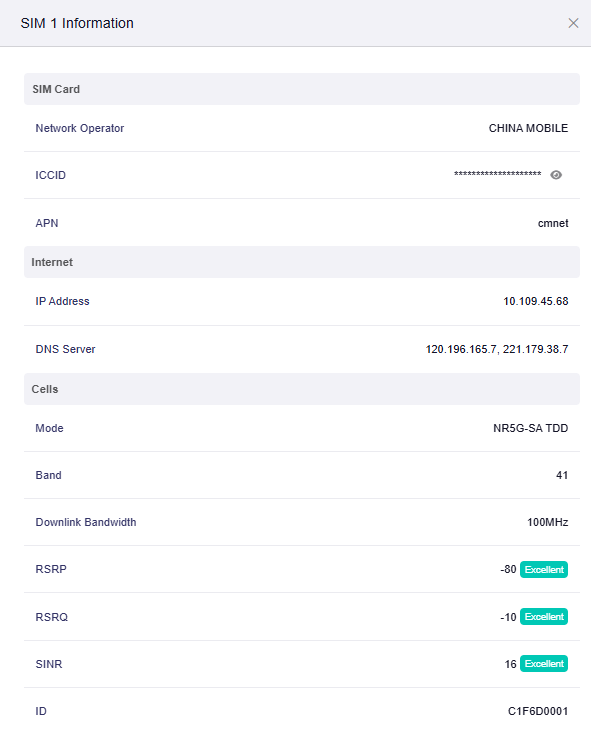
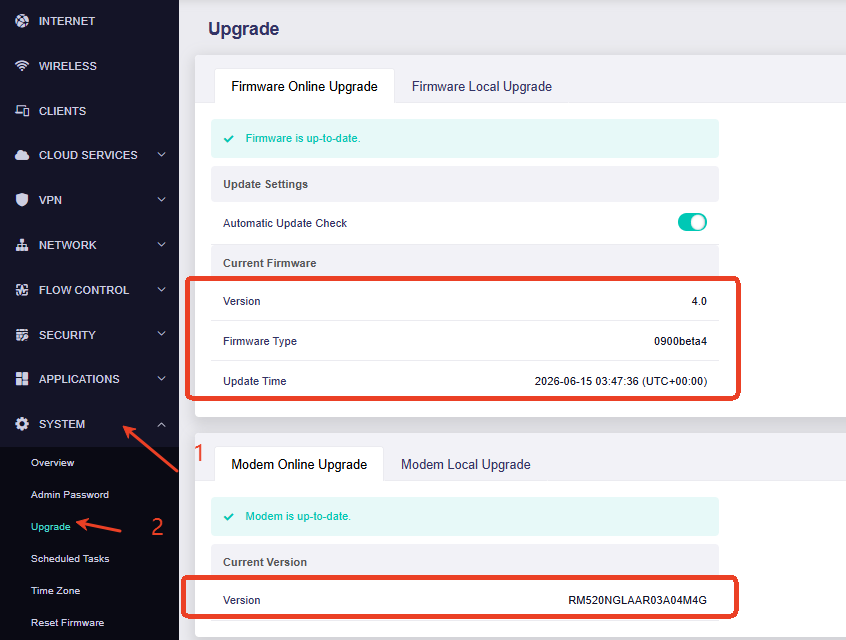
To help us identify whether this is related to the 5G network, antenna setup, or device configuration, could you please help us check the following information?
When the device switches back to 4G, does the internet connection become interrupted, or does it continue working normally while only the network type changes in the interface?
If possible, please run a continuous ping test from a computer connected to the XE3000 and check whether packet loss occurs when the device switches from 5G to 4G.
ping 1.1.1.1 -t
Could you please provide a screenshot when the XE3000 is connected to 5G normally, and another screenshot after it switches back to 4G?
Internet → Cellular → SIM Information
Since you mentioned using an external 5G antenna, could you please provide the antenna brand/model and how it is connected to the XE3000 (for example, which antenna ports are connected)? If available, could you please also provide the antenna specifications, such as the supported frequency bands and the number of antenna connectors.
After receiving the above information, we will further analyze the cause and assist you with the next troubleshooting steps.
Today I woke up with my Internet not working completely. I did reboot the router and SIM card won`t register. I trired couple of times - no luck. Then I send AT command: AT+QPRTPARA=3 and… everything just worked! It registered the SIM card and went back to a very stable 5G connection. Could you explain what happened and what I did with this command?
Thank you for sharing this information. It is good to hear that the SIM card registered successfully and the 5G connection became stable again after running the command.
The command AT+QPRTPARA=3 is a Quectel modem command related to restoring/reloading modem parameters. After executing this command, the cellular module may reinitialize its network-related settings and perform a new network registration process.