My GL.iNet Flint 3 router arrived a few days ago, and I'm a bit disappointed because it doesn't really deliver the expected speeds. I have a 2Gbit/1Gbit optical link handled by a Sagemcom F@st 5670 optical router. On that, the internet speed measures 1400Mbit–1500Mbit. I connected the Flint 3 to the optical router's 2.5Gbit WAN port and authenticated it with PPPoE in passthrough mode, so essentially the Flint 3 handles the internet. Unfortunately, though, on the Flint router I'm nowhere near the bandwidth maximum that I measure on the Sagemcom—max 800–850Mbit. What's the issue? No extra services are enabled on the Flint router (VPN, AdGuard, etc.). I'm a bit disappointed—has anyone else run into this problem?
Are you able to confirm the ethernet port on both devices are connected at 2.5G and not negotiated at 1Gbps for some reason?
Can you also share any more detail on the ISP how the client device is connected to Flint 3 and how you are speed testing?
Both devices are connected to each other at 2.5G. The Sagecom has one 2.5G port into that, and the Flint's WAN port which is 2.5G. PPPoE Passthrough is enabled on the Sagecom router, so the Flint 3 has the PPPoE connection. I perform the test by connecting to the Sagecom WiFi and running speedtest next to it, where I measure 1400 Mbit. When connected to the Flint router in the described way next to it, 800 Mbit. The cable is Cat 6.

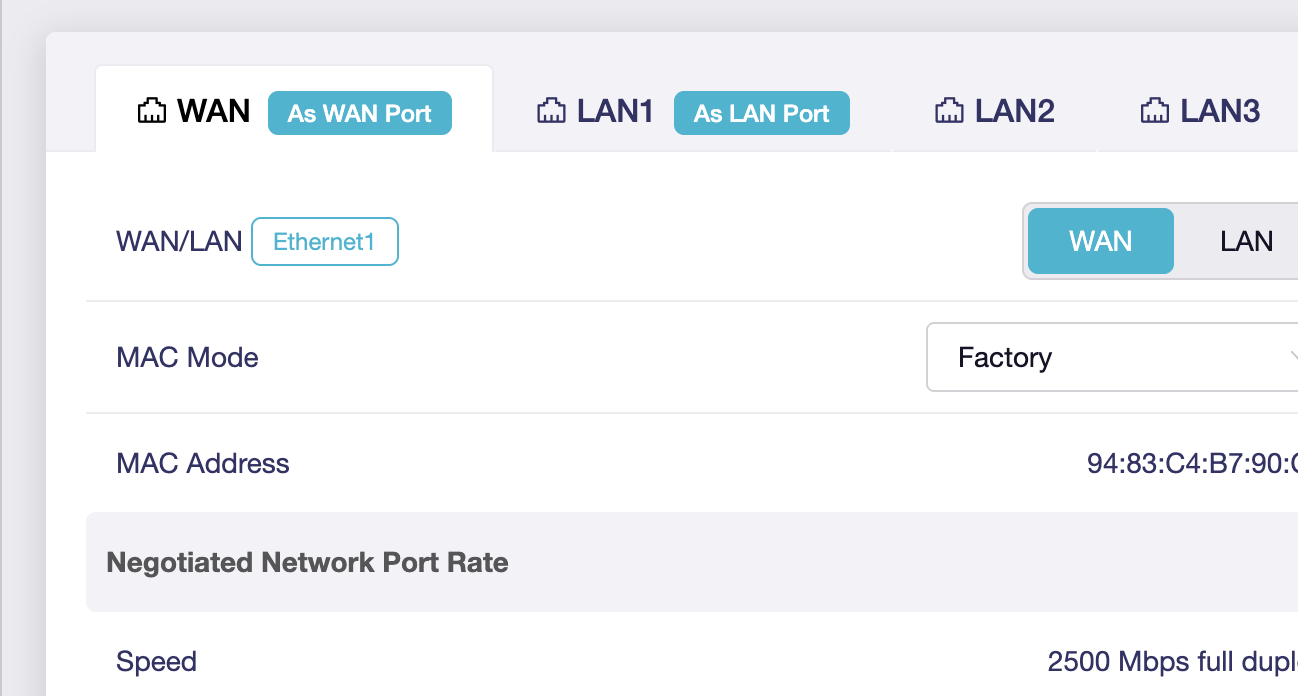
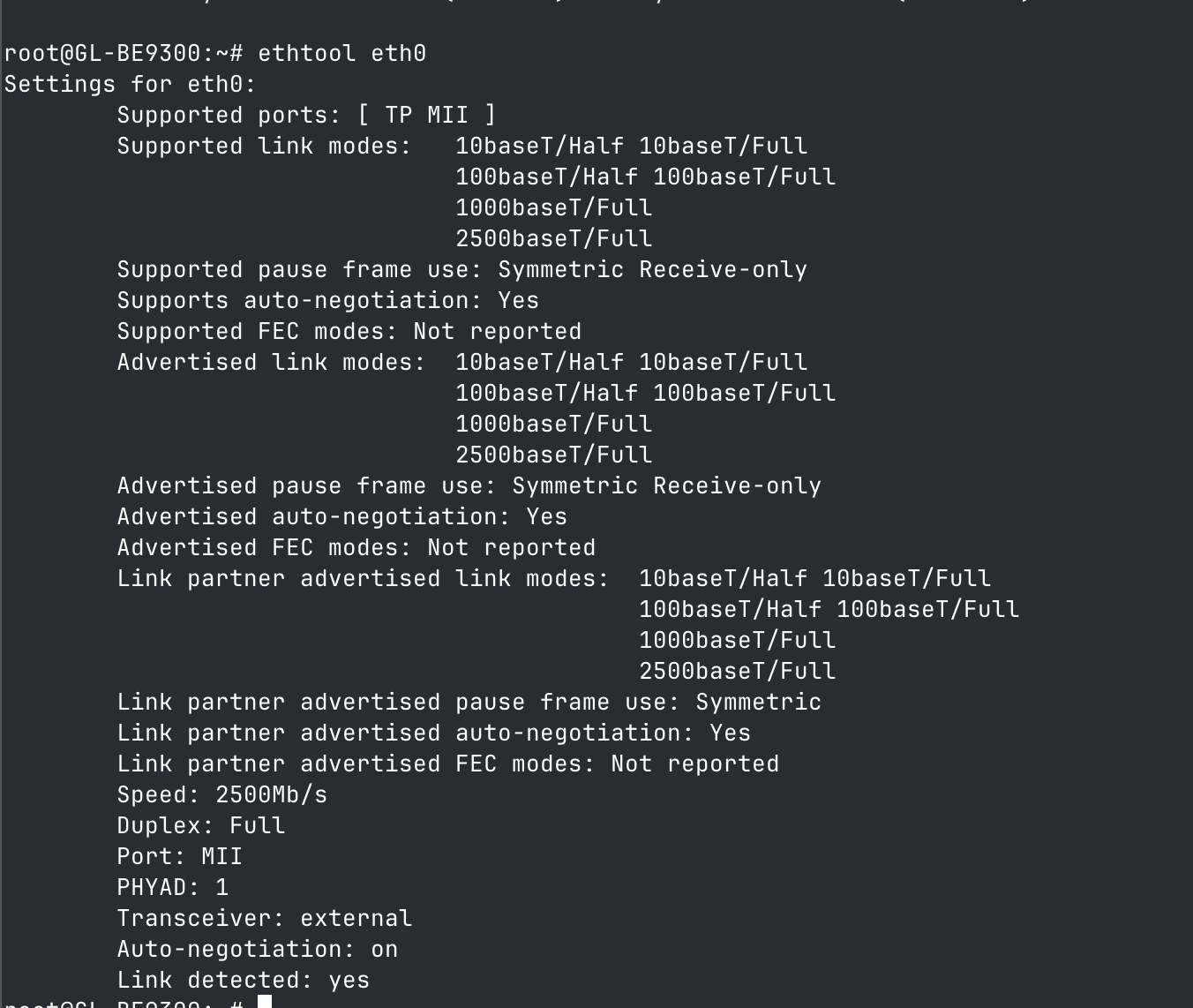
I measured the speed 2-3 times at the same destination. I measured the same result. Sagecom 1350-1400Mbit, Flinet 3 800-850Mbit.
I assume you don’t have a wired device you can connect directly to the Sagem device as PPPoE client instead of the Flint to confirm the Sagem can actually achieve the required speeds in bridge mode?
It’s possible the Sagem is doing bridging in software and enabling bridge mode disables the hardware offloading which would limit the speeds through the device in that mode compared to usual router mode.
1 Like
It also looks like the Sagem doesn’t support 6GHz WiFi? So it must be using 160MHx WiFi channel width on 5GHz.
please confirm you are connected to 6Ghz WiFi at 160MHz or 5GHz WiFi at 160MHz on the Flint 3. If you are using 80Mhz that would also explain the reduced WiFi performance.
1 Like
thank you for the tip, it works better than befor, after when I set what you recommend. 
1 Like
This topic was automatically closed 90 days after the last reply. New replies are no longer allowed.