GLKVM remote is blocked by Umbreall

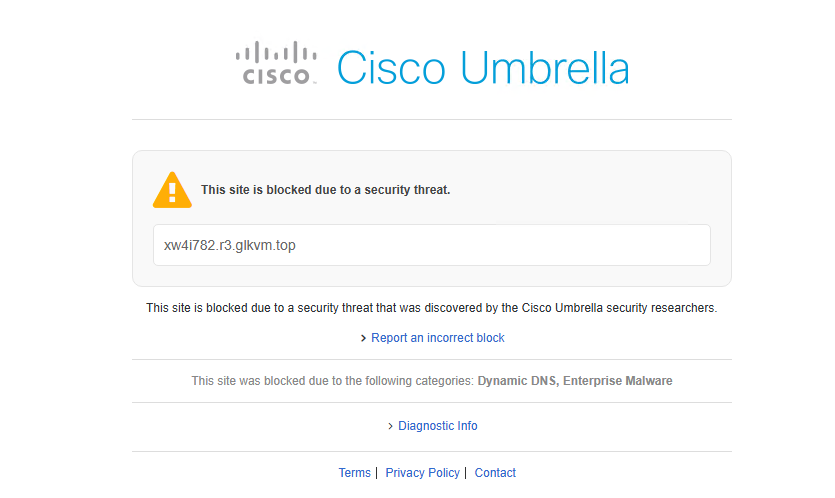
since yesterday when i try to access my workstationn via GLKVM.com I’m getting this error message

in fact the access to the web is fine when i click to remote my computer i’am getting this error message

Pcxw4i782.r3.glkvm.top

do you have an idea why all of a sudden I’m getting the umbrella blocking the remote ??

Thank you in adavance

This appears to be a company policy. Access to this URL has likely been blocked on the internal network, as it may provide access to personal or remote systems, potentially resulting in a DLP violation.

1 Like

Cisco is blocking it, I have the same issue. It does a DNS lookup to block. Any eta on when this will be fixed? I’ve had this since Dec 2025.

Setup secure DNS in browser

Corp has blocked that setting.

talk to your IT people on unblocking it (if the device/domain is needed for work)

Most large corps would not allow… zero chance unless you have some pull with security team.

1 Like

If you are trying to access “home lab” resources…. you could always setup a docker running a cloud flared tunnel; then configure zero trust with permissions you find acceptable…. then get to your KVM that way. Bypasses the cloud portal; our Cisco umbrella policy hasn’t had an issue with it so far.

alternatively, have you tried accessing the cloud via direct IP and not going through the domain name?
V1.8.1 fixes this issue when accessing via browser!