Hi. I bought a pair of these. One of them reacts when I press the mode button and the other one doesn’t. Any fix for that? Or some way to force it to go into pairing mode?
I need a software fix for this. Hardware fix would be getting a replacement and shipping will take a while since this is shipped from China.
Hi
You might consider keeping the unit where the Mode button isn’t working in the default Access Point mode, and configuring the other one—where the Mode button works normally—to Extender mode.
Since only one device needs to be set up in the expander scenario, this could be a workable approach.
We still recommend contacting cs@gl-inet.com and including your purchase channel/order number to request after-sales support.
The Mode button is also used for factory reset, so it’s important that it works properly.
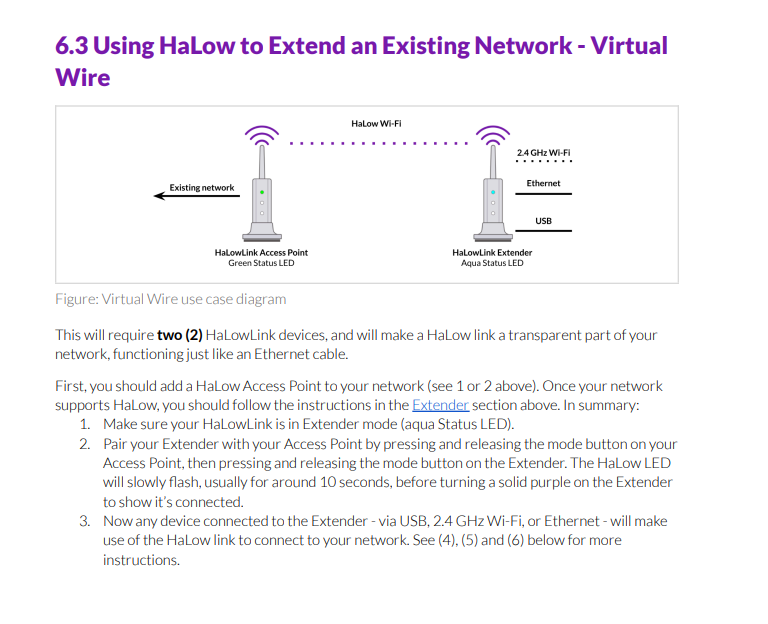
This user guide may be helpful:
No, that doesn't work. The manual clearly says the mode button should also be pressed in the AP to have it pair. Or did I misunderstand that? I have tried pairing just by pressing the mode button on the extender and it fails, so it seems the AP is also needed.
Perhaps we didn’t explain it clearly before.
Could you try the following:
- Keep the device with the broken Mode button in AP mode, and configure the necessary settings such as SSID and password.
- Set the device with the working Mode button to Extender mode by pressing and holding the Mode button. Then follow the instructions in the user guide under “3.2 Manual Extender Configuration (Alternative)” to connect it to the device that is in AP mode.
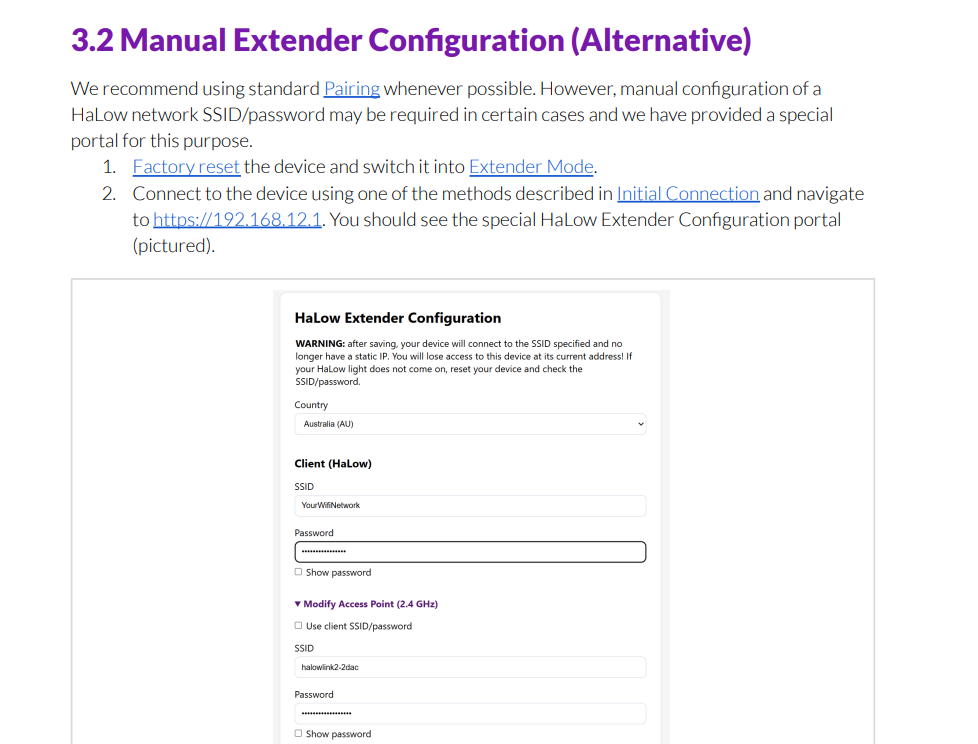
With this approach, you should be able to pair them manually, instead of pairing the two devices using the Mode button on both units.
Yes, that did work. Thanks. I have contacted cs@gl-inet.com but have received no response yet.
This topic was automatically closed 90 days after the last reply. New replies are no longer allowed.