Are you able to provide some further details please?
I’m interested in purchasing one for testing, but wanting to check feasibility first.
eg.:
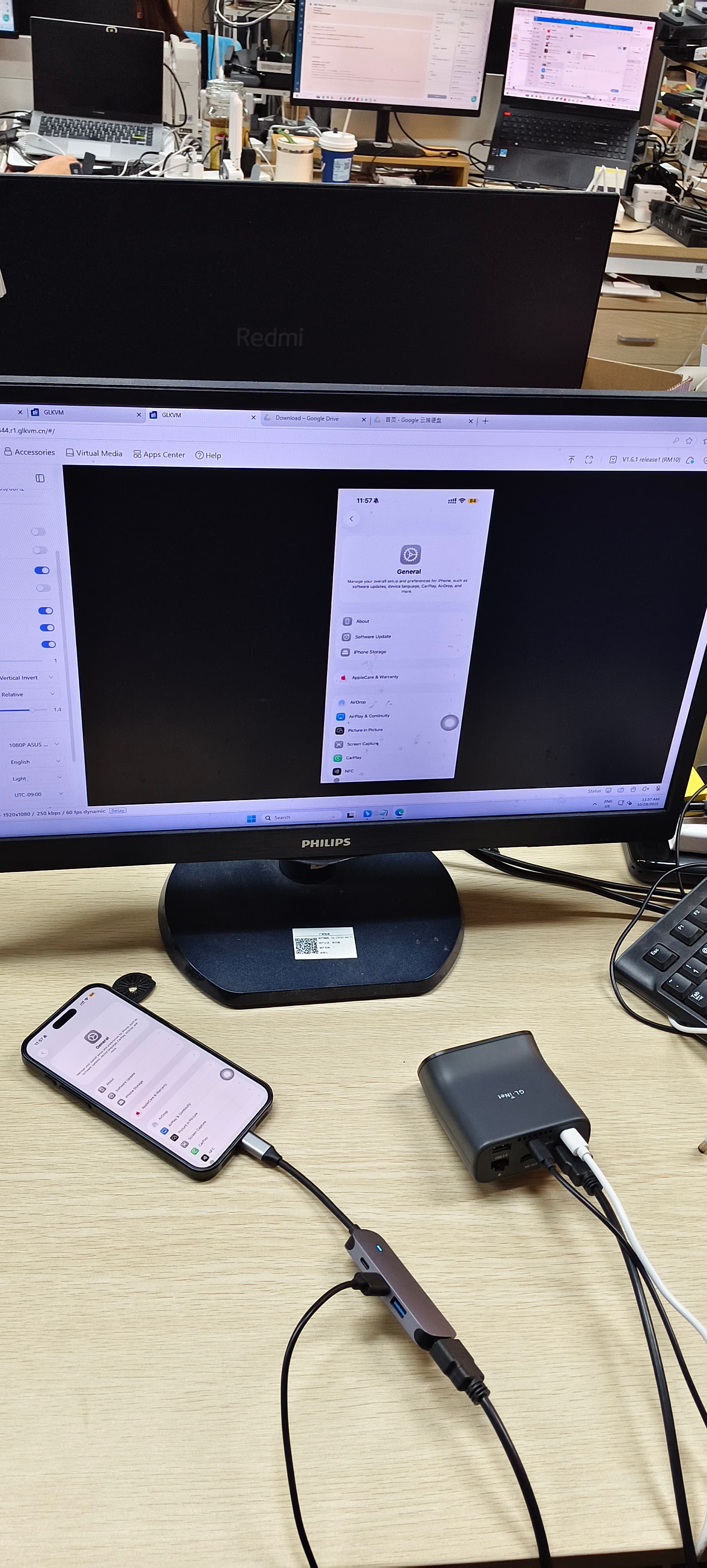
What was the role of the docking station in the setup? e.g. Was it connected to the iPhone as the host, with outbound HDMI (for video output) and USB (for keyboard and mouse inputs) to the Comet KVM?
What model iPhone and docking station did you try?
Was there any particular configuration or troubleshooting required on the Comet KVM to get it working?
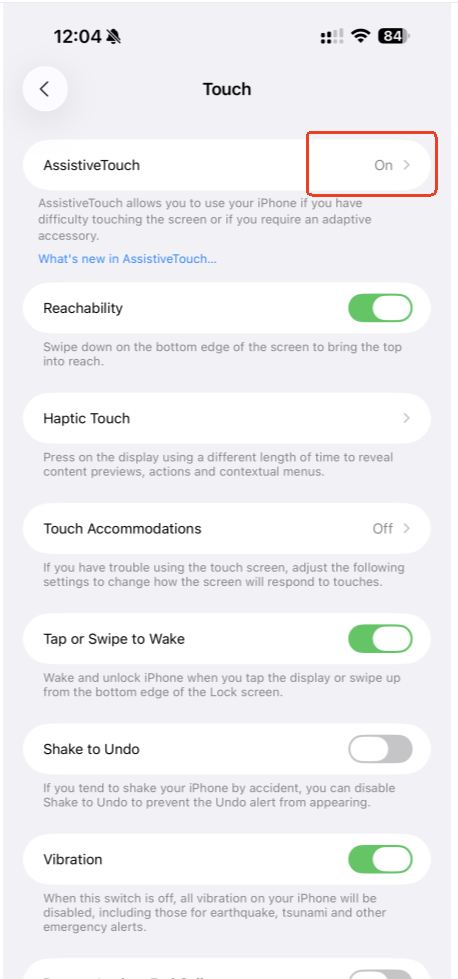
Were there any limitations when controlling the iPhone? Such as operations relying on iPhone buttons / gestures, eg. getting back to the iPhone home screen.
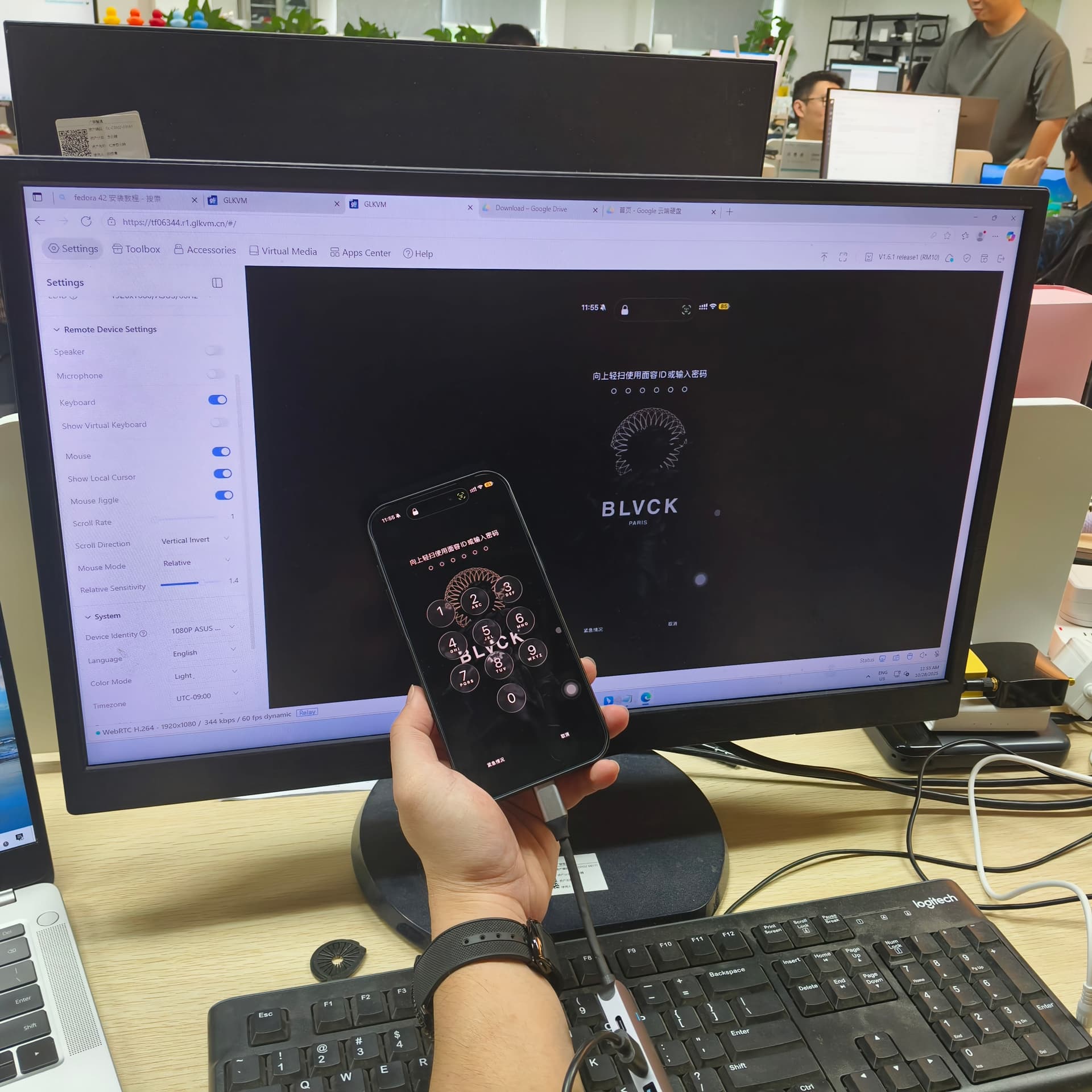
All on-screen actions, like swiping and tapping, are replicated through mouse clicks and movements, mirroring the experience of directly using a physical phone.
The password page will not show on the remote screen which is a security mesure comes from iPhone.
I am not sure about all the steps above, but I was able to achieve similar results using the older HDMI and USB adapter for lightning cable.
I was on iOS 15 and it worked relatively out of the box. Though the control is a bit wonky since you are selecting with Arrow keys and the enter button. Note it expects a MacOS style keyboard input, so your start (windows) key is Option* and alt key is Command*; *Note on newer keyboards for some ungodly reason this is flipped.
Other than that, getting to the accessibility settings was easy enough by just using the arrow keys, where you can enable more functionality.
I would take some photos, but I can't remember where I put my adapter.