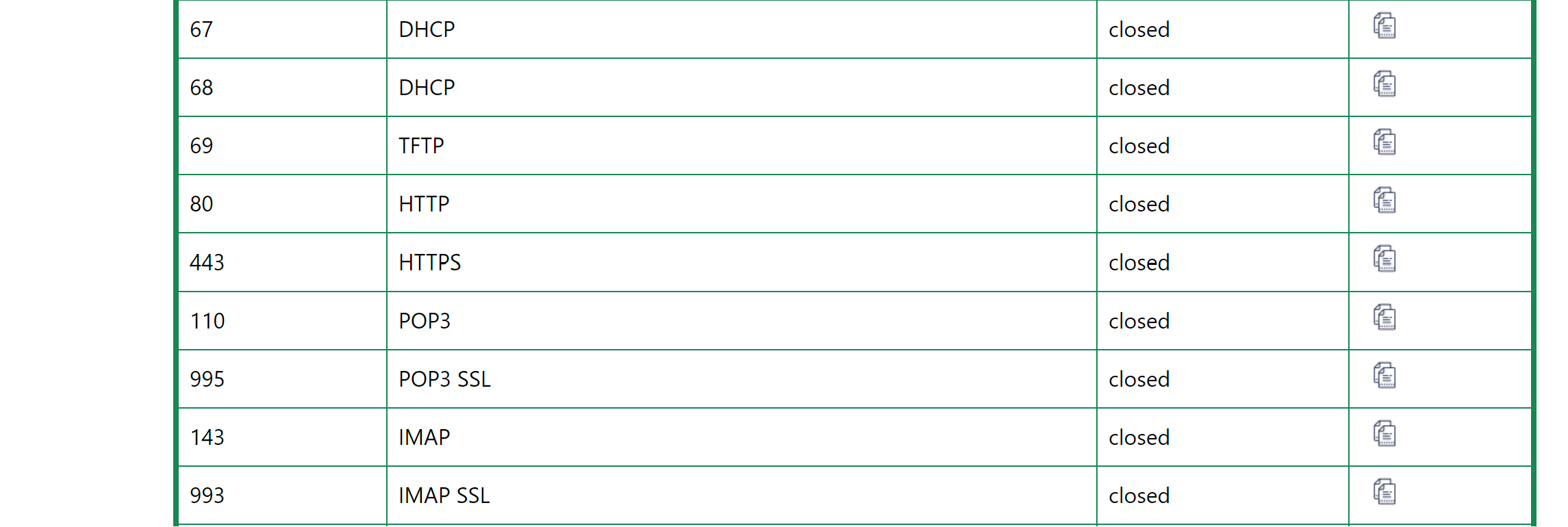
I spent days trying to figure this out, and I reached the conclusion that this might just be router related.
I have a web server on my local network (I created a duckdns domain) but whatever I do I cannot reach this address.
I forwarded the port on the advanced (luci) portal to forward the 443 to that particular static IP (in the advanced I made sure that the NAT loopback is enabled and also changed it to external address instead of the default internal).
when I set that server using my other router (separate ISP and router (ASUS), it works flawlessly, the traffic is being routed to the local host over SSL.
What am I missing on the router configuration? (I have the GL-X3000 / Spitz AX)
I’d create a backup of your current state via LuCI → System → Backup / Flash firmware, remove the LuCI side forwards you set, then jump over to GL GUI → Network → Firewall → Port Fowards & see if that method works.
Also opkg update; opkg install nmap ss wouldn’t be amiss either.
Thanks for the quick response!
so I started with the GL GUI first, no luck there.
I only tried the LuCI method as I saw another thread that talked about the NAT loopback and I thought that this might be it.
I also made sure that I’m using the right public IP for that domain (since I have multiple environment, at first I mixed them).
the port is open on the server, again, I didn’t have an issue forwarding the traffic via another router on different ISP. so I’m pretty sure the issue is with the GL router not forwarding the traffic.
does it makes a different that it’s using cellular data? I wouldn’t think so as the other ISP also has its own WAN IP that I don’t really care what it is, as long as my domain has the right public IP
Were you using cellular data on the Asus unit? IIRC some mobile data providers have their own NATs that block incoming but I’m working from a hazy memory of such a report on that aspect.
In that case I am sure it won’t work. Cellular networks use Carrier-grade NATting - so there is no real IP for your router and therefor you can’t open the port.
So I’m using home assistant to monitor everything in my camper. Obviously I can access it directly over LAN, but that’s where the publishing it over duckdns was supposed to be. (I created the domain with let’s encrypt cert and Nginx proxy) but this obviously doesn’t mean jack if the port forwarding on the ISP is not a possibility. And especially where they provide you basically a “Hotspot” with shared IP instead a dedicated WAN address…
But I think now the only workaround would be to use a VPN, or maybe some sort of service to provide a secure tunnel. I wonder if there’s a git project that I can implement on a VM so I can finally finish this task
Proton VPN & Air VPN both support incoming Port Forwarding over their tunnels… but while not without a bit of effort, you’ll also have T-mobile’s ‘eyes’ off you. I might suggest TailScale but GL still hasn’t taken that feature out of Beta (GL GUI → Applications → Tailscale).
@admon
What do you think? You’re a bit of a proponent. Would ZeroTier fit here?