I have mt6000 4.9.0. Any way to have custom interfaces appear in list of vpn client sources under ‘Specified Connection Types’ so I can apply vpn rules per interface?
Hi,
To make a custom interface appear under VPN Dashboard -> Specified Connection Types, the custom interface needs to be assigned to its own firewall zone.
After that, it can be selected as a VPN source.
Here is an example setup: separate LAN2 into its own network, make it visible in VPN Dashboard, and route only LAN2 through a specific VPN tunnel.
Please try the following steps.
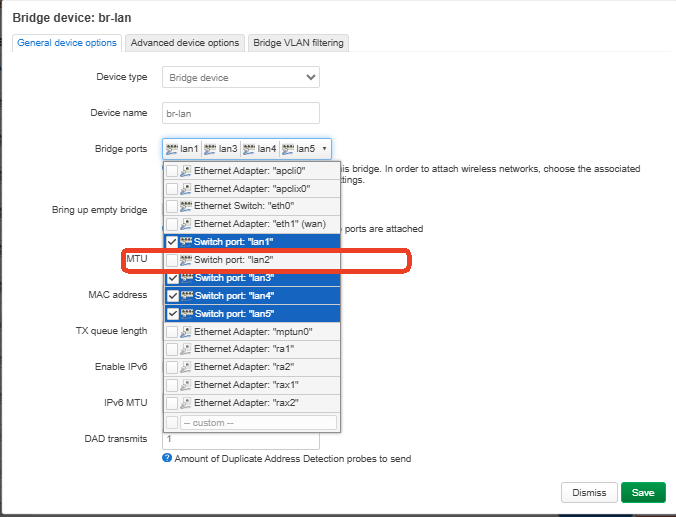
- Go to LuCI -> Network -> Interfaces -> Devices. Edit br-lan and remove lan2 from the bridge.
- Create a new bridge device for LAN2. Go to:Network -> Interfaces -> Devices -> Add device configuration.
Set:
Device type: Bridge device
Device name: br-custom-net
Bridge ports: lan2
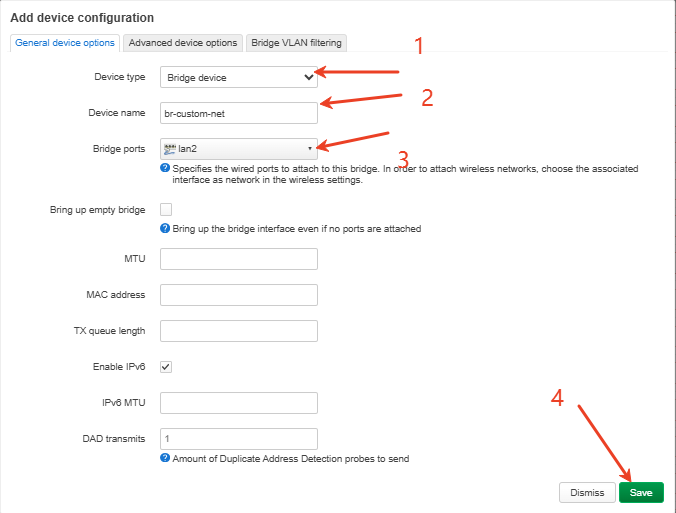
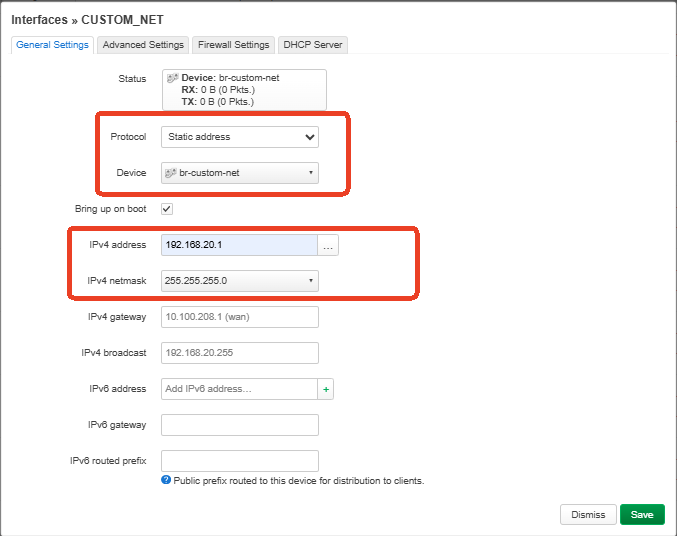
- Create a new interface. Go to:Network -> Interfaces -> Add new interface
Set:
Name: custom_net
Protocol: Static address
Device: br-custom-net
IPv4 address: 192.168.20.1
IPv4 netmask: 255.255.255.0
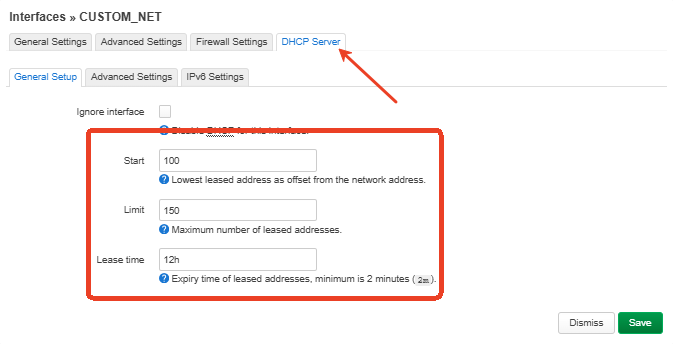
Enable DHCP on custom_net.
- Create a firewall zone. Go to: Network -> Firewall ->Add.
Set the custom_net zone as below:
Input: accept
Output: accept
Forward: reject
Covered networks: custom_net
Allow forwarding to the VPN client zone, for example:custom_net -> wgclient
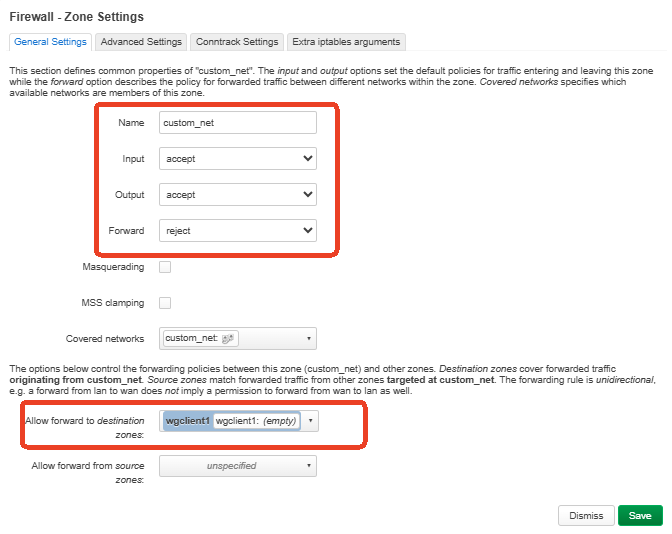
Before configuring the firewall forwarding to the VPN zone, please enable the VPN tunnel once, after the VPN tunnel is enabled, the corresponding VPN firewall zone should appear in LuCI.
Please choose the VPN zone that matches the VPN tunnel you want to use.
- Save and apply all LuCI changes.
- Add the custom interface to GL.iNet route policy.
SSH into the router and run:
uci delete route_policy.global.append_source_if
uci add_list route_policy.global.append_source_if='iot'
uci add_list route_policy.global.append_source_if='custom_net'
uci commit
/etc/init.d/vpn-client restart
Please replace custom_net with your own interface name if you use a different name.
The interface name should be lowercase and should match the name shown in LuCI -> Network -> Interfaces.
If you have multiple custom interfaces, add each one.
uci add_list route_policy.global.append_source_if='name'
- Back to VPN > VPN Dashboard. Edit the VPN tunnel.
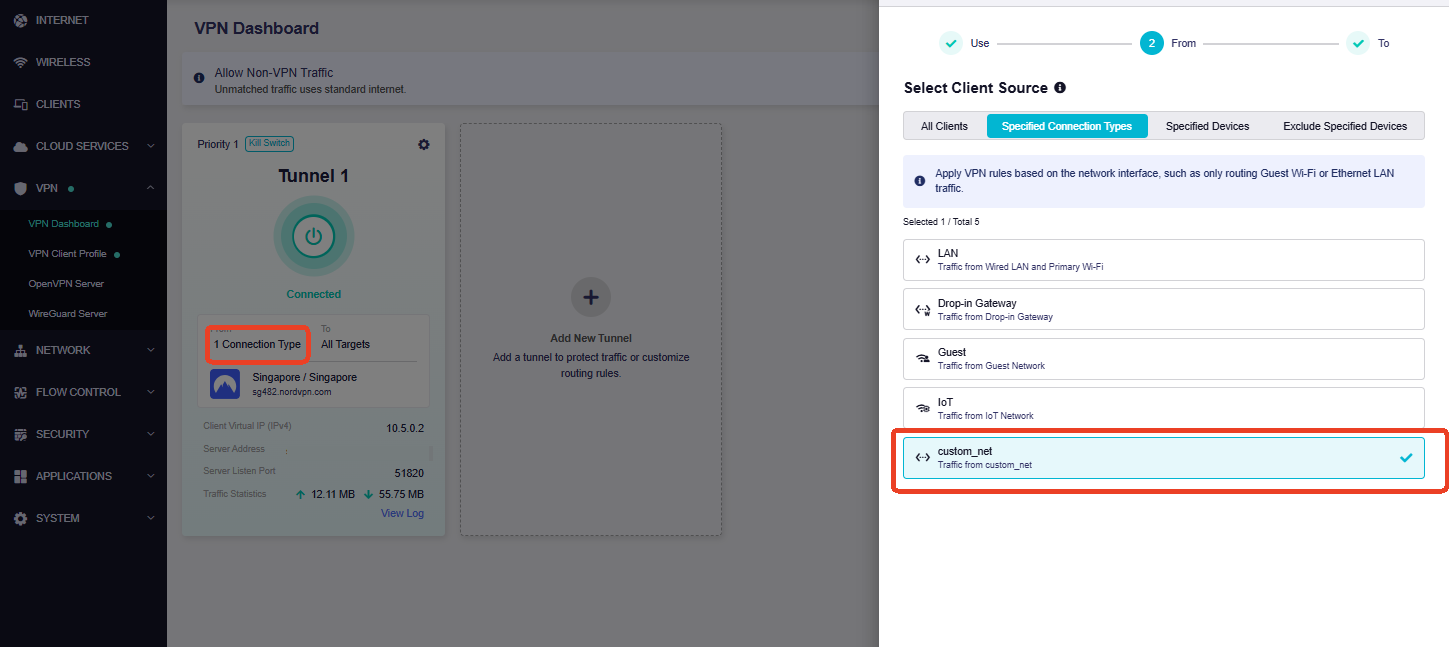
After this, only clients connected to LAN2 should use this VPN tunnel.
Note: Clients on LAN2 will only be able to access the Internet when the VPN tunnel is connected.
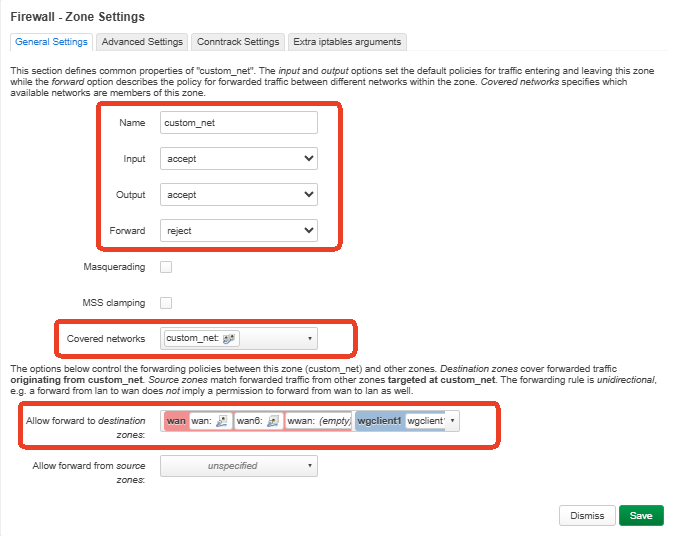
If you want LAN2 to fall back to normal WAN when the VPN is disconnected, you can also add: custom_net -> wan.
1 Like
This topic was automatically closed 90 days after the last reply. New replies are no longer allowed.