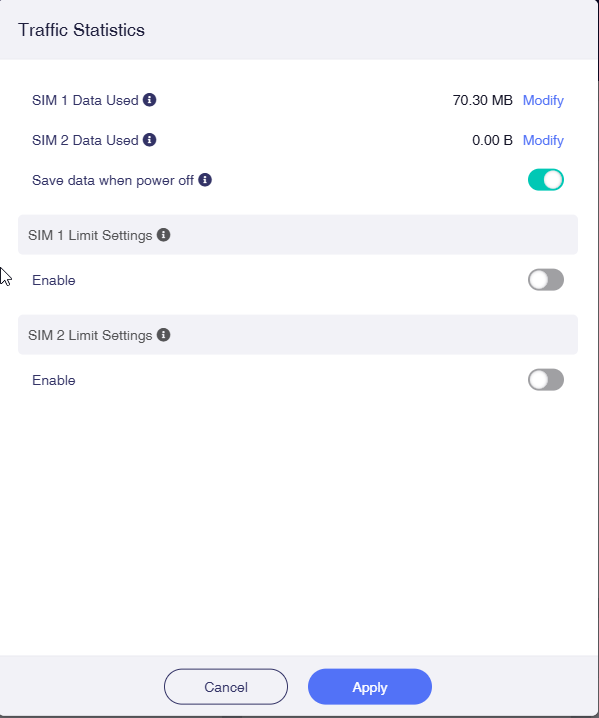
As there currently doesn't seem to be a way of monitoring data usage to provide a warning when you're getting close to whatever limit you're working to, I've been manually resetting my data usage every month under the Internet / Traffic Statistics tab.
However, unless I'm losing my mind, the option to reset data usage seems to be missing.
Has it been moved, or have a completely misremembered whereabouts it's kept?
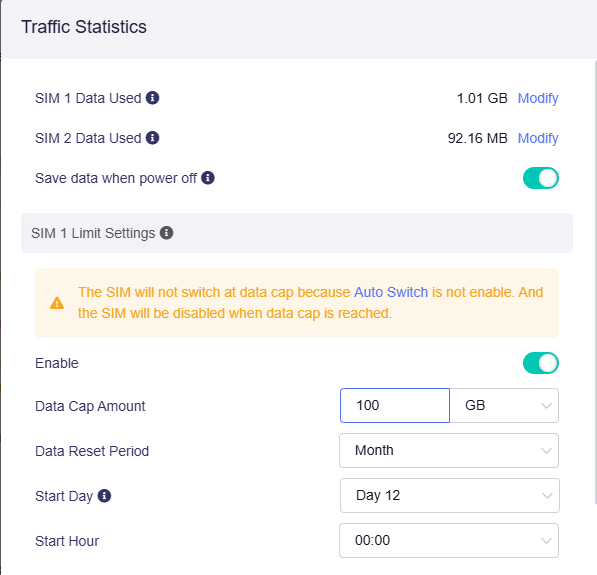
The Traffic Statistics function will be improved in v4.8 firmware, supporting monthly cyclic recording and automatic clearance.
In the current version, you can uncheck the "Save data when power off", which will be cleared after reboot the router, and then turn on this option after it boot-up.
In my case, I’d like to have it automatically reset back to 0 on the 12th of every month, as that’s when my plan resets. But, in the very least, there should be a toggle button to enable/disable automatic reset on the 1st of every month.
While I can appreciate the simplified configuration flow for certain use cases, in my case I don’t wish to impose any data usage limit at this time (just want to monitor monthly usage). As such, it’s unfortunate that the data usage counter reset functionality has been tied to enabling the data usage limit feature. I suppose the workaround in this case is simply setting a “Data Cap Amount” that’s well above what’s expected to ever be used (eg. 999GB)?
I downgraded back to 4.7.4 for production testing and miss the automatic reset of traffic stats. When will you release a new stable version that includes this feature? Thank you.