How to route all traffic from wireguard server to wireguard client?

Hello,

i have a few gl inet routers,
one router set up as a wireguard server at my home [S],
another one set as a wireguard client [C] (and tethered to my phone),

router [C] connects to router [S] just fine via wireguard protocol,

what i need to accomplish is to have all the home devices connected to router [S] via LAN ethernet or wifi - route all traffic back from server to client and terminate at router [C].

I already tried probably everything, i did enable “Allow Remote Access LAN”, i tried adding “allowed ips: 0.0.0.0/0” to wg config, etc.
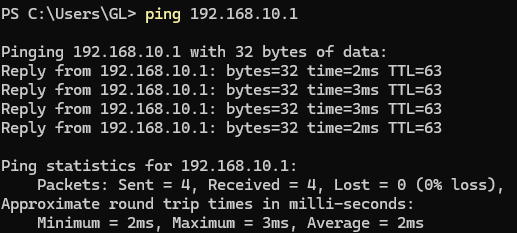
The best i could accomplish - i could get to the point when i can ping wg client peer ip address.
But i need all traffic from router [S] to terminate at router [C].

do we have a clear documentation how to accomplish that by any chance?

thank you

1 Like

The problem is that when a device on the [S] LAN wants to reach a device on [C] LAN, [S] doesn't have a route for that, so it goes out the default route and dies. So Allowed IPs on the [S] side need to include the [C] LAN. I don't have my devices up at the moment to identify how to do that. You might update your post to identify device [S] and its firmware, and device [C] and its firmware, so you get precise answers.

hello,

i have multiple gl inet routers, and tried few of them in different combinations;
currently opal (firmware 3.216) serves as [S] ,
and beryl 7 (latest firmware) serves as [C]

thanks

You would need S to route LAN traffic to C, this can be done with a custom route in S. Then C also need to be configured as “exit node”, this usually is done with a firewall masquerade rule.

The fact that you can ping C from a device in the LAN is good, but to route all traffic needs a bit more work. I suggest to inspect the traffic with tcpdump in C and S to see where the traffic stops as you modify the routing.

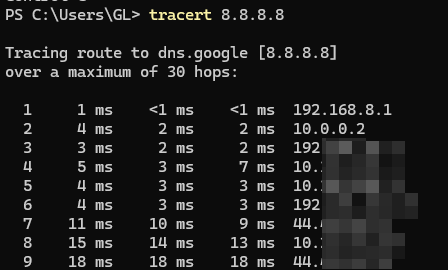
Maybe post a traceroute from the LAN device to see the hops before WAN. You want the first 2 hops to be S and C in order if I understand correctly

Hi,

Could you clarify how traffic originating from the WireGuard server-side subnet should be handled on the WireGuard client?

  • Should it terminate at the client side—meaning it is allowed to access the client-side subnet, but not the internet?
  • Or should it be allowed to access both the client-side subnet and the internet?

If possible, please provide a simple topology diagram with labeled IP addresses and roles (WG server/client) so we can better understand your requirements.

Hello,
sure,

The traffic reaching the [C] router must be allowed to reach both the internet, and client-side subnet.
Btw, [C] is not necessary must be router. It can be any wg client, like vps with wg client.
The point is that [C] is where the wg connection originates.

The question is more about setting the gl inet router [S] serving as a wg server.

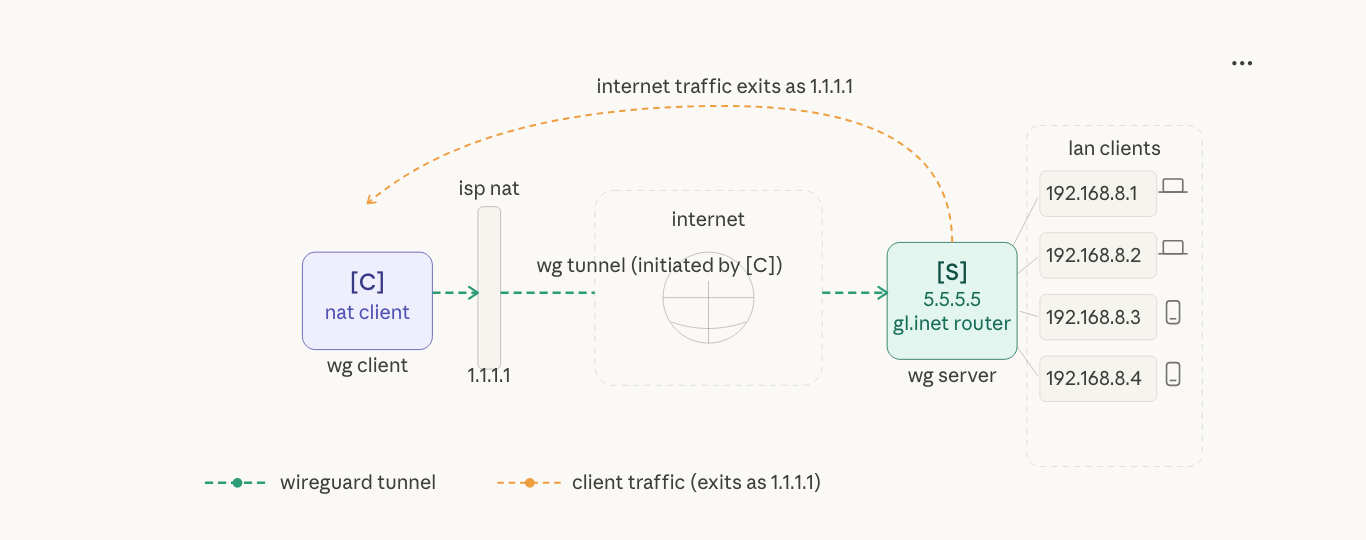
Sure, here is the simple diagram:

The diagram shows the key idea, from left to right —

  • wg client [C] (behind the isp NAT) initiates the tunnel outbound to
    GL.iNet router [S] serving as wg server,

  • isp router (that serves client) has external ip 1.1.1.1,

  • gl inet router [S] set in wg server mode, has external ip 5.5.5.5,

  • LAN clients (behind the router [S]) at 192.168.8.1–4 route all their traffic through [C], exiting to the internet with 1.1.1.1 as their external IP

  • so all the LAN clients having their exit IP as the 1.1.1.1 when they check

    pls let me know if there are any questions,
    thanks

1 Like

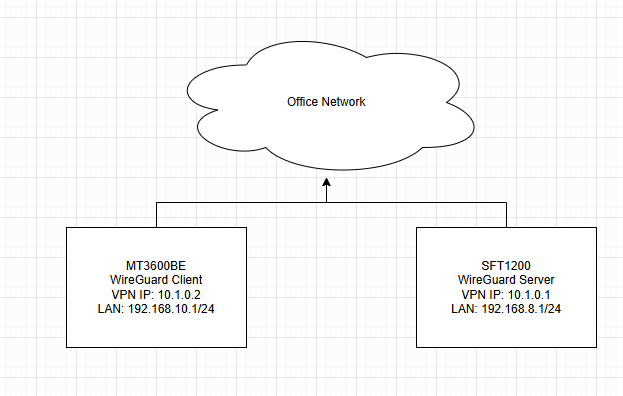
Please upgrade your Opal to the latest v4.8.3 beta, as older versions lack some of the features required to achieve this setup. Below is a configuration example:

Devices:

  • SFT1200 v4.8.3 beta
  • MT3600BE v4.8.5

Topology:

WireGuard Server Configuration:

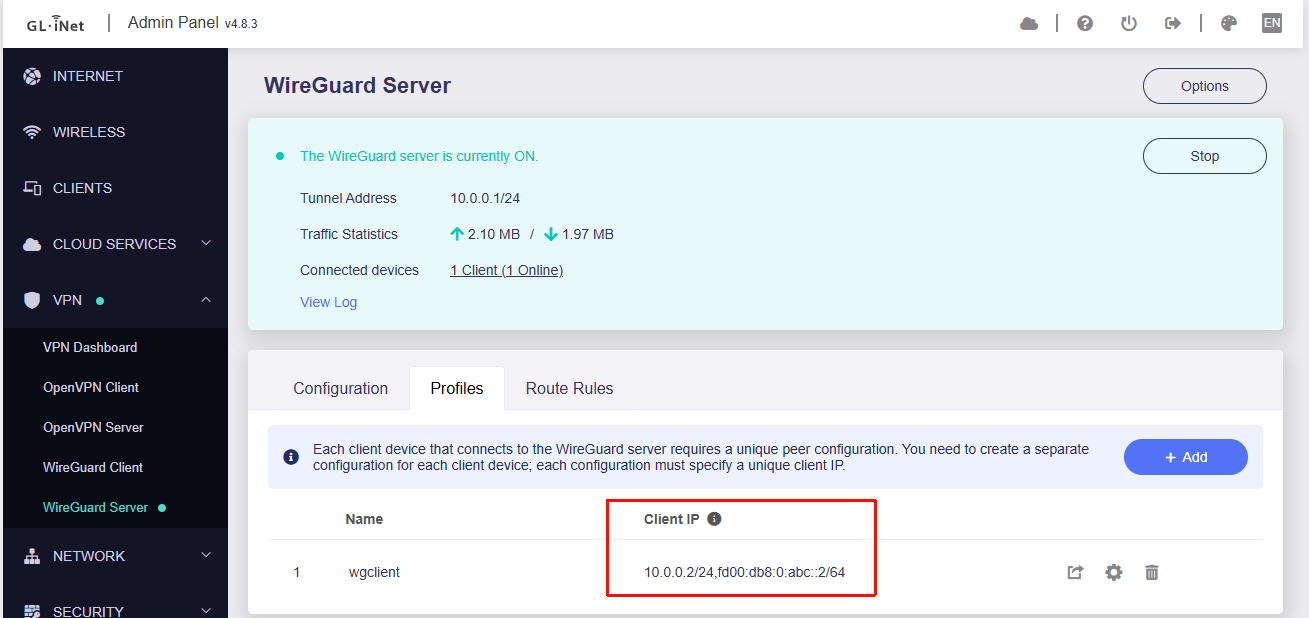
  1. Go to Admin Panel → VPN → WireGuard Server and enable the server

  2. Under Profile, create a client configuration and ensure the Client IP is 10.0.0.2

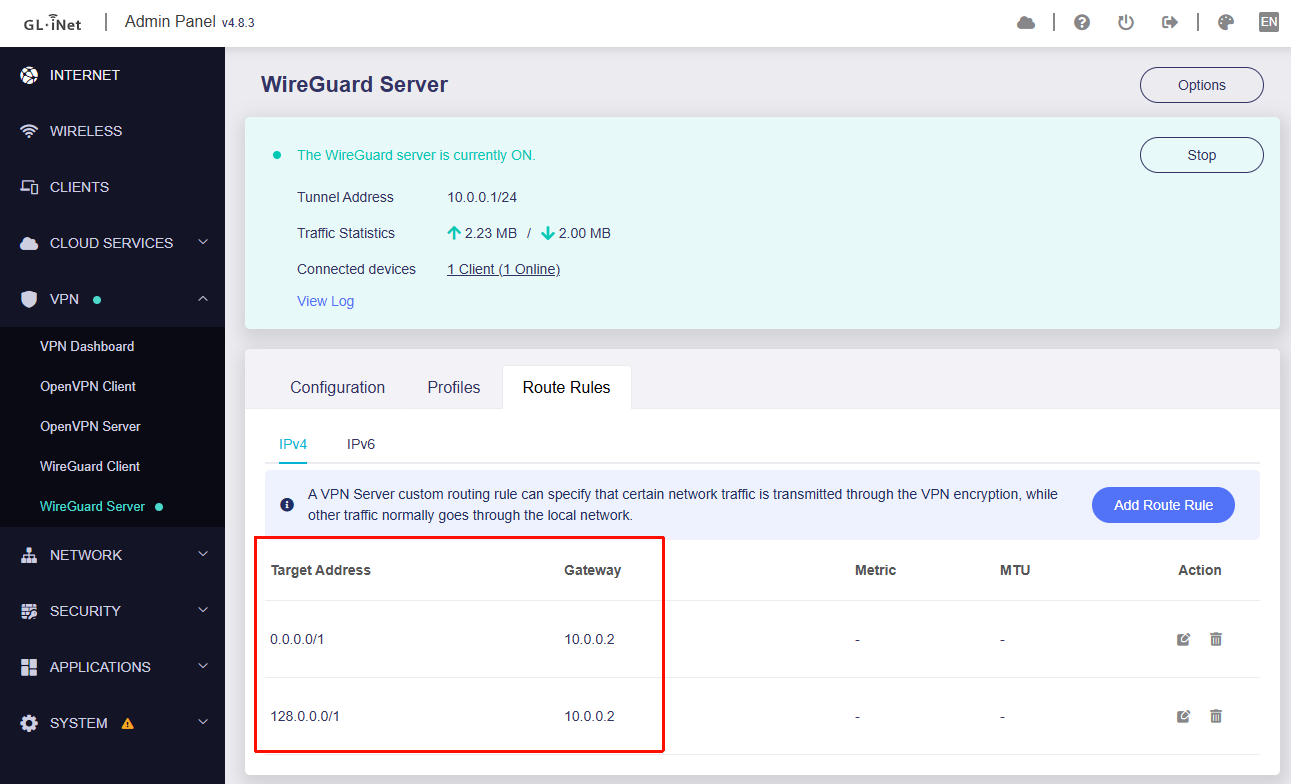
  3. Under Route Rules, create the following two rules:

WireGuard Client Configuration:

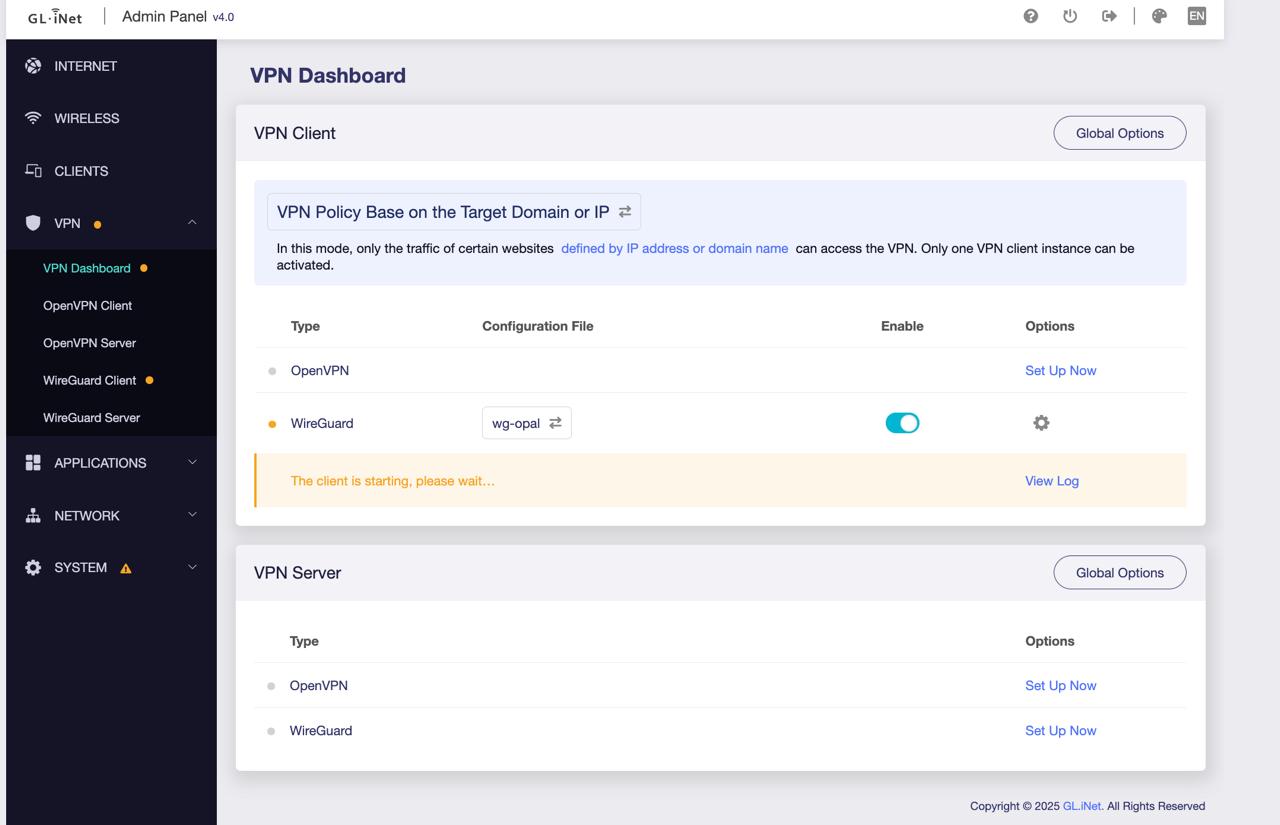
  1. Go to Admin Panel → VPN → WireGuard Client and import the configuration

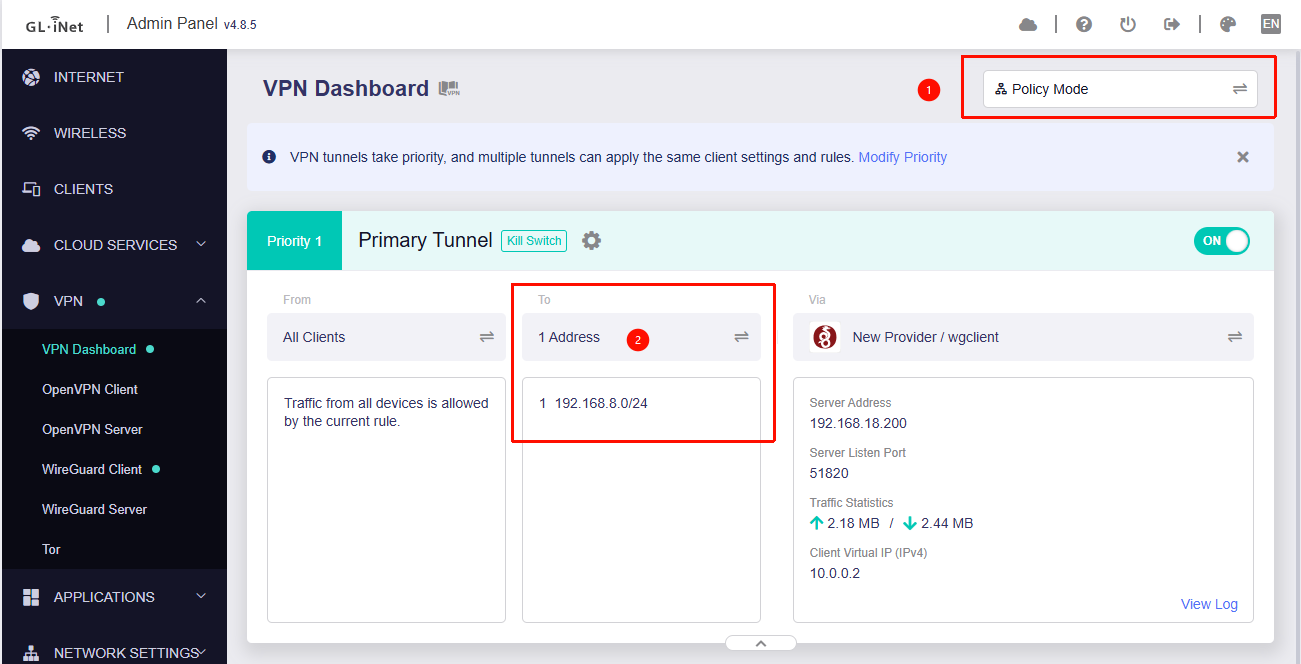
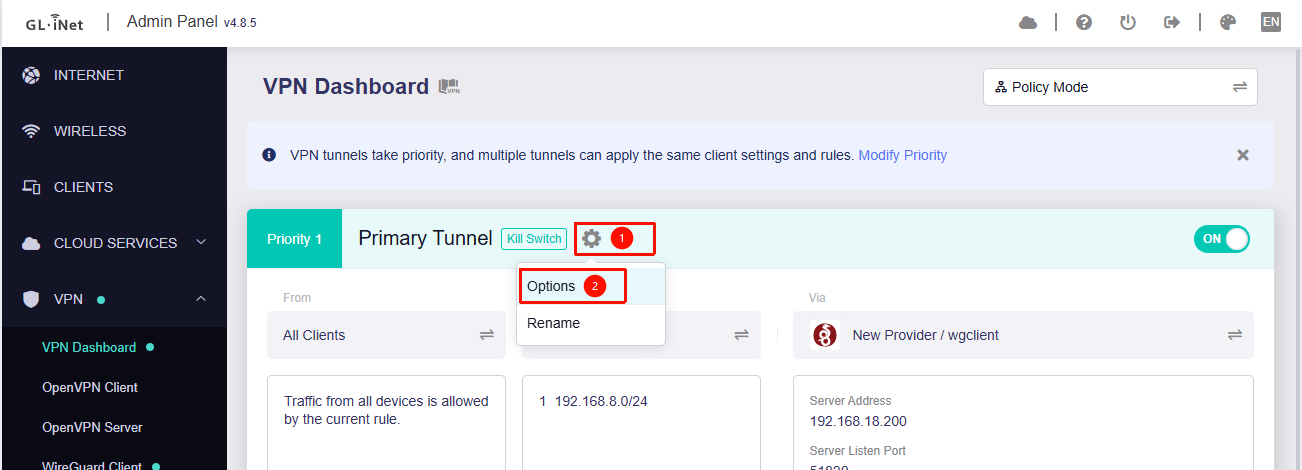
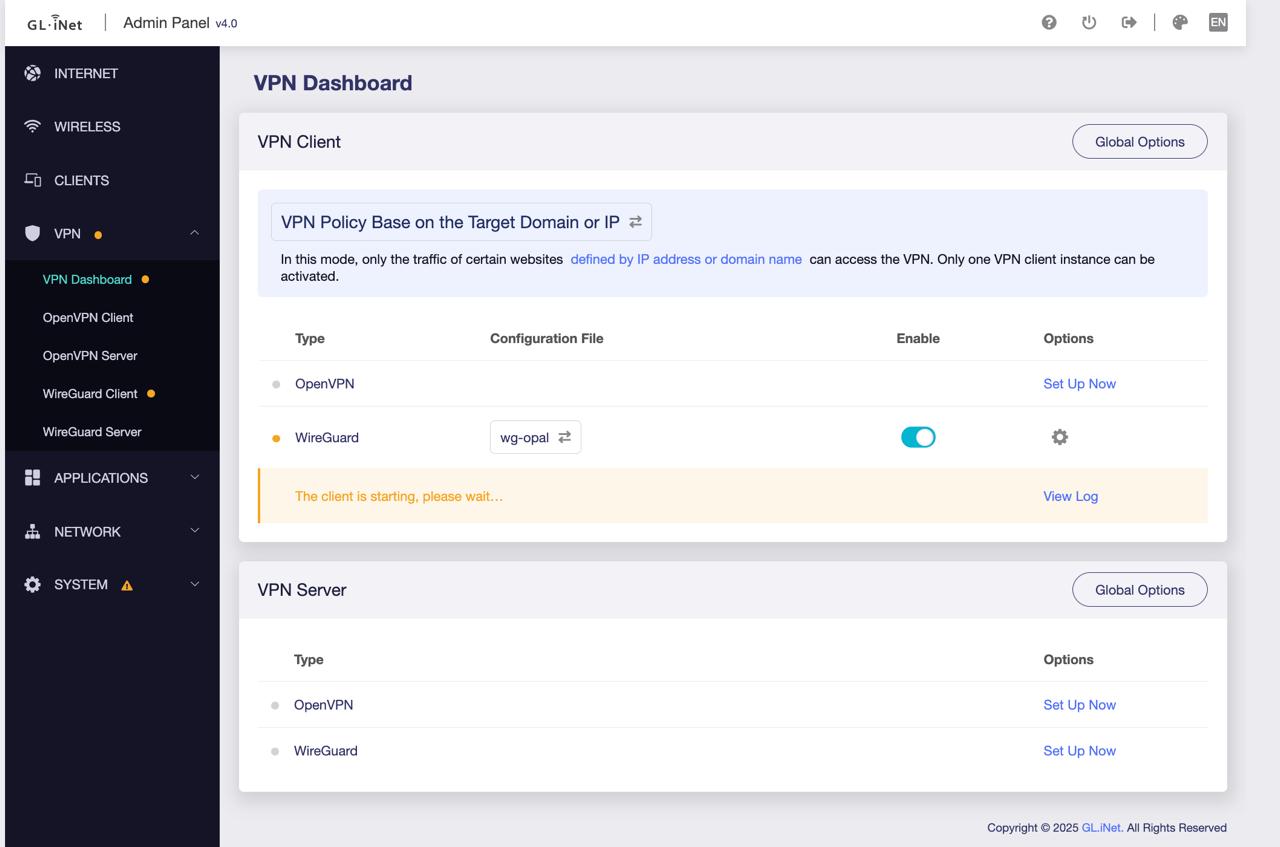
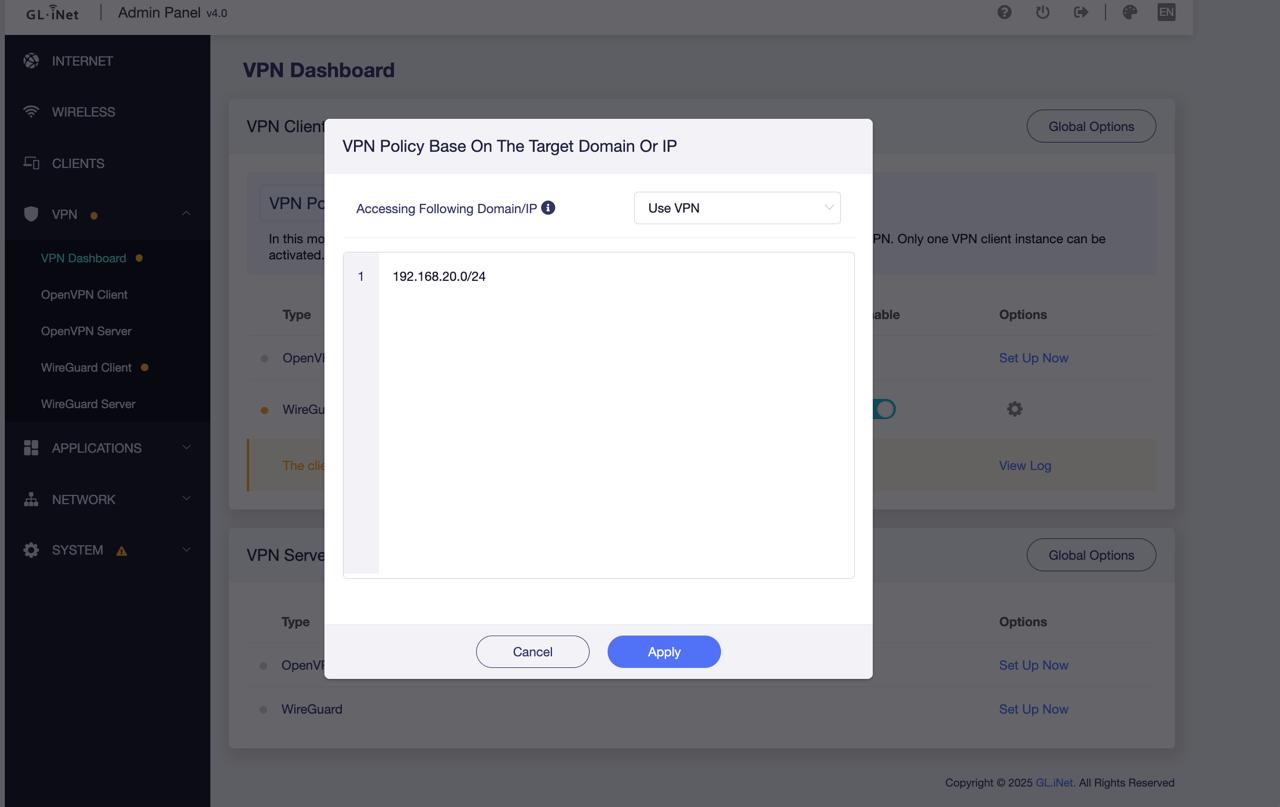
  2. Go to Admin Panel → VPN → VPN Dashboard and switch to Policy Mode

  3. Configure only 192.168.8.0/24 to be routed through the VPN to prevent all client-side LAN traffic from being sent back to the server side

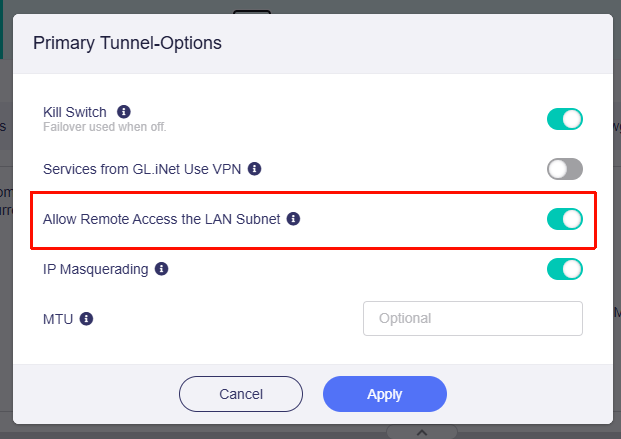
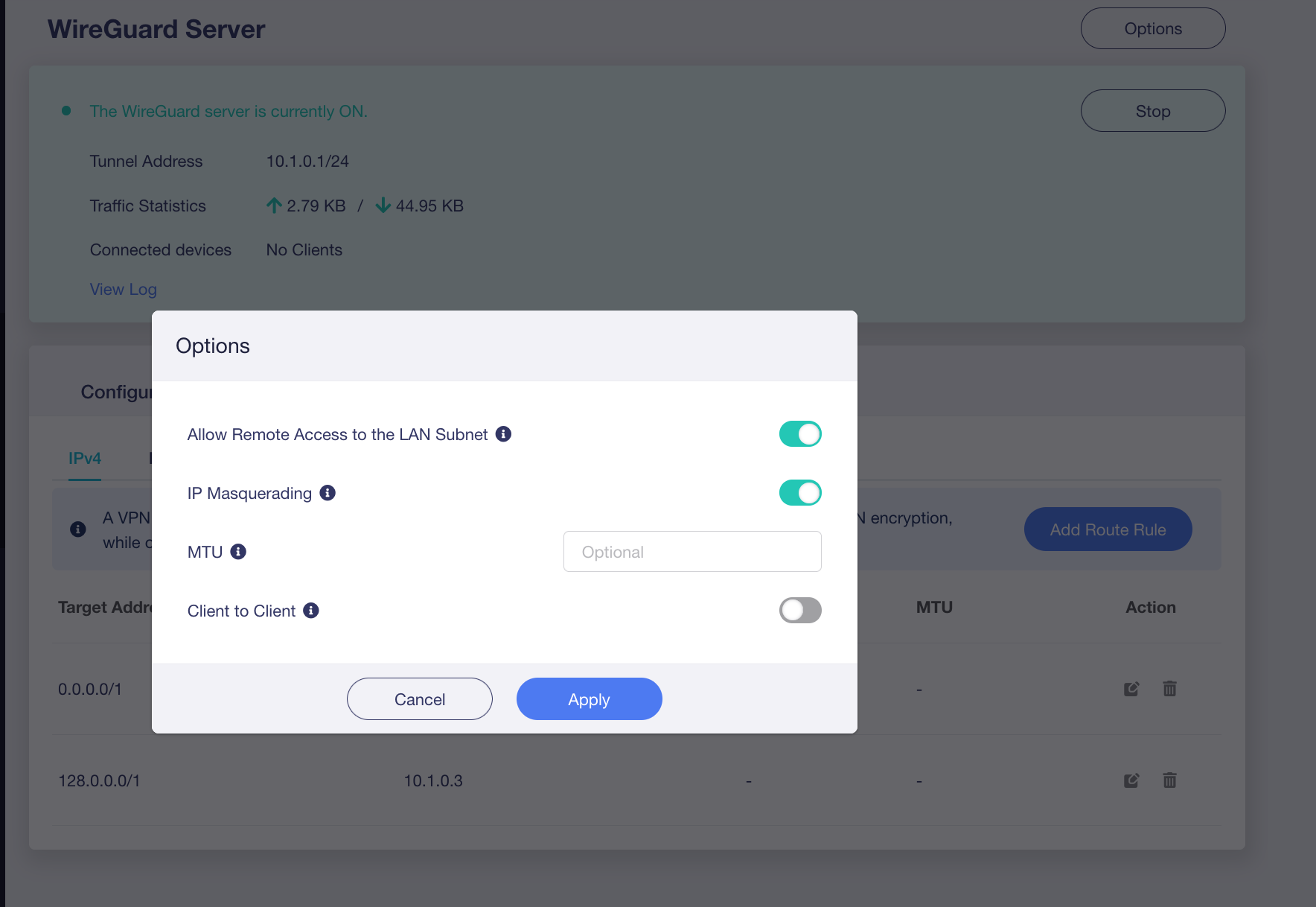
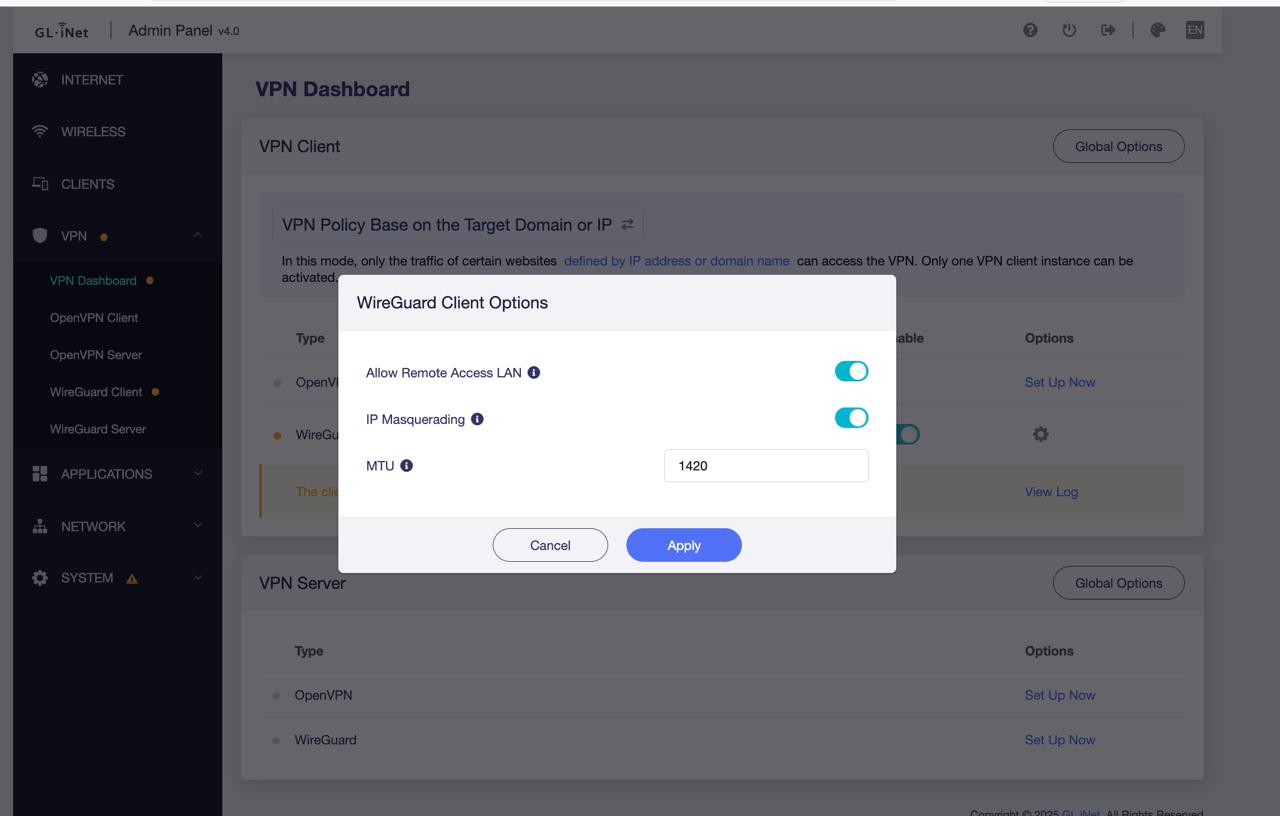
  4. Enable “Allow Remote Access to the LAN Subnet” so that devices on the server-side LAN can access devices on the client-side LAN


  5. Enable the VPN

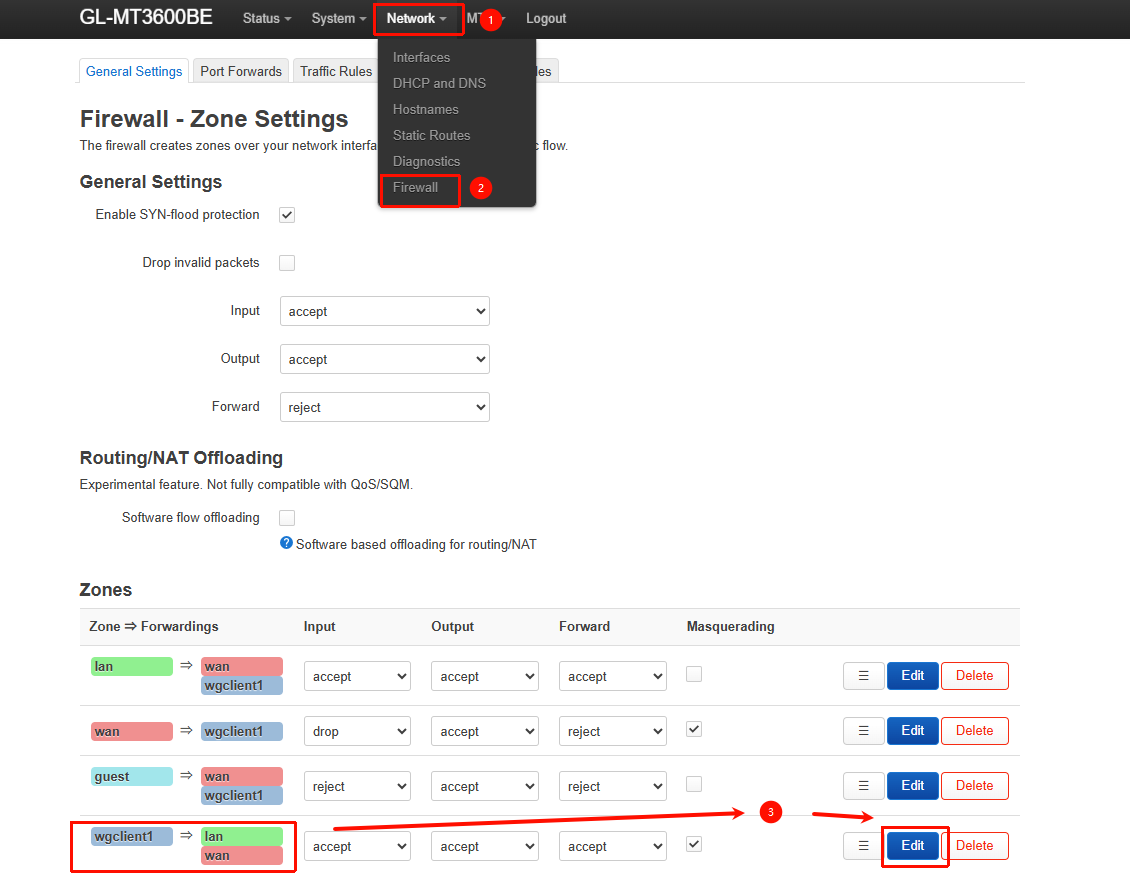
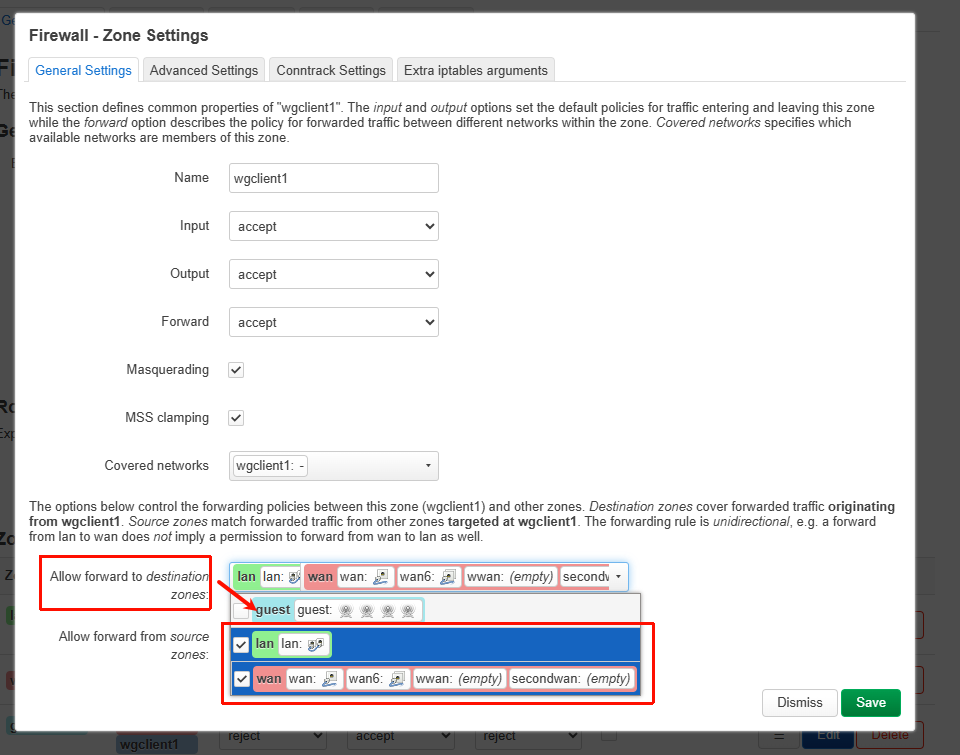
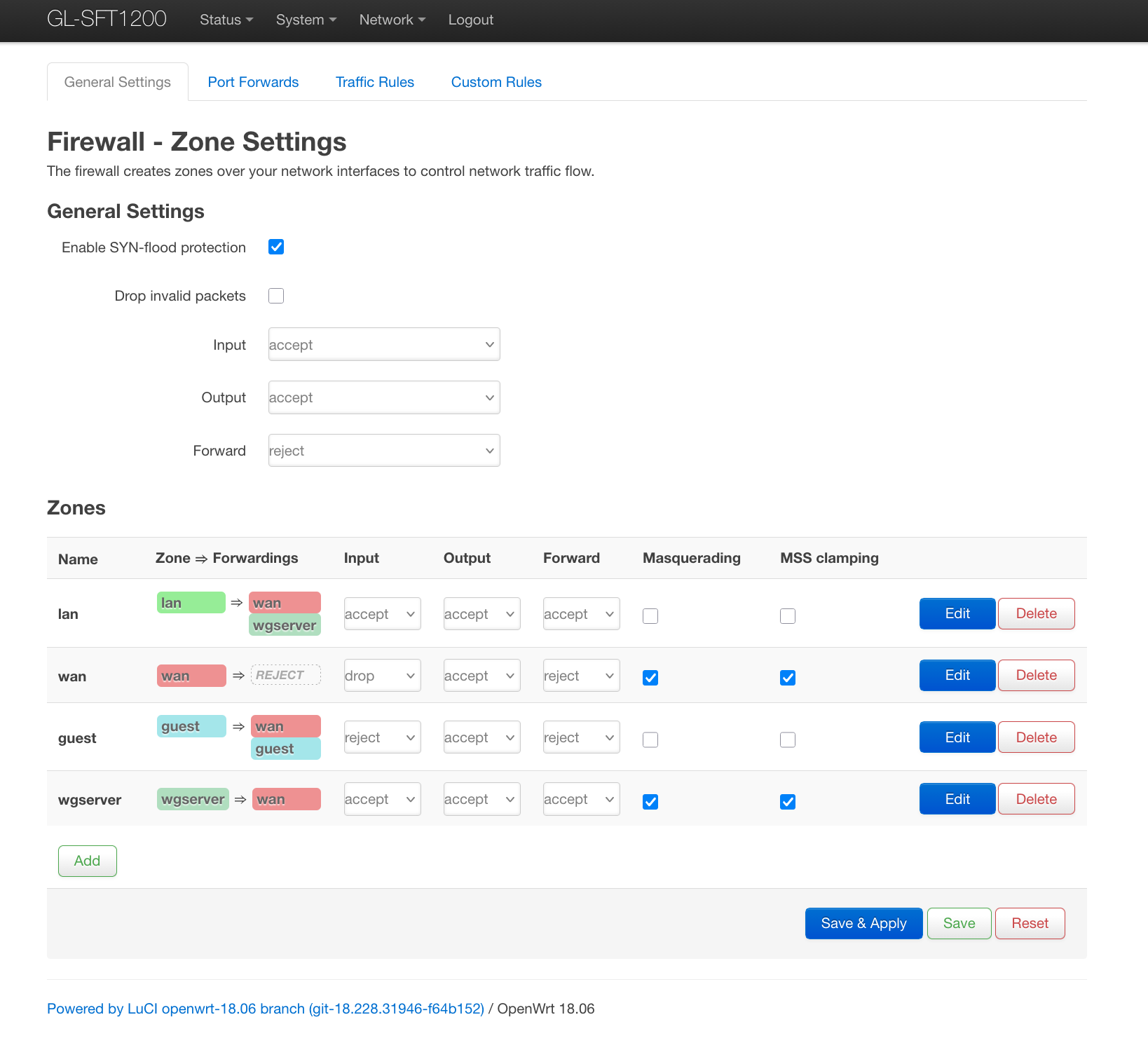
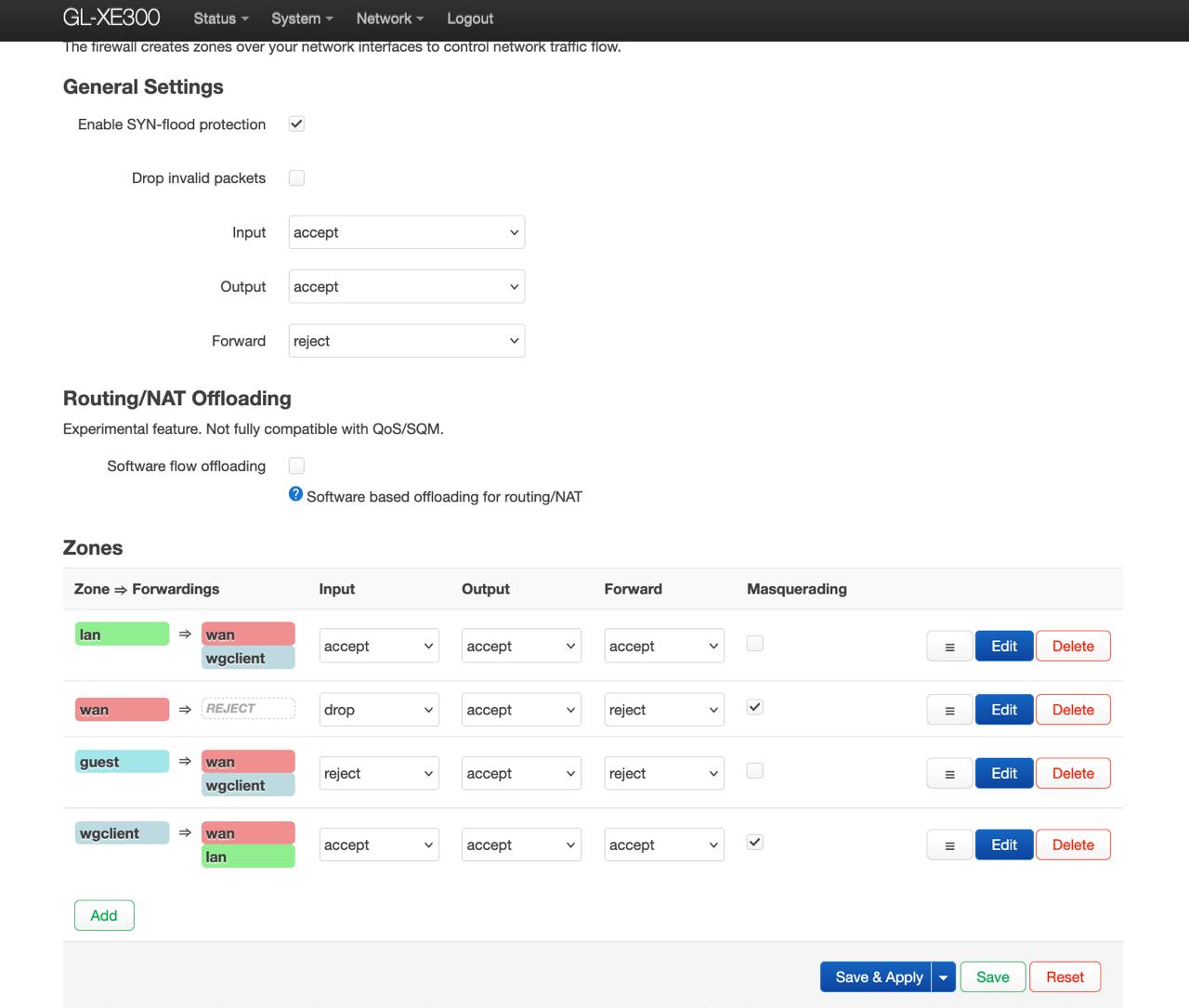
  6. Go to LuCI → Network → Firewall, and allow forwarding from wgclient1 to the WAN zone


Verification:

Note:
If you are using other devices as the WireGuard Client, you will need to ensure they are properly configured to support traffic forwarding, such as enabling NAT and IP forwarding.

2 Likes

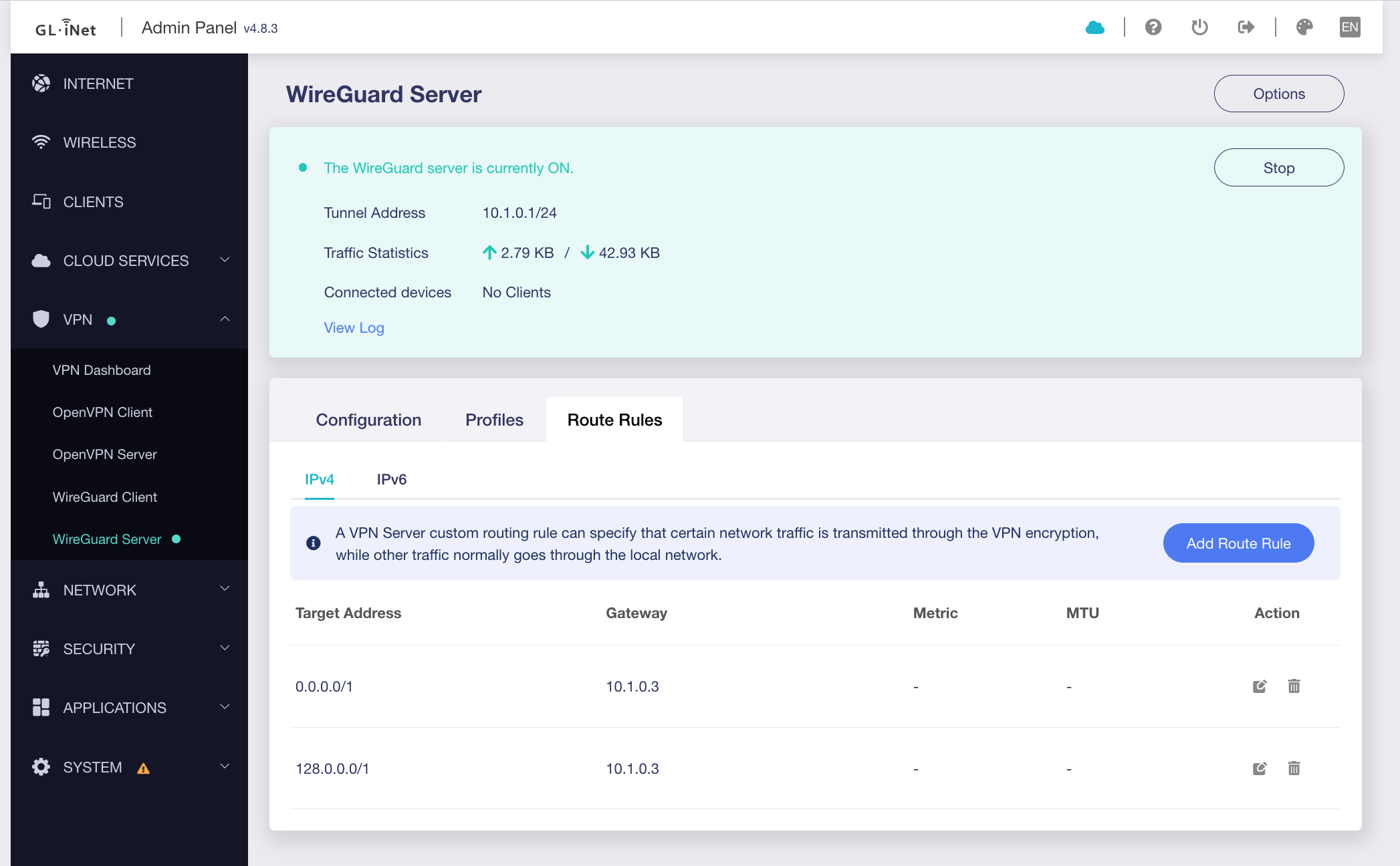
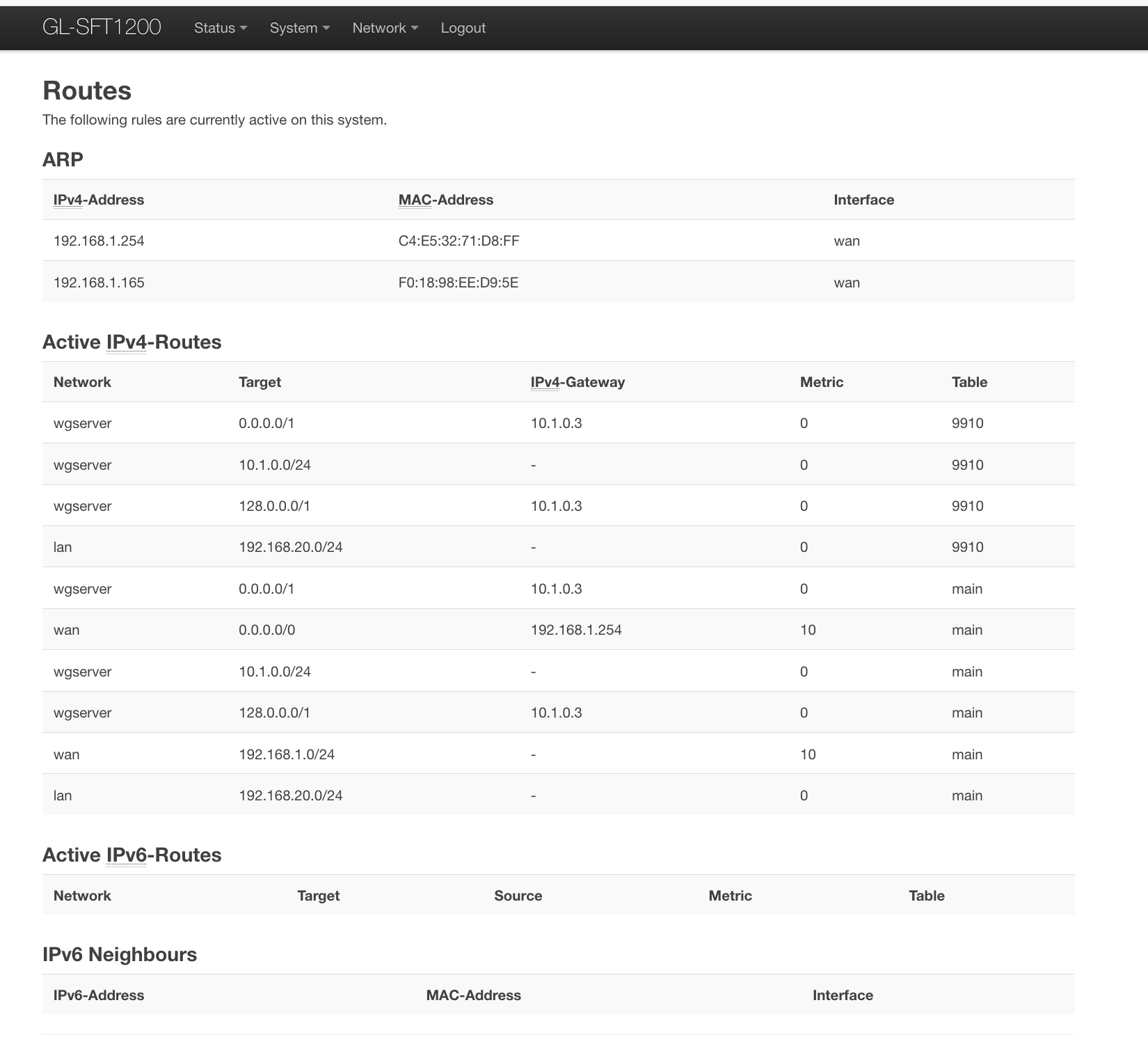
I particularly like the trick of route rules for the server. If I follow, dividing 0.0.0.0/0 into two halves means that any traffic goes out the tunnel instead of the default route because all traffic will match one of the two smaller IP ranges, which take precedence over the larger IP range of the default route, which traffic would also match.

I think many are confused by "Allow Remote Access the LAN Subnet" in the client configuration means "allow the server to access the LAN subnet of the client" and not "allow the client to access the LAN subnet of the server", because you are setting something for the server and not the client.

Hello Will,

I have tried that - that didnt work,

Devices:
Opal GL-SFT1200 (upgraded to the latest FW), as a wg server [S],
Puli XE300 (fresh fw), as a wg client [C].

Topology:
Opal - ext ip: 86.x.x.x:53832 , vpn ip: 10.1.0.1, lan ip: 192.168.20.1
Puli XE300 - uses 4g broadband, vpn ip: 10.1.0.3, lan ip: 192.168.35.1

WireGuard Server Configuration [Opal] -

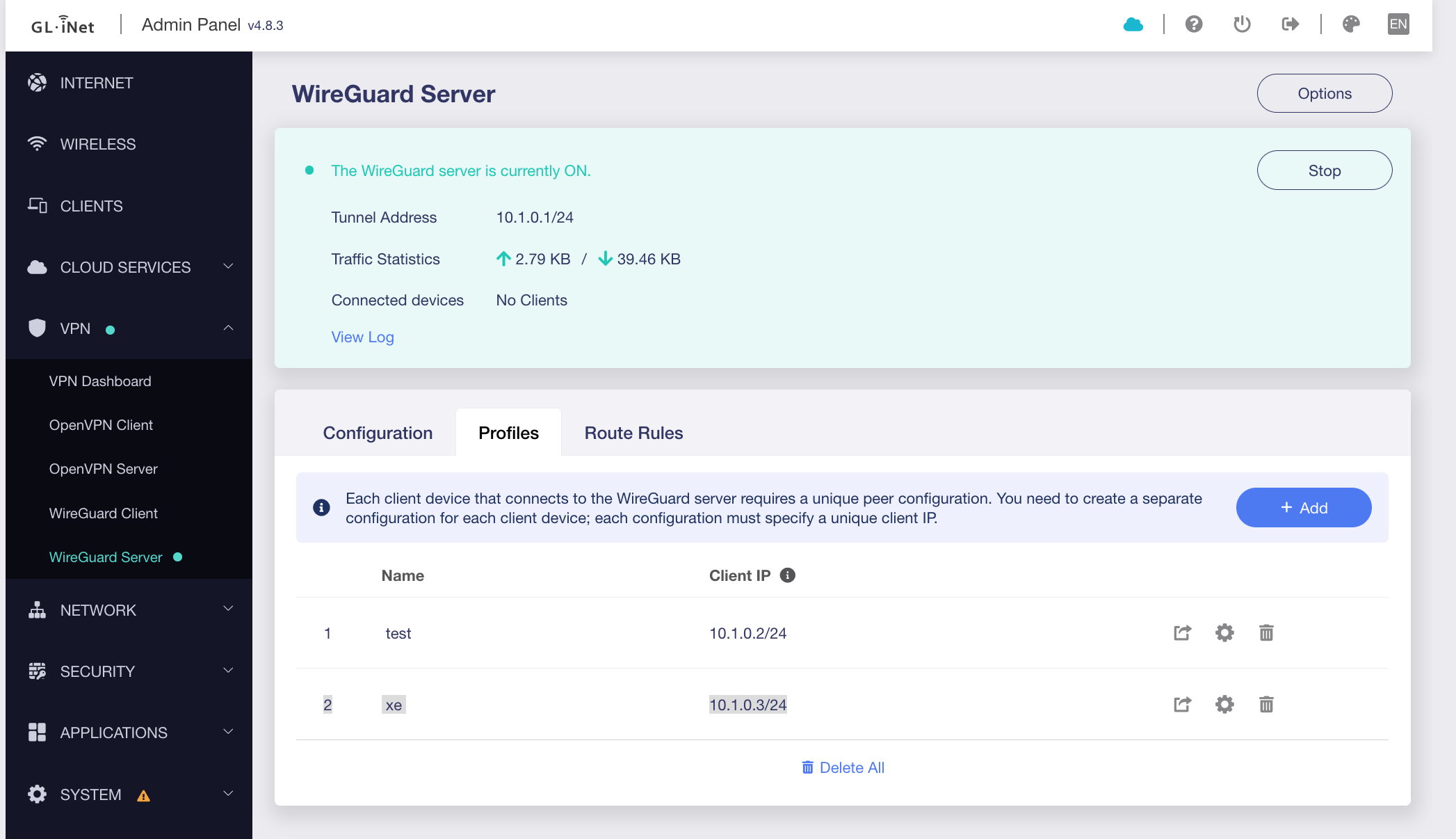
client ip: 10.1.0.3 ,

routing:

(pls dont be confused by some positive statistics in Traffic - that flow was before i applied the route rules)

WireGuard Client Configuration [XE300]:

imported configuration, set the policy mode, etc:

The tunnel does not establish on the XE300 side,
here are a few pings from the macbook, connected to Opal via ethernet:

# checking current lan interface
alexs-MacBook-Pro:~ igor$ ifconfig en20
en20: flags=8863<UP,BROADCAST,SMART,RUNNING,SIMPLEX,MULTICAST> mtu 1500
    options=400<CHANNEL_IO>
    ether 6c:1f:f7:5e:a7:ec
    inet6 fe80::d:957a:1b4f:6c29%en20 prefixlen 64 secured scopeid 0x11
    inet 192.168.20.147 netmask 0xffffff00 broadcast 192.168.20.255
    nd6 options=201<PERFORMNUD,DAD>
    media: autoselect (1000baseT <full-duplex>)
    status: active

# checking that pings to 8.8.8.8 dont pass
alexs-MacBook-Pro:~ alex$
alexs-MacBook-Pro:~ alex$ traceroute 8.8.8.8
traceroute to 8.8.8.8 (8.8.8.8), 64 hops max, 52 byte packets
 1  *
^C

# ping myself
alexs-MacBook-Pro:~ alex$ ping 192.168.20.147
PING 192.168.20.147 (192.168.20.147): 56 data bytes
64 bytes from 192.168.20.147: icmp_seq=0 ttl=64 time=0.107 ms
64 bytes from 192.168.20.147: icmp_seq=1 ttl=64 time=0.085 ms
^C
--- 192.168.20.147 ping statistics ---
2 packets transmitted, 2 packets received, 0.0% packet loss
round-trip min/avg/max/stddev = 0.085/0.096/0.107/0.011 ms

# ping Opal LAN interface
alexs-MacBook-Pro:~ alex$ ping 192.168.20.1
PING 192.168.20.1 (192.168.20.1): 56 data bytes
64 bytes from 192.168.20.1: icmp_seq=0 ttl=64 time=1.035 ms
64 bytes from 192.168.20.1: icmp_seq=1 ttl=64 time=0.921 ms
^C
--- 192.168.20.1 ping statistics ---
2 packets transmitted, 2 packets received, 0.0% packet loss
round-trip min/avg/max/stddev = 0.921/0.978/1.035/0.057 ms

# ping Opal vpn ip
alexs-MacBook-Pro:~ alex$ ping 10.1.0.1
PING 10.1.0.1 (10.1.0.1): 56 data bytes
64 bytes from 10.1.0.1: icmp_seq=0 ttl=64 time=1.039 ms
64 bytes from 10.1.0.1: icmp_seq=1 ttl=64 time=1.035 ms
^C
--- 10.1.0.1 ping statistics ---
2 packets transmitted, 2 packets received, 0.0% packet loss
round-trip min/avg/max/stddev = 1.035/1.037/1.039/0.002 ms

# ping VPN client ip
alexs-MacBook-Pro:~ alex$ ping 10.1.0.3
PING 10.1.0.3 (10.1.0.3): 56 data bytes
Request timeout for icmp_seq 0
Request timeout for icmp_seq 1
Request timeout for icmp_seq 2
^C
--- 10.1.0.3 ping statistics ---
4 packets transmitted, 0 packets received, 100.0% packet loss
alexs-MacBook-Pro:~ alex$

pls let me know if you require more logs, execute any command, etc.

thank you
1 Like

It looks like the issue is that the WireGuard tunnel cannot establish a connection, which is unrelated to this configuration.

Perhaps you can refer to the following post to troubleshoot why the WireGuard tunnel isn’t connecting.
https://forum.gl-inet.com/t/how-to-troubleshoot-wireguard/42502/9

Hello Will,

this is pretty much related. The wg [C] is not able to establish connection to [S] when i add 0.0.0.0 and 128.0.0.0 routes in the Route Rules of [S]. Before I add them - connection gets established just fine, you can see the traces of traffic flowed on the WG server dashboard - that is from the connection before i added routes.

thanks

1 Like

Please follow the guide and share your both device with us via GoodCloud so we can check it remotely?

Kindly note to send us the MAC address and the router password via private message so we can access it

1 Like

If you find a solution please share. I have been trying this without success. I tried using a glinet router as the server and a glinet router as the client. I even tried using an Oracle cloud vps as the server.

It looks like you have client test defined as 10.1.0.2/24 and xe defined as 10.1.0.3/24. You might delete test and try /32 for xe.

Also, for the xe client firewall zones, you may not need wgclient forwarding to lan, just wan.

Thank you for sharing access to the device. It appears that the added routes on wgserver may also be matching the return traffic of the WG client, which is causing the issue.

In our local setup, the devices are directly connected to the same subnet, so we were unable to reproduce this problem previously.

We’ll try to simulate this scenario again locally, but it may take some time to provide an update, as it seems to require adjustments to some initialization scripts and the use of policy-based routing.

1 Like