I have just grabbed a beryl ax to share multiple phone hostspots to my main lan as out internet source.
I need to set 1 phone with all the data as the primary. If its not home, then connect to the next phone on the list until the other phone is back in range, then switch back to the high priority phone.
Im using repeater mode with wifi turned off, is there a client mode for setting this up, or is repeater the right way?
The native GL.iNet firmware does not support automatically connecting to and switching between multiple phone hotspots according to a specified priority.
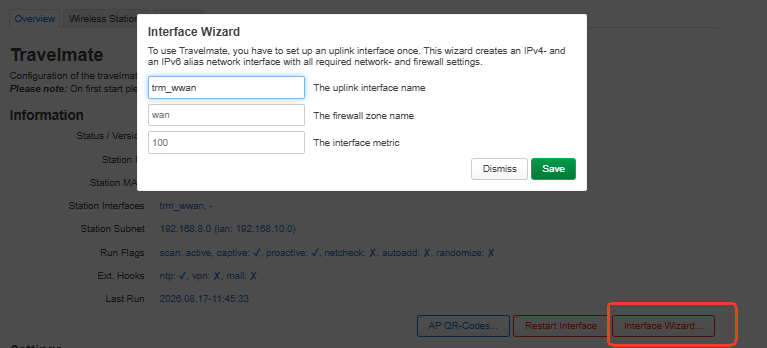
For this use case, you can try the third-party OpenWrt package Travelmate as an advanced solution.
We tested Travelmate locally on an MT3000 running firmware v4.9.0-op24 , and it was able to manage multiple Wi-Fi uplinks and switch between them.
Travelmate uses its own uplink interface rather than the normal GL.iNet Repeater interface, so the GL.iNet main page may still show the normal Repeater as disabled even when Travelmate is connected.
You can install the package via SSH with the following commands:
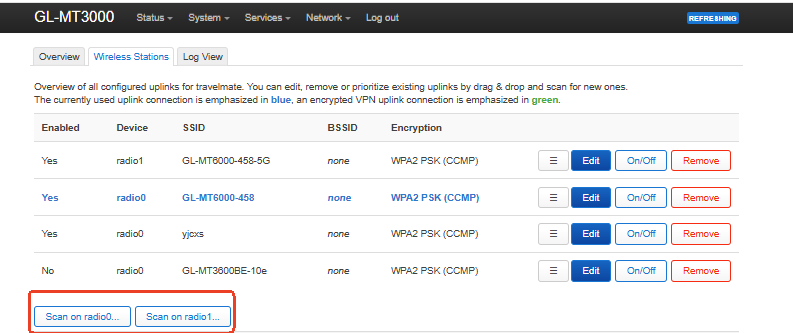
Then go to Wireless Stations , scan for each phone hotspot, select Add Uplink , enter the Wi-Fi password, and click Save & Apply after adding the networks.
The saved uplinks can be reordered by drag-and-drop, with the entries at the top having a higher priority.
Please note that the switching is not instantaneous , as Travelmate periodically scans and checks the available uplinks, so failover or switching back to a higher-priority hotspot may take some time.
We recommend configuring the phone hotspots on the same Wi-Fi band/radio where possible, as the radio processing order may also affect uplink selection when the hotspots are distributed across different radios.
You can refer to the Travelmate documentation for additional configuration details:
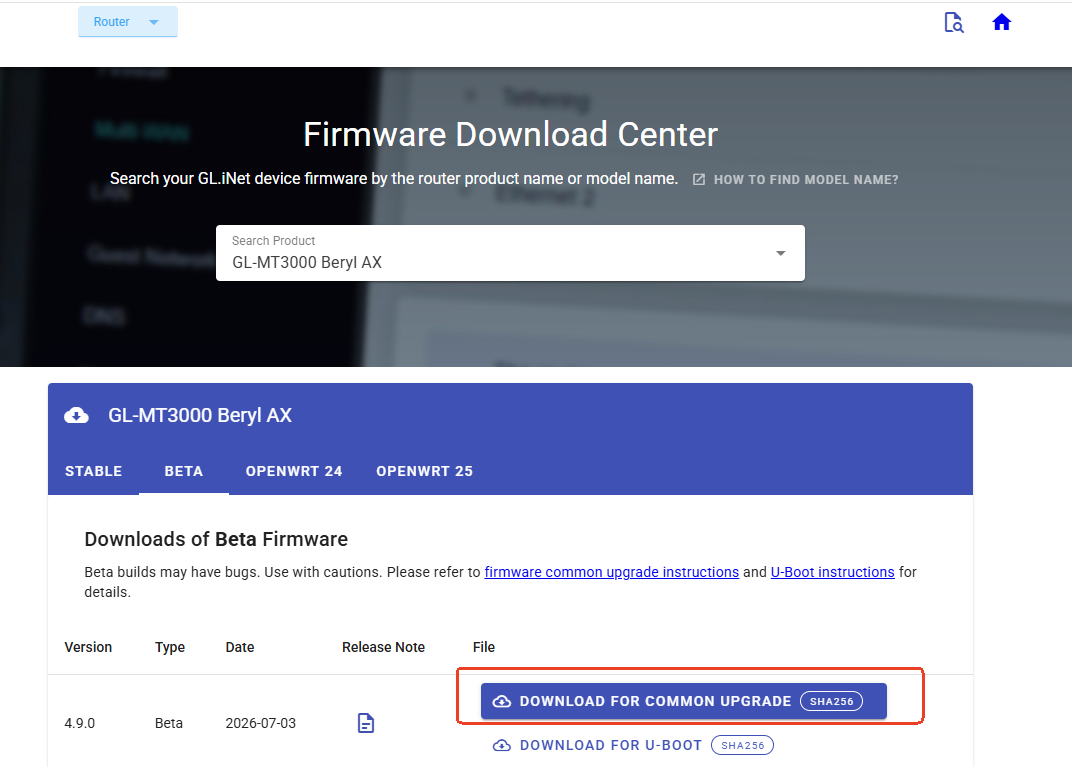
If you would like to try the latest beta firmware, you only need to download “DOWNLOAD FOR COMMON UPGRADE” and perform a local upgrade from SYSTEM → Upgrade.
You do not need to flash both files. The “DOWNLOAD FOR U-BOOT” image is intended for flashing the firmware through the U-Boot recovery interface and is normally not required for a regular firmware upgrade.