Zaven
January 1, 2026, 10:00pm
1
Several users need to access our Comet Pro on different occasions. But when logging in GL-iNet says Binding Failed, KVM is already bind by others.
But no one else is logged into the KVM or to GL-iNet by the KVM app. How do we unbind the device so it can be used by our team?
Zaven
January 1, 2026, 10:09pm
2
A previous answer said to use three dots but there are no three dots in the device interface now
You can unbind the device using the following methods:
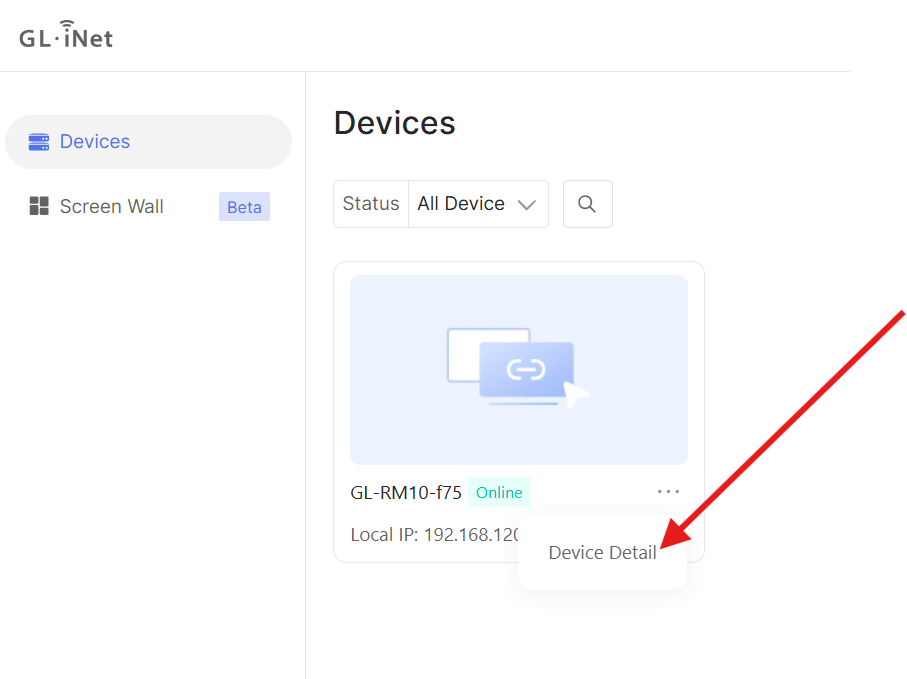
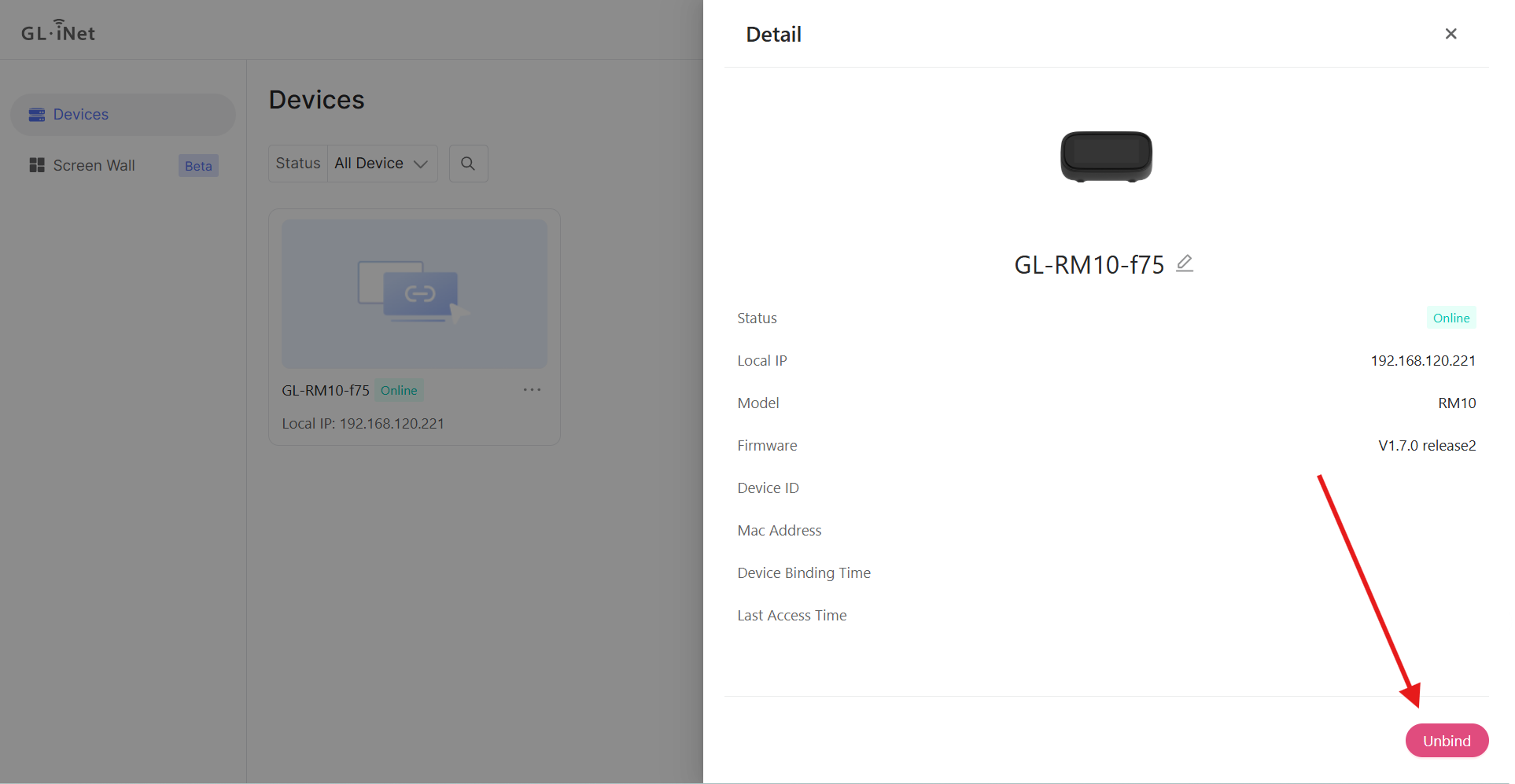
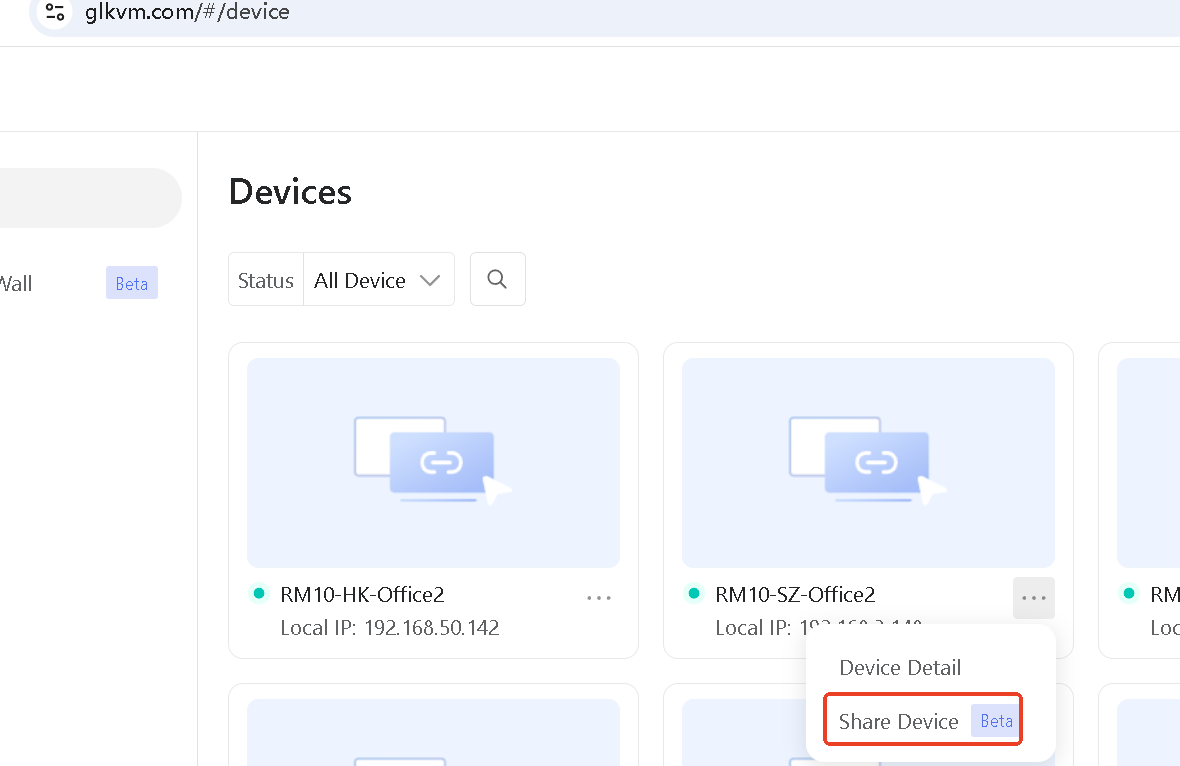
Log in to the account associated with the device via the cloud service (glkvm.com ). Locate the device and select "Device Detail."
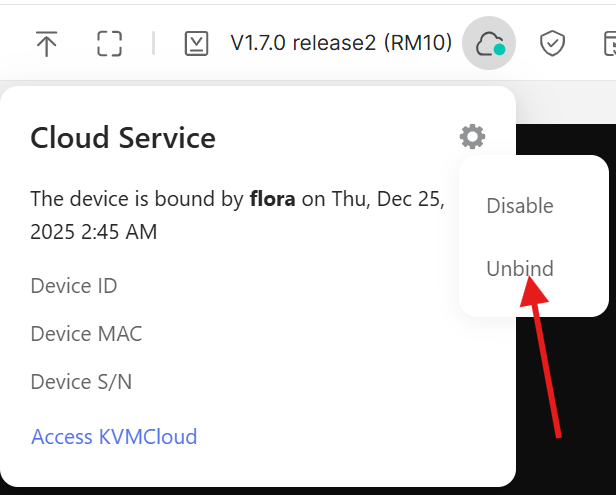
Access the device interface locally. Click on the cloud service icon in the top right corner, then click the gear icon, and select "Unbind" to remove the current account's binding.
I think you need the device sharing feature, which will be available soon.
Zaven
January 7, 2026, 2:23am
5
Thank you, but for now we just need to have keyboard and mouse and sound in the controlled PC. We do not have that now. We only have video.
Are you experiencing issues with the keyboard and mouse not working properly on your KVM device?
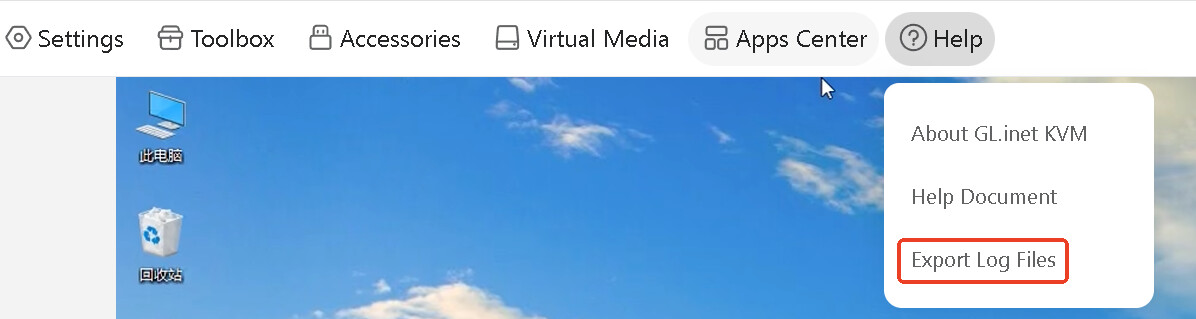
Could you export a log file for us? The log file is in the device's help menu.
Zaven
January 8, 2026, 1:10am
7
Thank You, this problem has been solved. It was traced to a disconnected cable.
I also want to inform you that the device sharing function has been launched, which can solve the problem of multi-user access.
Zaven
January 8, 2026, 12:51pm
9
Will the KVM app be updated for multi user access?
Yes, it will be in the next version.
system
April 9, 2026, 1:14am
11
This topic was automatically closed 90 days after the last reply. New replies are no longer allowed.