Installing Docker and containers Flint 3 4.9 firmware

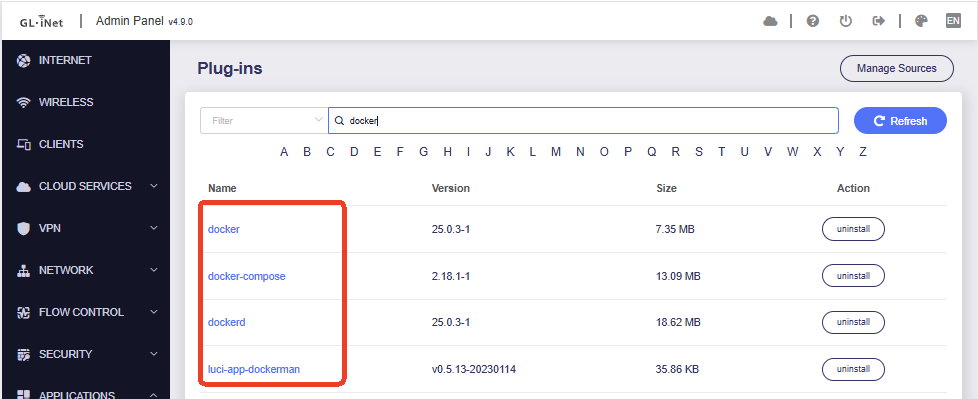
I think I have installed docker correctly using Application /Plug-ins.
Do I need to add another plug-in?

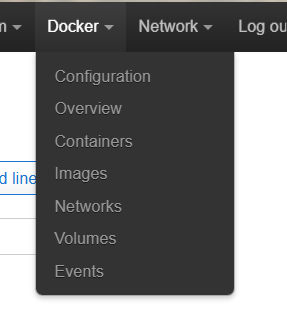
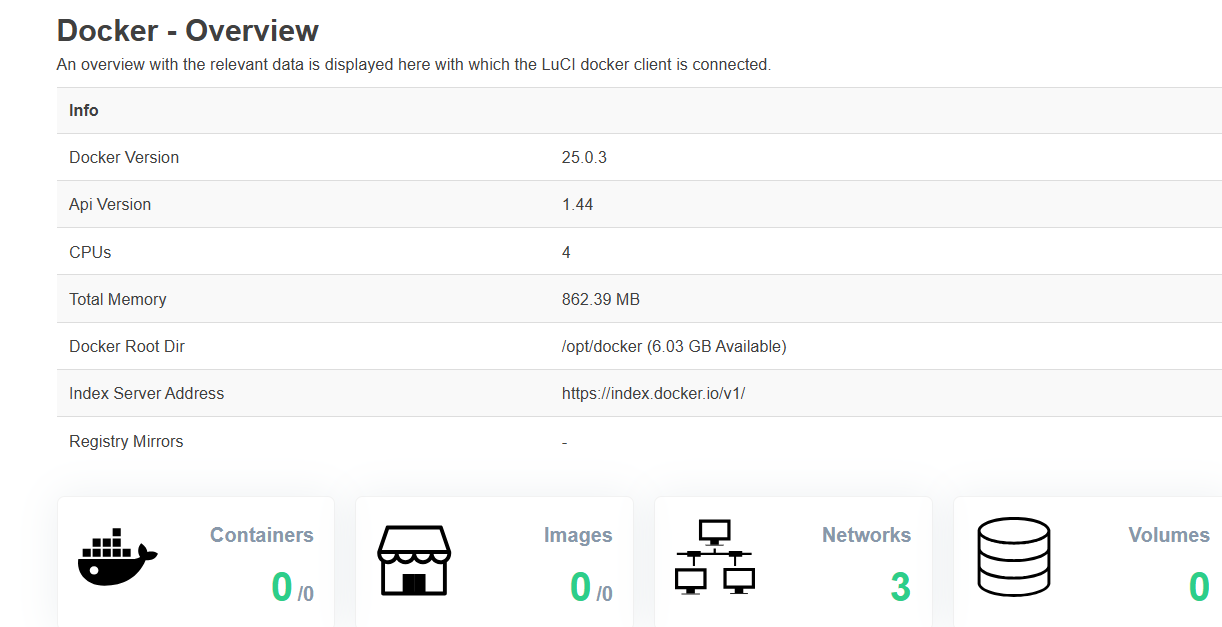
I can see Docker in Luci :-


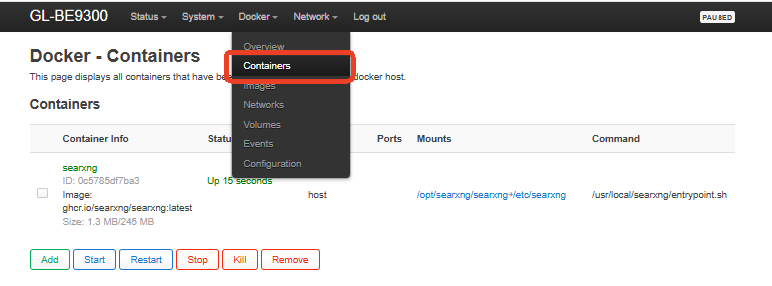
I now wish to add a Container SearXNG but it does not appear :-

I am familiar at adding containers in Portainer/docker on a RasPi but I cannot seem to be doing it correctly in the Flint

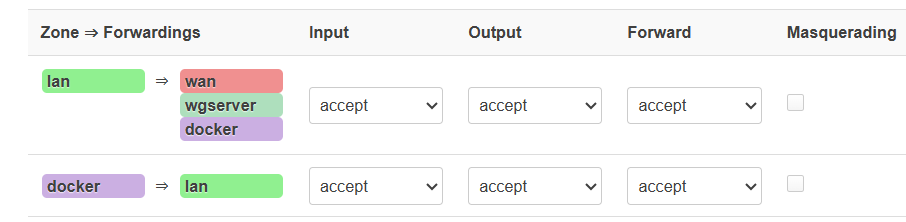
I have made the Firewall entries:-

I do see there are no options for Docker Configuration:-

Do I need to do something else....

Hi

This appears to be an upstream issue. See:

A possible workaround is:

cp /overlay/upper/etc/config/dockerd /etc/config/dockerd

Thanks I cna now see some entries for the config GUI. I guess I do not need to put any entries in the fields - the greyed out boxes I take as being the default that will be entered automatically?

Now I sill have a problem of adding a container- I want to add searxng/searxng:latest but after entering that I get a "bad gateway" error.... I wonder if AdGuard or the content blocking could be the issue?

Hi,

The “Bad Gateway” error may appear when the LuCI/Dockerman page does not receive a response in time while pulling the Docker image.The image also could be downloadable from SSH, so please use SSH to pull the image and create the container.

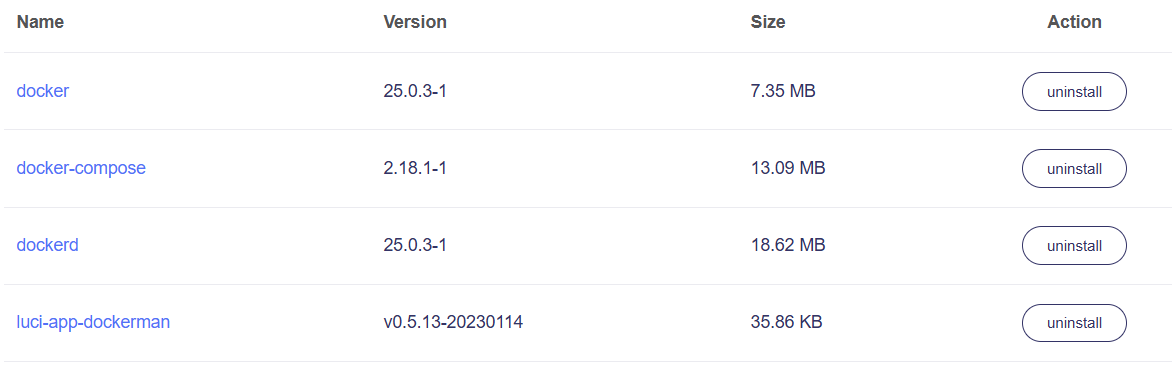
Please first confirm the prerequisite plugins you need to download.

dockerd
docker
docker-compose
luci-app-dockerman

After installation, SSH into the router and run:

opkg update
/etc/init.d/dockerd enable
/etc/init.d/dockerd start

Then run the full command below:

LAN_IP="$(ip -4 addr show br-lan | awk '/inet /{print $2}' | cut -d/ -f1 | head -n1)"
echo "LAN IP is: $LAN_IP"

mkdir -p /opt/searxng/searxng
cd /opt/searxng

cat > docker-compose.yml <<EOF
version: "3.7"

services:
  searxng:
    image: ghcr.io/searxng/searxng:latest
    container_name: searxng
    restart: unless-stopped
    network_mode: host
    volumes:
      - ./searxng:/etc/searxng:rw
    environment:
      - BASE_URL=http://$LAN_IP:8888/
      - SEARXNG_BASE_URL=http://$LAN_IP:8888/
      - INSTANCE_NAME=glinet-searxng
      - GRANIAN_HOST=0.0.0.0
      - GRANIAN_PORT=8888
EOF

docker-compose up -d

After this, the container creation will be completed and start.

Then you can open SearXNG in this address in your browser:

http://<router_lan_ip>:8888

Hey Thanks Charles2, I do have all the docker Apps you list installed. I will try the install from SSH.

Yep have all those installed.

You're a legend,,,, :grin:

That worked very well! Thanks so much.

This router just keeps getting better and better - Ad blockers and now a private search engine how much better can this get......
Thanks again.

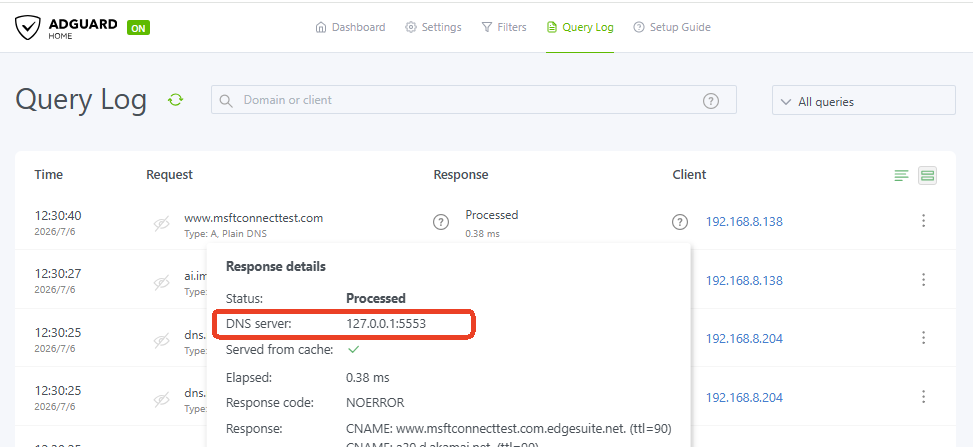
I now just need to get unbound working for AdGuard - I have installed some sort of unbound but I am not convinced it is being used. (I do have AdGuard + Unbound running on a RasPi 5)

(Have I mentioned I am looking forward to the release of the Flint 4?}

Hi,
You can install and enable Unbound with the following steps:

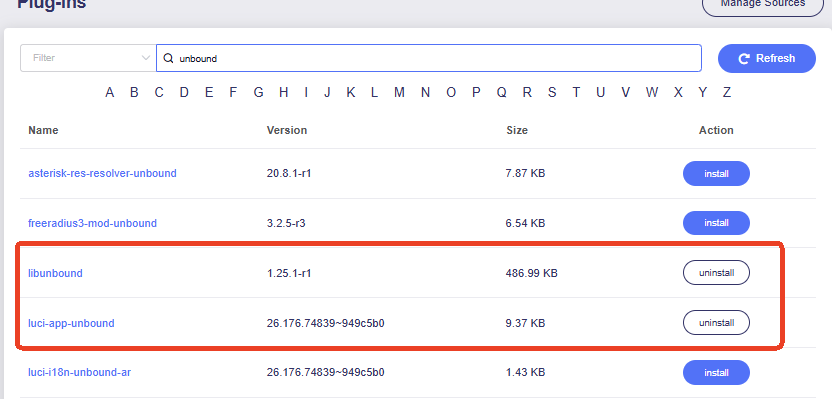
  1. Go to Applications > Plug-ins, click Refresh, then search for unbound, install luci-app-unbound.

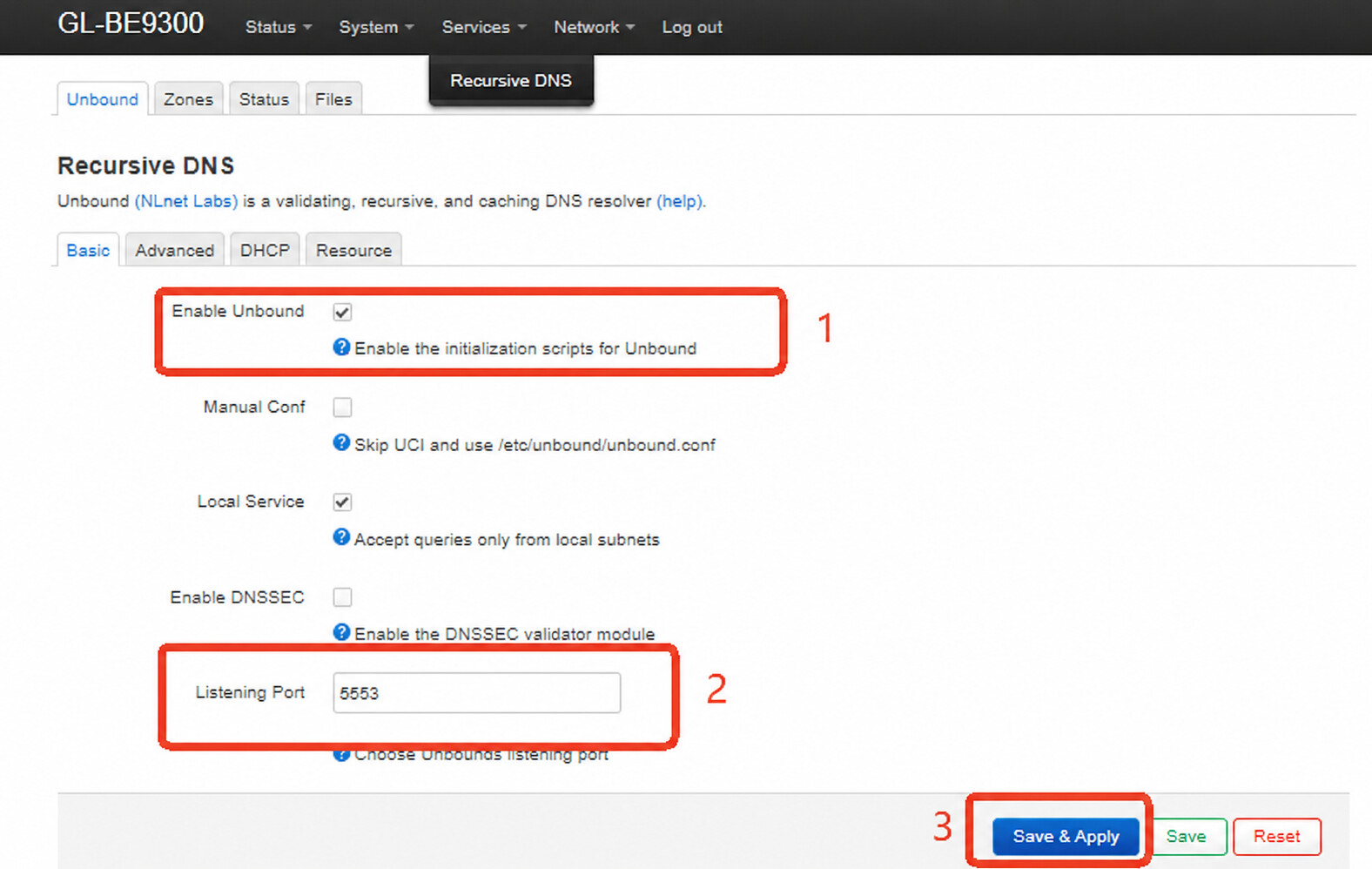
  2. After installation, open LuCI and go to Services > Recursive DNS.
    Enable Unbound: enabled,Listening Port: 5553,then click Save & Apply.

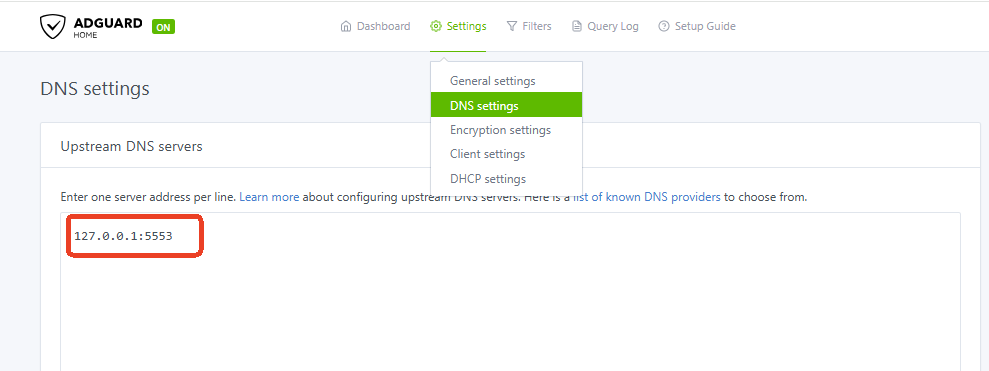
  3. Open AdGuard Home and go to Settings > DNS settings > Upstream DNS servers, add this upstream DNS server, then click Apply.

127.0.0.1:5553


After this, AdGuard Home will use Unbound as its upstream DNS resolver.

Flint 4 (GL-BE14000) has already appeared on the GL.iNet website as an upcoming product.
You can subscribe on the product page for launch updates and availability notifications.

Thanks Again Charles 2 - your legendary status continues. :grin: That was simple enough....

I am grateful that you help out.

I did find the Unbound Apps/plugin in the past but there are so many I was unsure just which one to use and then how to properly configure it with the correct port - or can it be any port other than 53 or 5353 or 3053 as the Adguard setup tab shows - there might be some other port numbers I have seen elsewhere.

I think I now have the perfect setup and am just waiting for the Flint 4 release (I have mentioned that before... lol )

(I did not see this before)
Thanks, I have subscribed twice, just to make sure.... lol
Thanks.