How do you add IPv6 to a VLAN in v4.11? IPv6 seems to only take effect on the LAN and the Guest networks. If it’s not possible, could it be considered to add IPv6 to VLANs? Thanks.
Hi,
You can configure IPv6 for your existing VLAN in LuCI so that connected devices receive an address automatically.
-
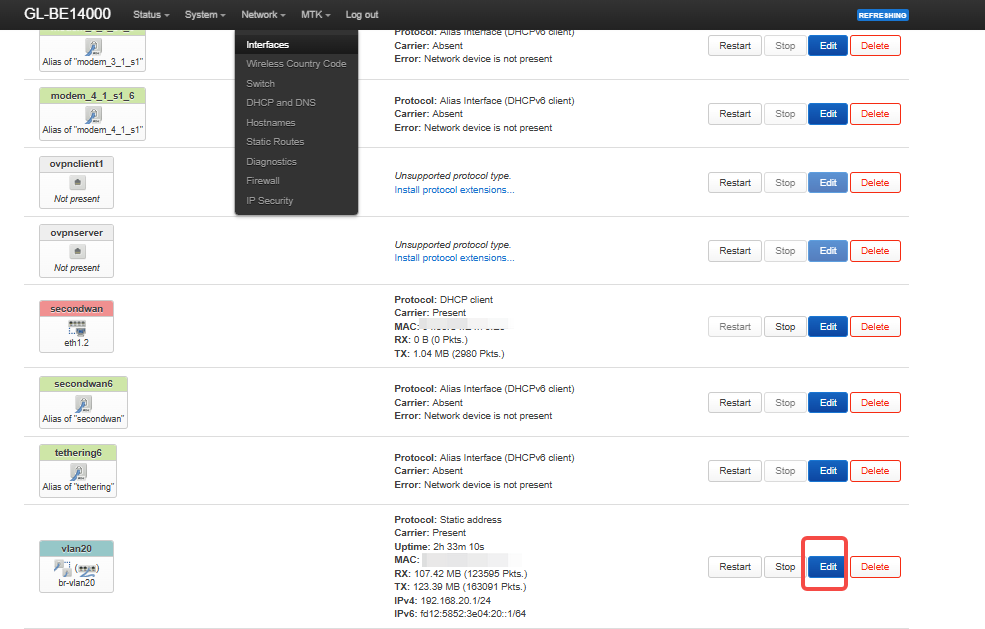
In the GL.iNet web panel, open System → Advanced Settings → LuCI, then go to Network → Interfaces and click Edit next to your custom VLAN.
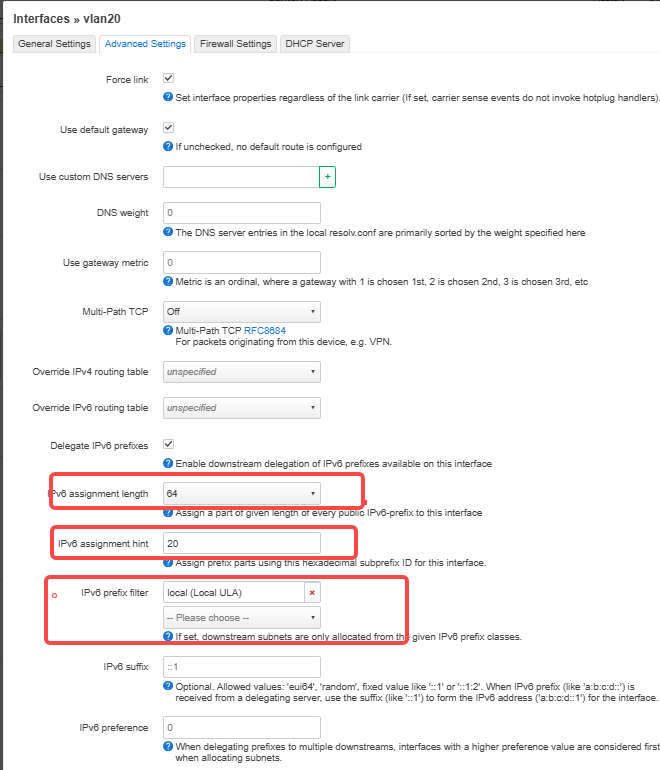
Under Advanced Settings, set IPv6 assignment length to64and enter an unused subnet ID in IPv6 assignment hint.
For example, if LAN uses0000and Guest uses0001, you can use0002if it is available.
-
For local IPv6 addresses, select local (Local ULA) under IPv6 prefix filter.
If you want clients to receive public IPv6 addresses, first check that your upstream router or ISP has delegated a prefix (IPv6-PD), then select the corresponding upstream prefix class. -
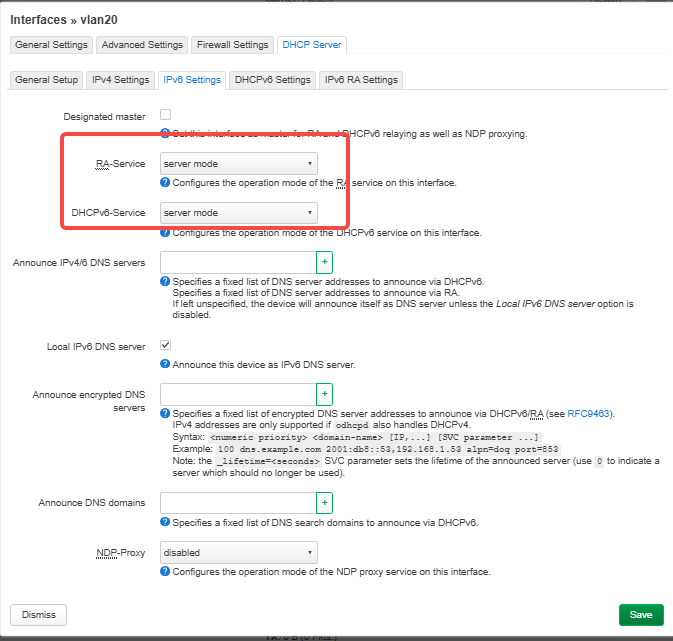
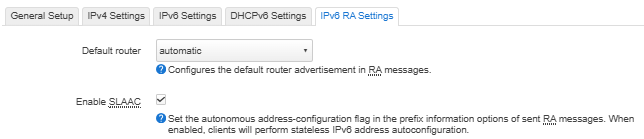
Under DHCP Server → IPv6 Settings, set RA-Service and DHCPv6-Service to server mode, then open IPv6 RA Settings and check Enable SLAAC.
-
Click Save & Apply, reconnect a device to the VLAN, and check that its IPv6 address matches the
/64prefix shown on the VLAN interface.