Description
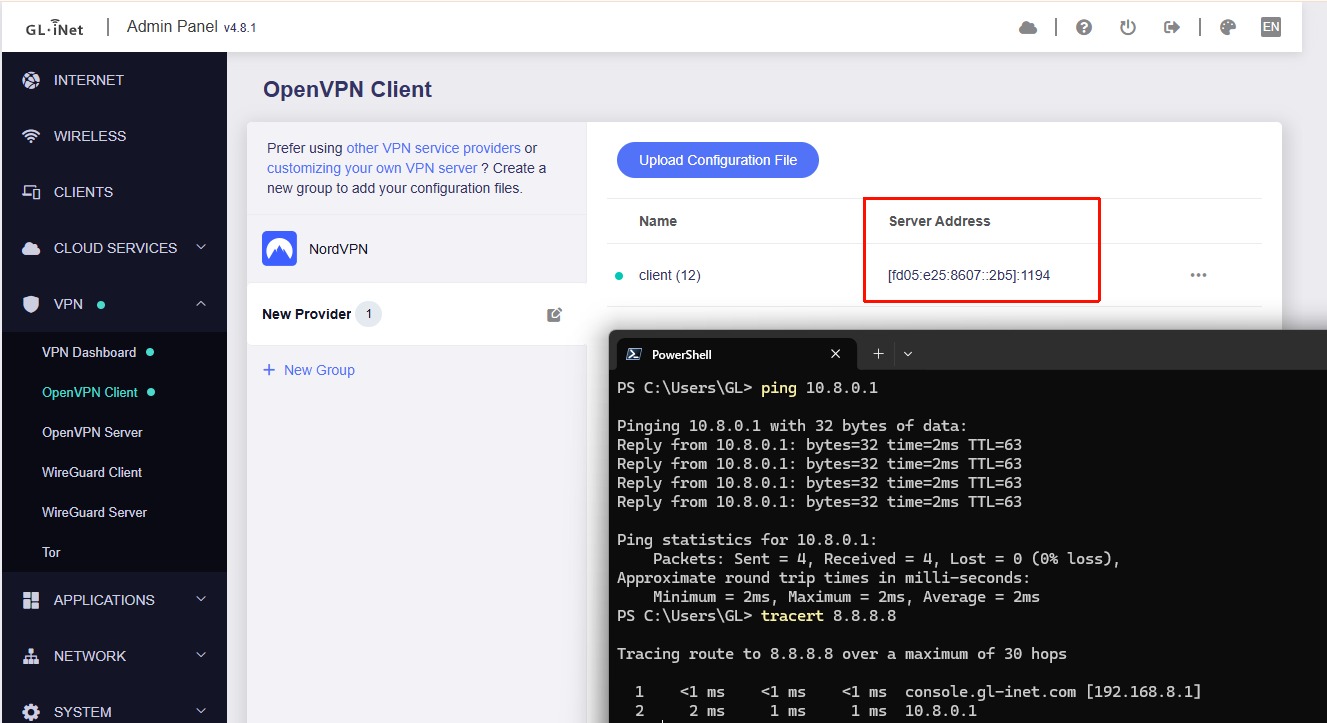
The remote OpenVPN server accepts connections only over IPv6 UDP and has no public IPv4 (it responds with an unreachable CGNAT IPv4). The tunnel establishes and forwards traffic correctly on other OpenVPN clients such as phones.
On a GL‑MT3000 running 4.8.1 the tunnel will not pass traffic. Version 4.8 added IPv6 OpenVPN support, but I cannot get it to work on this device.
Reproduction steps (brief)
Configure OpenVPN on the remote server to accept connections only via IPv6 UDP.
Configure the GL‑MT3000 as an OpenVPN client and connect to that server.
After the connection is established, attempt to send traffic from the router or a LAN host over ovpnclient1 (for example: ping -I ovpnclient1 8.8.8.8), or have the server ping the client VPN IP.
Observed behavior
OpenVPN control plane works: TLS handshake and session establishment succeed, and both server and router logs show the session up.
Tunnel data plane is completely nonfunctional: pings sourced from ovpnclient1 get no replies; direct pings to the OpenVPN server get no replies; the server cannot ping the client VPN IP.
Within about two minutes after connection the server sees no client packets and marks the client offline; the client likewise reconnects after roughly two minutes because it receives no server packets.
Basic IPv6 reachability for the control plane is confirmed (UDP6 handshakes complete). The failure appears to be in tunnel data forwarding or kernel policy/path handling.
Enabling or disabling killswitch and changing other settings on the GL‑MT3000 does not restore tunnel forwarding.
ip route and iptables have been inspected; no obvious misconfigurations were found.
Relevant routing and policy snippets
ip rule show (key entries):
0: from all lookup local
1: from all iif lo lookup 16800
800: from all lookup 9910 suppress_prefixlength 0
6000: from all fwmark 0x8000/0xf000 lookup main
6000: from all fwmark 0xa000/0xf000 lookup 1011
9910: not from all fwmark 0/0xf000 blackhole
9920: from all iif br-lan blackhole
10000: from 10.9.9.2 lookup 1011
20000: from all to 10.9.9.2 lookup 1011
32766: from all lookup main
32767: from all lookup default
90014: from all iif lo lookup 1011
ip route show table 1011:
default dev ovpnclient1 scope link
blackhole default proto static metric 254
10.9.9.0/24 dev ovpnclient1 proto static scope link
ip route show table 9910:
192.168.8.0/24 dev br-lan proto kernel scope link src 192.168.8.1
Expected behavior
After an OpenVPN ipv6 client session is established on the GL‑MT3000, the tunnel should forward traffic both directions and behave like other clients: LAN to ovpnclient1 to server to Internet, and server to ovpn to LAN. There should be no case where the tunnel connects but becomes completely unreachable for data.
We have tested this locally using MT3000 v4.8.1 and were unable to reproduce the issue. OpenVPN Client using IPv6 as the server address are able to establish connections and transmit data normally.
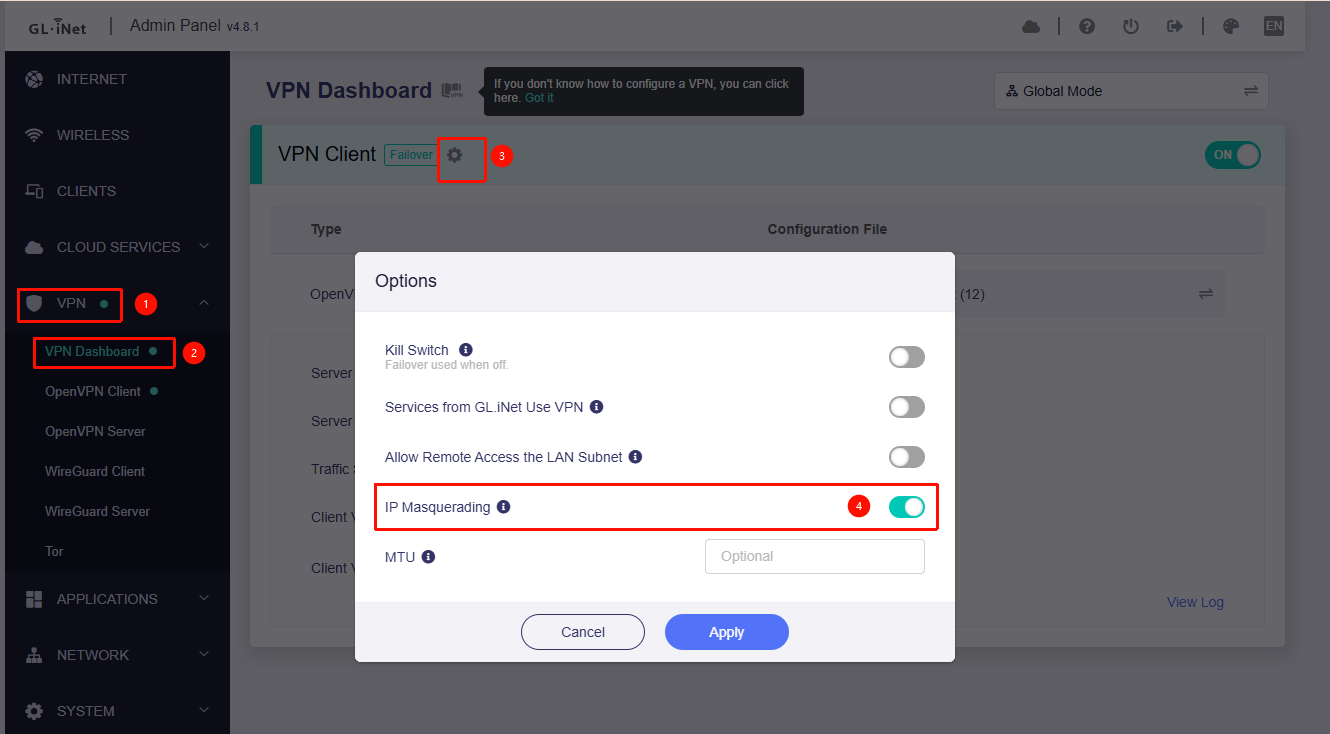
Logs: If the issue persists even after enabling masquerading, please export the device logs and send them to us via private message for further investigation.
Thanks for your reply and for testing. Unfortunately I couldn’t get it working while I was away a few days ago.
I just checked again. I updated the firmware via uboot, restored factory settings, and only configured the VPN, but the result is the same: no traffic is passing.
What I did
After factory reset I opened the router web UI and set a new admin password and WiFi password
Enabled IPv6 in the router settings
Connected an Android phone to the router via USB and enabled USB tethering on the phone
Connected the router to that USB shared network
Uploaded the OpenVPN config and started the VPN
The logs show OpenVPN successfully connected over IPv6. I SSHed into the router and ran ping -I ovpnclient1 8.8.8.8 and got no reply and no packets were sent. ifconfig shows the interface exists but no traffic flows.
From today’s test I suspect the firmware fails to forward traffic from a USB network interface into the OpenVPN client and that is likely the root cause. I reviewed the logs closely and there is no useful information beyond the successful OpenVPN connection, then nothing.
Also, I really dislike posting on that forum. For some reason the site takes three to five minutes to load for me and often fails to load entirely.
Below are some lines from my .ovpn file for your reference
client dev tun proto udp6 remote resolv-retry infinite tls-version-min 1.3 nobind float cipher AES-256-GCM auth SHA512 keepalive 15 60 auth-user-pass remote-cert-tls server fast-io
I strongly suspect the combination of USB tethering plus IPv6 OpenVPN client is triggering this. Please try to reproduce it.
We believe that USB Tethering should not be the issue, as OpenVPN is able to establish a tunnel through it. Your current problem appears to be that traffic is unable to transmit between the tunnels.
Could you please provide your OpenVPN server and client configuration files (with public and private keys hidden/redacted)? This will allow our testing to more closely mimic your actual environment and help us further pinpoint the cause of the problem.
Thank you so much for trying to help me. I've sent an email to your support email and look forward to continuing our communication via email in the future.
Also, I would appreciate it if you could test the use case of the USB tethering mode I mentioned.
My further replies will be in your email, thank you.