On Flint (1), is there a way to route all traffic through VPN except one lan Port? The device(s) connected there shall be routed through normal internet connection because otherwise it would be a double VPN.
Hi,
This can be done by separating one physical LAN port into a new interface/firewall zone, and then excluding that new zone from the VPN policy.
In this example, LAN4 is used as the bypass port.After the configuration:
LAN1 / LAN2 / LAN3 / Primary Wi-Fi -> use the default LAN network 192.168.8.0/24 -> go through VPN.
LAN4 -> use a separate network 192.168.20.0/24 -> go through normal WAN, not VPN.
Please follow the steps below:
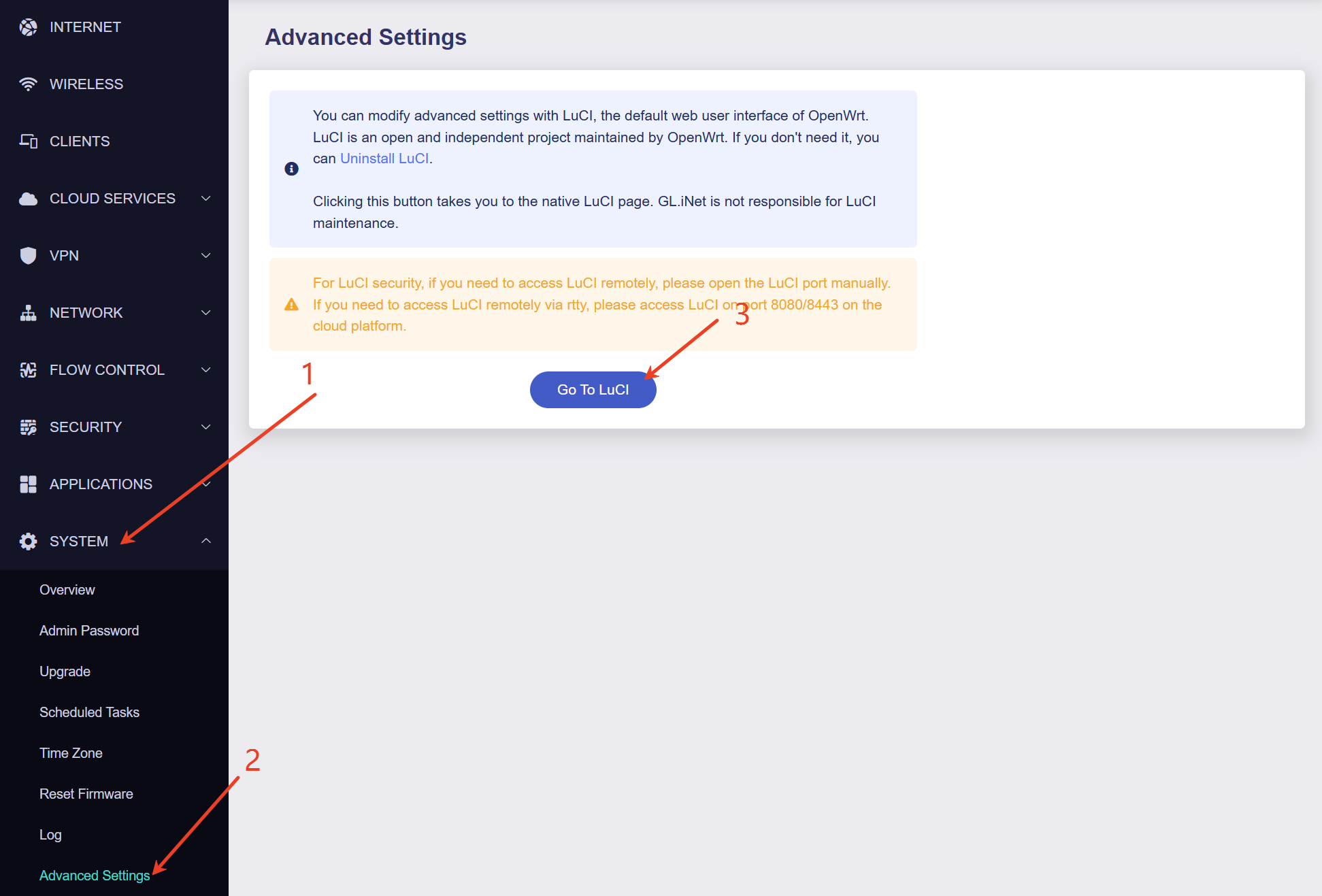
- System -> Advanced Settings -> Go to LuCI
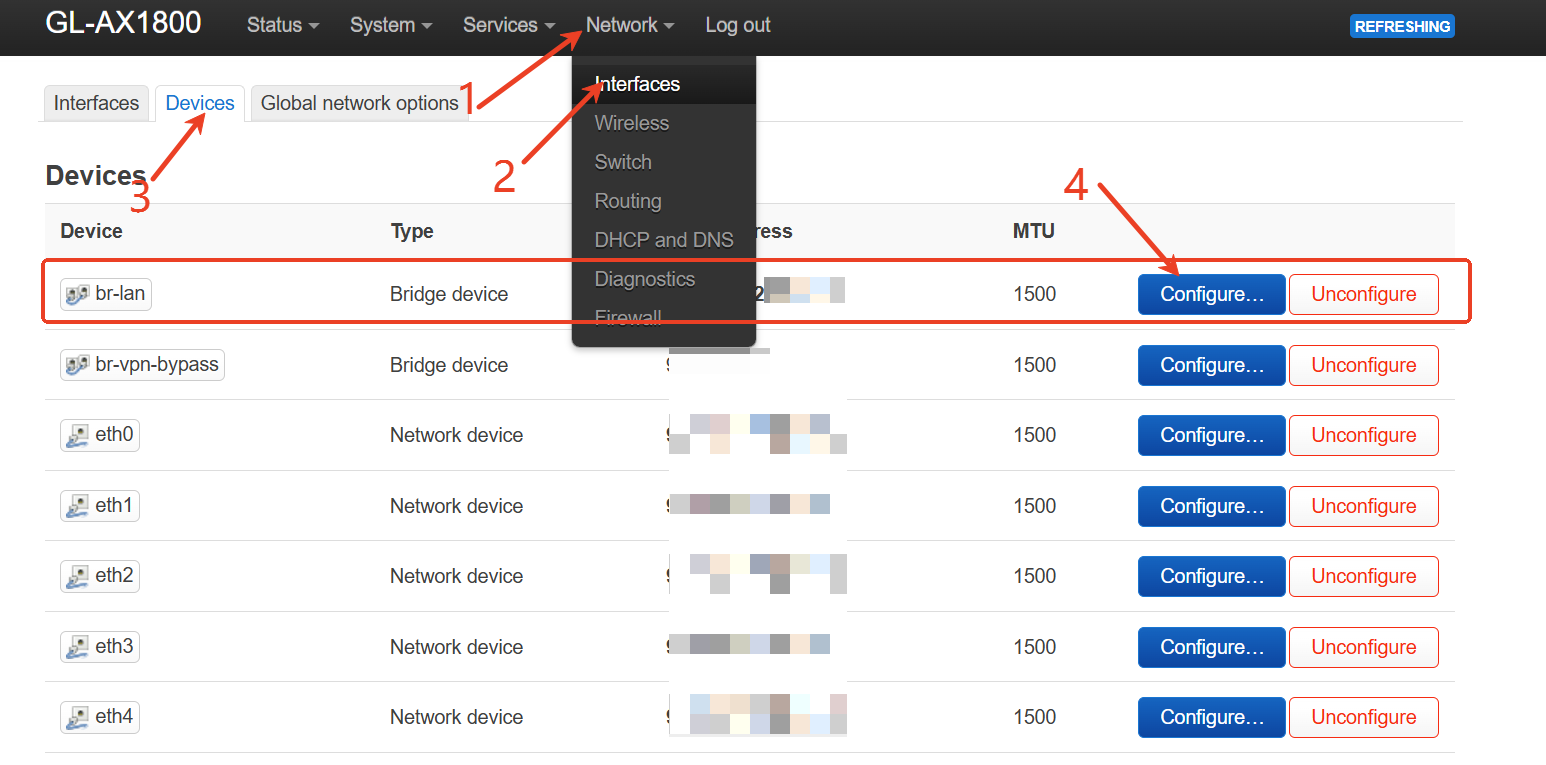
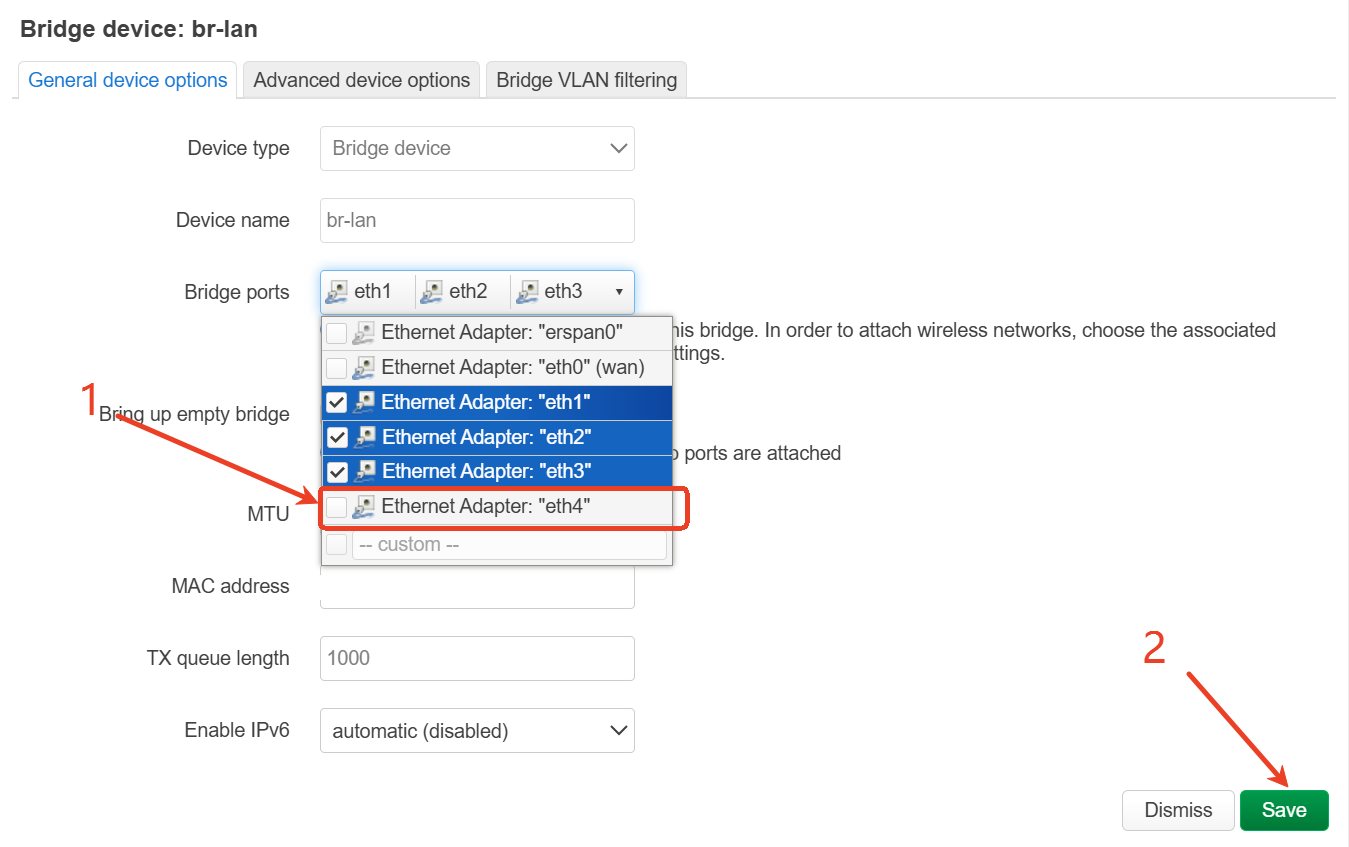
- Then go to:Network -> Interfaces -> Devices. Edit br-lan, remove LAN4 from the default LAN bridge
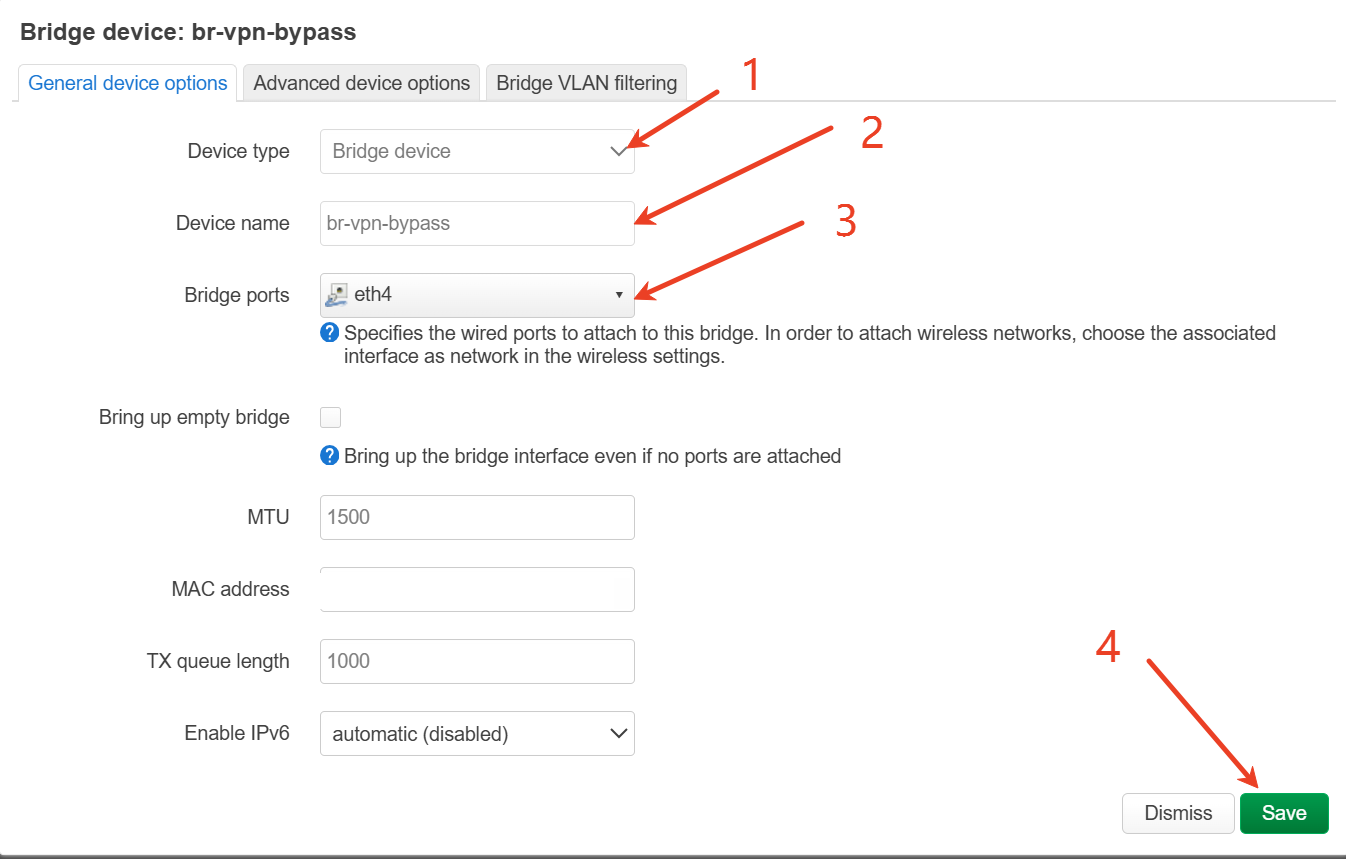
- Create a new bridge for LAN4, Go to:Network -> Interfaces -> Devices, Click:Add device configuration
Device type: Bridge device
Device name: br-vpn-bypass
Bridge ports: lan4
- Create a new interface for LAN4, Go to:Network -> Interfaces -> Interfaces, Click:Add new interface
Name: vpn_bypass
Protocol: Static address
Device: br-vpn-bypass
In General Settings:
- Enable DHCP for LAN4, Edit the vpn_bypass interface and go to:DHCP Server, Click:Set up DHCP Server
- Create/assign the firewall zone, In “Create / Assign firewall-zone”, select custom and enter: vpn_bypass
- Go to:Network -> Firewall, Find the vpn_bypass zone and set:
- Configure the VPN policy, Go back to the GL.iNet web Admin Panel: VPN -> VPN Dashboard
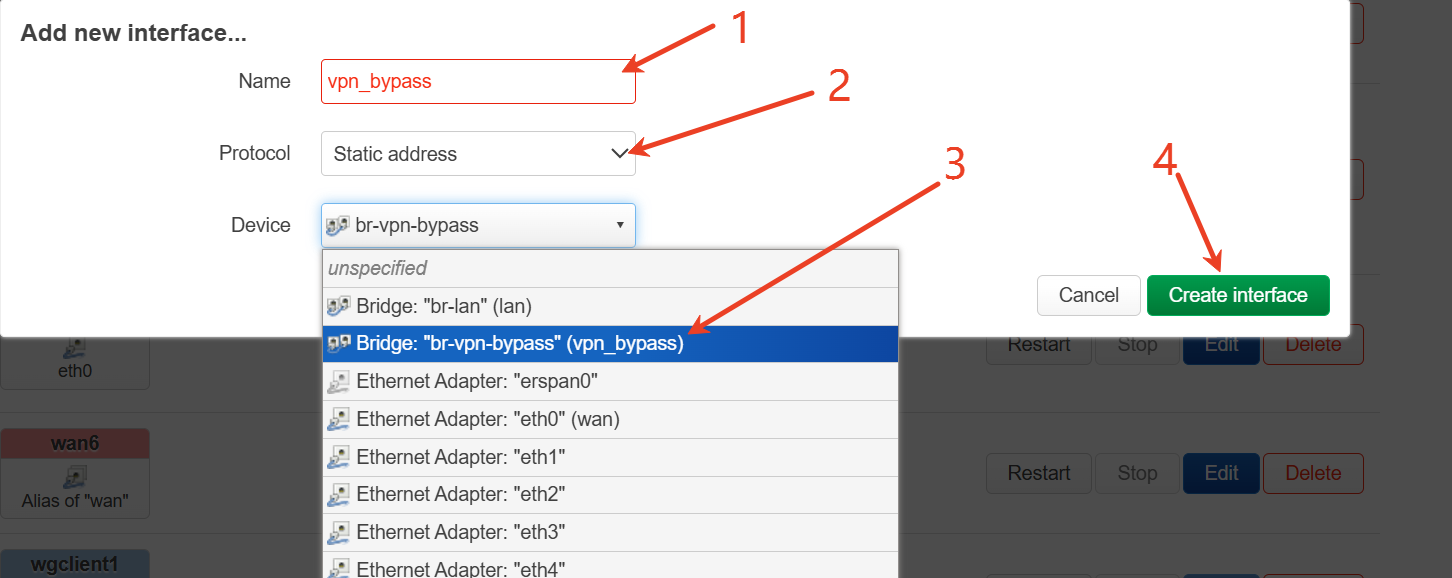

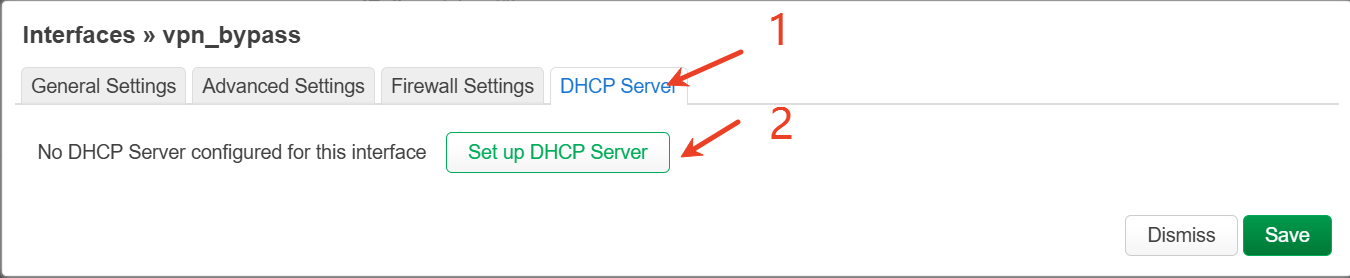
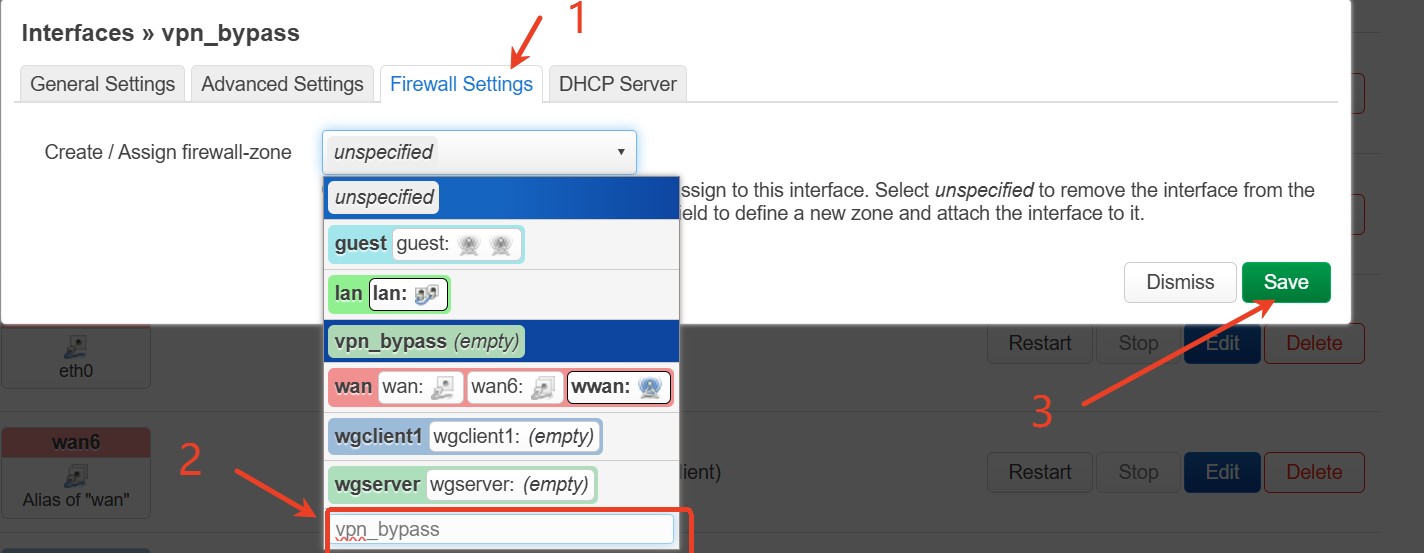
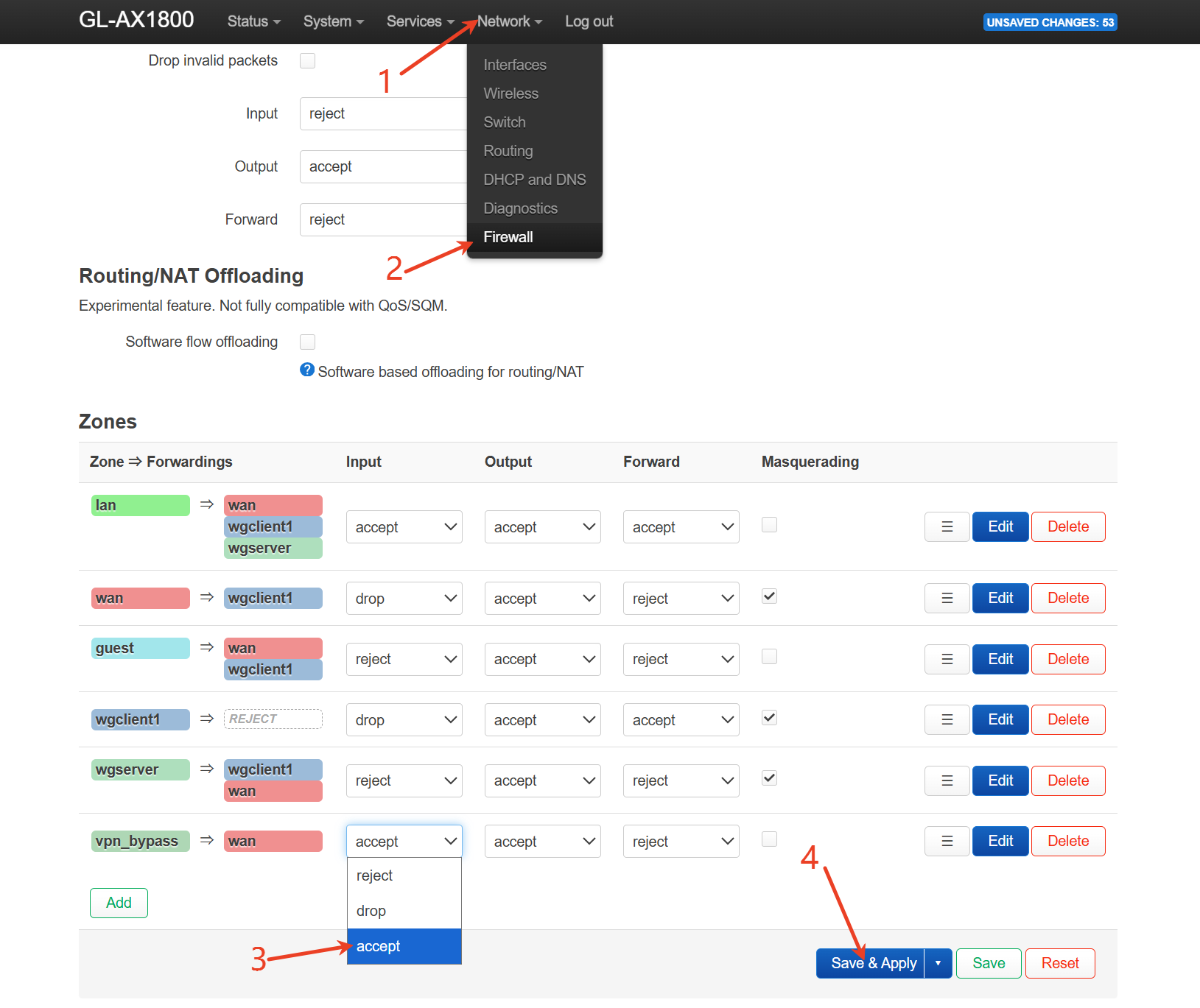

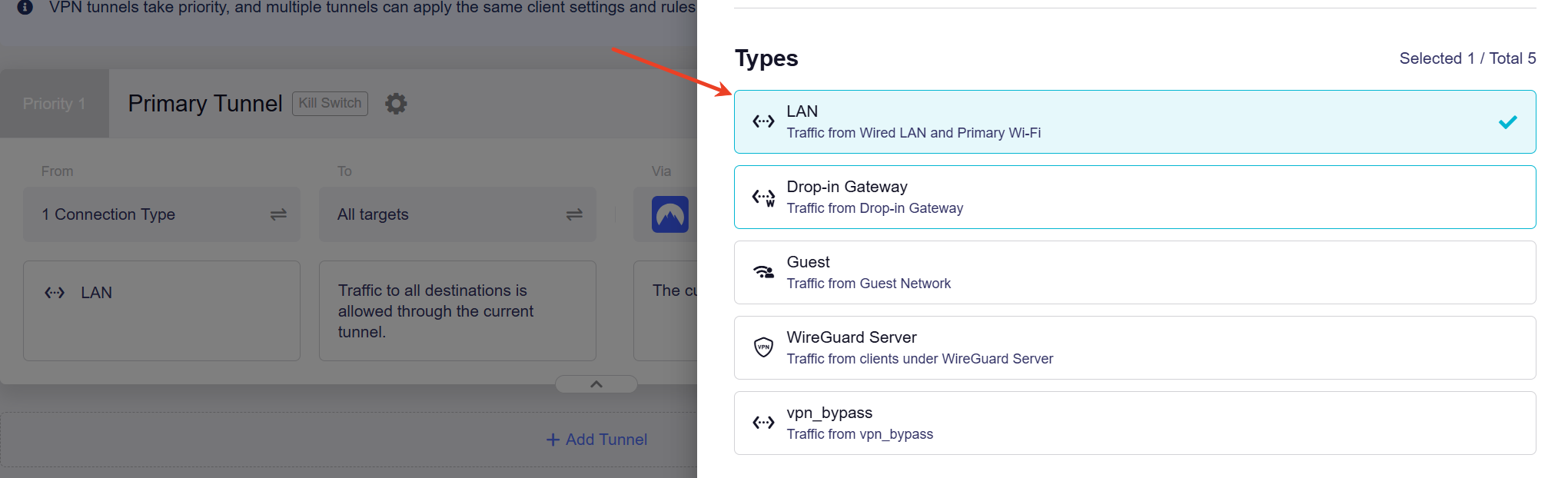
This way, LAN4 will bypass the router VPN, while LAN1/LAN2/LAN3 and Primary Wi-Fi will still use the VPN tunnel.
1 Like
Thank you, I had to add vpn_bypass to wan in step 7.
@charles2 may I additionally ask, how can I separate wifi 2.4 from VPN but not Wifi 5GHz? I see no br-lan only bridges the physical lan ports but I see nothing for wifi
Hi,
You can create a separate 2.4GHz SSID and assign it to the existing vpn_bypass network.
The goal is:
New 2.4GHz Wi-Fi -> vpn_bypass -> normal WAN, not VPN.
Please follow the steps below.
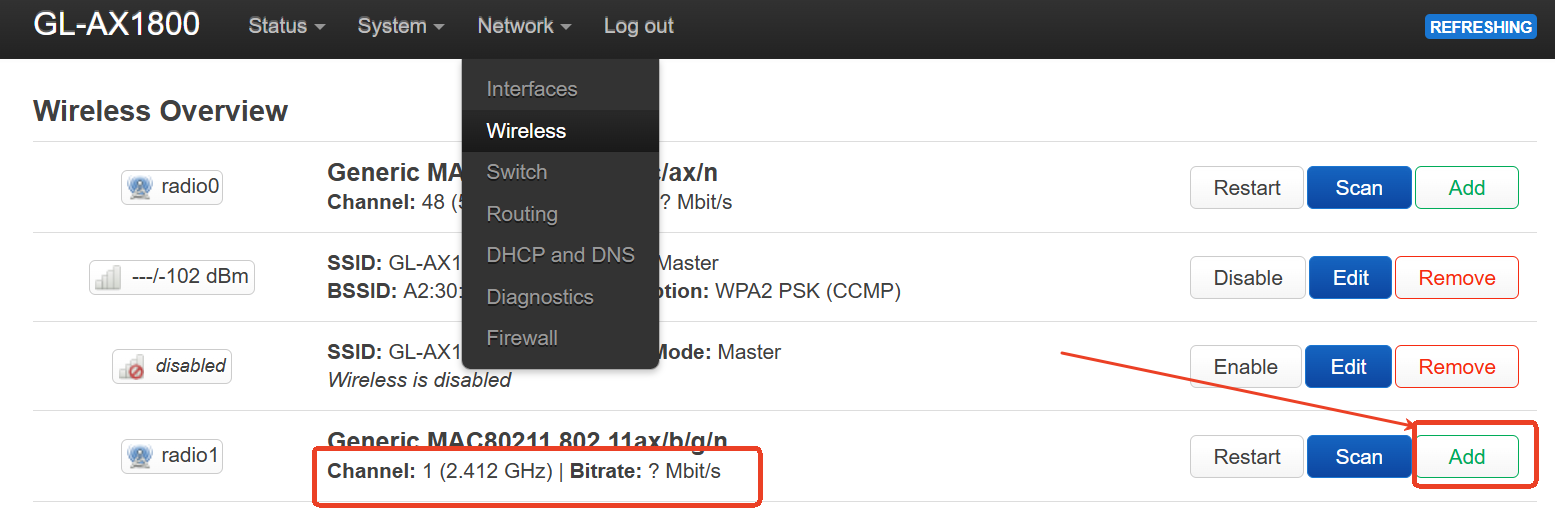
- Go to LuCI -> Network -> Wireless.Under the 2.4GHz radio, click Add to create a new 2.4GHz SSID.
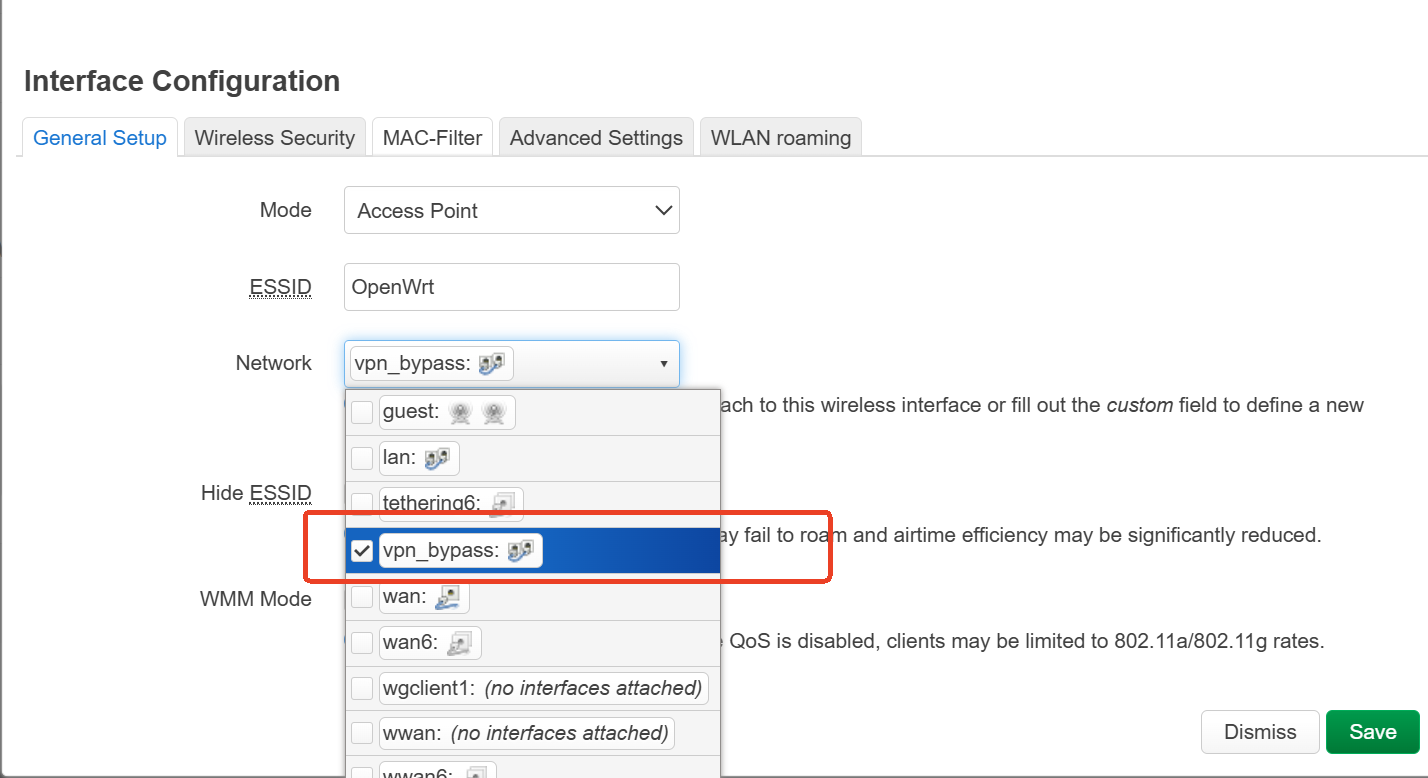
- In Interface Configuration -> General Setup, set Network to: vpn_bypass.
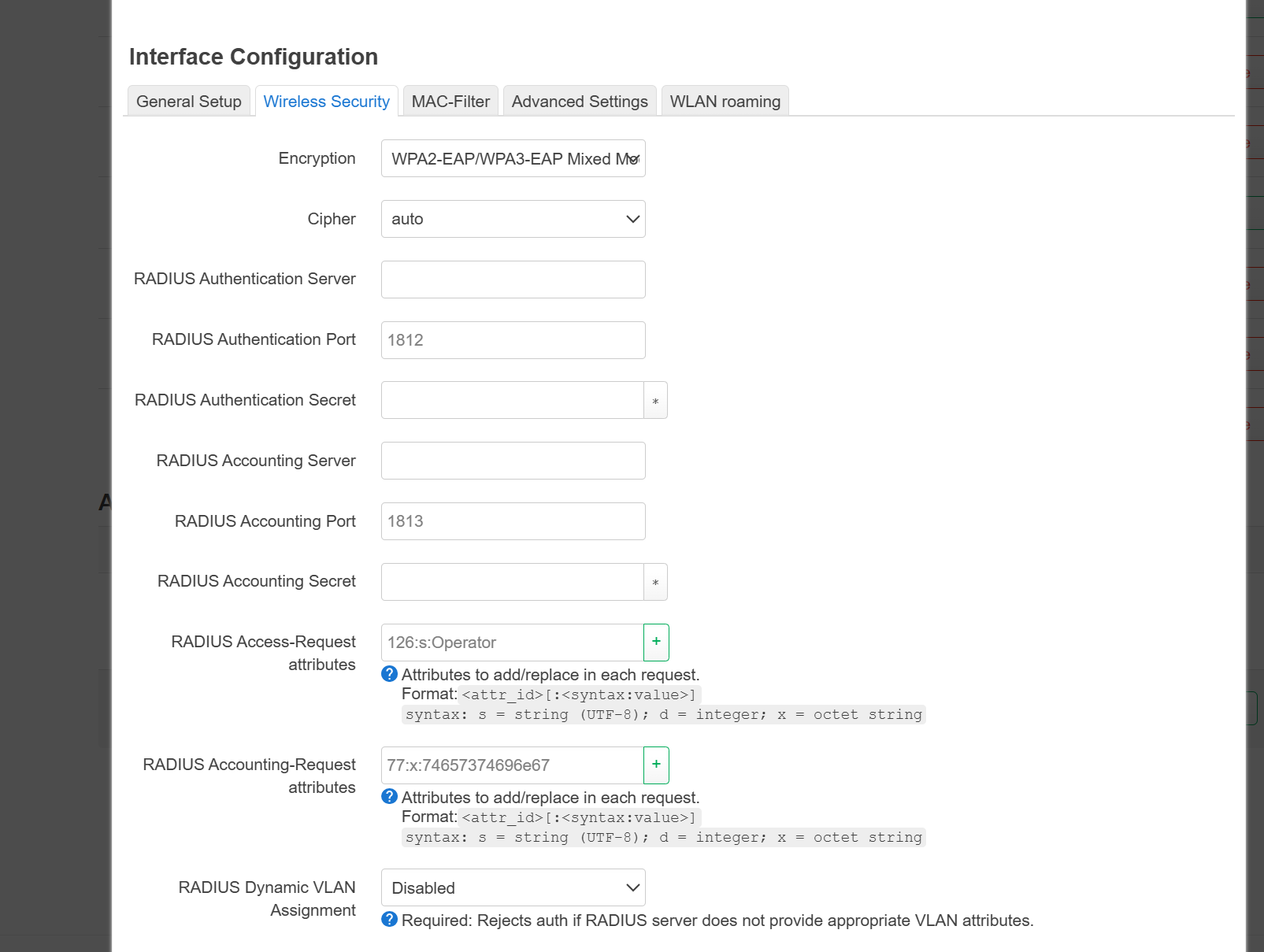
- In Wireless Security, choose your preferred encryption method and set the Wi-Fi password.
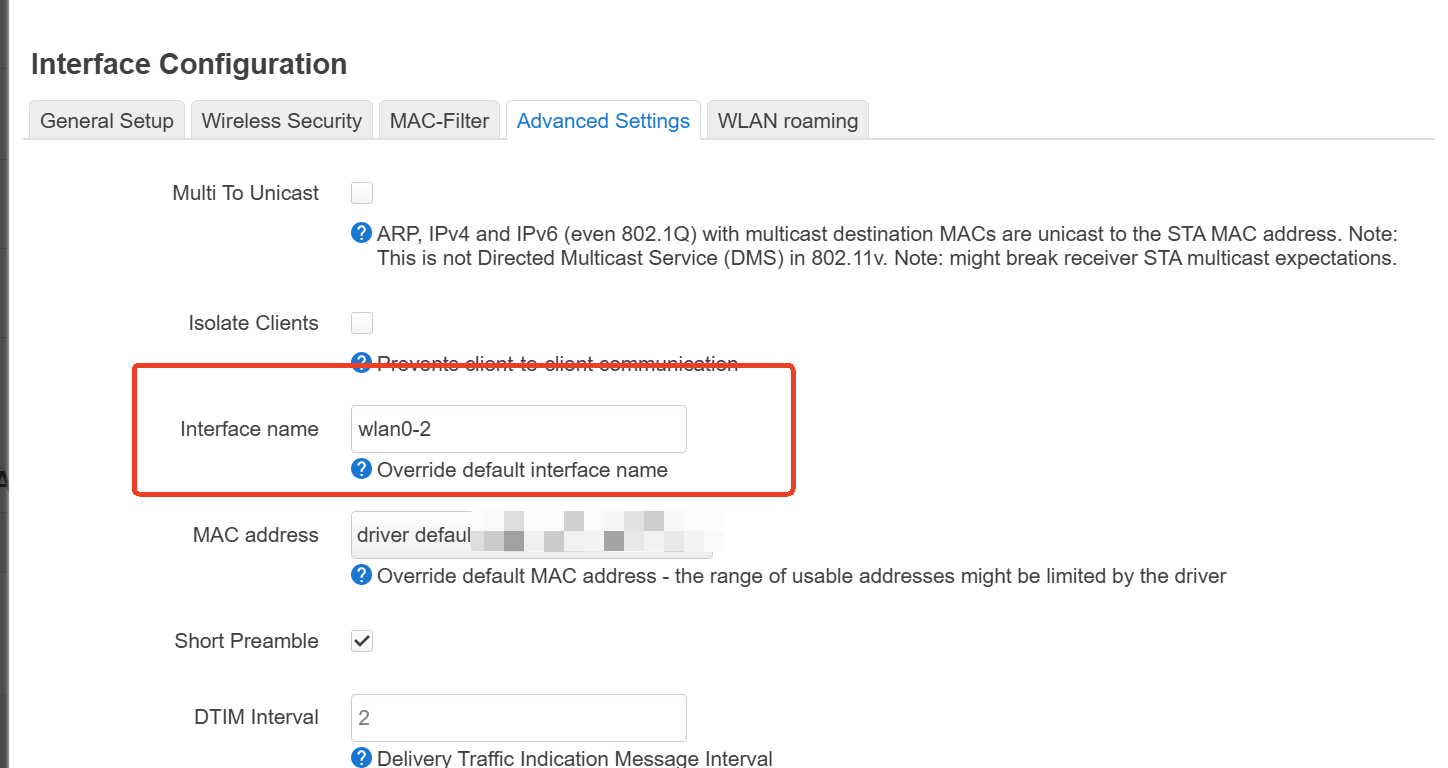
- In Advanced Settings, set a interface name, for example:wlan0-2
Then, save&apply.
After this, clients connected to the new 2.4GHz SSID will use the same bypass network as LAN4 and will go through the normal WAN connection.