-
Tried via Luci and router just reboots without it being installed.
-
Tried via Putty and it also reboots.
root@GL-BE9300:~# opkg install kmod-sched-ctinfo
Installing kmod-sched-ctinfo (5.4.213-1) to root...
Downloading https://fw.gl-inet.com/releases/qsdk_v12.5/kmod-4.7/be9300-ipq53xx/kmod-sched-ctinfo_5.4.213-1_aarch64_cortex-a53_neon-vfpv4.ipk
Configuring kmod-sched-ctinfo.
Any suggestions?
Hi
Thank you for your report. We'll have our R&D team look into it.
anything on this this breaks qosmate
Hi
Thank you for clarifying the impact of this issue on QoSmate.
As it involves a kernel module issue, it may require additional time to investigate; we will further communicate with the R&D team.
For affected users, you may consider using the following beta firmware.
We have tried compiling kmod-sched-ctinfo directly into the firmware and have verified that QoSmate can be installed and used normally.
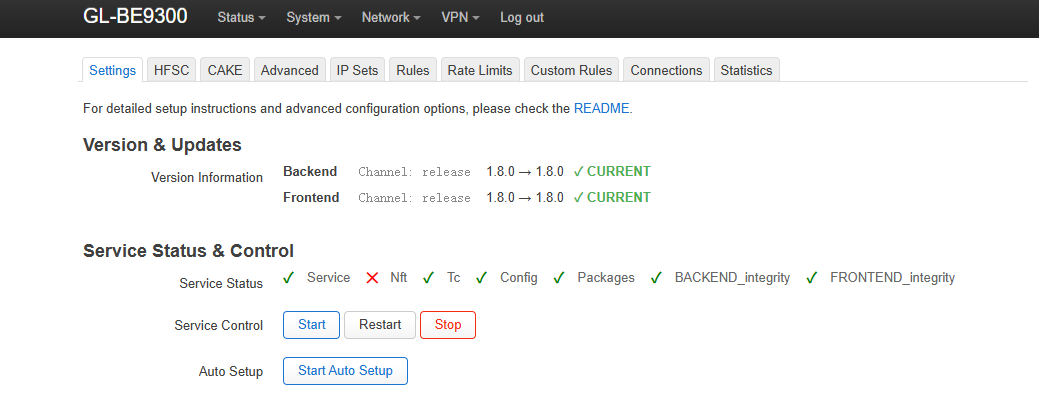
I tried this firmware and can install kmod-sched-ctinfo and Qosmate, but the Nft Service is listed as inactive - same as your screenshot.
Please use:
Expiration date: February 12, 2026
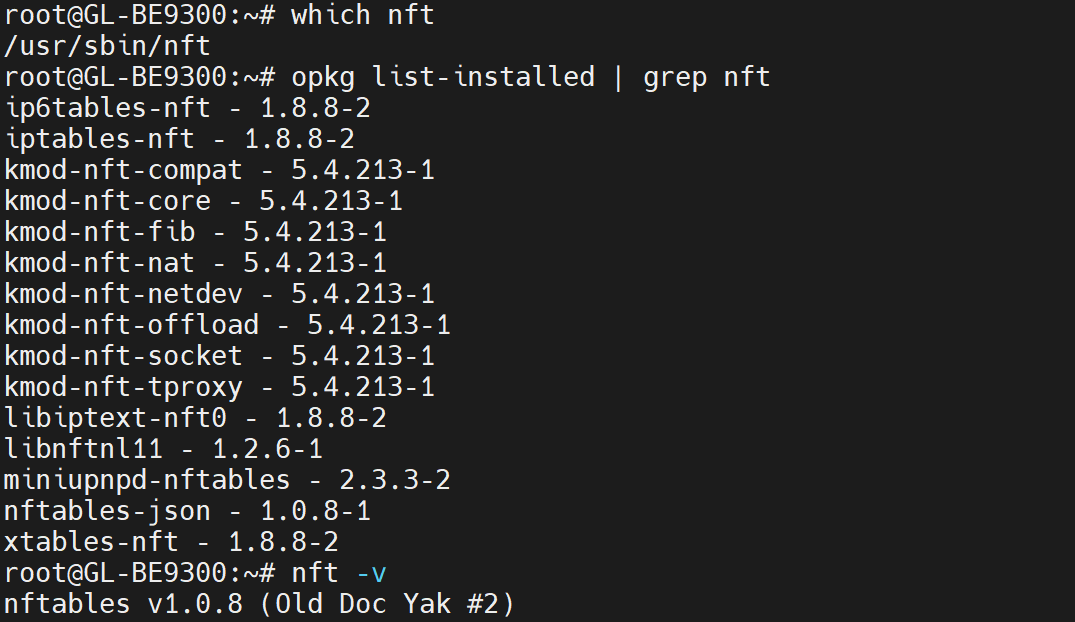
The nft is already installed by default.
This is likely a plugin compatibility issue—please contact the plugin author for support.