Hi,
I bought MT2500 to build home VPN. Now I am testing Wireguard server and have noticed that I always have access to my home LAN via VPN, i.e. NAS and even my modem, regardless of server settings. I was planning to give access to my VPN to some friends, but I do not want them to have access to my NAS and moreover modem. Sure, they are protected by username and passwords, yet it is a very weak protection.
Is there some way to isolate my home LAN from some of Wireguard clients, but leave it open for others, say for my family?
Thanks
Hi
Please try to create different WireGuard profiles,
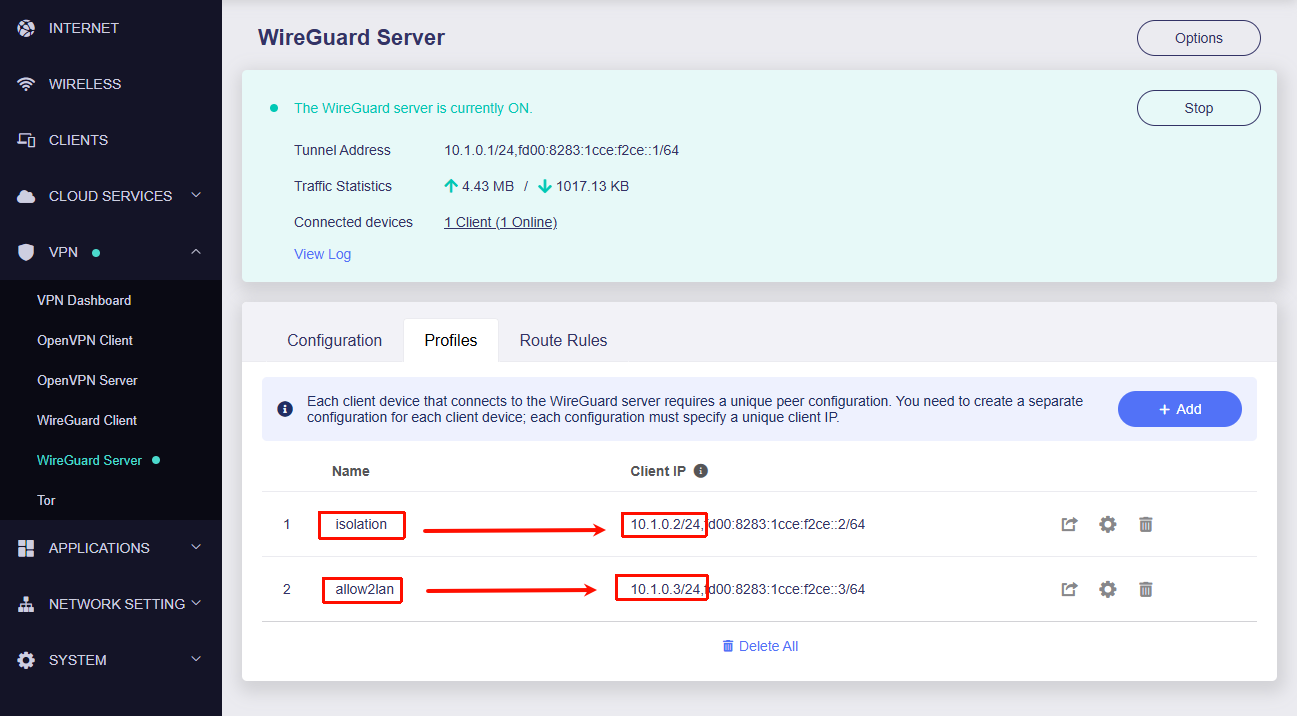
then go to LuCI - Network - Firewall - Traffic Rules and create the following rules for the WireGuard IPs that need to be isolated from the LAN:
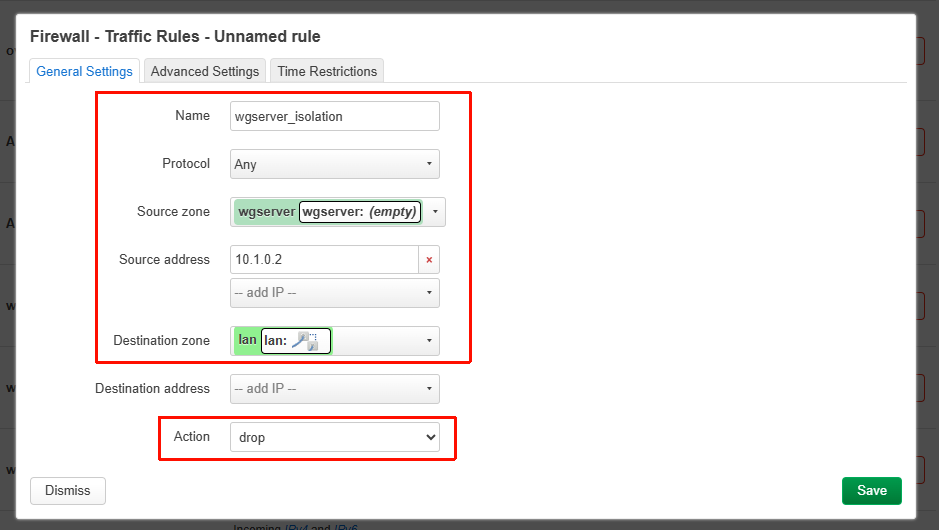
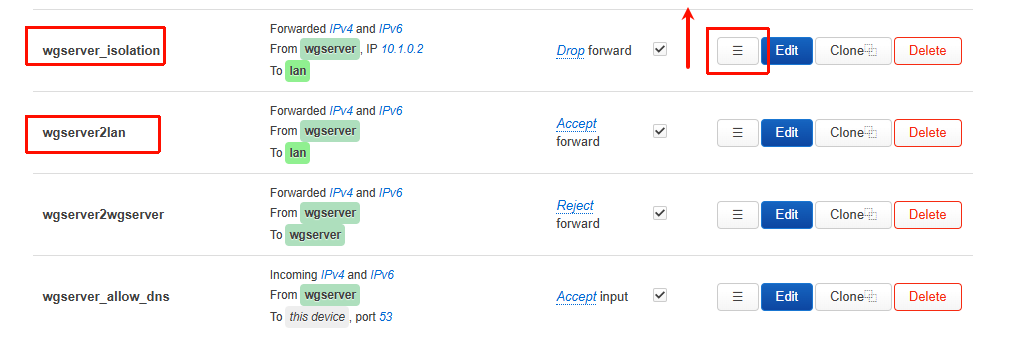
Note that you need to drag this rule above wgserver2lan.
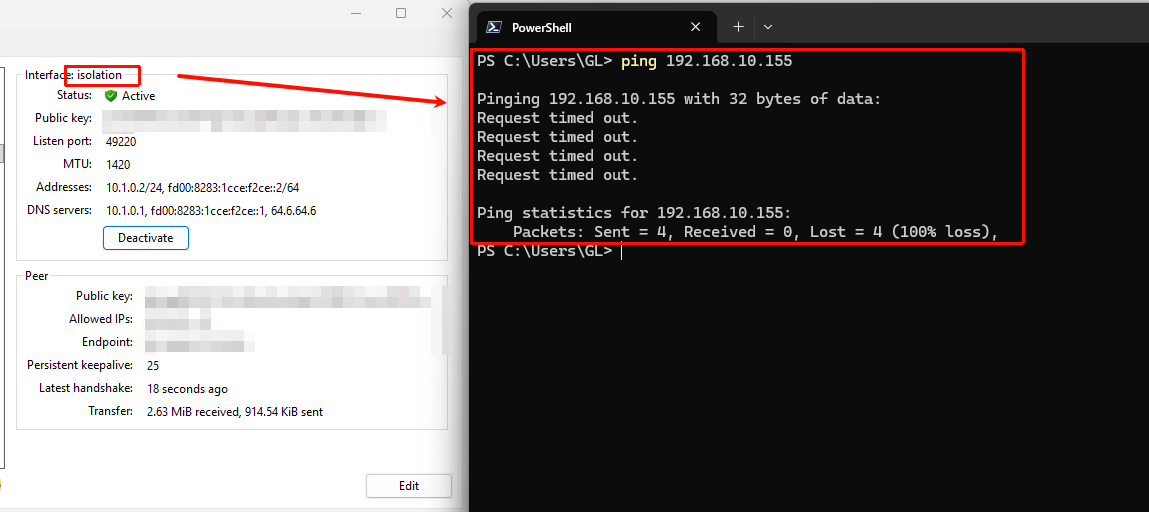
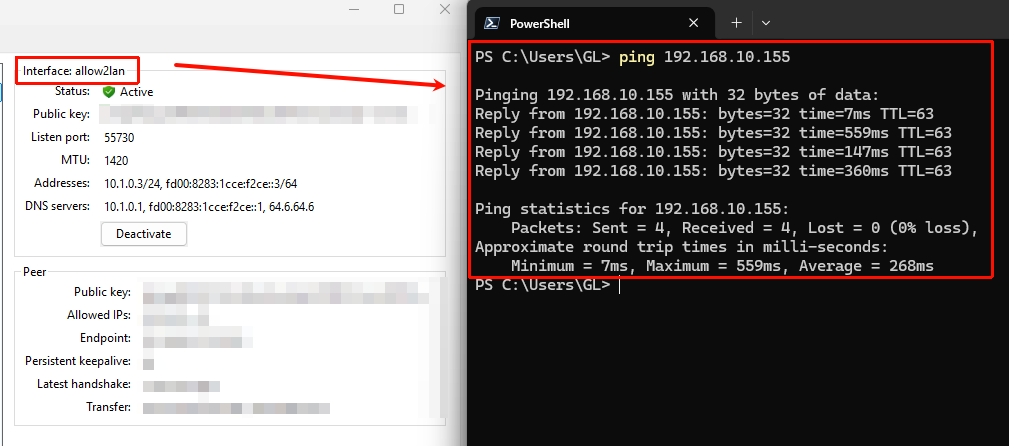
Results:
isolation:
allow2lan:
Thank you, I got access to LuCI (finally) and will try your suggestions.
In my question I have not specified my LAN topology, sorry for any confusion it could cause.
It is simple:
-modem connected to internet provider supplied router TD-W9970 with 4 ethernet ports.
One port is used to connect a switch to which I connected all my home devices.
Another port is for MT2500 with USB drive.
Initially I was not able to see USB drive on my home computers, so I enabled Drop-in gateway on MT2500 and it worked. DHCP on TD-W7790 is on, as well on MT2500, but with different sets of addresses.
I set up Wireguard server on MT2500 and created some profiles and tested them on my phone and they worked.
However, to my surprise, I was able to access all my home network devices without any restrictions from Wireguard client devices. When I turn off access to LAN in Wireguard server it was worked only for USB drive, not my home network. Disabling Drop-in gateaway did not make any difference.
I have tried your solution with firewall rules and it did not work.
I have tried different settings, finally it worked when I set destination zone as WAN.
I hesitate to change zone definitions on my own.
Could you tell me which way is better - properly define zones and in this case I would ask you to help me with it, or leave zones as is and just use firewall rules which I found to be working?
The firewall rules we provided earlier were based on the MT2500 being used as the home main router, with LAN devices connected to its LAN ports.
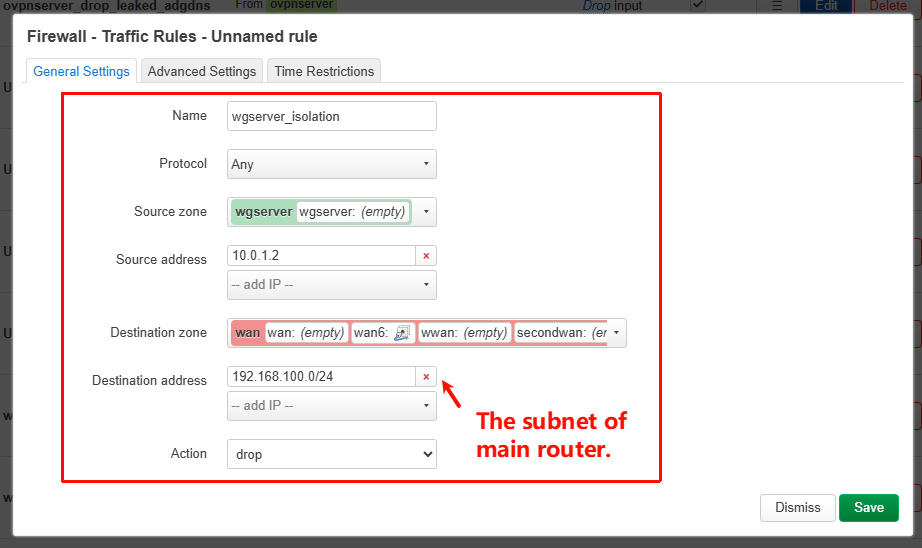
Yes—if the MT2500 is used as a secondary router and the LAN devices are connected to the LAN ports of the upstream main router, then the firewall rules should be adjusted accordingly:
- Set the destination zone to WAN
- Set the destination address to the subnet of the main router (TD-W9970)
(If this is left empty, this WireGuard client will not be able to access the Internet.)
It works.
Thank you.
This topic was automatically closed 90 days after the last reply. New replies are no longer allowed.