It appears you have specified a route for the local subnet to the tunnel at the remote end, which is preventing access to the local subnet?
Please note that the destination address should be configured as the subnet of the remote router rather than the local subnet.
Please try holding down the Reset button for more than 4 seconds but no longer than 10 seconds to reset only the network settings.
If it doesn't work, we may have to completely restore it to factory settings.
But how do I set up the routing correctly on the WireGuard router? What should the Target Address and Gateway be if my LAN is under 192.168.8.0/24, and my mobile client with the WireGuard client has a client IP of 10.0.0.2/24?
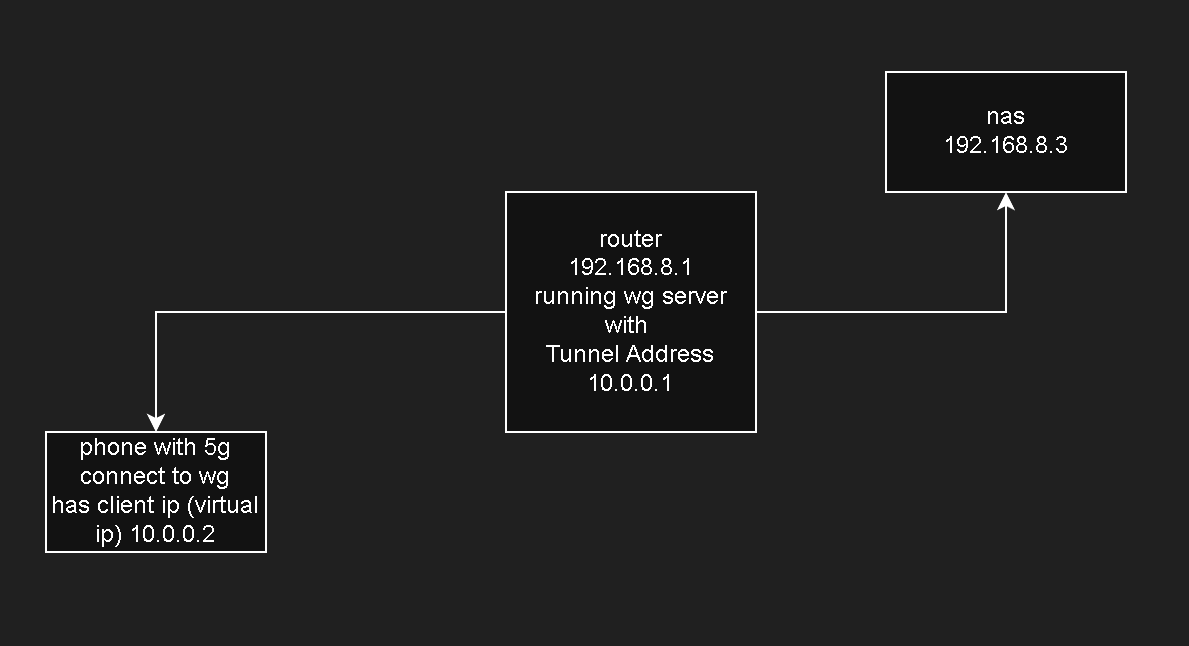
To help us better understand the situation and provide the correct settings, could you please clarify your specific goal? It would be very helpful if you could draw a simple network topology diagram that includes:
Devices: The WireGuard server, the mobile client, and any LAN devices you are trying to reach.
IP Addresses & Subnets: Labeled for each router and local network (e.g., 192.168.8.x).
Based on your current description, it appears you want to use a mobile client (like a smartphone) to access LAN devices located behind the WireGuard server.
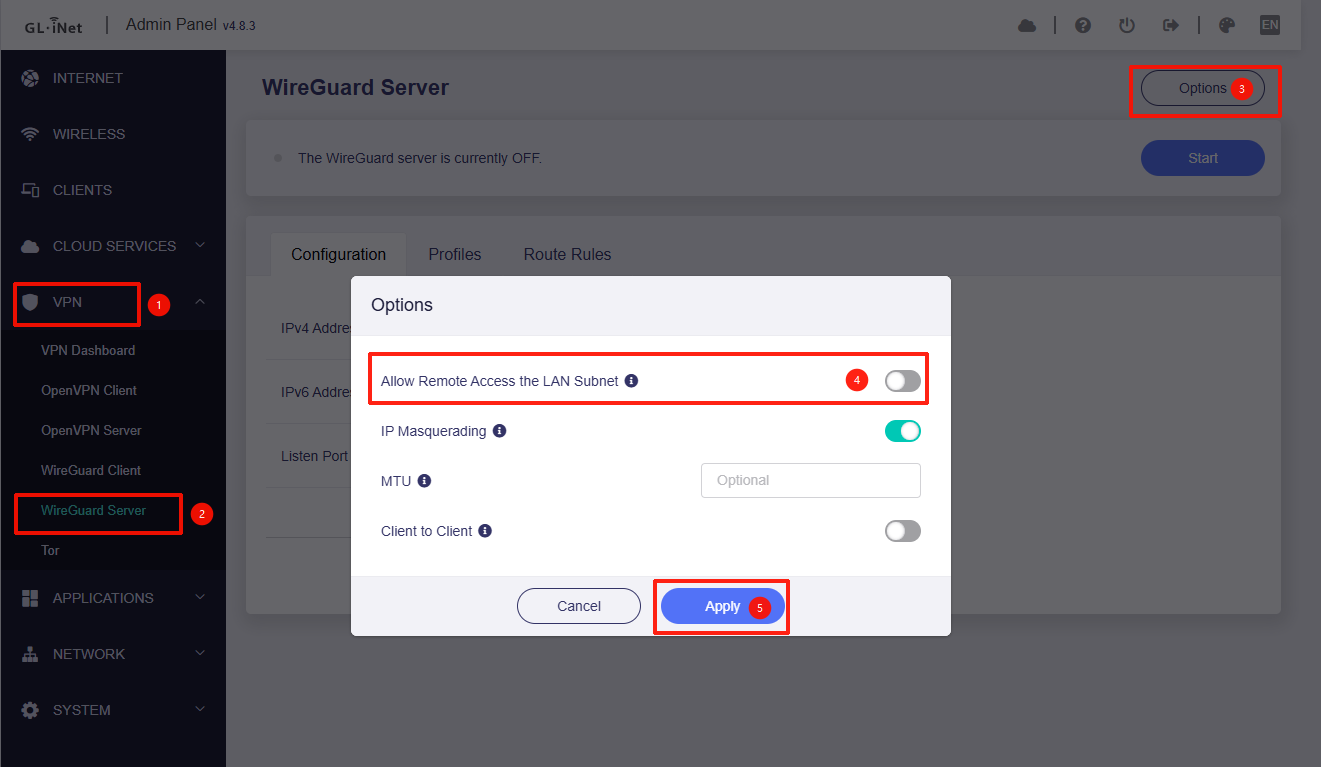
If our understanding is correct, enabling "Allow Remote Access to the LAN Subnet" should suffice.