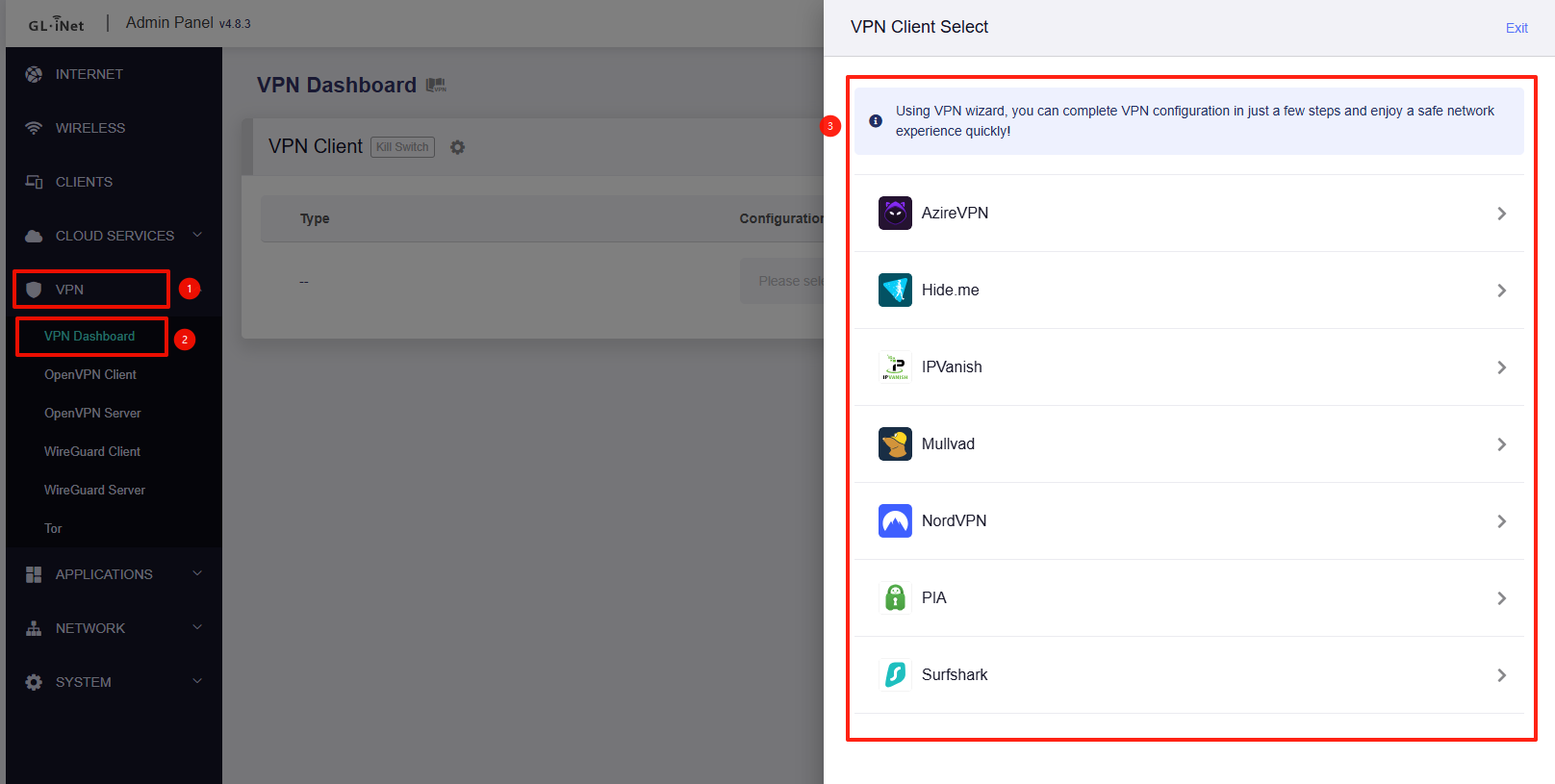
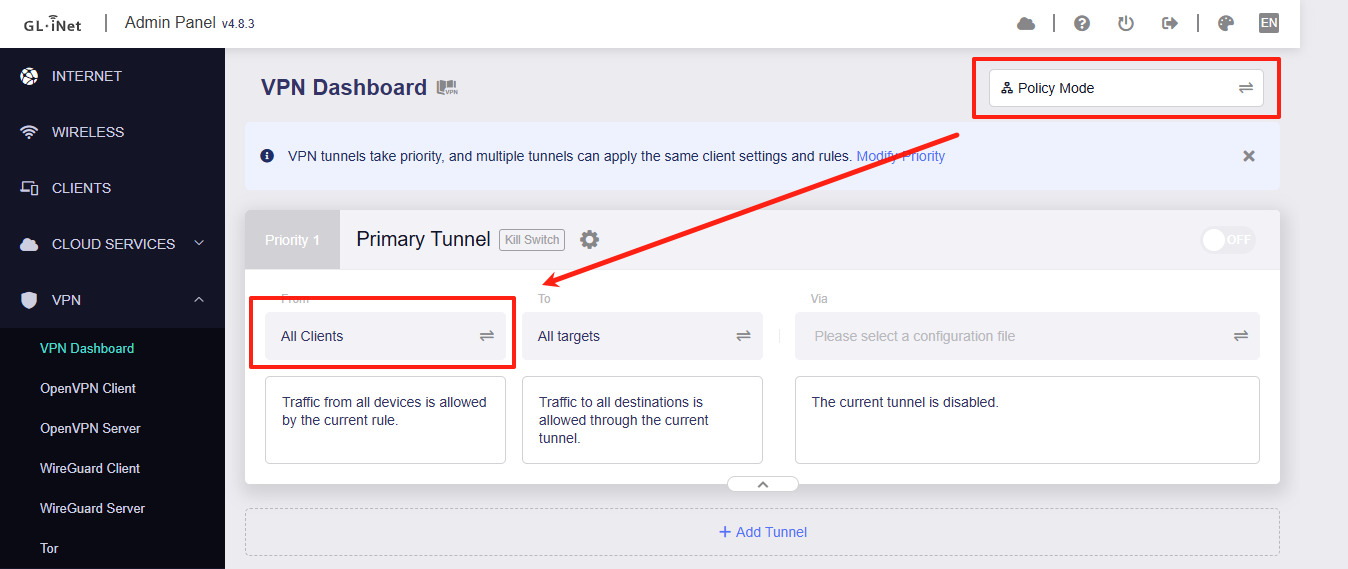
my goal is to have a vpn secured wifi in my house so I can connect my google onn to it, so that any app on the google onn sees vpn ip and not my real ip.
I have searched and searched, and for the life of me I can’t figure out how to do this. guides online are incomplete or confusing.
for example, a guide starts with “log into your gl-inet admin panel”
great, but how the hell do I log into the admin panel? (rhetorical question highlighting the incompleteness of the guides).
oh, after hours of research I finally get it, I need to enter 192.168 whatever. but wait, that didn’t work because I plugged the router into a power outlet, the guide never said connect the router to your home wifi.
is there a step by step guide that will hold my hand and explain to me how to created a vpn wifi in my house?
We recommend starting with our User Guide to locate your router model. It includes detailed documentation and video tutorials covering initial setup steps, such as accessing the Admin Panel:
After that, you can configure Guest Wi-Fi to a VPN Wi-Fi by following the steps below.
As we do not have your exact model or firmware version, the screenshots shown are based on the MT6000 running firmware v4.8.3. The process is similar on other models.
Go to Admin Panel > Wireless and enable the Guest Wi-Fi network.