Using a Mac Mini as the device being controlled (late 2014 model with 12.7.6 macos). Have double checked the cable it came with and tried numerous other cables I already own, none fixes the issue. The mac mini does not have a USB-C slot, only USB-A, so I am using a USB-C (from glkvm) to USB-A cable (mac mini). I also tried changing the device being controlled to a different computer and it still isn’t working there (another mac mini). The keyboard and mouse icon in the lower right hand side are orange with the message: Keyboard captured, inactive (same for the mouse).
The Comet POE is running Version 1.7.1. Having the same issue with the 1.3 app for mac as well as using the web ip.
Please checking that the Type-C of keyboard and mouse cables are properly connected to the controlled computer. Try different Type-C cables to rule out cable issues.
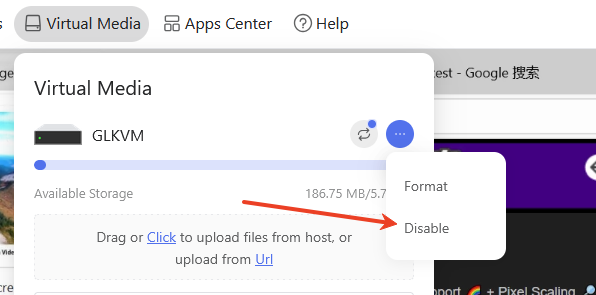
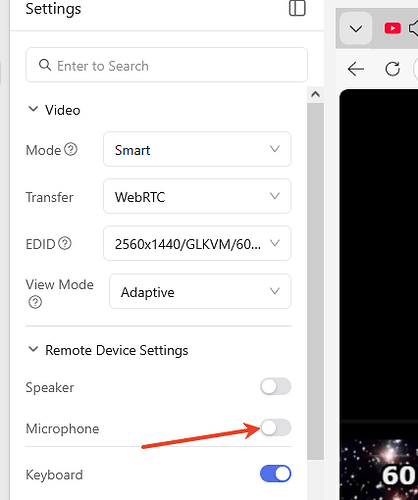
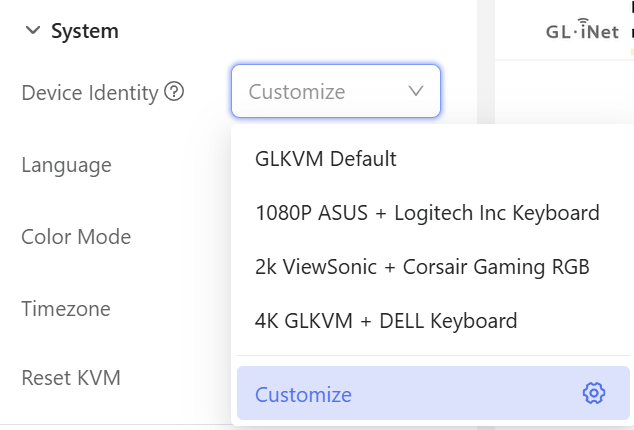
If the physical connection is correct, please try the following steps:
running below command in termial, for disabling second mouse
I used 2 different cables before I posted my issue here, so I didn’t think it was the cable. Just to be safe, I got every cable in my “drawer” and started testing each one. Finally found one that worked perfectly. The issue was I just happened to be choosing power only cables and not a data/power. I’m all set. Thank you, you can close this issue.