Hello,
is it possible to configure the Mango router with Cloud Connexa as VPN Client?
I can download the config from Cloud Connexa, then upload it to the router, but the VPN would stay orange...
First, make sure Mango is online normally. What is the router version?
What is your VPN configuration file type? What is the difference between it and the normal ovpn configuration file?
Hello, and thank you for your reply.
Mango is online normally, I can access it, it's connected to the app, and I can connect to its wifi.
Do you have experience with Cloud Connexa? (openvpn.com)
I download the openvpn file from the website and I can upload it on the Mango configuration.
there's not a login prompt though, and I cannot configure user or password anywhere.
The Mango is updated at the latest firmware.
I don't have experience with Cloud Connexa, but as long as it supports the ovpn protocol, it should be able to be configured and used normally. Uploading the configuration file through the interface here should not require configuring the user and password?
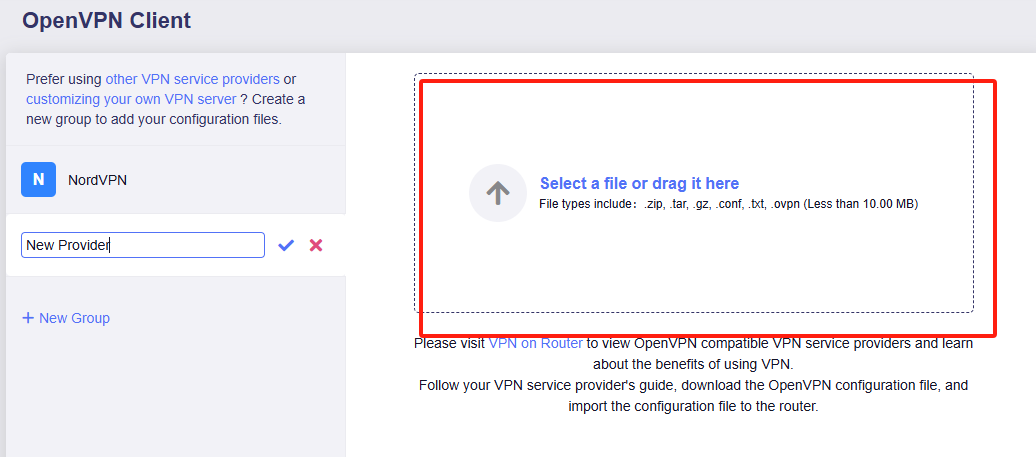
That's what I did... I followed the first configuration and then the VPN client. I will post some logs from the connection, it's strange that it does not work.
1 Like
Hello, this is the Log file. It says authentication failed, but there's nowhere where to put username and password to connect...
Thu Jul 17 07:44:04 2025 daemon.notice ovpnclient[15997]: Outgoing Control Channel Authentication: Using 256 bit message hash 'SHA256' for HMAC authentication
Thu Jul 17 07:44:04 2025 daemon.notice ovpnclient[15997]: Incoming Control Channel Authentication: Using 256 bit message hash 'SHA256' for HMAC authentication
Thu Jul 17 07:44:04 2025 daemon.notice ovpnclient[15997]: TCP/UDP: Preserving recently used remote address: [AF_INET]138.199.44.134:1194
Thu Jul 17 07:44:04 2025 daemon.notice ovpnclient[15997]: Socket Buffers: R=[180224->180224] S=[180224->180224]
Thu Jul 17 07:44:04 2025 daemon.warn ovpnclient[15997]: NOTE: setsockopt TCP_NODELAY=1 failed
Thu Jul 17 07:44:04 2025 daemon.notice ovpnclient[15997]: UDP link local: (not bound)
Thu Jul 17 07:44:04 2025 daemon.notice ovpnclient[15997]: UDP link remote: [AF_INET]138.199.44.134:1194
Thu Jul 17 07:44:04 2025 daemon.notice ovpnclient[15997]: TLS: Initial packet from [AF_INET]138.199.44.134:1194, sid=40a2cb87 de895c1e
Thu Jul 17 07:44:04 2025 daemon.notice ovpnclient[15997]: net_route_v4_best_gw query: dst 0.0.0.0
Thu Jul 17 07:44:04 2025 daemon.notice ovpnclient[15997]: net_route_v4_best_gw result: via 192.168.1.1 dev eth0.2
Thu Jul 17 07:44:04 2025 daemon.notice ovpnclient[15997]: VERIFY OK: depth=1, CN=CloudVPN Prod CA
Thu Jul 17 07:44:04 2025 daemon.notice ovpnclient[15997]: VERIFY KU OK
Thu Jul 17 07:44:04 2025 daemon.notice ovpnclient[15997]: Validating certificate extended key usage
Thu Jul 17 07:44:04 2025 daemon.notice ovpnclient[15997]: ++ Certificate has EKU (str) TLS Web Server Authentication, expects TLS Web Server Authentication
Thu Jul 17 07:44:04 2025 daemon.notice ovpnclient[15997]: VERIFY EKU OK
Thu Jul 17 07:44:04 2025 daemon.notice ovpnclient[15997]: VERIFY OK: depth=0, CN=it-mxp-dc1-b1.cloud.openvpn.net
Thu Jul 17 07:44:05 2025 daemon.notice ovpnclient[15997]: Control Channel: TLSv1.3, cipher TLSv1.3 TLS_CHACHA20_POLY1305_SHA256, peer certificate: 2048 bit RSA, signature: RSA-SHA256
Thu Jul 17 07:44:05 2025 daemon.notice ovpnclient[15997]: [it-mxp-dc1-b1.cloud.openvpn.net] Peer Connection Initiated with [AF_INET]138.199.44.134:1194
Thu Jul 17 07:44:05 2025 daemon.notice ovpnclient[15997]: AUTH: Received control message: AUTH_FAILED
Thu Jul 17 07:44:05 2025 daemon.notice ovpnclient[15997]: SIGTERM[soft,auth-failure] received, process exiting
Hi,
May I know if import this profile in the OpenVPN APP on your PC or phone, can the VPN connect normally?
If yes, could you share this profile to me in PM?
I would like to check what parameters the profile contains and try to test the connection on my router.
1 Like
Hello,
it does work.
I suppose the error might be that authentication is done via Google SSO.
Maybe I should create a regular user and that could work.
I will try and let you know!
1 Like
Apparently Cloud Connexa requires the user to connect via Web Broswer authentication. Not sure if this can be an issue
I found out how to fix the issue, thanks to Cloud Connexa support.
For whoever uses Cloud Connexa (openvpn.com), there's a group setting where the "Connect Auth" setting has to be set to "No", so the VPN will login using the certificate in the ovpn file.
Now i have another issue...
VPN is connected
Wan port is connected to my internet router
Computer is connected to the Mango
I don't have internet on the computer.... Shouldn't it work like this? O.o
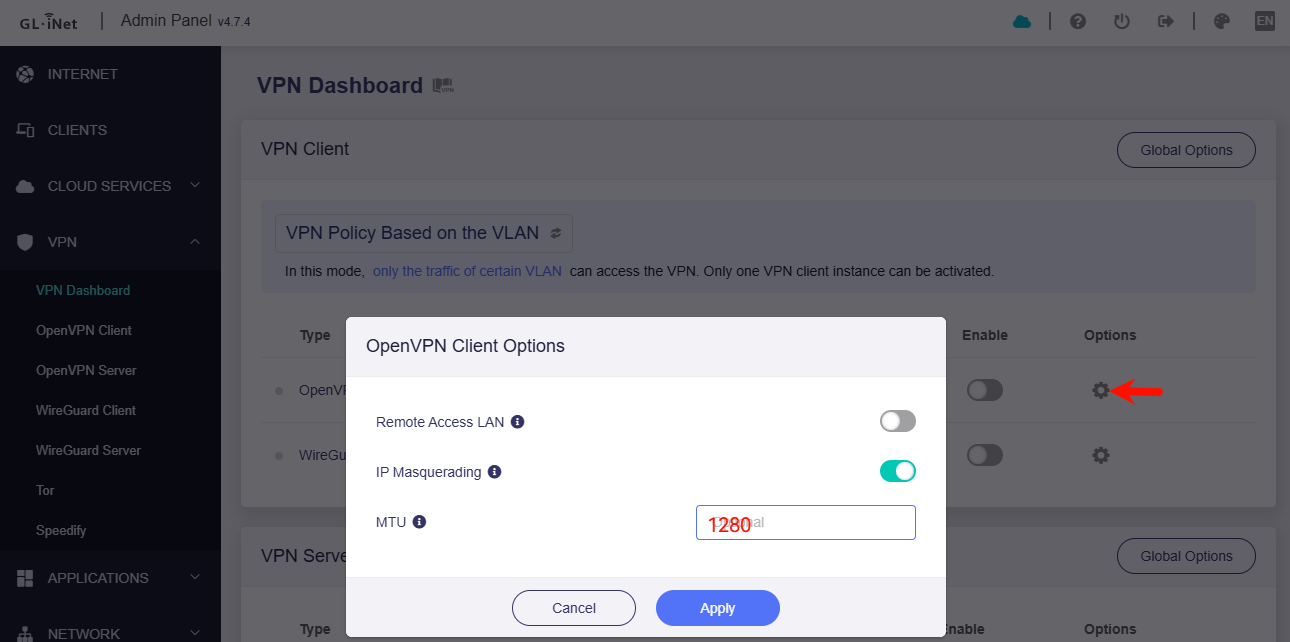
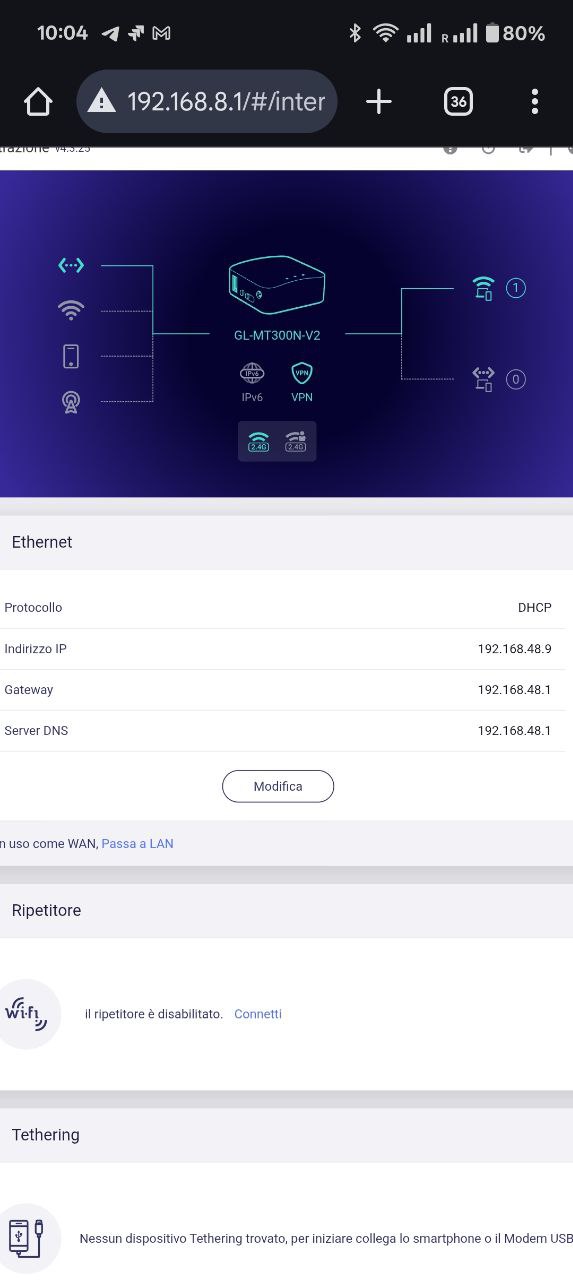
Do I have to do a port forwarding on my router to the Mango, in order for the VPN to work as Client? I thought I would need to do that only in case i'd be using it as VPN server.
Well, i was able to get internet access by selecting "Auto Detect" in the Proxy mode , but now VPN traffic is at zero and my external IP is always the router's one....
If i execute a traceroute, i get this:
traceroute to 8.8.8.8 (8.8.8.8), 64 hops max, 40 byte packets
1 console.gl-inet.com (192.168.8.1) 5.887 ms 2.741 ms 3.232 ms
2 dns.google (8.8.8.8) 40.691 ms !N 44.446 ms !N 43.578 ms !N
Please enter the following command to check whether the routing table contains VPN routes.
ip route show table all
iptables -t mangle -nvL
Hello,
where do I put this?
on a Windows computer connected to the Mango, in the CMD?
or is there a CLI in the mango?
I've been talking to the Cloud Connexa customer support, and the configurations that i make actually work.
i have 2 mango: one is the client, the other is the connector.
the current configuration now is:
- The client (mango1) connects to the cloud (Cloud connexa- openvpn.com),
- the Cloud redirects all the internet traffic to the connector,
- the Connector (mango2) s connected to the cloud as well, through OpenVPN, and receives all the traffic from the cloud.
Using a tracert to 8.8.8.8 , the traffic stops at the OpenVPN ip address of the Connector (mango2) , so basically the CloudConnexa part works, it's just that the mango2 doesn't allow internet access.
The mango2 is in my home, the mango1 is in my office.
is there an option like "allow vpn to reach internet" other than "allow vpn to reach local LAN"?
Alright, I made it work.
in the Mango VPN options i selected "Choose Automatically" in the Proxy mode options.
So the mango2 is actually doing its job as connector.
1 Like