My goal is to use my wireguard tunnel (using pfSense wireguard server) as a DNS for the whole GLiNet router.
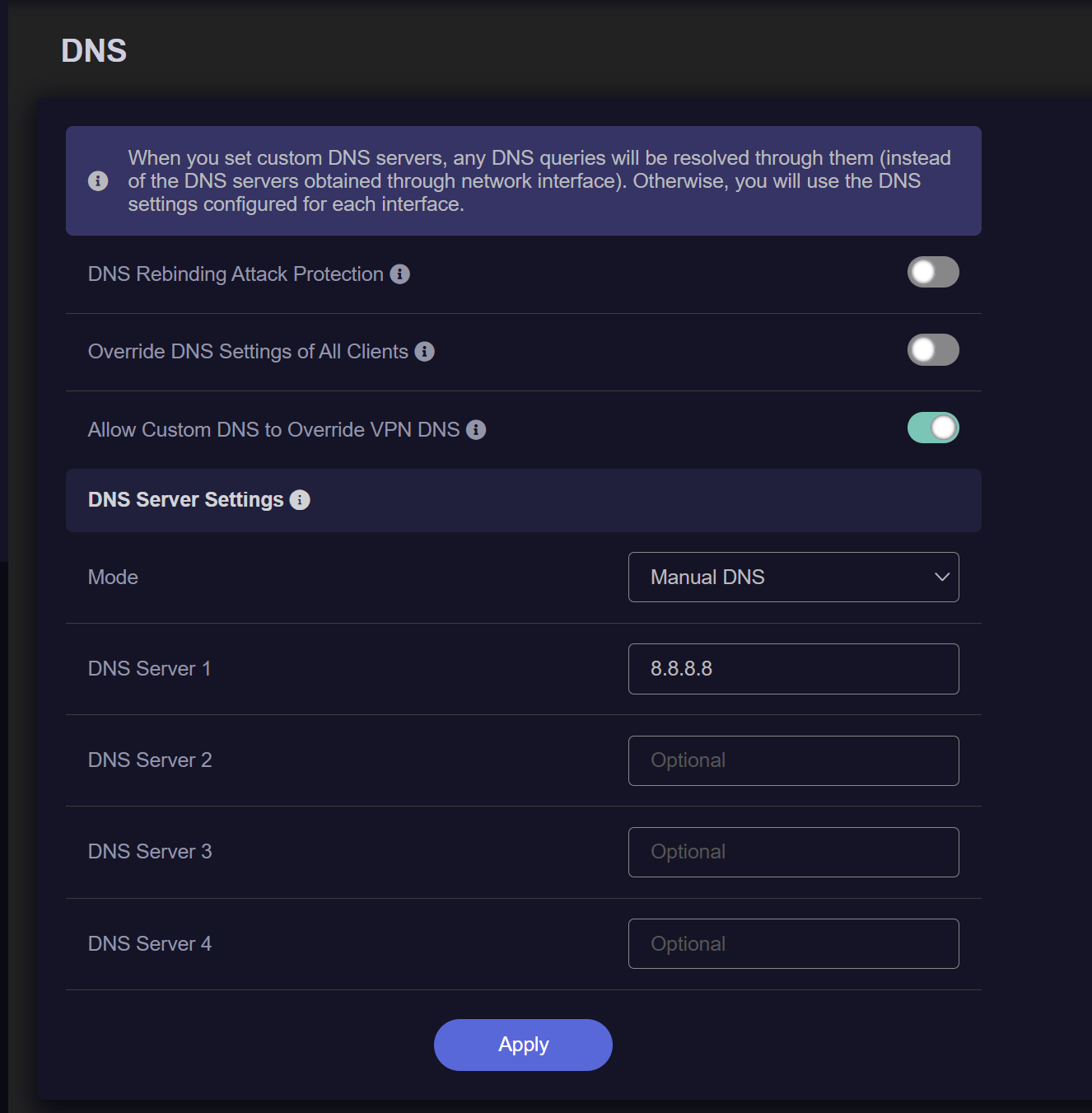
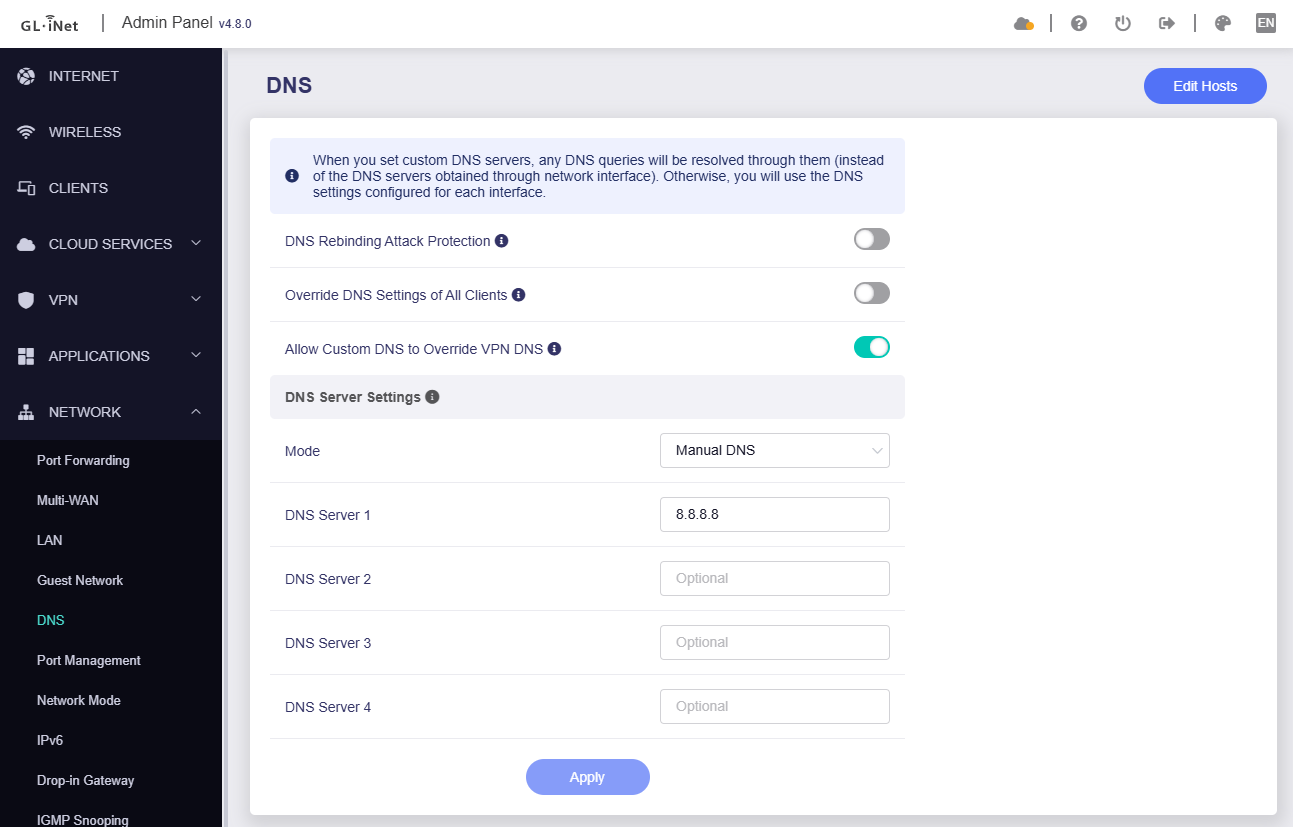
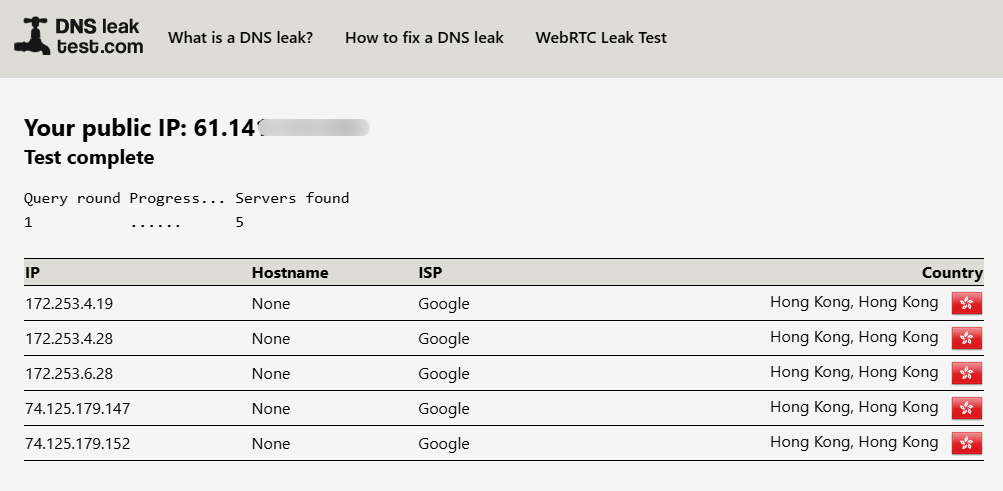
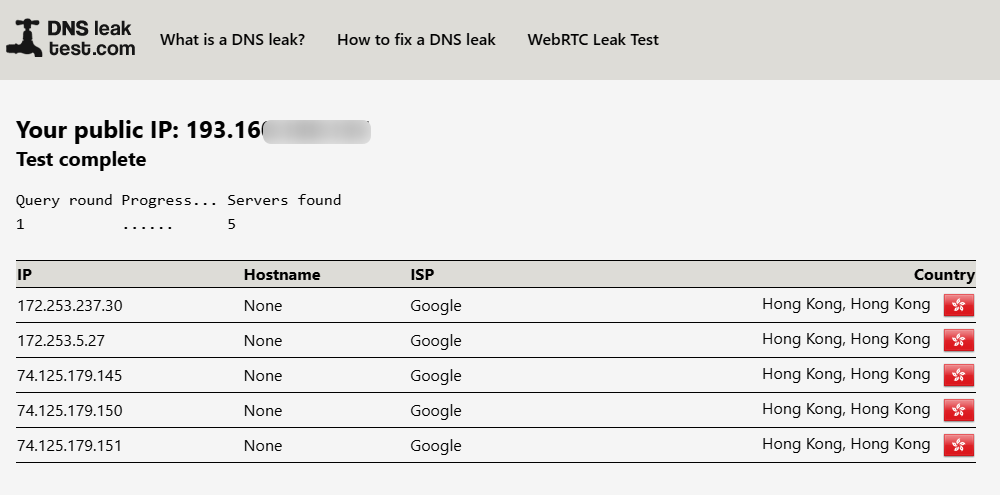
But for testing simplicity, I have added Google’ DNS in the custom DNS in Network → DNS, this setting has no effect. When I test the dnsleak, it shows the WAN’s ISP on dnsleak instead of showing Google’s name.
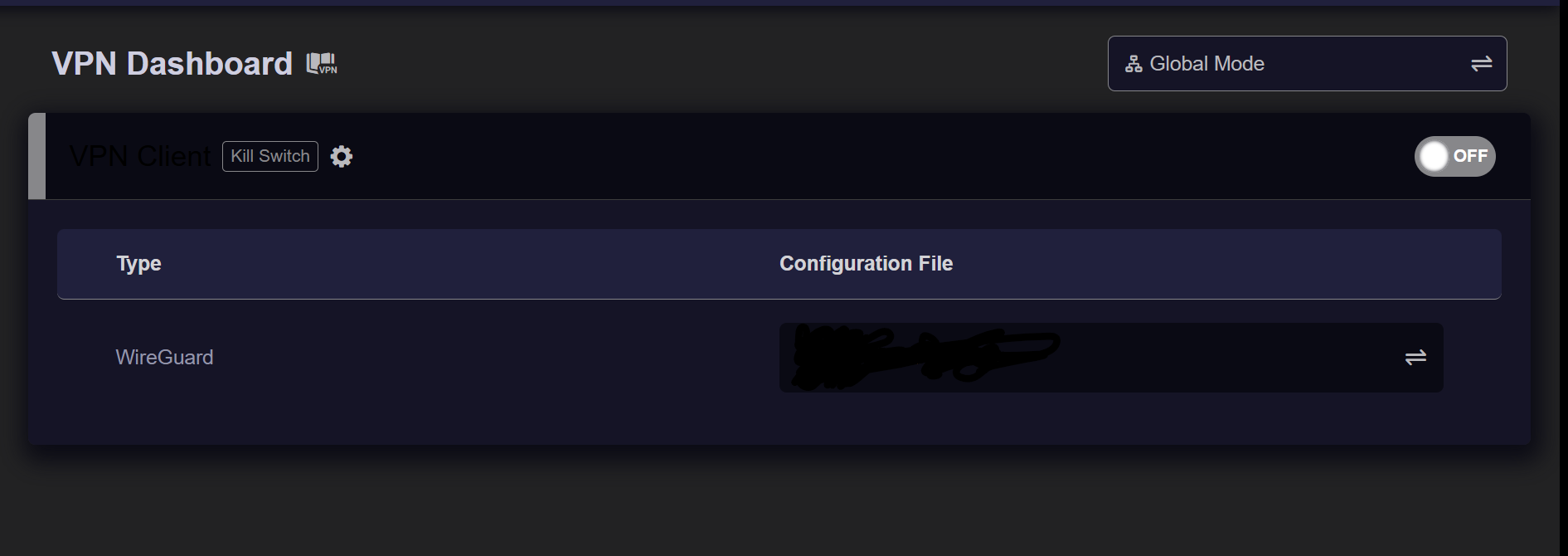
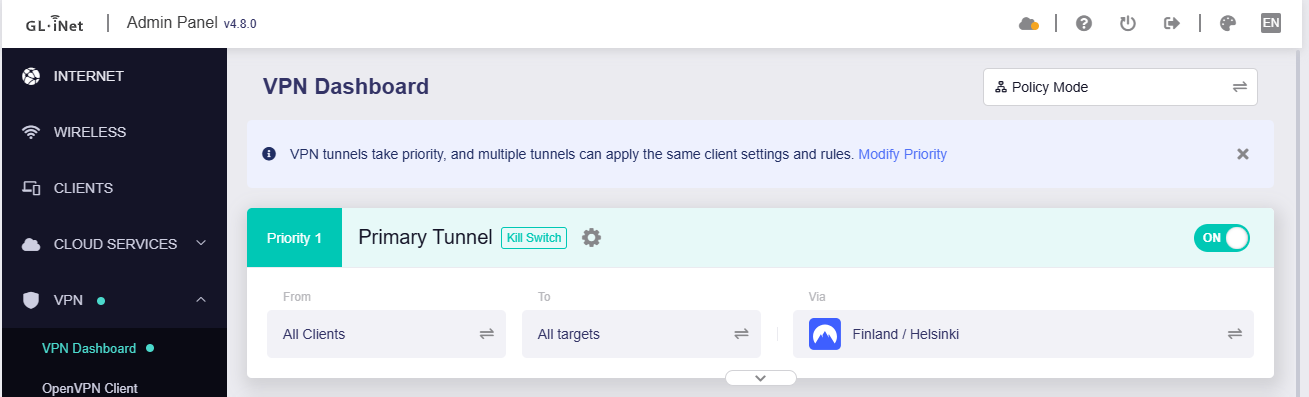
In the VPN Dashboard, the mode is “Global mode” and it is set to connect to the NordVPN. When the VPN is turned on, dnsleak shows NordVPN’s name and when the VPN is turned off the dnsleak shows the WAN’s ISP info. Instead of showing Google’s name.
I also tried with “Override DNS Settings of All Clients” turned on but it doesn’t have any effect either.
GL GUI's DNS:53 will be over-ridden by the DNS:53 specified in the peer/client conf. Shooting from the hip you'd need to get a route back on your 'server' (pfSense IP) to allow 'client' to hit it but I could be over complicating things if this is just DNS. Try modelling similar to the steps of:
However, setting up DNS ip in the client config is just an extra step. Every time I want to override the DNS, I would need to edit to client profile config, restart the VPN. What’s the purpose of “Allow custom DNS to override VPN DNS”?
Commercial VPN providers like Mullvad, Proton, Nord, etc., usually have their own DNS in the resulting conf. “Allow custom DNS to override VPN DNS” does just that: it's to force the VPN link to use 'em.
Another method is to use a custom DOT or DOH endpoint. On your GL unit DOT is handled by stubby & DOH by dnscrypt-proxy2. I use DOH. It stays in a WG tunnel nicely given its HTTPS underpinning. You can set a custom DOH @ /etc/dnscrypt-proxy/dnscrypt-proxy.toml. I don't doubt pfSense is capable of acting as a DOH server but I don't use it. Whatever way you use be sure to test your results for leaks:
So instead of using my cable provider as a WAN, I connected my cell phone’s hotspot as a WAN. Now with the WAS as the cell provider, the manual DNS (set as Google) is showing in the DNS leak test, instead of the cell phone provider’s name.
However, when connected to the NordVPN (Global mode), it seems like the DNS entered in Manual DNS does not show up in the dnsleak, NordVPN’s DNS is showing.
I was previously thinking that NordVPN might be overriding (hijacking) the DNS, but it seems like from your testing, that is not that case. Any else should I check?
It seems like the Manual DNS setting is not able to override the VPN’s DNS.
Here’s the VPN logs:
Sat Sep  6 22:01:14 2025 daemon.notice procd: /etc/rc.d/S95vpn-client: Found matching instance wgclient1 for rule peer: 2003
Sat Sep  6 22:01:14 2025 daemon.notice procd: /etc/rc.d/S95vpn-client: Stopping instance wgclient1 (all rules disabled)
Mon Sep  8 15:47:20 2025 daemon.notice netifd: Interface 'wgclient1' is setting up now
Mon Sep  8 15:47:21 2025 daemon.warn dnsmasq[1]: no servers found in /tmp/resolv.conf.d/resolv.conf.wgclient1, will retry
Mon Sep  8 15:47:21 2025 daemon.info dnsmasq[1]: read /tmp/hosts/dhcp.wgclient1 - 4 names
Mon Sep  8 15:47:21 2025 daemon.info dnsmasq[1]: read /tmp/hosts/dhcp.wgclient1 - 4 names
Mon Sep  8 15:47:23 2025 daemon.info dnsmasq[1]: reading /tmp/resolv.conf.d/resolv.conf.wgclient1
Mon Sep  8 15:47:23 2025 daemon.info dnsmasq[1]: reading /tmp/resolv.conf.d/resolv.conf.wgclient1
Mon Sep  8 15:47:23 2025 daemon.notice netifd: Interface 'wgclient1' is now up
Mon Sep  8 15:47:23 2025 daemon.notice netifd: Network device 'wgclient1' link is up
Mon Sep  8 15:47:23 2025 user.notice firewall: Reloading firewall due to ifup of wgclient1 (wgclient1)
Mon Sep  8 15:49:45 2025 daemon.info dnsmasq[1]: read /tmp/hosts/dhcp.wgclient1 - 4 names
Mon Sep  8 15:49:45 2025 daemon.info dnsmasq[1]: read /tmp/hosts/dhcp.wgclient1 - 4 names
Mon Sep  8 15:52:47 2025 daemon.info dnsmasq[1]: read /tmp/hosts/dhcp.wgclient1 - 4 names
Mon Sep  8 15:52:47 2025 daemon.info dnsmasq[1]: read /tmp/hosts/dhcp.wgclient1 - 4 names
Mon Sep  8 15:53:56 2025 daemon.info dnsmasq[1]: read /tmp/hosts/dhcp.wgclient1 - 4 names
Mon Sep  8 15:53:56 2025 daemon.info dnsmasq[1]: read /tmp/hosts/dhcp.wgclient1 - 4 names
Mon Sep  8 15:59:49 2025 daemon.notice netifd: Network device 'wgclient1' link is down
Mon Sep  8 15:59:49 2025 daemon.info dnsmasq[1]: read /tmp/hosts/dhcp.wgclient1 - 4 names
Mon Sep  8 15:59:50 2025 user.notice firewall: Reloading firewall due to ifdown of wgclient1 ()
To answer your question, “Do you have any other network cards that are being enabled on your test pc?”. No I have checked all the interfaces, I don’t have any other network interface. Also, when connected to the cellular WAN and having Manual DNS set as Google’s DNS, I am able to see in the DNS leak test which indicates that the Manual DNS is working. However, it’s not working when connected to a VPN.
Question: Do you have any DNS set in the VPN profile. There’s an automatic default NordVPN’s DNS set in my VPN profile config. However, I think setting Manual DNS with “Allow Custom DNS to Override VPN DNS” turned on should override it, correct?
Sorry, I just tested this with NordVPN again and select Google DNS manually, it seems like 8.8.8.8 and 8.8.4.4 will be hijacked (not sure if it is really hijacked via VPN provider).
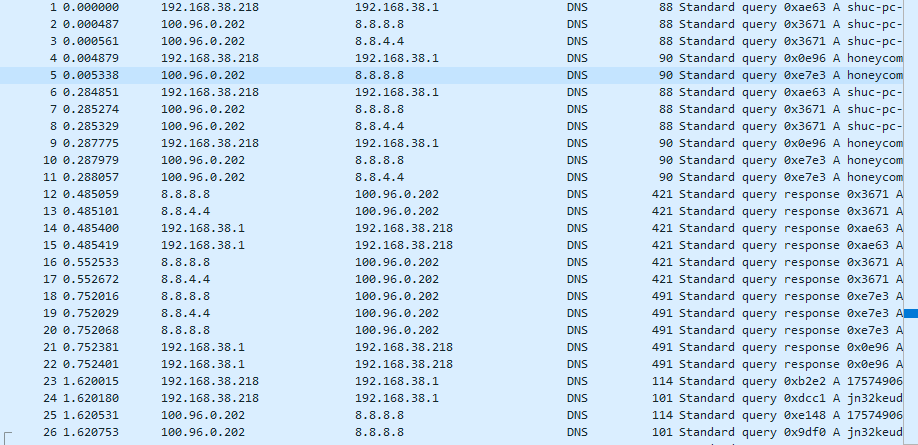
I captured the packet (port 53) on the router using tcpdump and saw that it was sent to 8.8.8.8 (dns.google), and the reply was also 8.8.8.8.
But in fact, the dnsleaktest.com test result is not Google, but NordVPN's DNS server.
Bit strange, only appear in manual 8.8.8.8 or 8.8.4.4 is selected, while manual 1.1.1.1 or 9.9.9.9, the results of dnsleaktest.com is CloudFlare or Woodynet Quad9, means only dns.google did not meet expectations. Let the R&D check.
Update:
Again checked this question by capturing the packet.
When DNS is manually set to 8.8.8.8, GL router does send the DNS request to 8.8.8.8, and the DNS resolution is also replying from 8.8.8.8, so there is no problem with GL firmware.
I think you can consult the VPN provider, why are there differences between 8.8.8.8 and 1.1.1.1/9.9.9.9.