Hi
has the map in goodcloud any special reason or is it just decoration?
It would show the location of your group and we plan to add more info of device to it. but in current it just decoration.
This is still a missing feature! I ended up creating a basic Tampermonkey script to replace the static image with a dynamic map which shows the bounded devices.

Here is the script:
https://gist.githubusercontent.com/gmoz22/3daa61753f27562dd7af460cb8a12eb6/raw/tampermonkey-glinet-goodcloud-map.js
The name of the device is a clickable link to its details.
Online devices are teal, all other statutes are in grey.
If the Location or the Description is present, they are displayed.
Pretty great sharing!
Thank you.
This map feature is delayed for some reasons, such as user usage, map service provider interface, location accuracy, etc. PM team may need to evaluate it.
Please keep us informed on the progress towards a live map with usage. This would be very handy for global reasons.
Hi,
Depending on the arrangement of PM team, the map function may not be implemented so quickly.
You can replace the static image with the Tampermonkey script according to user gmoz22.
Thanks for this. Is there a guide on how to use the script? I installed Tampermonkey and the new map appears in the Good Cloud console but no routers are displayed. All my routers have locations. thanks!
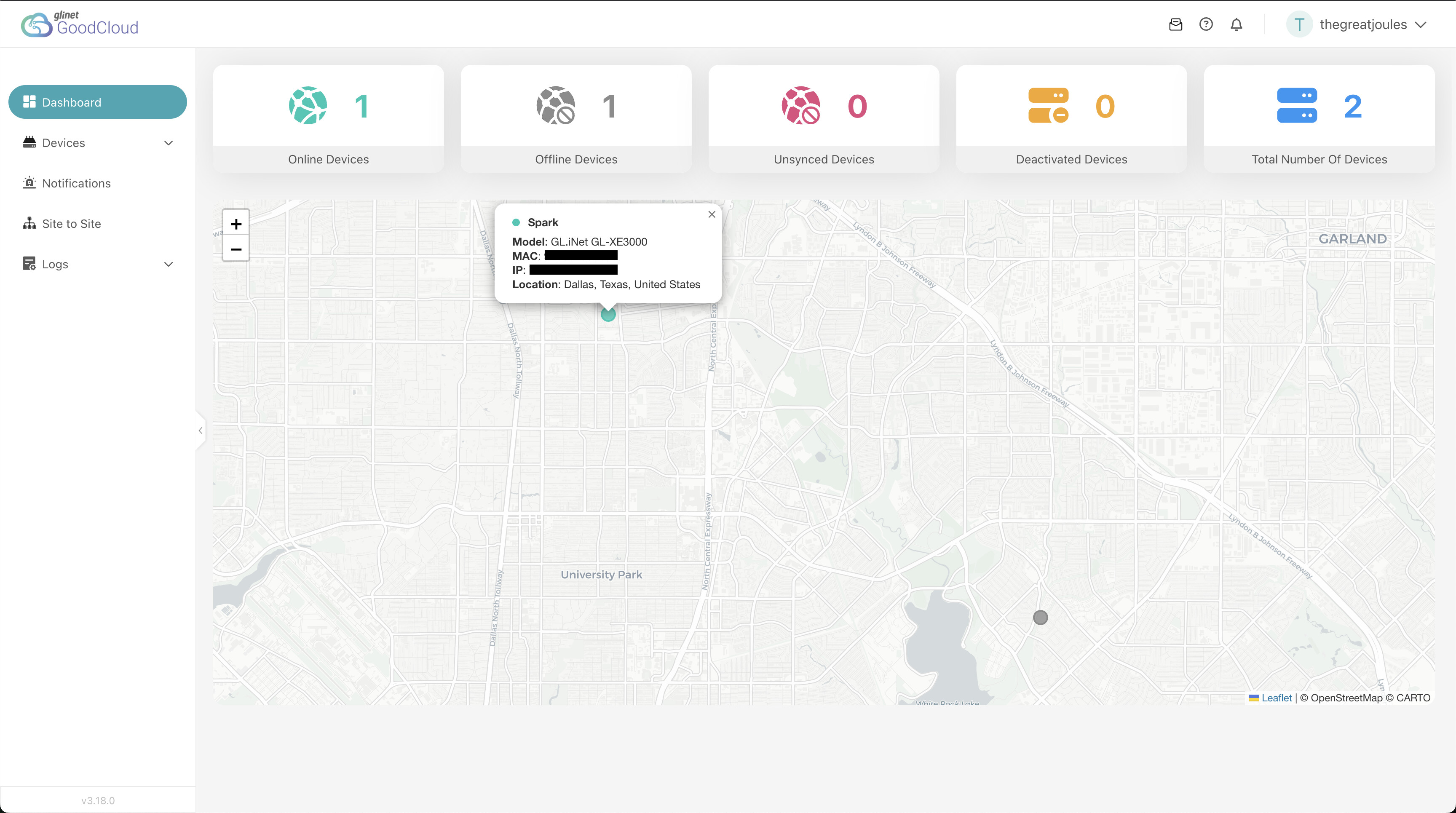
@ignaurus13 Seems like the latest Goodcloud UI version might have deprecated the tampermonkey script from gmoz22, I tried running it myself and couldn’t get it to work, I went ahead and implemented my own version.
However since I could not find any geolocation in the payload, I decided to utilize ip-api since its a free and no signup geolocation API to get an approximate longitude and latitude location from the public ip which maps the IP to the ISP's registered network infrastructure location, and seemed like a reasonable compromise while we wait for Goodcloud to roll out this feature.
Hope this helps 
IP geolocation lookups are usually pretty inaccurate for device tracking - you typically get the ISP's data center location, not where the router actually is. That's probably why the official map feature is taking so long to roll out.