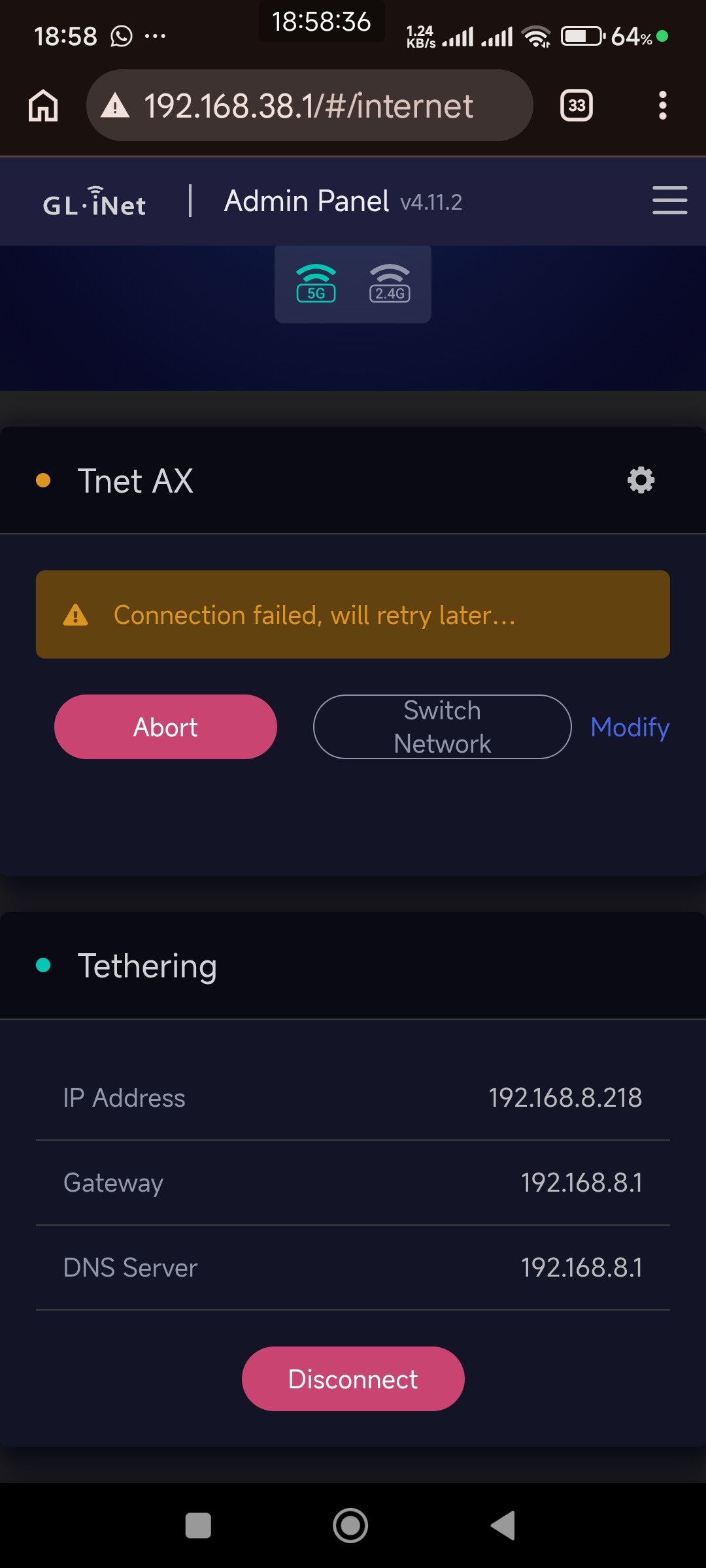
5g wireless repeater unable to connect to any wireless network
2g works ok
please check
*further issue - while 5g wifi network connection fails, the router's own 5g wifi would dissappear, requiring manually turning off and then on 5g wifi (if you still have connection to the router since 5g wifi offline)
I just upgraded to 4.11.2, keep settings, and successfully connected the repeater to a 5G AP. Also to a 2.4G AP. I'm connected to the router over 5G as well. It took a minute after the Mango2 had connected to the 5G AP for the internet connection to be active.
thanks for checking for me, i changed to ac only, 20mhz width and 40 something channel then tried to connect to the cafe wifi, it couldnt establish connection and then loses its own wifi
I unplugged power, bring it home and triwd to connect another 2 5g wifis at home and same thing happened, still havent found what setting i screwed up
Ya, it’s likely for the same reason in my post. You’re trying to change the band while also being connected to the same band and the mango doesn’t cope with that properly. It only fixes itself if you restart it (no need to reset the firmware) and allow it to connect to the upstream AP on the proper channel and then it starts repeating all before you actually connect to the mango itself.
Hopefully someone from glinet will be along soon to review these posts.
dear colleagues, i am out at a cafe, tried to simply connect to a cafe 5g wifi, it crashes at scAnning for existing/saved wifi and router 5g wifi restarts itself.
We found no evidence of a crash or reboot during the scans. The logs show a Wi-Fi client disconnecting and reconnecting afterward, but no attempt to connect to the café’s Wi-Fi in the current boot’s system log.
Could you help us check the following?
How are you currently powering the Mango 2? Does the power source meet its 5 V / 2 A requirement?
Do you have another device that can connect by Ethernet? If so, connect it to the Mango 2’s LAN port and start a 5 GHz Repeater scan from that device. Keep your existing device connected to the Mango 2’s 5 GHz Wi-Fi during the test. Does the wireless device still disconnect?
If Ethernet is unavailable, connect your current device to the Mango 2’s 2.4 GHz Wi-Fi instead, then try scanning for and connecting to the café’s 5 GHz Wi-Fi again. Does the issue still occur?
i'm back home now, tried to get mango 2 to connect my home 5g wifi, i didnt get disconnected from the mango2 but now it cant connect to my home 5g wifi
I had a similar issue; after updating the firmware to 4.11.2, Mango-2 couldn't connect to my home 5G WiFi. The only solution was to change the home router channel from 149 to 60.
@will I’m available to send whatever logs you need and run whatever testing you need. Feel free to send me a PM or respond in my thread (there are some logs there already).
This is just flat out speculation: But since the Mango 2 is not "legal" in the US, I wonder if there is some sensitivity to channels. Like @Rotor said. Mine is DE while I am in PT. But DFS would definitely affect me.