I can confirm - have the same issues with two way audio. Speaker audio is working just fine. No issues with sound artifacts but when it comes to the microphone - People on the calls can hear me but they say there is some kind of chopping/ breaking of the voice when I speak.
Using MacOs 26.5 with the desktop app (updated to the latest version - V1.4.0 release2)
I’m controlling the PC with Windows 11
Version V1.8.2 release1
I’ve tried messing with the microphone settings in both and teams as well but no luck.
Does it only occur in a remote environment? Or does it also have the potential to happen when both the main control end and the controlled end are within the same local area network?
I’m running it only on the local network as for now. Just recently bought it - did not have a chance to try it out in the remote environment yet. I’ve only setup the tailscale - but tried to use tailscale and without. It is a bit random - sometimes it is good enough I would say but other times it is not - really choppy/breaking the voice.
For me it's happening only while connecting KVM (local, tailscale, glkvm cloud) - working directly on controlled device microphone is fine, same for controlling device
Cant upload more than 1 image at a time - version shown is V1.9.1 beta 1.
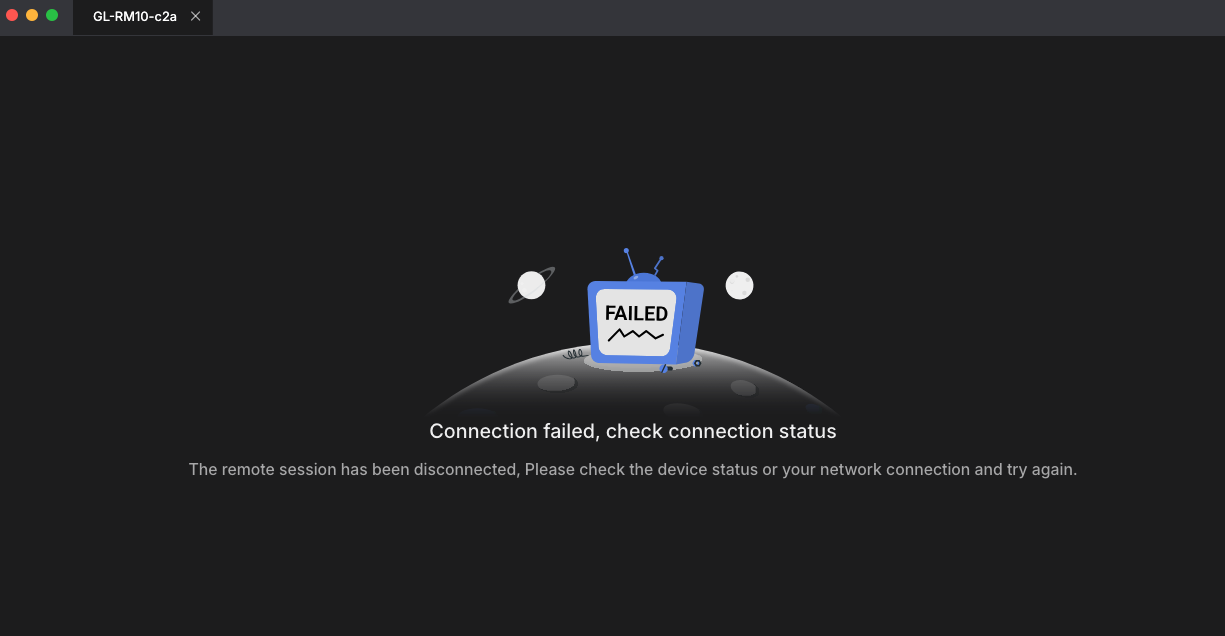
I’ve upgraded to the version you have provided but right now I can’t connect to the device - from mac os app or even the ipad app (Failed to get device environment). Is there any issue with the desktop app? On the device itself everything looks fine has access to the internet, can see the preview of the hdmi input. But can’t remotely connect to the device even in the same local network. How do I even upgrade the firmware right now since it was only available after connecting to it.
How do I local upgrade the firmware now since it was only available after connecting to it (right now it fails as shown previously)? Am I missing something? Is there any other way?
Seems to be able to connect from the legacy desktop app - version 1.2 mac os. I’ve upgraded to the latest version you have provided 1.9.1….-2318.img. When testing on the local teams device testing it seems to be way better regarding the microphone. Thank you!
Question is should I upgrade the desktop app than or stay on legacy?
I only experienced the cuts/chopping but not the clicking/popping sound. With the new firmware seems to be way better - no cuts/chopping/sounding like a robot but I only did a small test using teams device testing so far. After couple of calls I would be to say more objectively. Have you tried to upgrading to the latest firmware provided by @minmie here?
Tested with latest version provided by @minmie and here’s my update.
On newer version is still breaking (having MacOS as controlling device and windows as controlled device) - local network, Tailscale, cloud
On newer version is working fine having windows as controlling device and windows as controlled device - only on local network tested
nope, I suspect it might be caused by the microphone on your main control device, for example, a stereo microphone. If you have a USB microphone, you could try testing it.