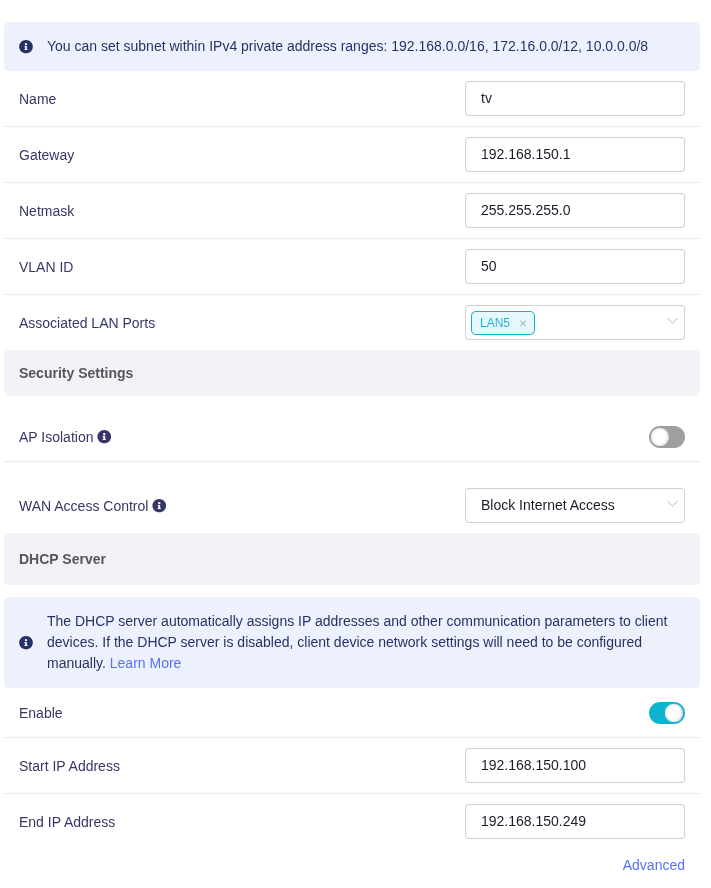
I have run into an issue with the new VLAN settings on MT6000. When I create a VLAN and connect devices to it, they cannot communicate with each other no matter what I set in the settings of the VLAN. It seems I can make clients from different VLANs communicate with each other with ACLs, but cannot make it work inside the VLAN.
Thank you for reporting this issue and sharing the configuration screenshot.
From your screenshot, AP Isolation is disabled . Normally, devices within the same VLAN should be able to communicate with each other.
Could you please provide the following information?
How are the affected devices connected to the MT6000? Are they connected through a switch or AP on LAN5, or through different LAN ports?
Are both devices receiving IP addresses in the 192.168.150.x subnet?
Can both devices ping the VLAN gateway (192.168.150.1 )?
Thanks for your response and to answer your questions:
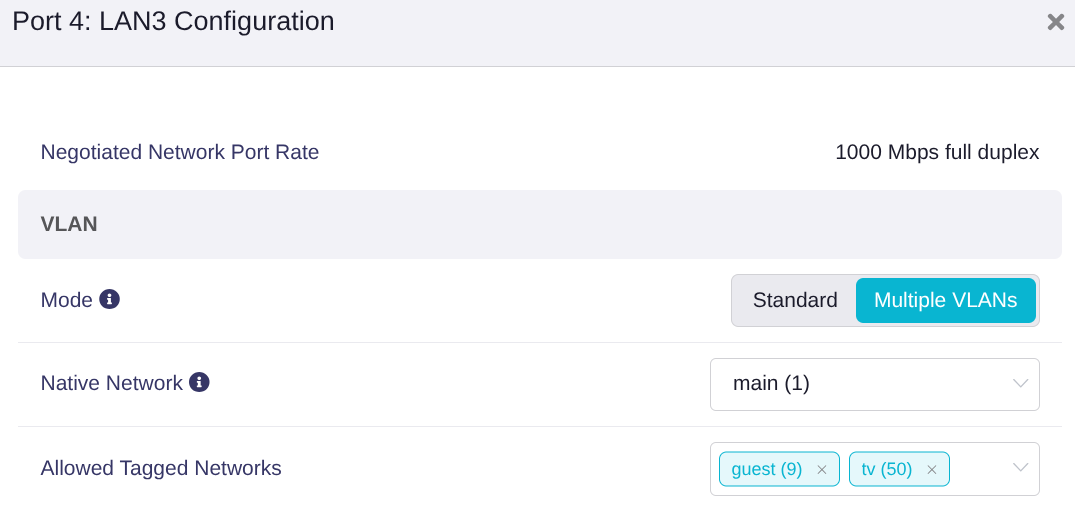
One device (TV) is connected through LAN5, another device (proxy server on my homelab) is connected through LAN3, but using VLAN tag 50. Configuration for LAN3 is provided in the screenshot below.
Yes, both of them get the VLAN IP
When I try to ping either the other device or the gateway I get “Destination Port Unreachable”. I have tried this from the proxy server and I have no way to ping from the TV.
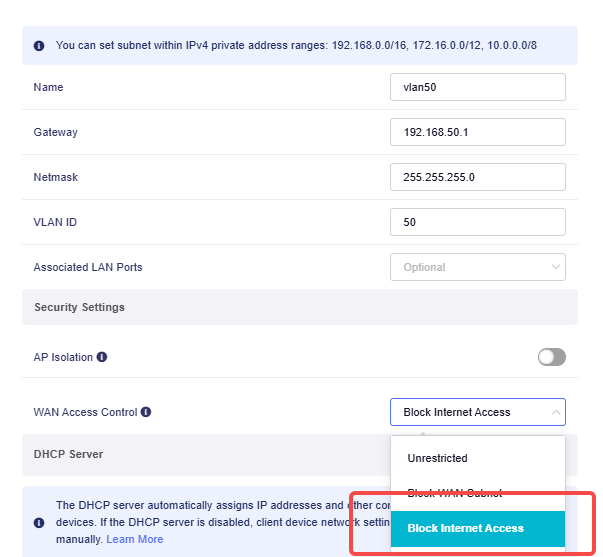
Currently I have found a workaround by connecting proxy server to the “guest” VLAN and creating ACL rule to allow access from the VLAN 50 to the proxy server, so it is not a big issue. My goal with this is to deny TV’s access to the internet and configure certain apps that need internet to go through proxy.
A bigger issue is that I would like to move all my homelab stuff to a separate VLAN, but then the services lose communication to each other so I have to keep them on the main LAN for now.
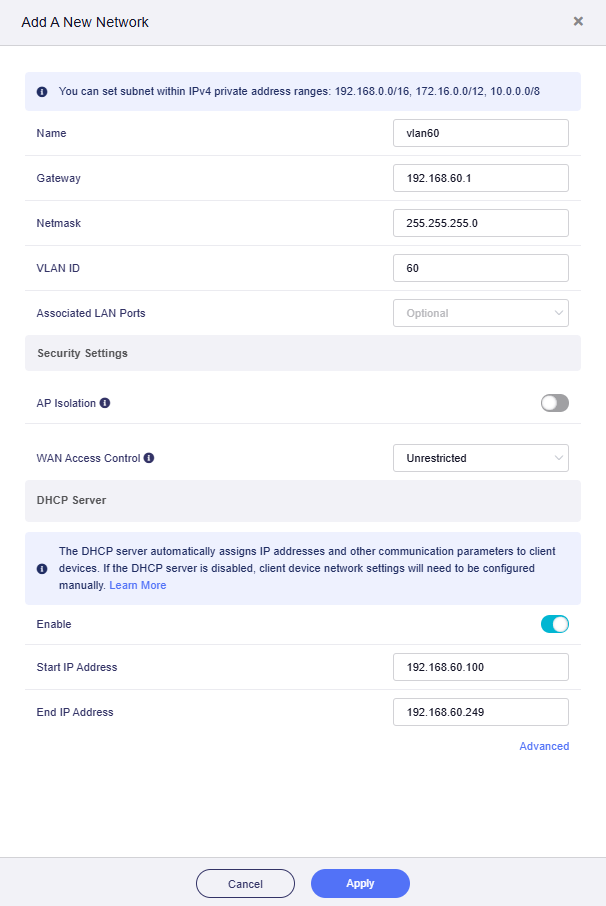
Create an ACL or firewall rule allowing traffic from VLAN 50 to the proxy server's fixed IP address in VLAN 60.
Devices within the same VLAN and subnet can normally communicate directly, so moving your Homelab devices into VLAN 60 should not, by itself, prevent communication between those devices.
However, if a service needs to access a device in the Main LAN or VLAN 50, you will need appropriate inter-VLAN firewall rules.
I'm also experiencing the issue of no communication between devices on separate tagged ethernet ports using the same VLAN id. I believe the underlying issue is a flaw in the way GL.iNet sets up VLANS under the hood.
When you create VLAN networks in the UI and you tag an ethernet port with it, GL.iNet doesn't create a single VLAN-aware bridge for all ports and use VLAN filtering with tagged / untagged ports. Instead, it's creating entirely separate child devices for each tagged VLAN for each ethernet port. For example, if I create a VLAN with the id of 10 and assign it as a tagged network to all my ethernet ports, then each port creates its own VLAN child device (lan1.10, lan2.10, lan3.10, lan4.10, lan5.10). This causes traffic to fail between ports even though they are on the same VLAN 10 because the bridge isn't using VLAN filtering with a single VLAN 10 device.
I believe the proper way to handle it is creating a single VLAN device with an id of 10 and then use VLAN filtering in a single bridge that encompasses all the ethernet ports and tag specific ports with the appropriate VLAN id. Then for WiFI you can have separate bridges (with no VLAN filtering) that only contain the single VLAN device you want for that WiFi network.
I fixed this in my setup by having br-lan assigned to all ports, using VLAN filtering and tagging specific ports with my desired VLAN ids. Then I made a br-main bridge that only contained br-lan.1 and attached that to my LAN interface for my main WiFI, then made br-iot with br-lan.3 (my IoT VLAN) and attached that to my IOT interface for the IoT WiFI. Now all my devices on the same VLAN can speak to each other, regardless of tagged ethernet port or WiFi.