I sent several MT6000 routers back for refund. I see that this issue of MT6000 ethernet glitching with Spectrum ES2251 or EN2251 was brought up several times in archives back to mid-2025. Those posts went dead with no solution mentioned. I have built desktops since the late 1980s, so I have a little experience from dial up to fiber optic connections. The GL-iNet GL MT6000 apparently has a glitch in its ethernet that appears at some point when connected to Charter Spectrrum’s 2.5gb cable modem.
The router worked for a few days, then my modem was updated to the ES2251. After that change, I wrestled with non-connectivity issues for several days. Was it the new modem or the router? I finally swapped down to an Opal router and it connected to the internet like a pro. I put the MT6000 back up (reset, tweak reset, tweak, et cetera), and failure to connect, or an occasional connection that drops at some point continued.
Turns out it is a known issue that Gl-iNet has yet to address in this model, but from an account I read about on the BE9300 router, firmware v4.9.0 solves a similar issue with another brand of 2.5 modem, but the MT6000 4.9.0 firmware does not address this snafu with Spectrum’s 2251 modem. As much as a like the BE9300, the MT6000s specifications will work in a metal building and punch through walls better than the newer model for what I need.
The quick fix that SHOULD NOT have to be used is to connect a non-managed switch topping out at 1gb speeds in between the Spectrum 2251 Modem and the MT6000. This keeps the speed below the level that MT6000 cannot negotiate well with Spectrum. Turn off the power/pull the plug, and then power everything back up - internet connection is successful every time using the switch. However, added infrastructure introduces another potential failure point - and it costs money you should not have to be spending to help a mainline product do what it is supposed to do on its own.
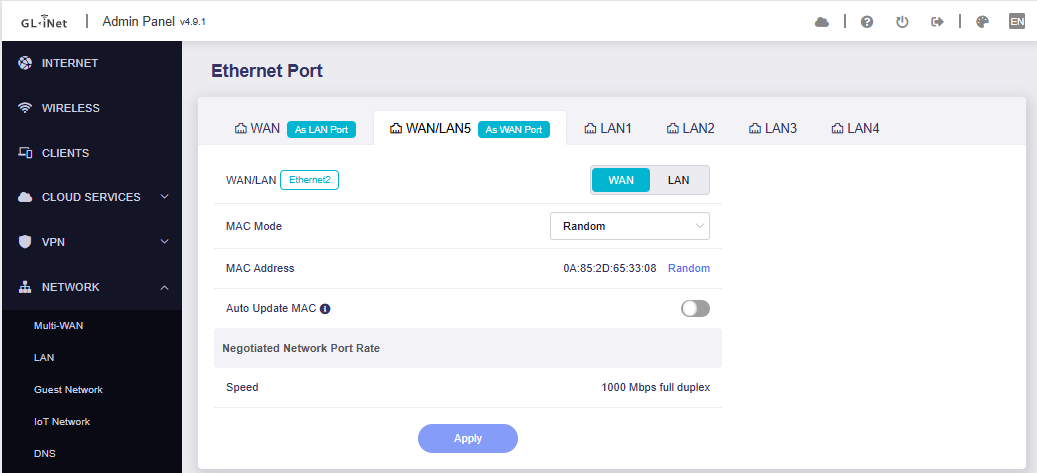
This post will likely die without a better solution offered like the other posts on this topic have died by neglect. I hope GL-iNet monitors this forum because I sent several of the MT6000s back to where I purchased them because I lost confidence in the product. More than that, I hope they are working on a solution: if the glitch cannot be avoided due to physical equipment problems, at least add a toggle option to turn change the 2.5 WAN to something slower, or to turn LAN5 into a WAN (negotiates at 1gb) and turn the primary WAN into a 2.5 LAN (allowing two 2.5 LAN connections). But GL-iNet should also list this as a known issue. I wasted a lot of time because I did not know the problem had already been identified by users at least over a year ago.
Solutions? The best would be a firmware fix that either solves the conflict or gives a toggle option to locks the ethernet down to no higher 1gb instead of 2.5gb. Trying to configure the ports manually may work for some people, but I quit trying to figure out the correct setting after several failures.
One other mention you might need to know. The ES2251 may like to stick with the MAC address that it first encounters. Swap modems and it might not connect merely because it does not like the new MAC. Reset and keep it powered down for a while to try to force it to forget the old MAC - or you could clone the MAC address of the previous router that did work with the modem.
GL-iNet techs - any good news regarding this disappointing aspect of the MT6000?