Logging a finding from a few weeks of using a Mudi 7 (E5800) with last firmware:
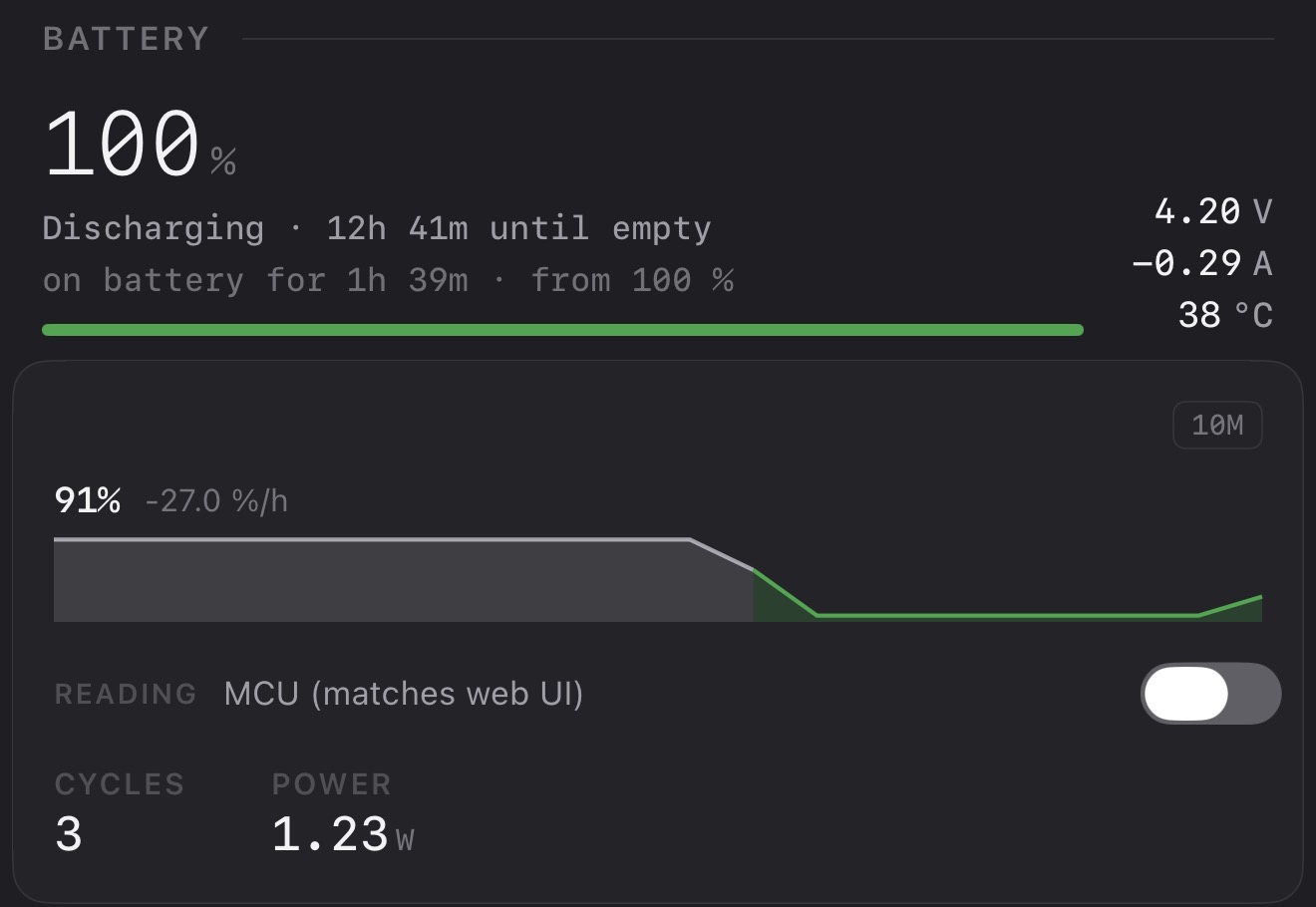
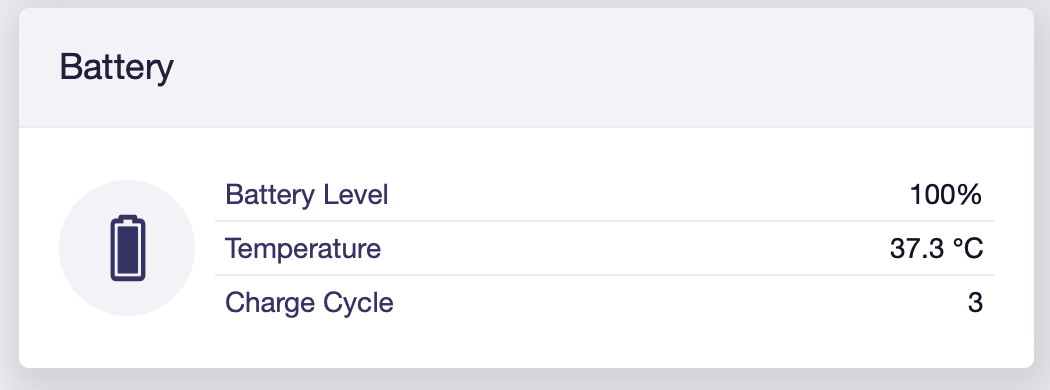
When I unplug the charger from a freshly-charged unit and let it sit on battery, the LCD on the case and the web UI both stay at 100 % for what looks like 1–3 hours, then drop fairly quickly to track the actual charge. During that window, the kernel fuel-gauge driver in /sys/class/power_supply/<battery>/capacity correctly decreases (I measured 100 → 88 % over 1 h 37 min under ~1.5 W load).
So the cell IS losing charge, the chip on the board knows it, but the MCU layer that feeds the LCD and the web UI smooths it to "still 100 %" until enough has passed. Voltage / current / temperature numbers all agree with the fuel-gauge that it's a real discharge — not a sensor glitch.
Couple of questions for GL.iNet (and the wider community in case anyone has already dug into this):
Is the headroom hold intentional? I assume yes — most users probably appreciate that "freshly charged" stays at 100 for a while instead of instantly flipping to 98. Just want to confirm before filing a bug.
What's the trigger that releases the hold? A fixed timer, a voltage_now threshold, or a delta between the MCU's estimate and the fuel-gauge?
Is there a documented way to read the unsmoothed value from outside the kernel sysfs path? I'd love a field on ubus call mcu status (something like charge_percent_raw) so third-party tools don't have to special-case the sysfs path that differs across firmware generations.
Sharing this writeup in case other people noticed the same discrepancy and were wondering whether their battery was sick. It isn't — it's just the MCU being polite at the top of the curve. The cell behaves exactly as advertised; only the displayed percentage lags.
Sample logs:
MCU=100%  sysfs=100%  V=4.392  I=  -45 mA   <- unplug
MCU=100%  sysfs= 99%  V=4.378  I= -432 mA
MCU=100%  sysfs= 97%  V=4.350  I= -451 mA
MCU=100%  sysfs= 94%  V=4.305  I= -460 mA
...
MCU=100%  sysfs= 88%  V=4.220  I= -461 mA   <- T+1h37m
For anyone interested in the raw value: my companion app exposes both readings and a toggle to flip between them.
having the same issue with my Mudi 7 - the battery level displayed in the screen and the UI isn't accurate. I haven't poked around in the kernel yet, but I can corroborate that the battery display is inaccurate.
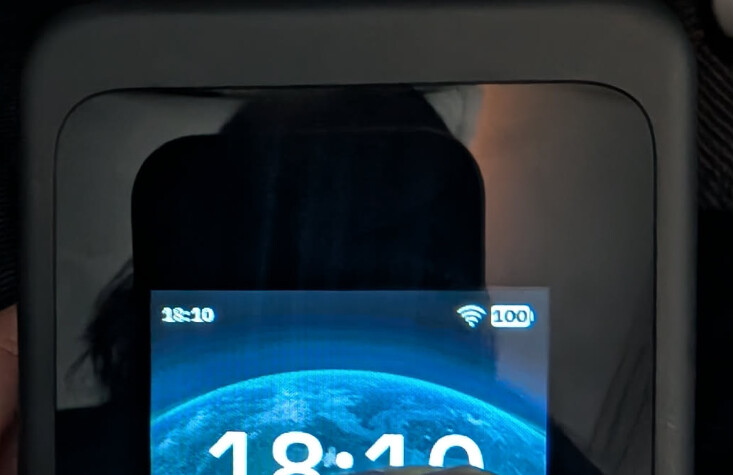
since i'm a new user I can't post more than one embedded image, but here's an actual photo of the router I took at thte same time to show that the battery level shows 100% in the display but the system shows it at 97%
Hi,
Have you tried reconnecting the power supply when the issue happens? May I know what the displayed battery level on the screen is after plugging in the power?
Occasionally, the device exhibits the following behavior:
I use the router on battery and drain it down to around 46% (or a similar mid-range value), then power it off.
When I try to power it back on, the device falsely reports the battery level at 100%.
It starts the boot process but shuts down completely just a few seconds later.
The Workaround: The only way I have found to get it to boot is by plugging it into the power supply. Once connected to external power, it boots up normally. After it has booted, I can disconnect the power cable, and the router continues to work perfectly on battery. At this point, it correctly displays the actual battery percentage (e.g., the 46% it had before shutting down) and discharges normally.
Has anyone encountered this battery calibration or boot issue? I'd like to know if this is a known firmware bug that can be fixed via an update, or if I should consider this a hardware defect and proceed with opening a ticket.
Sorry for the problem. We are currently investigating this issue. Please email support@gl-inet.com and open a ticket, and our team will follow up on this matter.
I had exactly the same problem this morning. It was at around 60% last night when I turned it off. I started it up this morning but it shut down within a minute. Pressing the power button briefly then showed the battery “100%”. So then had to plug it in for it to boot up and stay on. It then showed the correct battery percentage.
HI all,
Same here - brand new unit.
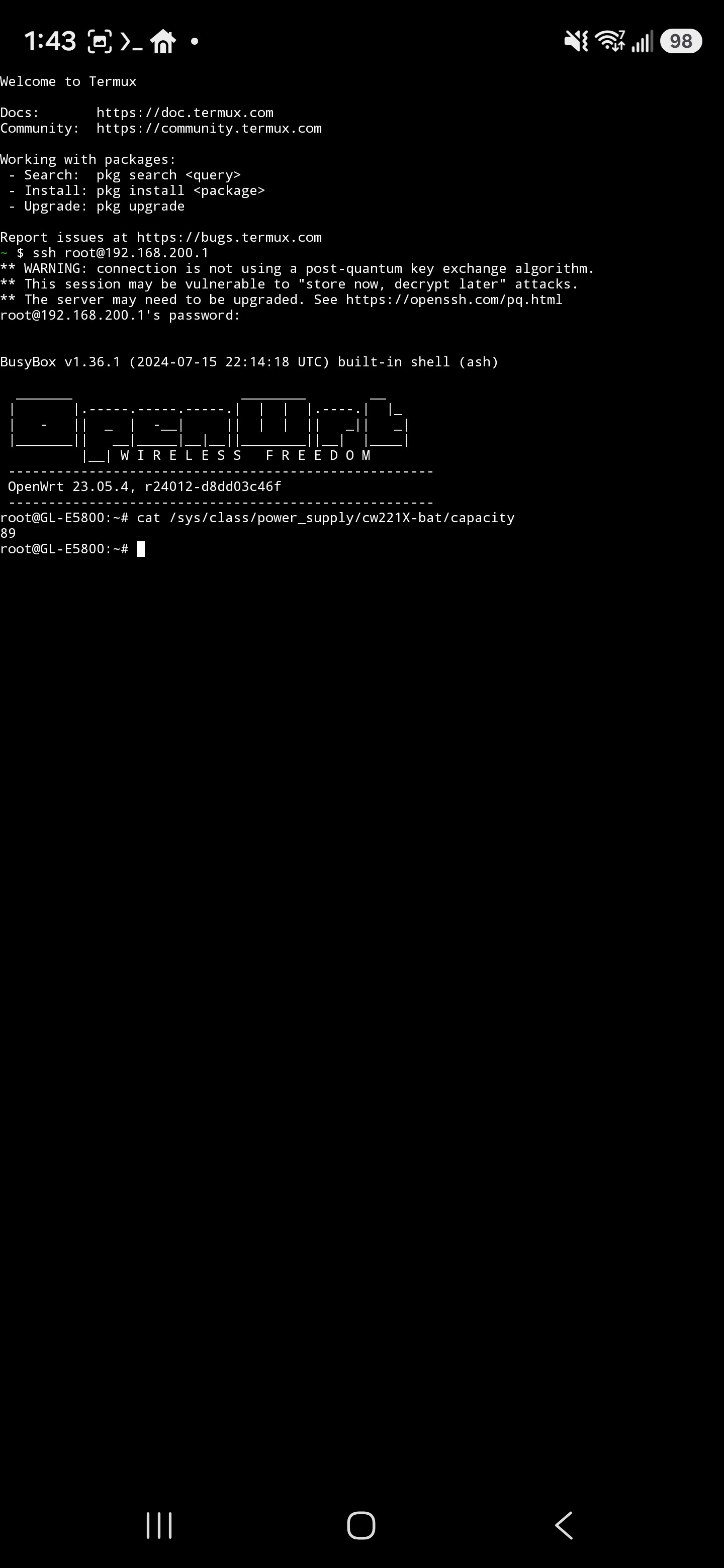
Battery had 20% after first boot. Charged to 100% and stays on it for 3 hours now. SSH - cat on the …/capacity shows 86
My Mudi 7 is behaving strangely. In the UI, the 100% status is displayed for an extremely long time and then suddenly the reading jumps to around 60%. After that, however, the display returns to normal and shows the usual uncharging progress.
Today I charged the router. After just over an hour, the battery was supposedly at 100%. However, I have a charging cable that displays the wattage. Immediately after the 100% battery full indicator appeared, the charging power was still 16 watts. It was only after a further 1½ hours that the cable showed a charging power of 0 watts. I therefore suspect that the battery wasn’t fully charged. Does anyone else have this problem? I am on 4.10.
Version 4.10 has optimized battery issues.The battery percentage fluctuation of your device may be due to a software reading error. Could you export the /etc/sys_log from the router and share with us to check? Thank you!