New user here. I’m based in the US and would like to use the Mudi 7 with all three major cell carriers - AT&T, T-Mobile and Verizon.
I’ve successfully installed the SIM cards from AT&T and Verizon, but I need to get a e-SIM from T-Mobile. They’re requesting the IMEI and EID of the Mudi 7, but I can’t seem to find it on the admin panel.
Where exactly on the admin panel can I find this info? TIA.
Hi,
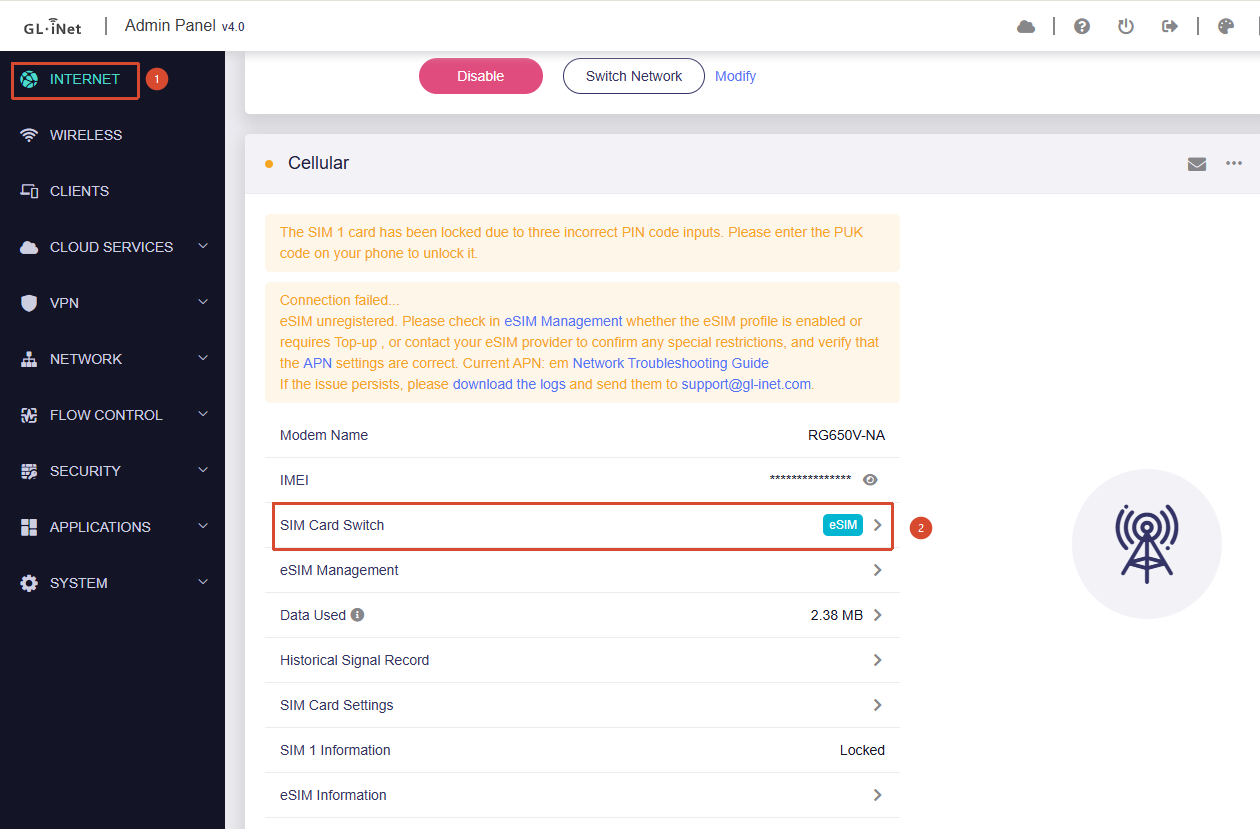
You can check the eSIM IMEI and EID by following these steps:
-
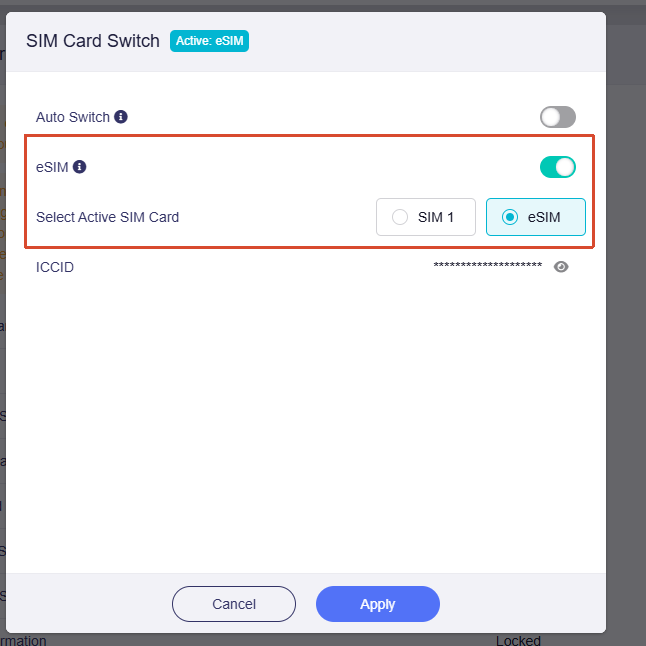
Go to Admin Panel → Internet → Cellular, click SIM Card Switch, select eSIM, and switch to the eSIM slot.
-
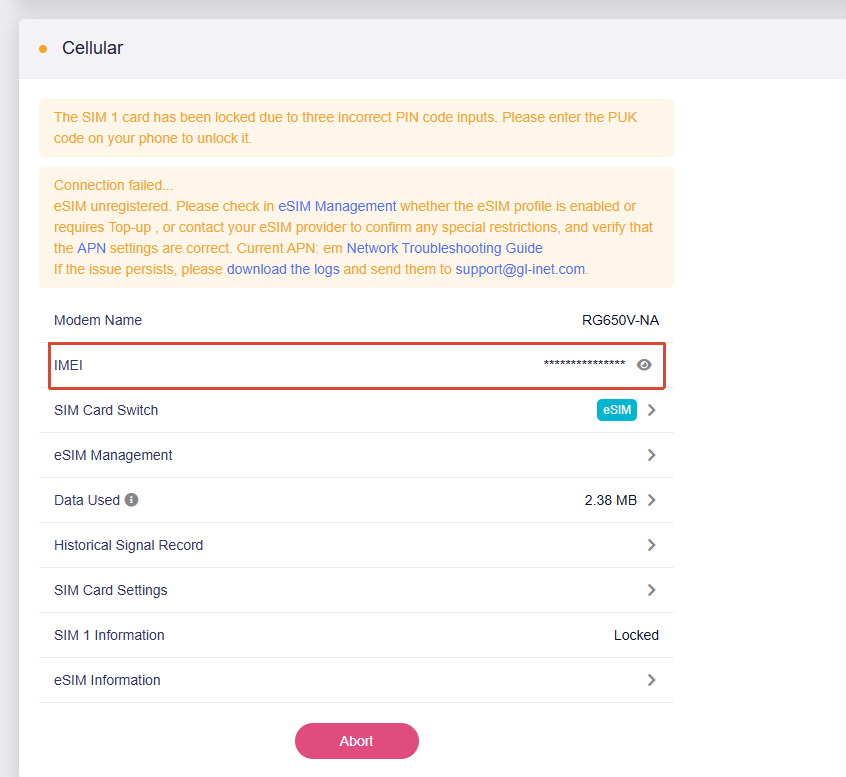
Once switched, the IMEI field in the Cellular section will display the IMEI of the eSIM slot. Click the eye icon on the right to reveal it.
-
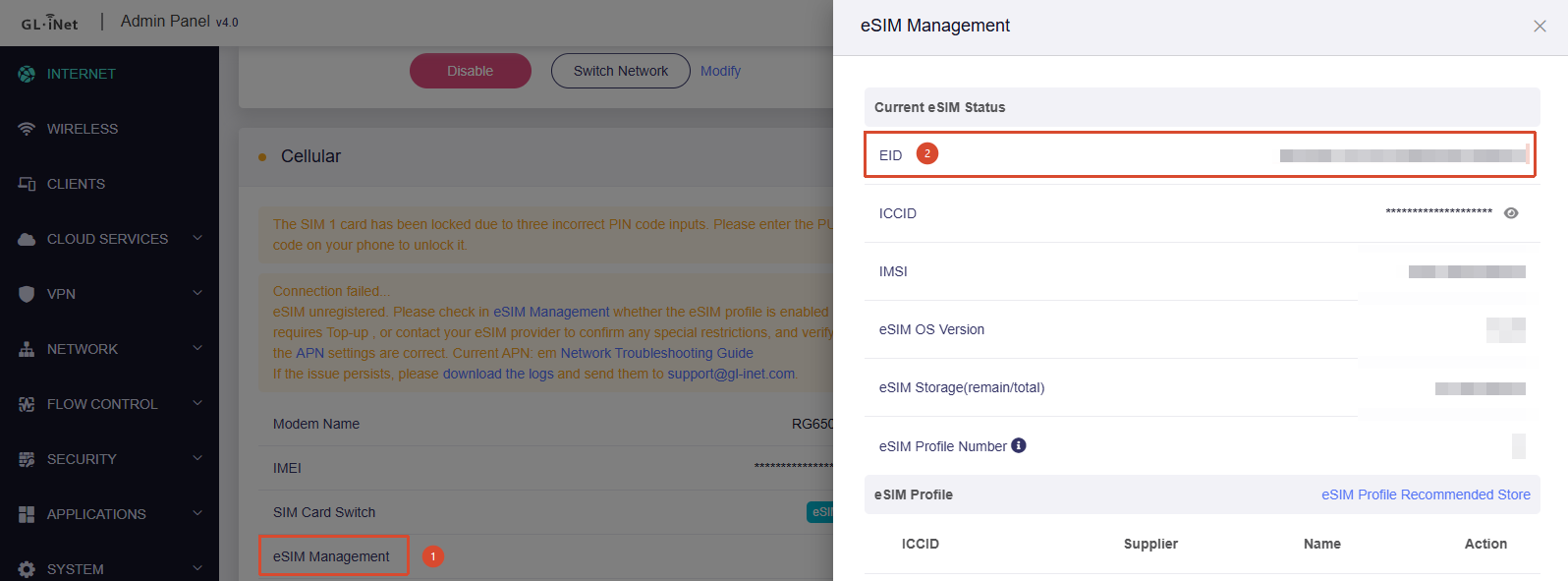
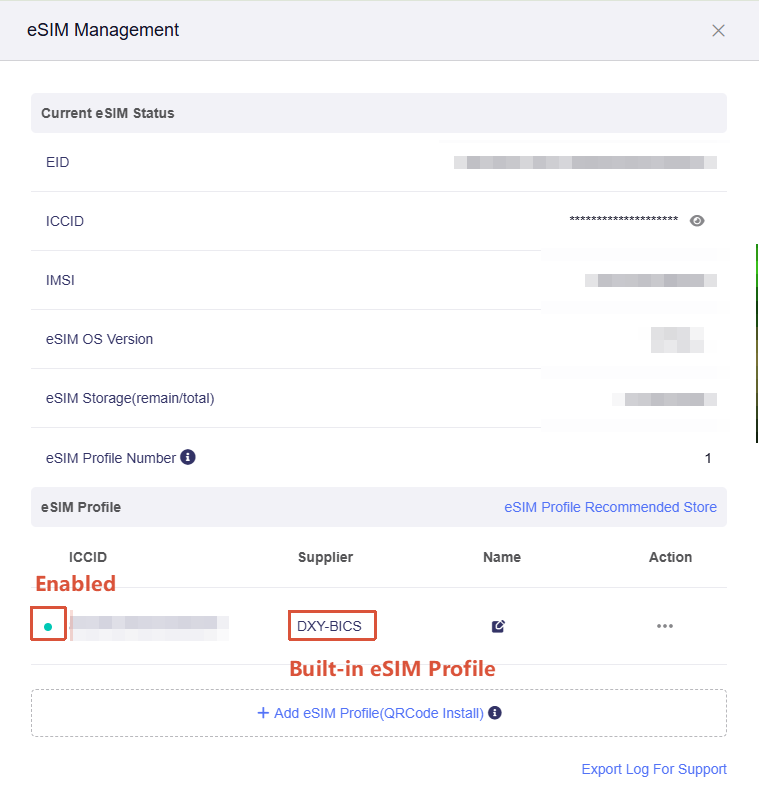
Click eSIM Management, and you will find the EID in the pop-up window.
Thanks Will! But unfortunately, once I changed to eSIM the cellular doesn’t change out of the AT&T.
Please advise.
I have edited the your post to remove your IMEI.
You can open eSIM Management to check whether a built-in eSIM profile is already enabled. If it is, then this behavior is normal.
After checking the IMEI and EID using the steps above, you can click the SIM Card Switch to switch back to SIM 1 or SIM 2 and continue using your own SIM card.
2 Likes
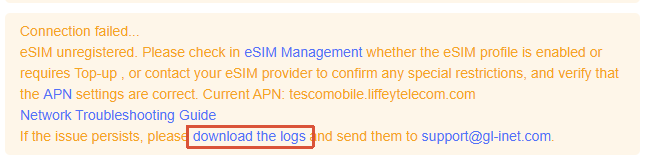
I was able to get T-Mobile USA to activate the built in e-SIM, but I can’t connect the Mudi 7 to their network. It says ‘connecting’ but never does.
What other steps am I missing to get the e-SIM working from my end?
Please try updating your Mudi 7 to the latest firmware version and see whether the issue is resolved.
If the problem persists, please click the yellow notification banner and export both the modem logs and the device logs, then send them to us via private message for further analysis.
Download link:
Upgrade guide:
How to export devices logs:
How to send private messages: