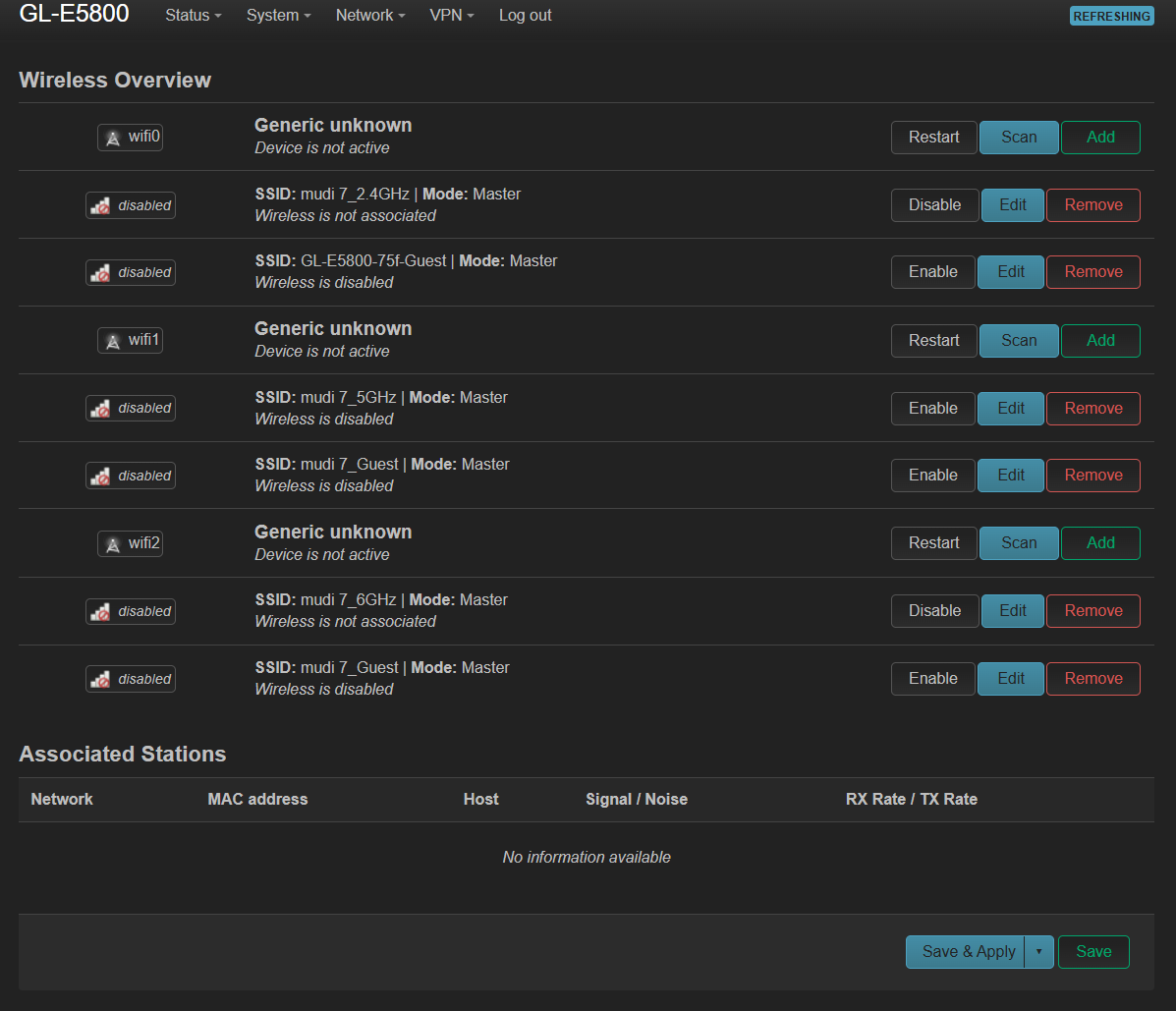
My Mudi 7 arrived yesterday and got updated to FW v4.10.0 right away (repeater mode). After setting up the cellular connection (perfectly working), I went ahead with the wireless settings and found the following issues:
No matter what, the Auto (5GHz or 6GHz), 5GHz, & 6GHz SSIDs will not show up on any of my tri-band clients. Only the 2.4GHz SSID is available.
There are No settings or combinations in the web admin panel that I haven't tried, except LuCI.
My desktop PC got connected via USB C data port and works fine (internet connection wise).
I read about changing the region to US or GB (via LuCI), but confused whether that will switch the 4G/5G Sim bands leading to unstable/ unusable cellular connections all together.
The Wi‑Fi country/region setting and the cellular modem’s supported bands are separate. Changing the Wi‑Fi country code in LuCI should not rewrite the modem’s 4G/5G band configuration, but selecting a country that does not match your location can enable channels that are not legally permitted or usable there. Please do not change it to the US/UK merely as a workaround.
First, temporarily switch from Repeater to Access Point mode and configure only the 5 GHz SSID using a standard low channel (36–48), then scan again from a nearby client. If 5 GHz appears in Access Point mode, the issue is likely related to repeater/upstream-band compatibility. If it still does not appear, please provide a screenshot of LuCI → Network → Wireless showing the radio status, country code, channel, and whether the 5 GHz and 6 GHz interfaces are enabled. This will show whether the radios are disabled by the regulatory configuration or simply not broadcasting.
This reply was generated by AI. Please verify its accuracy.
GL.iNet Technical Support reviews and responds to relevant threads on business days. Please allow time for a staff response.
We noticed that you have already reached out to us by email regarding this issue.
Please continue working with our support team through the ticket system so we can assist you more effectively.
This post will remain open in case other users wish to share additional suggestions.