Mudi 7 (GL-E5800) – Native VLESS / Xray VPN Support?

I'm using the Mudi 7 (GL-E5800) and overall I'm very happy with the device — the portability, battery life, and performance are excellent.

However, for some specific use cases I prefer using the VLESS protocol (from V2Ray/Xray), and I was wondering:

Is there any plan to support VLESS natively on the Mudi 7 (GL-E5800) in the future?
Or are there any recommended workarounds or community solutions to get VLESS running on this router?

I know that OpenVPN and WireGuard are officially supported, and they work great. But for some scenarios, VLESS would be extremely useful, especially regarding:

  • better performance

  • improved obfuscation capabilities

  • bypassing restrictive firewalls

Since the Mudi 7 hardware is quite powerful, it seems like it could handle Xray/V2Ray without issues.

I'd really appreciate any feedback, guidance, or tips from the community or the GL.iNet dev team.

2 Likes

Hi

Since no commercial VPN providers currently offer support for VLESS / Xray, we do not have plans to integrate them into the firmware at this time.

If you need to use them, please consider the alternative solutions provided by the OpenWrt community that can be configured through LuCI.

This thread will remain open for others to continue the discussion.

Since u support amnezia vpn what happens server it connects to like solo hosting ones offer different ways to connect would X-ray be possible?

For Amnezia WG, after we release v4.9 with support for it, you will be able to use the router to connect to your own deployed Amnezia WG server.

We will also support running the router itself as an Amnezia WG server.


As for Xray, as mentioned earlier, since currently no or very few commercial VPN providers support it, we do not plan to integrate it into the firmware for now.

You can consider installing and configuring it through LuCI instead.

Native VLESS/Xray support in the firmware would be a significant differentiator for the travel router market. The built-in OpenVPN/WireGuard options are unusable in countries with DPI-based censorship, which is arguably one of the primary use cases for a travel router.

It would be worth noting that AmneziaWG, while a welcome and much anticipated forthcoming addition, works best in countries where unfamiliar UDP traffic is not actively identified and cut. It implies that where these kind of traffic is actively identified, UDP-based protocols tend to get throttled or blocked entirely. Xray with VLESS+Reality over TCP is significantly more reliable in these scenarios since the traffic looks like normal TLS web browsing to DPI systems.

I have been using VLESS+Reality on my devices individually but my goal is to be able to get to my hotel, connect my GL-iNet router to hotel WiFi via Repeater, flip the toggle switch, and every device on my travel router’s WiFi tunnels through VLESS automatically. No per-device apps, no configuration on phones or laptops.

Manually installing Xray and setting up iptables-based transparent proxying is not easy for a nob like me but I think I might have just gotten my MT3000 working that way.

I stress think because there is still a step of real-world testing. So far, I know VLESS+Reality works on my devices and I can connect to my VLESS+Reality server elsewhere (at home). With the help of AI, I was able to SSH in, manually installing the Xray binary (cross-compiled for the MT3000's architecture), and configuring it via a custom config file. I then set up a transparent proxy with iptables rules to route traffic through the Xray client, pointing to a VLESS+Reality server running elsewhere. It took a bit of manual work since there's no GUI integration. It was rather frustrating process because it took a lot of trial-and-errors, compounded by AI telling me it was confident that a particular path would work, and in the end it didn’t! There were endless pitfalls along the way.

But now, at least as far as my MT3000 is concerned, I have manually-installed Xray working. It survives reboots, and I (well, AI) configurated the physical toggle switch to turn on and off Xray. The only thing left is real-world test when I travel (but I see no logical reason why it should not since VLESS+Reality works on my phone). Fingers crossed. I will report back.

Obviously, I will have to avoid firmware updates because it would break the manual install. My next project is to do something similar to my Slate 7 and the Mudi 7 (when I receive my order).

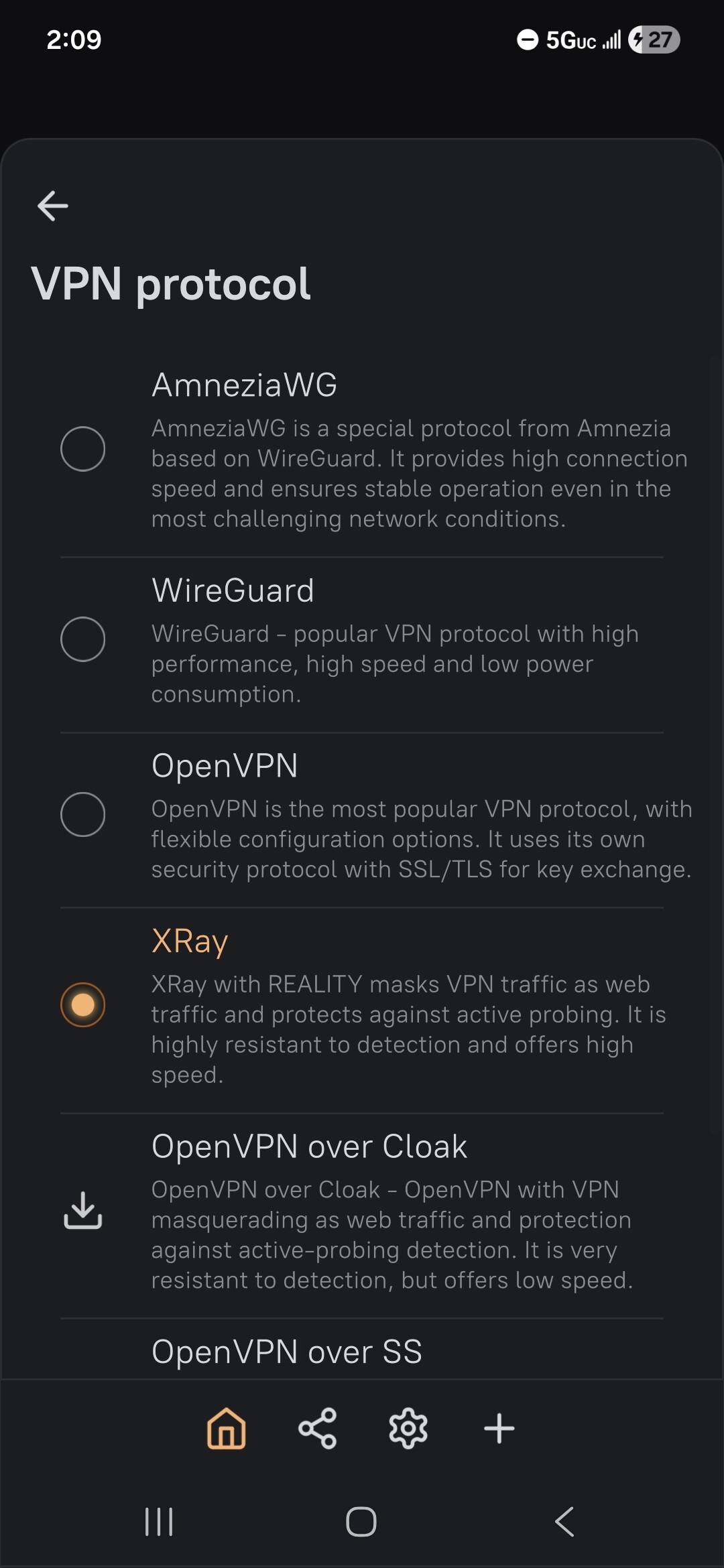
So a plea to GL-iNet that some of us would really love to see native Xray support in the firmware — even a basic client option in the VPN protocol menu would be a huge win for users who travel to restrictive network environments. Yes, not a lot of commercial VPN providers are supporting it, but is this not a case to increase sales so we keep another GL-iNet router at home as Xray server?
3 Likes

If we can we would already done that. As a company we focus on mature and verified technologies. But we understand how fantastic VLESS is.

2 Likes

regarding mudi7 all software utilizing VLESS do install but do not work, now at least

I guess vless would still be not a big issue with breaking no?

About xray as server this is why you can get comfortable with docker you could have a x86 mini pc somewhere else where you virtualize this, to simply update you just rebuild the image and the config stanza remains if you configured the directory bindings to a psysical location.

I have used 3x-ui a little and it is very nice for server software.

This can be easily done with portainer aswell, you only need to forward some ports so that your remote NAT translate to your docker instance.

1 Like

Can you share steps please on what you did exactly to set up Xray on MT3000? I have AX1800 router and would like to set it up on it and leave it in my parents house, so I can call them without them playing with VPN everytime

Thank you for letting us know.

We will make a note of it and discuss it further with the product team.

3 Likes

Just want to join this thread and agree that I hope GL.iNet will further investigate the possible implementation of these protocols. We need more methods to help deal with problems like China’s GFW. My current method is to simply roam with my T-Mobile connection. It's adequate for web browsing and text-based communication, but obviously not for richer communications like voice and video. The ultimate goal is to log in to local Chinese WiFi networks and access my home network in the US.

1 Like

I hope GL-inet supports V2ray protocols

4 Likes

Hello,

Can you please tell when do you plan to release 4.9 together with AWG2.0 for Mudi 7?

2 Likes

Hi

There are plans to add support for AWG 2.0 on the Mudi 7, but it will likely take some time to implement.

At the moment, we do not have a specific timeline to share.

3 Likes

I tinkered with a transparent proxy on the Mudi 7 and hit something that might save someone else a bit of time.

On this device, TPROXY (nftables) didn't work for me — the rule counters stayed at zero. As far as I can tell, the IPA hardware offload handles LAN↔5G forwarding and bypasses netfilter, so the forwarded packets never reach the TPROXY rules. What worked instead was routing the traffic into a software tun0 and relaying it with hev-socks5-tunnel into Xray's SOCKS inbound (tun0 also needs to be in a firewall zone, otherwise the return path gets dropped).

I put my setup on GitHub in case it's useful to anyone with the same device:

:backhand_index_pointing_right: GitHub - ChiliApple/mudi7-xray-reality: Xray-core VLESS+REALITY client for GL.iNet Mudi 7 (reproducible, OpenWrt) · GitHub

It's shared "as is" — I can't really offer support, but feel free to use or adapt it. Most of the credit goes to the XTLS/Xray-core and heiher/hev-socks5-tunnel projects; this just wires them together for the Mudi 7.

Maybe it helps someone. :slightly_smiling_face:

I'm also looking forward to the official AmneziaWG 2.0 support that's in the works — until then this covers my use case. :star_struck:

2 Likes