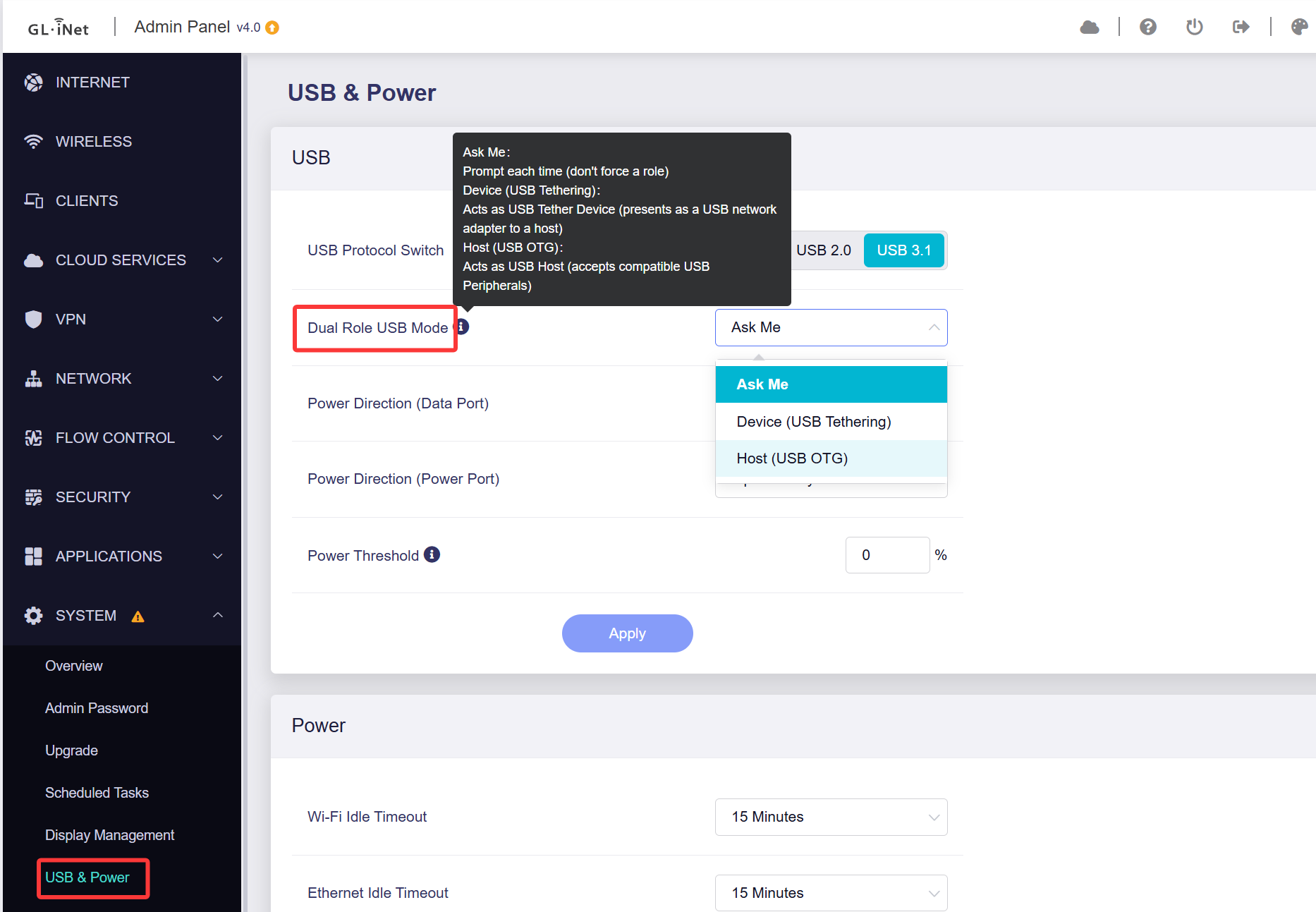
I am confused by USB tethering on the Mudi 7. When I connect a USB Cable between the Mudi 7 and my iPhone (or MacBook), I get asked whether I want either “Device (USB Tethering)” or “Host (USB OTG). I am not sure I completely understand the difference.
Note that sometimes, I’d like to use my iPhone’s connection to give the Mudi 7 internet connection via the usb cable and sometimes I’d like to use the Mudi 7 cellular connection to provide Internet connection to my iPhone or Macbook
Can anyone help with this and provide an explanation?
The two modes control which device provides internet to the other:
Device (USB Tethering) – Use this to share Mudi 7’s network connection with your phone or laptop.
Host (USB OTG) – Use this when you want to share your phone’s internet with the Mudi 7.
You may preconfigure your preferred mode ahead of time by navigating to SYSTEM → USB & Power → Dual Role USB Mode, which can skip repeated pop-up prompts upon each connection.