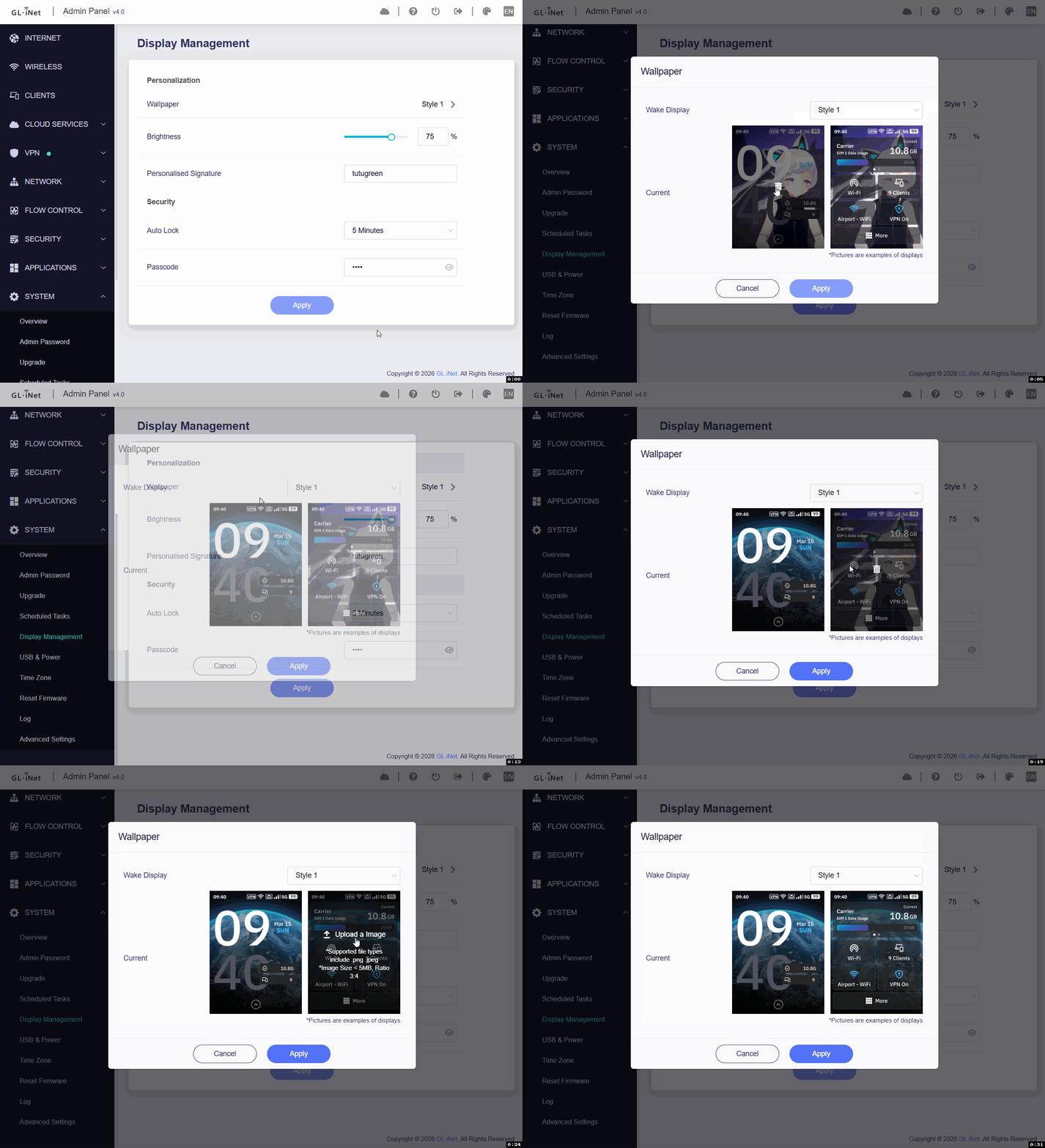
Frontend minor bug:
Steps to reproduce
-
Go to SYSTEM -> Display Management -> Personalization -> Wallpaper.
-
Click Wallpaper/Style 1. A popup window appears and shows the current image.
If a current image exists, click the recycle icon to remove it. -
Click Upload an Image. The browser file chooser opens, and the Edit Photo popup is displayed.
-
Press ESC to close the browser file chooser.
-
Press ESC again to close the Edit Photo popup.
-
Click Upload an Image again. The Edit Photo / file chooser dialog no longer appears.
-
The upload flow only works again after refreshing the page.
Actual result
After clicking Upload an Image again, nothing happens, and the image upload flow cannot be reopened.
Expected result
After closing the Edit Photo popup, clicking Upload an Image again should open the Edit Photo / file chooser dialog normally.