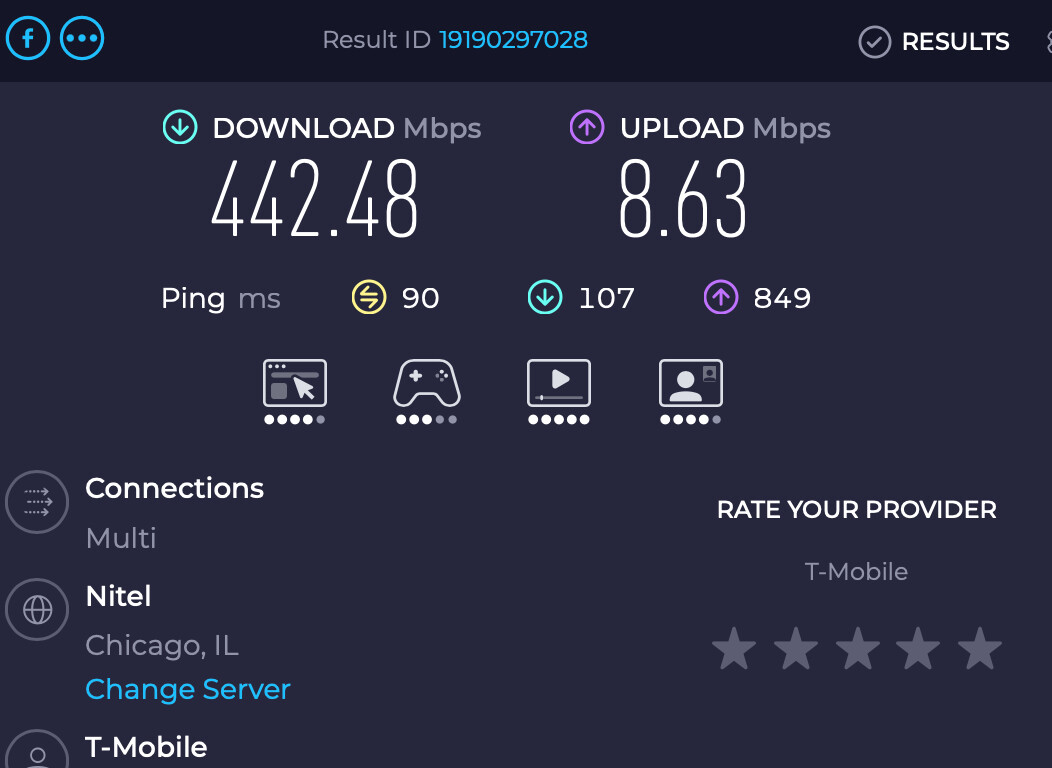
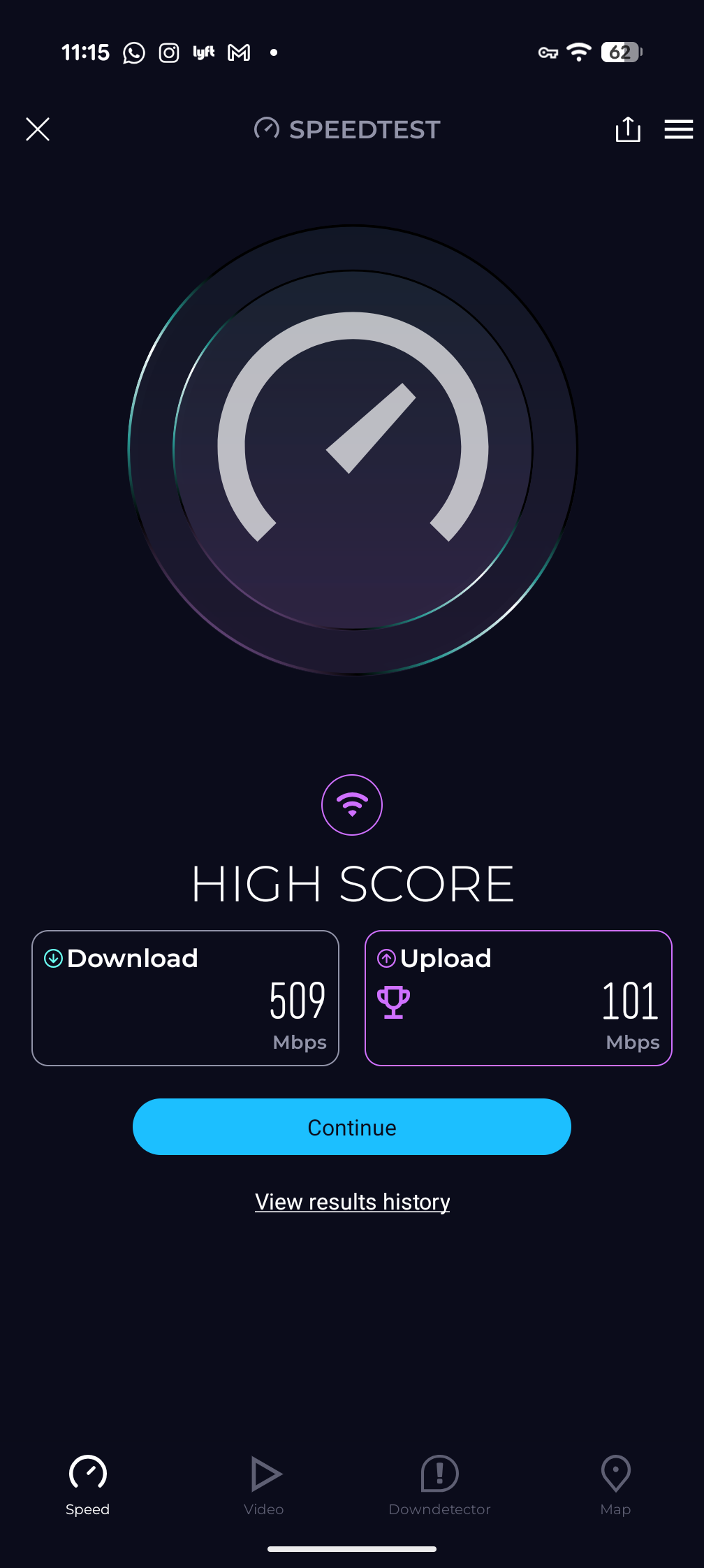
Coming from a Mudi 2 where I only hit 50mbs download on LTE on a good day, let me say the Mudi 7 is a HUGE upgrade for speed I was already paying for. My Spitz AX only can hover around 300mbs in same location (my bedroom) and I can’t put it in my backpack.
Thank you for such good work!.
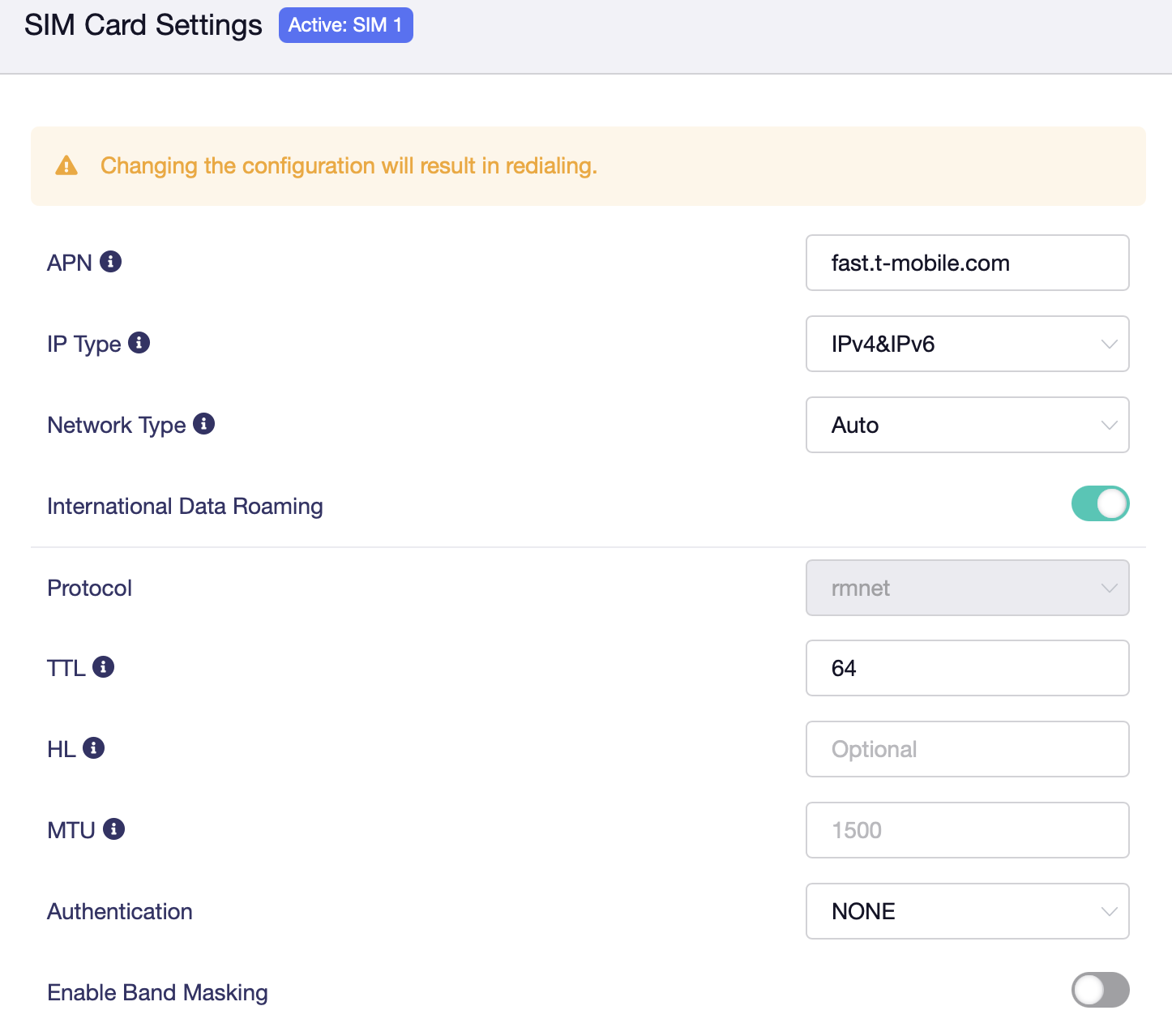
Settings for TMO US users to get up up and running out of the box
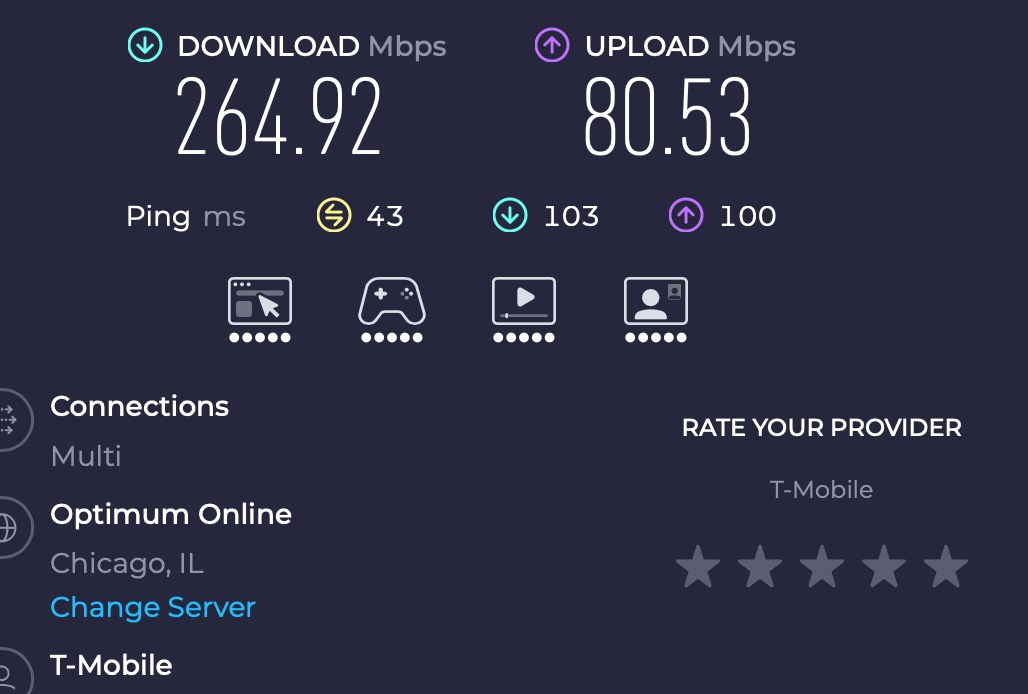
See picture below, didn’t change anything else. TMO is IPv6 only, so having default to v4 and v6 is fine. Also did another speed test on the train going into work. Very acceptable bandwidth and latency, of course performance is constantly changing since im moving on a train.
For some reason I can’t get WiFi calling to stick. It comes on for a minute or two then it goes away. Been back n forth with support. Tried imei change, TTL change, network acceleration on and off, etc. Any tips?
Ok, this Mudi 7 5G router is game changer in productivity, like the Apple M1 CPU moment after I used it first few days in 2020.
2 days of train commute for work, 4hrs+ of use, down to 75% battery and it barely gets warm. That means in a time of desperation, this thing will get close to 16hrs of use from 100% down to 0%.
All I did was update firmware, changed TTL to 65 for the voice sim, and DNS settings. I didn’t do anything else. I have 2 units, the hotspot sim I didn’t change anything but DNS settings.
Thank you I changed the dns. Still getting flaky Tmobile WiFi calling on/off.
I noticed that when I’m connected it’s almost like there’s a basic level of security. Not quite a vpn but I can sometimes go to geo locked sites. I’m wondering if there’s a security setting I have somewhere that’s doing this. Right now I have IPv6 on to pass through…….
Having trouble with my Mudi 7 and Tmobile WiFi calling to stay on. It’s spotty and won’t stay on. I’ve got a spitz 3000 that works fine, I tried copying settings over but it doesn’t fix the issue. I have a dish wireless sim in slot 2 and when I switch it’ll work just fine. Soon as I switch back to the Tmobile sim, the WiFi calling becomes intermittent again.