Hi everyone,
I am experiencing some frustrating performance issues with a USB 3.0 drive connected to my Flint 2 (GL-MT6000) and I would like to know if this is a known issue or a limitation of using a flash drive vs. an HDD.
My setup:
-
Router: Flint 2 (GL-MT6000)
-
Storage: Kingston USB 3.0 Flash Drive.
-
File System: Ext4 (formatted for better Linux performance).
-
Connection: Testing via Wifi. (My PC is new with an external Wifi7 antenna, I´m far from the router but I get 855/1000 mbps of internet speed so the wifi stability is not the issue)
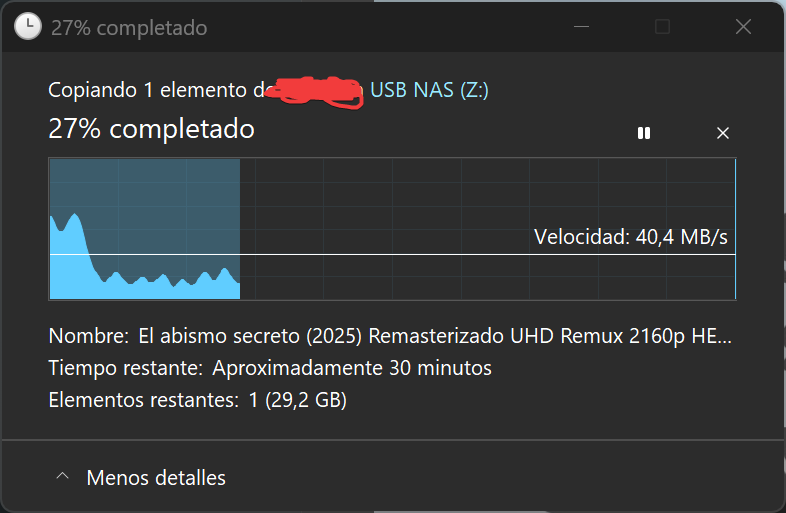
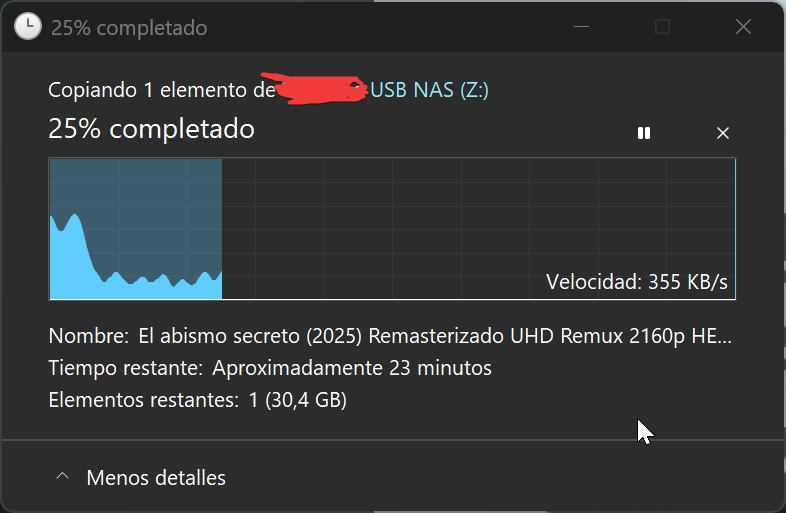
The Problem: When I try to upload or transfer a large file, the speed starts out fine but then it suddenly drops to zero or becomes extremely slow. It stays "stuck" for a while, then resumes at a good speed for a few seconds, and then stops again. This makes uploading even a single large file take a very long time.
Since I am already using Ext4, I expected more stability.
My questions:
-
Is this "stop-and-go" behavior typical for USB flash drives on the Flint 2 due to heat or controller overhead?
-
Would switching to an external HDD or an SSD with its own dedicated controller solve these stalls?
-
Is there any specific setting in OpenWrt/GL-iNet dashboard (like mount options or cache tweaks) that could help stabilize the transfer?
I would appreciate any insights from anyone who has moved from a standard USB stick to a proper external drive on this router.
Thanks in advance!