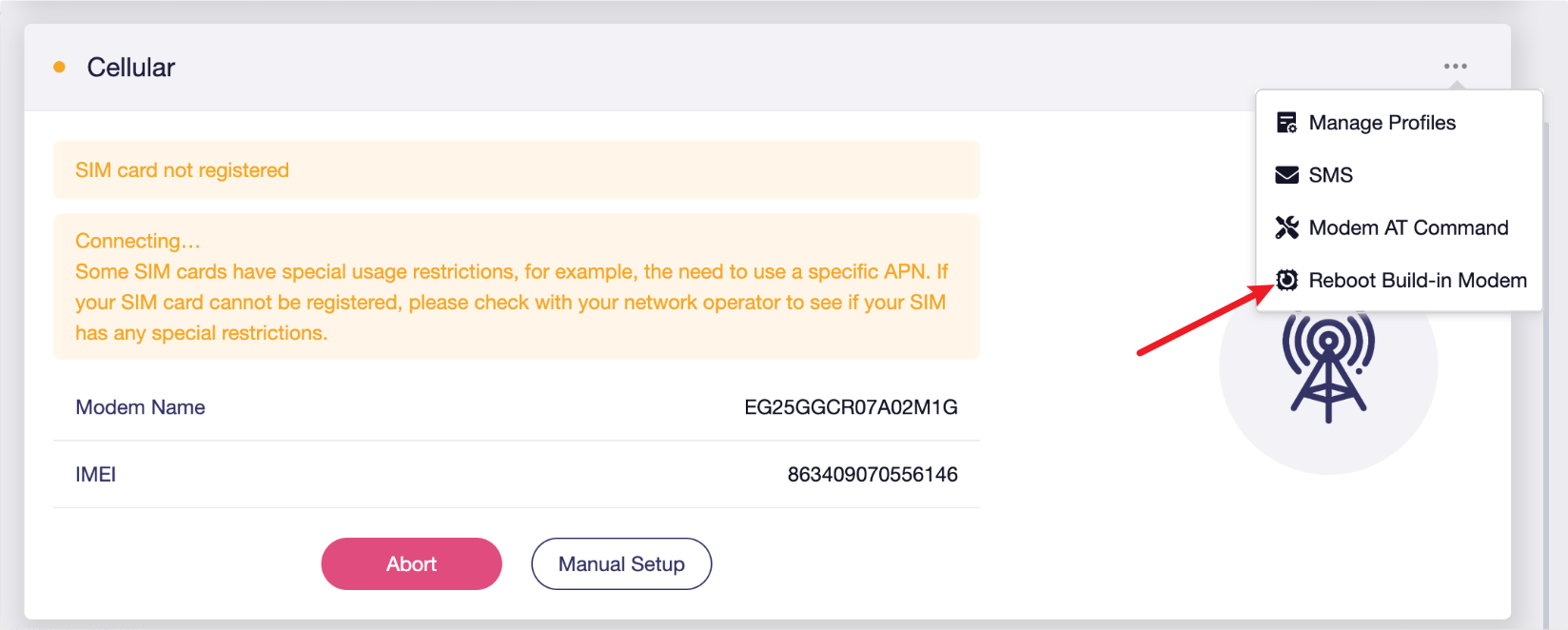
I noticed that there is no official guide for upgrading the Quectel module firmware on the GL-X2000 (Spitz Plus). I tried doing the upgrade myself using QFirehose v1.5, but I ran into an issue.
Steps I followed:
Built QFirehose and copied it to the device.
Unzipped the Quectel firmware package (it contains the update/firehose directory).
Ran QFirehose with the command:
./QFirehose -f <firmware_folder>
After running this, the modem resets, but then I receive the following error:
fail to fopen /sys/bus/usb/devices/2-1/uevent
At this point the /sys/bus/usb/devices/2-1/ directory disappears, and QFirehose can’t continue.
If I run QFirehose again, it just shows “module not found” right away.
Has anyone successfully upgraded the Quectel modem firmware inside the GL-X2000?
Is there an official procedure from GL.iNet or Quectel for PCIe-attached modules like the EG120K?
Do we need to remove the module and flash via USB adapter instead?
Any guidance or an official upgrade guide would be really helpful.
The module upgrade method for GL-X2000 is a bit different. You can reboot the router and upgrade it via the web GUI.
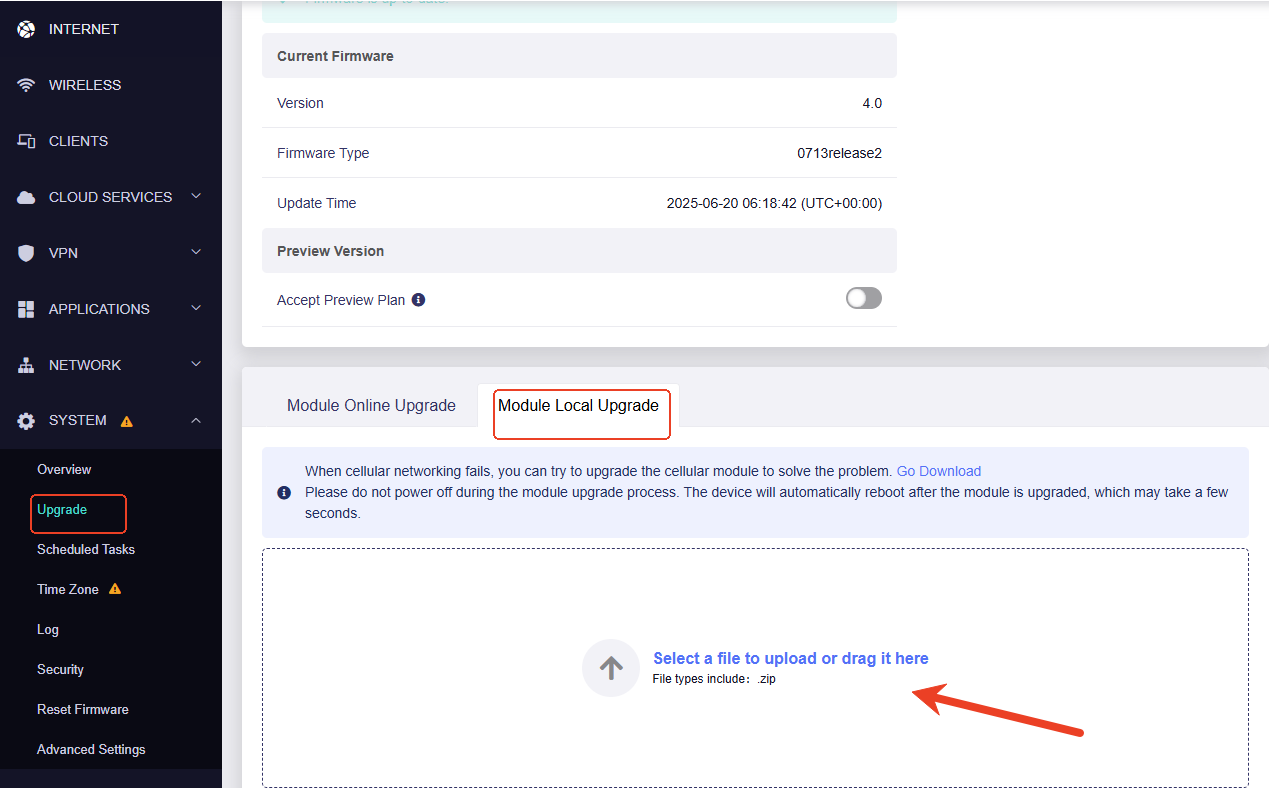
GL-X2000 supports to update the module from the GUI ->Upgrade->Module Local Upgrade
Yes, I did reboot the router before trying the upload. I’ll send you the failed log as requested, but it will take me about 2 days since I don’t have access to the router at the moment.
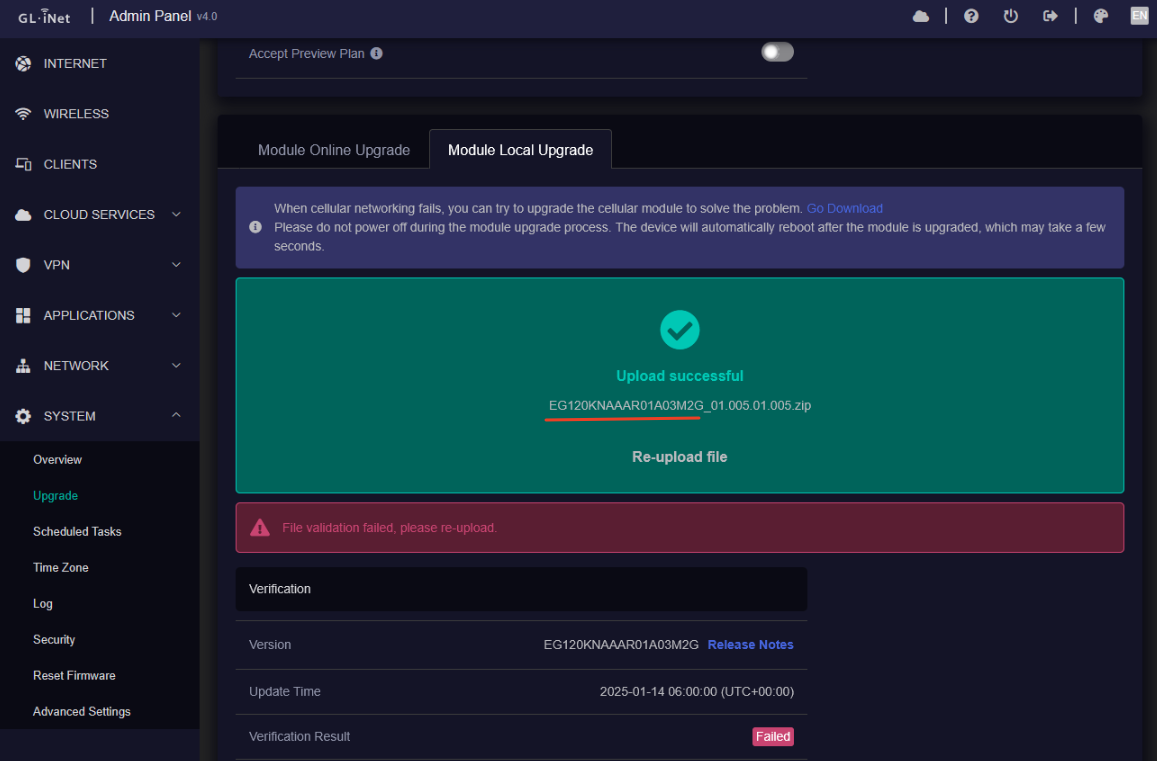
Was this resolved. I’m also experiencing the same problem on the X2000 I’ve bought. Error validating the file when I drag and drop. Have downloaded the latest firmware from glinet
Thanks. The logread file seems not have records related to file uploads. Can you check again the current module version and the module firmware file:
Go to the Module Online Upgrade to check the current module version
Share a screenshot to show us the name and the size of module firmware that you want to upload.
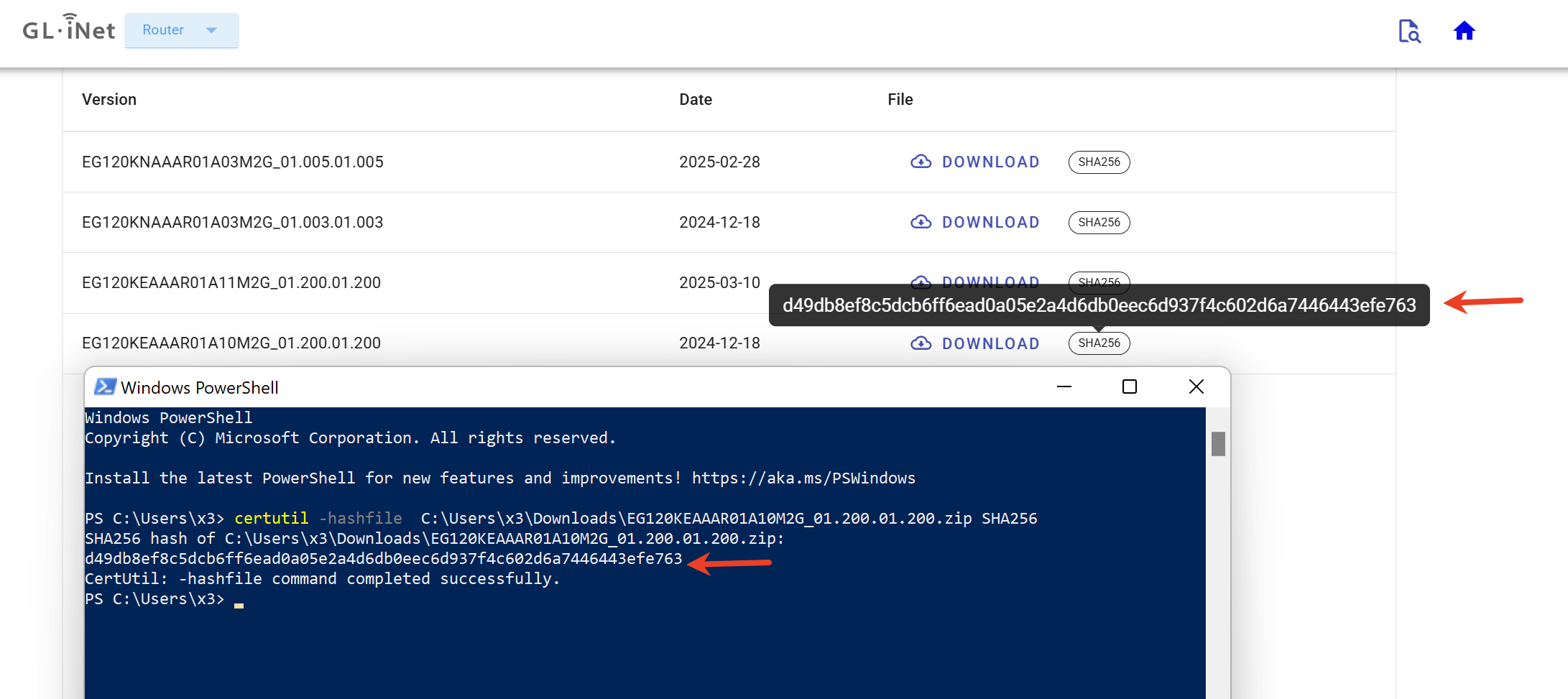
Or if module firmware is downloaded from GL download center, use command to verify the SHA256 value. E.g., check the SHA256 value in Windows:
Confirmed that the firmware you updated is the original package which is for full update. However, the X2000 does not support full upgrade; it requires a differential upgrade for the modem module.
Please contact the Quectel for a differential package. Then update the modem module through web GUI or through SSH.
Below are the update steps in SSH:
In the SSH terminal, enter this command to stop the modem process: /etc/init.d/modem-init stop
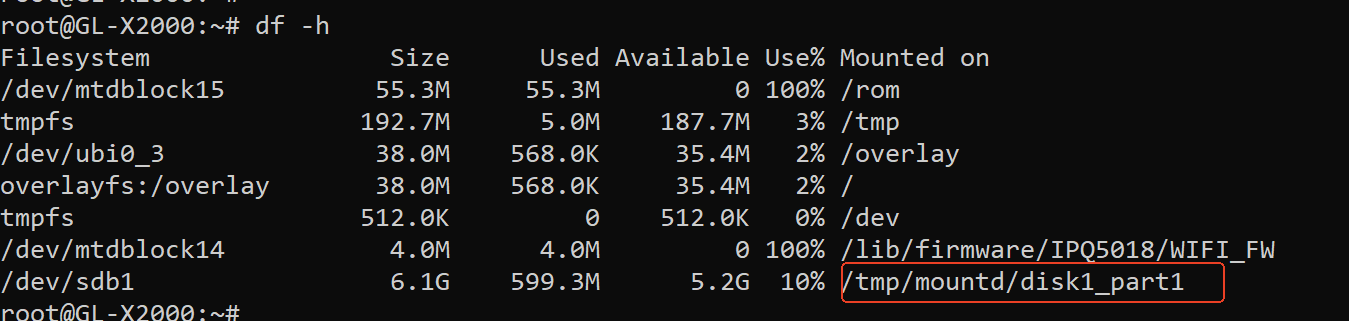
Put the differential package to a USB drive and insert the drive into the router. Use command df -h to view the mountd path and record it
Enter the commands below one by one to update the differential package to the module. Note: Pls replace "EG120KEAAAR01A10M2G_01.200.01.200.zip" and the "12298281" with the autual package name and file size
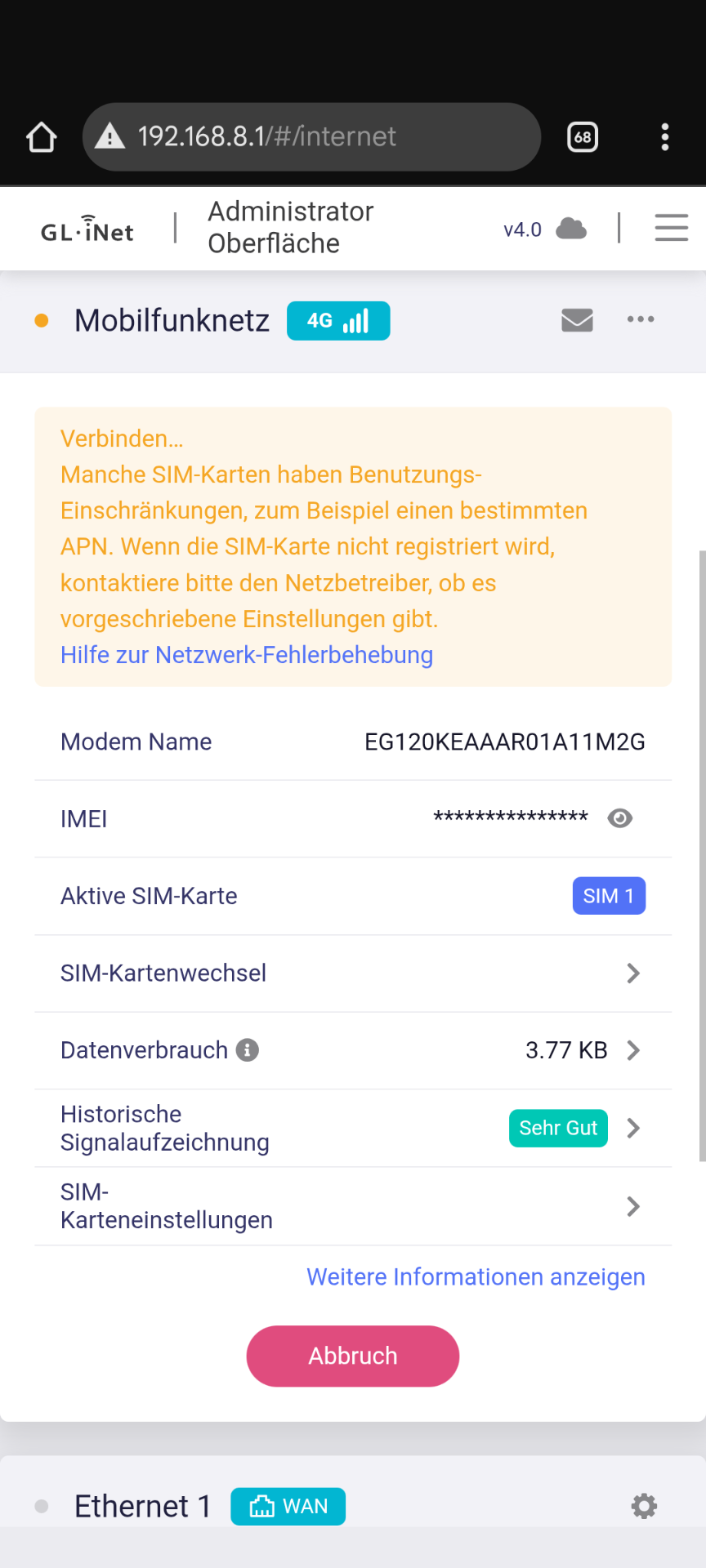
APN is correct and Sim was working on previous Beta. Maybe the Modul Software is wrong? But i cant find the Option to upgrade anymore in Webui…
Seems an Beta 4.8.2 issue (regarding other posts)
Whats the easiest way to get form Beta 4.8.2 to Stable 4.7.13 without loosing settings? Cannot install via WebUI, memory full??? Dont have any aditional packages installed…
Edit: Fri Sep 19 08:40:24 2025 user.info modem: (qmi.sh:230) Starting network modem_2_1 ...
Fri Sep 19 08:40:24 2025 user.info modem: (qmi.sh:325) Setting up wwan0
Fri Sep 19 08:40:24 2025 daemon.notice netifd: Interface 'modem_2_1_4' is enabled
Fri Sep 19 08:40:24 2025 daemon.notice netifd: Interface 'modem_2_1' is now up
Fri Sep 19 08:41:07 2025 user.notice kmwan: config json str={ "op": 2, "data": { "cells": [ { "interface": "modem_2_1", "netdev": "wwan0", "track_mode": "passive", "addr_type": 4, "force_ip": "0.0.0.0", "tracks": [ { "type": "ping", "ip": "1.1.1.1" }, { "type": "ping", "ip": "8.8.8.8" }, { "type": "ping", "ip": "208.67.222.222" }, { "type": "ping", "ip": "208.67.220.220" } ] } ] } }
Fri Sep 19 08:41:07 2025 kern.warn kernel: [44008.287187] [add_dev_config 319]add node success. iface:modem_2_1, dev:wwan0, ifindex:370
Fri Sep 19 08:41:08 2025 daemon.info gl-repeater[2153]: (repeater.lua:1763) interface modem_2_1 status offline
Fri Sep 19 08:41:08 2025 daemon.info gl-repeater[2153]: (repeater.lua:1780) interface modem_2_1 offline
Fri Sep 19 08:41:12 2025 user.notice firewall: Reloading firewall due to ifup of modem_2_1 (wwan0)
Fri Sep 19 08:41:23 2025 daemon.info gl_modem: (modem_cm.c:1413) Dial-up is failed using network configuration,dialing consumed a total of 66 seconds
Fri Sep 19 08:41:23 2025 daemon.info gl_modem: (modem_cm.c:1488) Exit the dialing process
Fri Sep 19 08:42:20 2025 user.info modem: (modem_network_recover_detection.sh:731) (modem_network_recover) dection 15 s interface modem_2_1 is offline and the network is restart...
Fri Sep 19 08:42:20 2025 daemon.info gl_modem: (modem_cm.c:1324) Enter the dialing process
Fri Sep 19 08:42:20 2025 daemon.info gl_modem: (modem_cm.c:1351) Now that the simcard is ready, try dialing...
Fri Sep 19 08:42:20 2025 daemon.info gl_modem: (modem_cm.c:1380) curr dial imsi:262231022625796
Fri Sep 19 08:42:20 2025 daemon.info gl_modem: (modem_cm.c:1396) network configuration exists
Fri Sep 19 08:42:20 2025 daemon.info gl_modem: (modem_cm.c:1408) Start dial form network...
Fri Sep 19 08:42:20 2025 daemon.info gl_modem: (modem_cm.c:1107) Start performing the dialing action...
Fri Sep 19 08:42:20 2025 daemon.info gl-repeater[2153]: (repeater.lua:1794) interface modem_2_1 down
Fri Sep 19 08:42:20 2025 daemon.notice netifd: Interface 'modem_2_1_4' is disabled
Fri Sep 19 08:42:21 2025 user.info modem: (qmi.sh:424) Stopping network modem_2_1
Fri Sep 19 08:42:22 2025 daemon.notice netifd: modem_2_1 (15376): Command failed: Permission denied
Fri Sep 19 08:42:22 2025 daemon.notice netifd: Interface 'modem_2_1' is now down
Fri Sep 19 08:42:22 2025 daemon.info gl-repeater[2153]: (repeater.lua:1794) interface modem_2_1 down
Fri Sep 19 08:42:23 2025 daemon.notice netifd: Interface 'modem_2_1' is setting up now
Fri Sep 19 08:42:23 2025 user.info modem: (qmi.sh:424) Stopping network modem_2_1
Fri Sep 19 08:42:24 2025 daemon.notice netifd: modem_2_1 (15568): Command failed: Permission denied
Fri Sep 19 08:42:24 2025 daemon.notice netifd: Interface 'modem_2_1' is now down
Fri Sep 19 08:42:24 2025 daemon.notice netifd: Interface 'modem_2_1' is setting up now
Fri Sep 19 08:42:24 2025 daemon.info gl-repeater[2153]: (repeater.lua:1794) interface modem_2_1 down
Fri Sep 19 08:42:25 2025 user.notice kmwan: config json str={ "op": 3, "data": { "cells": [ "modem_2_1" ] } }
Fri Sep 19 08:42:25 2025 kern.warn kernel: [44086.458603] kmwan: Delete node:modem_2_1
Fri Sep 19 08:42:25 2025 user.info modem: (qmi.sh:1215) (unlock_sim_pin)sim_status:READY modem_bus:2-1
Fri Sep 19 08:42:26 2025 user.notice firewall: Reloading firewall due to ifdown of modem_2_1 ()
Fri Sep 19 08:42:28 2025 daemon.notice netifd: modem_2_1 (15649): Failed to parse message data
Fri Sep 19 08:42:32 2025 user.info modem: (qmi.sh:149) Setting ifname wwan0 MTU to default 1500
Fri Sep 19 08:42:32 2025 user.info modem: (qmi.sh:153) Waiting for SIM initialization...
Fri Sep 19 08:42:32 2025 user.info modem: (qmi.sh:213) Device only supports raw-ip mode but is missing this required driver attribute: /sys/class/net/wwan0/qmi/raw_ip.
Fri Sep 19 08:42:32 2025 user.info modem: (qmi.sh:230) Starting network modem_2_1 ...
Fri Sep 19 08:42:33 2025 user.info modem: (qmi.sh:325) Setting up wwan0
Fri Sep 19 08:42:33 2025 daemon.notice netifd: Interface 'modem_2_1_4' is enabled
Whats the easiest way to get form Beta 4.8.2 to Stable 4.7.13 without loosing settings? Cannot install via WebUI, memory full??? Dont have any aditional packages installed