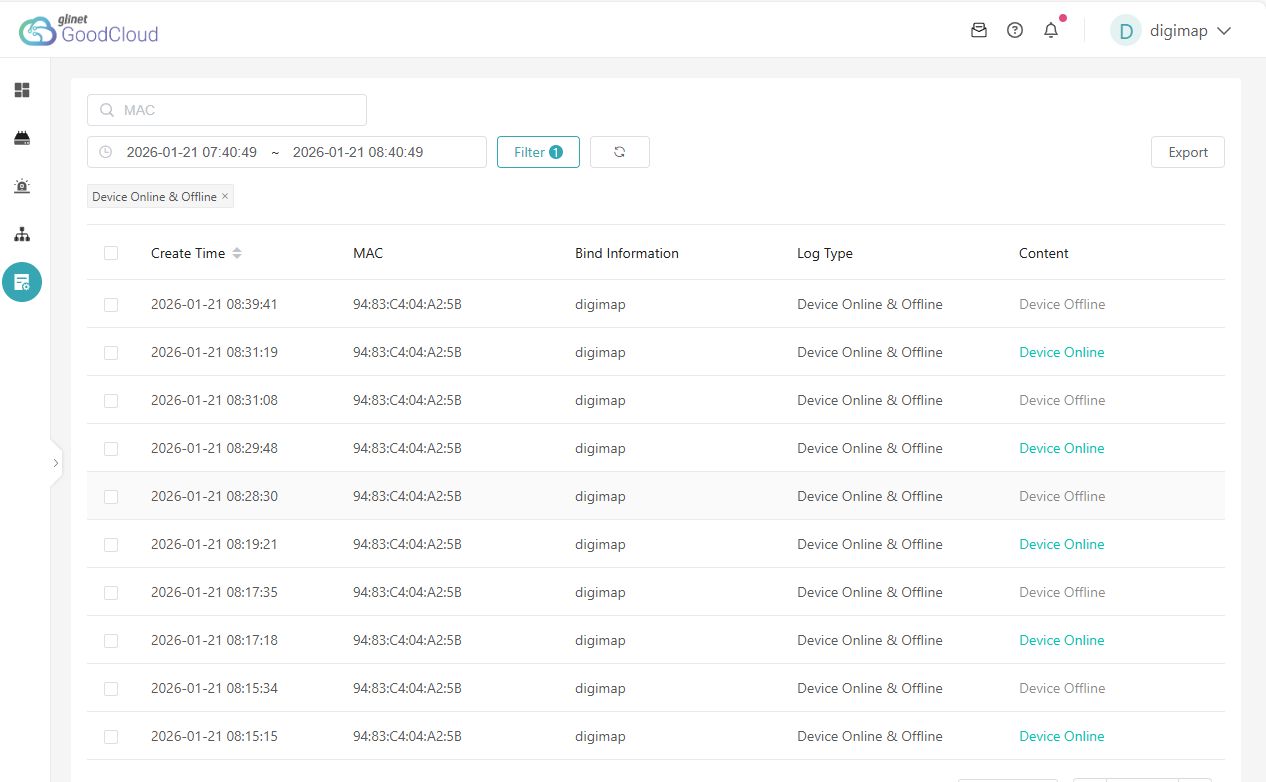
The device is online, I try to connect remotely and it goes offline.
I wait, it comes back online, I try again and it goes offline.
Could it be a power issue? The MT300N V2 has been powered
by a router's USB cable for over a year and has always worked fine.
Hi
Judging from the time from the device going offline to coming back online (as short as 10s), it doesn’t look like a power issue, but rather a problem with upstream network instability.
Do you have a chance to access the router locally and use a long ping test to check its network stability?
# On Windows
ping www.goodcloud.xyz -t
# On Linux/MacOS or SSH into router
ping www.goodcloud.xyz
Alternatively, please export the device logs and send it via private messages so that we can conduct further inspection.
How to export logs:

How to send private messages:

Unfortunately, I can't access the MT300N locally anytime soon due to the distance, so I can't answer your question. I can, however, add a few details in the meantime.The device's settings have been the same for years. The remote "Mango" is in a subnet of a main router with regular and functioning port forwarding, with a static public IP. The firmware, the most recent, was updated some time ago, but these events have only recently occurred. While the "Mango" is apparently offline, the site-to-site tunnel remains active, or at least I'm not aware of any interruptions in the data flow ( CAMs, IoT devices, etc..). What happens is that if I try to access the pages, for example, view the connected clients, it goes into a loop, goes offline, and then comes back on. So remotely, I can't even view other logs. I will respond to your appreciated support as soon as possible.
Could you share this device with us according to the following tutorial so that we can inspect it remotely?
Technical Support via GoodCloud - GL.iNet Router Docs 4
Please note to send the Admin Panel login password via private message so we can access it.
Thanks for sharing the device.
We’ve already had the R&D team run a remote check, but there wasn’t much useful information.
At this point, the only possible way to proceed with further diagnosis may be to visit the site and export the logs for analysis.
I just logged an apparent offline event on Good Cloud while I was connected site-to-site to the remote device and looking at the logs. A MQTT issue was reported where the device, active in the tunnel, went offline from GoodCloud and could no longer be managed from that web interface, but only via the tunnel. Here are the screenshots documenting the event.
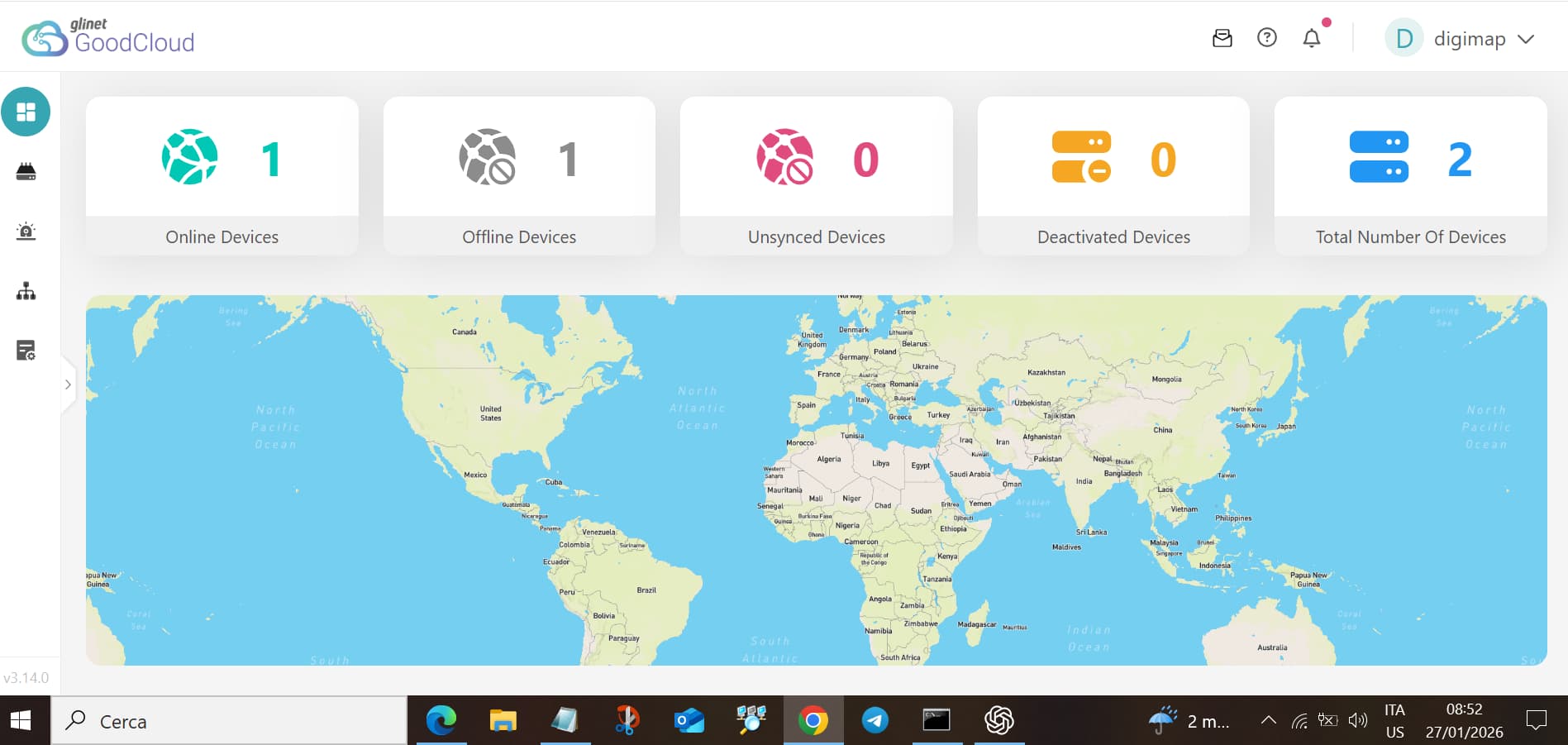
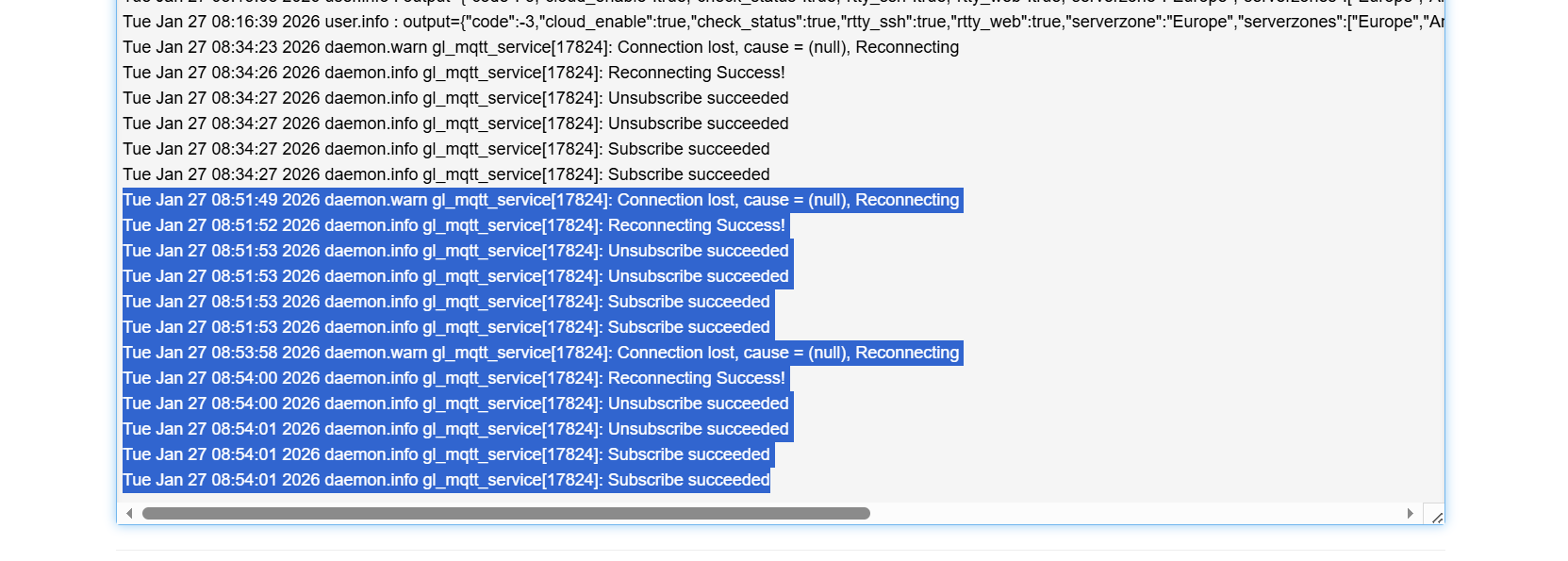
Do you have the chance to export the complete logs for us to check?
Additionally, is remote access now working perfectly via the Site-to-Site VPN?
Unfortunately the admin panel of the MT300N is more basic than the one shown in your post and there is not any option named "network" nor "system" and so there is not an option to export logs. The only way I've found to see logs is via Luci where there are "system logs" of the last 3 days and "kernel logs" . And I can so only do a copy and paste.
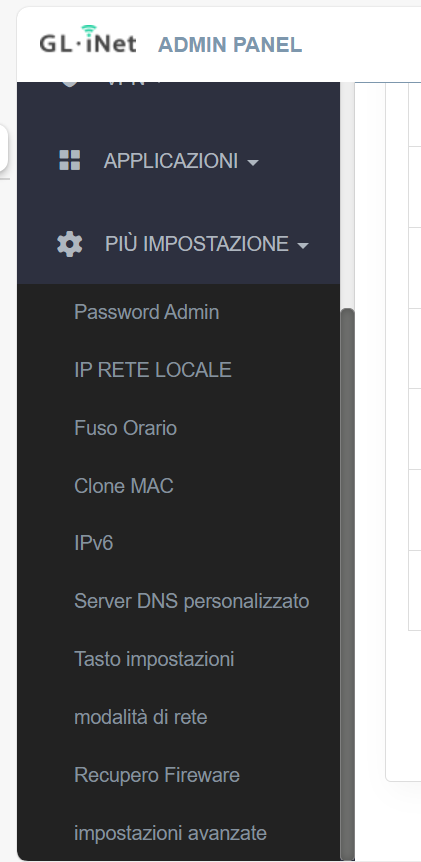
Sure, as I said before, the logs shown were registered ( and the remote MT300N managed) via the "site to site" tunnel at the exact same time GoodCloud showed that the same device was offline.
Thank you for your update.
We have passed along the log information you provided earlier to our R&D team for analysis, but it doesn’t seem to have yielded many useful clues.
Do you have a chance to upgrade the MT300N to the latest firmware v4.3.25 to see whether the issue still persists?
Download link:
Upgrade guide:
Sure, thanks for sharing firmwares link, mine MT was stuck into automatic upgrade and wasn't seeing any updates. However, I'm a little concerned about this warning: "When upgrading the firmware from version 3.x to 4.x, it is NOT possible to keep all data. Your Admin Password, Wireless, LAN, Cable, and Modem Settings will be kept, but ALL other settings and user data will be DELETED". And I don't know if I'll lose control via the tunnel that's actually the only way I can reach the device.
Yes, upgrading from v3.x to v4.x will not preserve your configuration and data, and the tunnel will lose as well.
So if there are no plans to visit the site in the near future, it’s not recommended to upgrade the firmware remotely over the tunnel.
This topic was automatically closed 90 days after the last reply. New replies are no longer allowed.