Hello, I have the following setup:
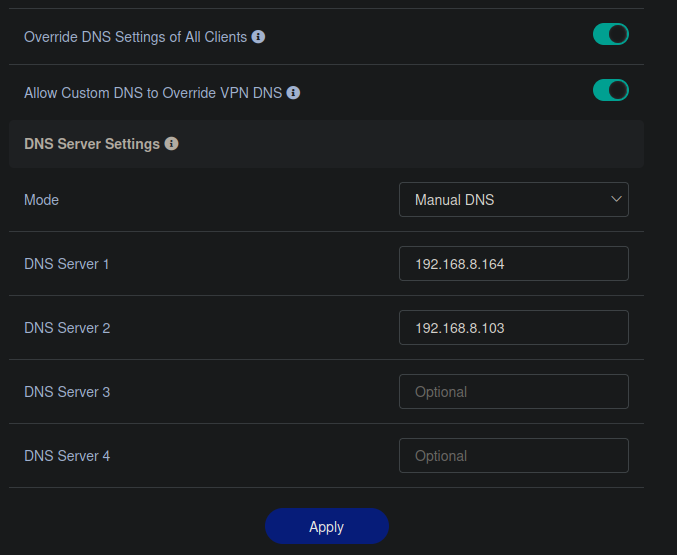
Flint connected to internet, local IP at 192.168.8.1, with "Override DNS Settings for All Clients" enabled, and custom DNS servers 192.168.8.164 and .103 specified. These servers are both piholes on the network, and provide content filtering + local DNS resolution for various services. All devices directly attached to Flint can type my.service.etc and it will resolve. This includes some devices on Flint that are configured to access the internet through a public VPN via Wireguard. They still resolve local DNS via the piholes.
Directly connected to Flint is Opal GL-SFT1200 firmware version 4.8.3, local IP 192.168.10.1.
Three devices are connected to Opal. Two have each their own Wireguard VPN tunnel to two different public VPN services, the other connects normally to public internet. The non-wireguard device can resolve my.service.etc, but the two wireguards cannot. They use the DNS provided by wireguard and can't resolve local DNS via the piholes.
I have tried deleting the DNS provided by wireguard from the config, but it reappears. I have tried manually changing it to the address of the piholes, but this has no effect. I have tried the below on Opal:
I have tried adding a higher priority tunnel rule that specifies 192.168.8.0/24 traffic should not go through the tunnel. I have ensured the piholes are configured to respond to all data, not just local requests. I have confirmed that the my.service.etc is reachable from both devices via IP address, as are the piholes.
Nothing seems to have any effect, the devices using wireguard tunnels on Opal will not resolve DNS via the DNS servers on Flint.
Could you please tell me what I'm doing wrong? I want all three devices on Opal to resolve DNS via the piholes on Flint, while their access to the public internet should be via wireguard.
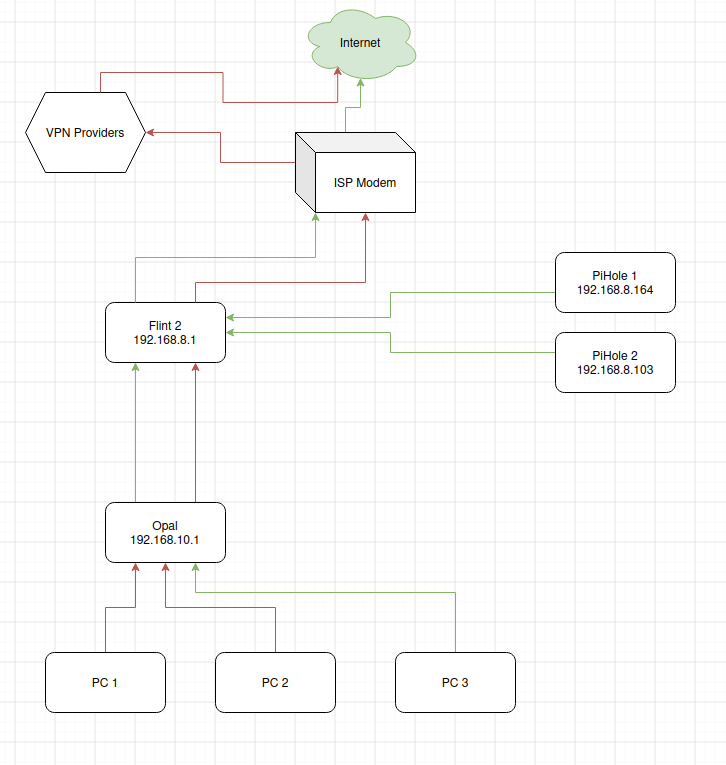
To add more information, this is the layout.
I would like PC1 and PC2 to use pihole1 and pihole2 for DNS. PC3 uses them. Devices on Flint 2, including those behind VPN thanks to flint2, use them. Just PC1 and PC2 won't use them.
Hi,
Thank you for providing the detailed information.
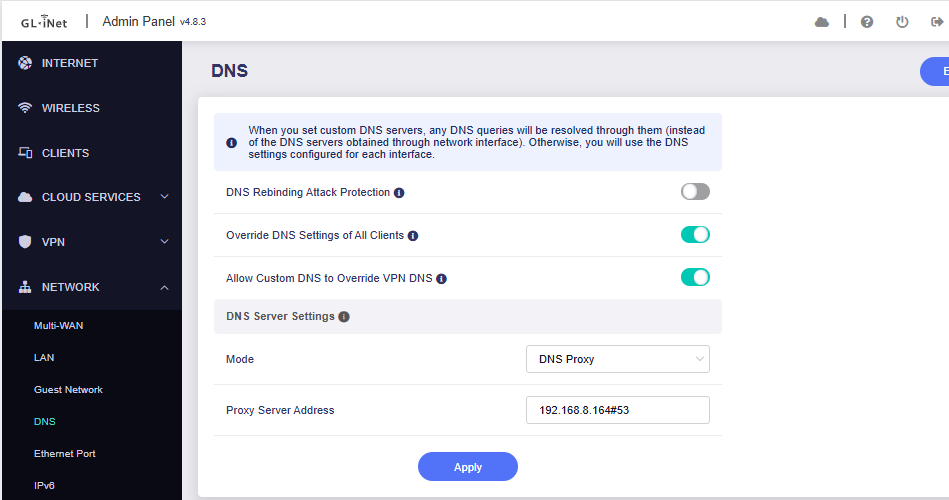
Could you please switch the DNS mode to DNS Proxy, configure the Pi-hole servers (192.168.8.164 or 192.168.8.103) as the upstream DNS servers, and test again?
If the issue persists, please connect to the Opal via SSH and run the following commands to capture DNS traffic:
opkg update
opkg install tcpdump
tcpdump -ni any -nn -vv 'port 53'
While the capture is running, please reproduce the issue by performing a DNS lookup on one of the affected devices. Please share captured output with us.
Thank you for your understanding and support.
How to SSH Log in to the Router:
Hello, thank you for the response. I configured the DNS proxy setting as shown but unfortunately the result is the same.
Here is the tcpdump of me trying to connect to pi.hole2, which is the local name of the 103 pihole.
piholedns.txt (8.3 KB)
Hi,
Thank you for sharing the packet capture.
The capture shows a DNS query for pi.hole2 sent to 192.168.8.164, followed by a response from that address with the result NXDOMAIN (domain does not exist).
Could you please perform the following checks to help us investigate further?
- Check DNS resolution on both Pi-hole servers
Could you please check whether both Pi-hole servers (192.168.8.164 and 192.168.8.103) can resolve pi.hole2 to 192.168.8.103?
- Check the query logs with the VPN enabled
Please keep the VPN enabled and retain the current DNS Proxy settings, open the Query Log on both Pi-hole servers, and then run the following command on an affected computer:
nslookup pi.hole2. 192.168.10.1
What output do you get from this command, and are there any corresponding entries in the Pi-hole query logs?
Thank you for your patience and cooperation.